> ## Documentation Index
> Fetch the complete documentation index at: https://getlago.com/docs/llms.txt
> Use this file to discover all available pages before exploring further.
# Product updates: 2023
> Lago product updates released in 2023.
Browse: [Latest](/docs/changelog/product) · [2025](/docs/changelog/product-2025) · [2024](/docs/changelog/product-2024) · **2023** · [2022](/docs/changelog/product-2022)
## Custom invoice numbering
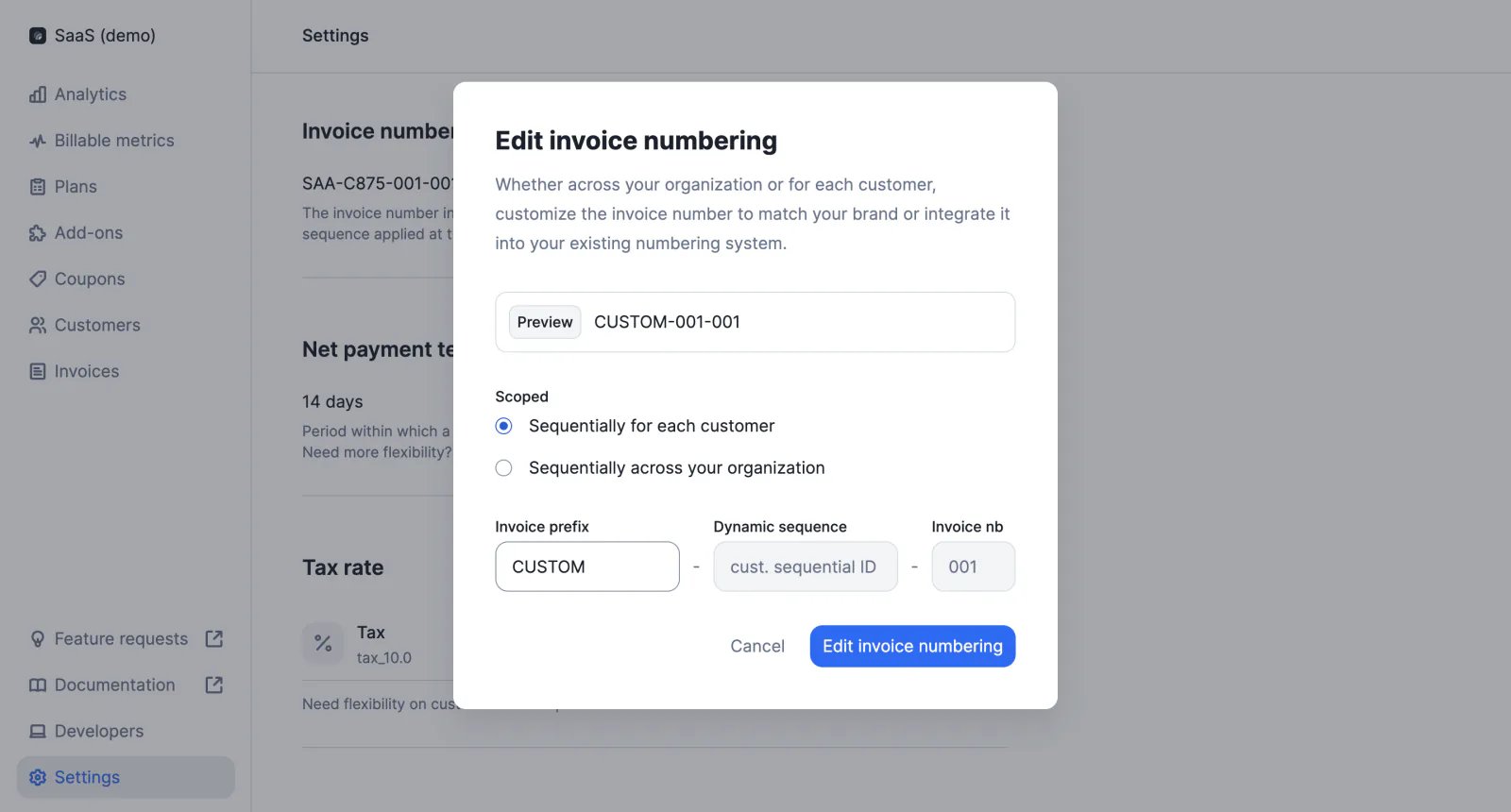
We have made invoice numbering more flexible, with three elements:
* Prefix that can be customized
* Dynamic sequence, either based on sequential customer IDs, or based on year and month (i.e. YYYYMM)
* Sequential number of the invoice (i.e. 001, 002, 003, etc.)
[Learn more](/docs/guide/invoicing/overview#invoice-numbering)
 ## EU tax management
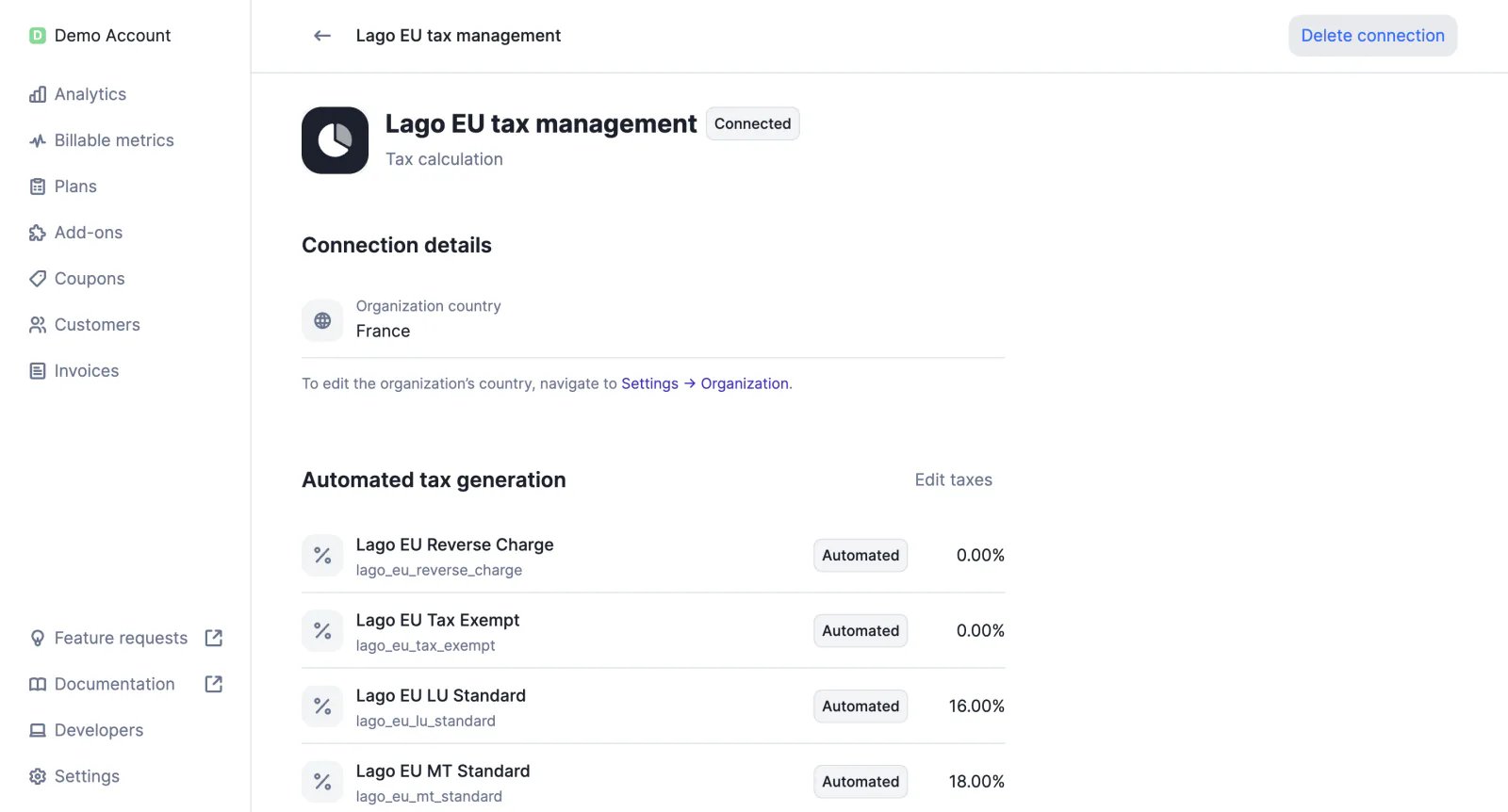
Lago's EU tax detection feature allows users to check customers' tax identification numbers through integration with the European VAT Information Exchange System (VIES), and to automatically assign them a tax rate based on their country.
[Learn more](/docs/integrations/taxes/lago-eu-taxes)
## EU tax management
Lago's EU tax detection feature allows users to check customers' tax identification numbers through integration with the European VAT Information Exchange System (VIES), and to automatically assign them a tax rate based on their country.
[Learn more](/docs/integrations/taxes/lago-eu-taxes)
 ## Unit prices
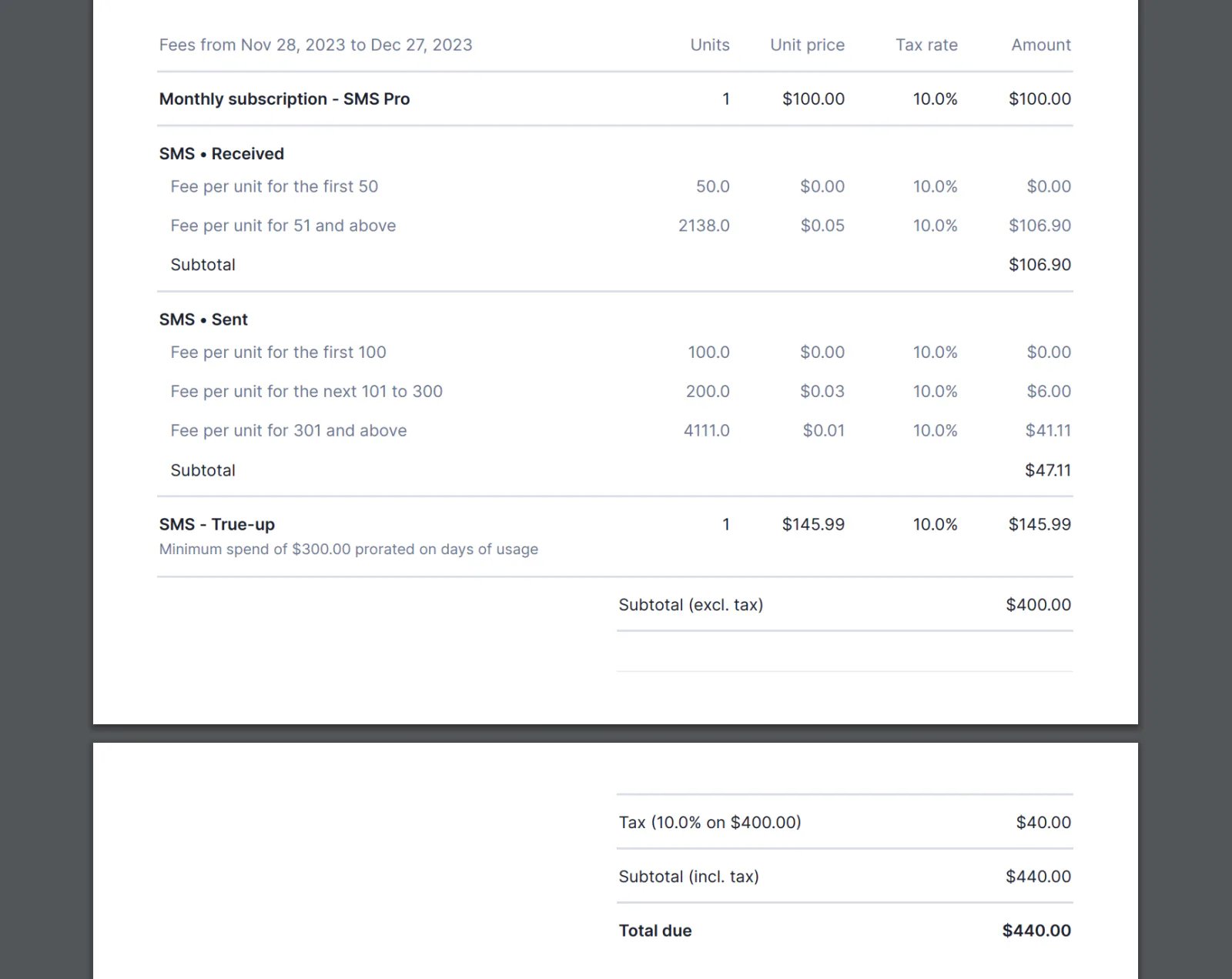
PDF invoices now include details of charges for each pricing model (e.g. for graduated pricing, we display the number of units and unit price for each tier).
This information is also available in the invoice object (see `invoice.fees.amount_details`).
[Learn more](/docs/api-reference/invoices/invoice-object)
## Unit prices
PDF invoices now include details of charges for each pricing model (e.g. for graduated pricing, we display the number of units and unit price for each tier).
This information is also available in the invoice object (see `invoice.fees.amount_details`).
[Learn more](/docs/api-reference/invoices/invoice-object)
 ## Automatic wallet top-ups ✨
✨ This feature is only available to users with a premium license. Please contact [hello@getlago.com](mailto:hello@getlago.com) to get access to Lago Cloud and Lago Self-Hosted Premium.
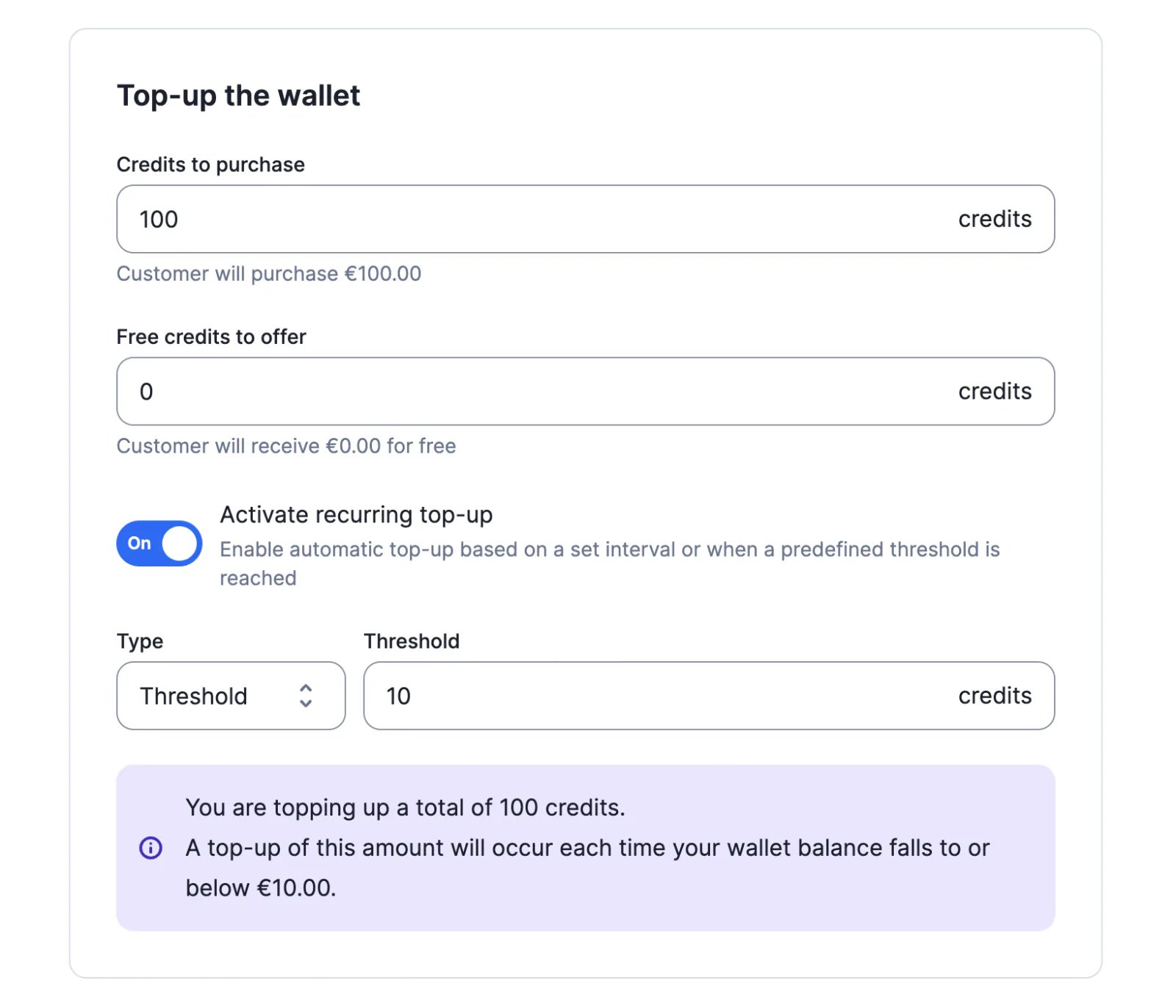
Customer wallets can be topped up automatically according to predefined rules:
* Based on a time interval (e.g. weekly, monthly, etc.)
* Based on a threshold (e.g. when the wallet balance is less than or equal to \$10)
[Learn more](/docs/guide/wallet-and-prepaid-credits/wallet-top-up-and-void#setup-recurring-top-ups)
## Automatic wallet top-ups ✨
✨ This feature is only available to users with a premium license. Please contact [hello@getlago.com](mailto:hello@getlago.com) to get access to Lago Cloud and Lago Self-Hosted Premium.
Customer wallets can be topped up automatically according to predefined rules:
* Based on a time interval (e.g. weekly, monthly, etc.)
* Based on a threshold (e.g. when the wallet balance is less than or equal to \$10)
[Learn more](/docs/guide/wallet-and-prepaid-credits/wallet-top-up-and-void#setup-recurring-top-ups)
 ## Event validations
We have added an `events.errors` webhook message to notify users when some of the events ingested in the last hour are invalid.
Possible errors include:
* Invalid billable metric code
* Missing aggregation property
* Missing group key
[Learn more](/docs/api-reference/webhooks/messages#event-ingestion)
## Regenerate checkout links
When a customer wants to update their payment method, or when a checkout link has expired, users can generate a new checkout URL on demand through the Lago API.
This action is available for all our native payment integrations.
[Learn more](/docs/api-reference/customers/psp-checkout-url)
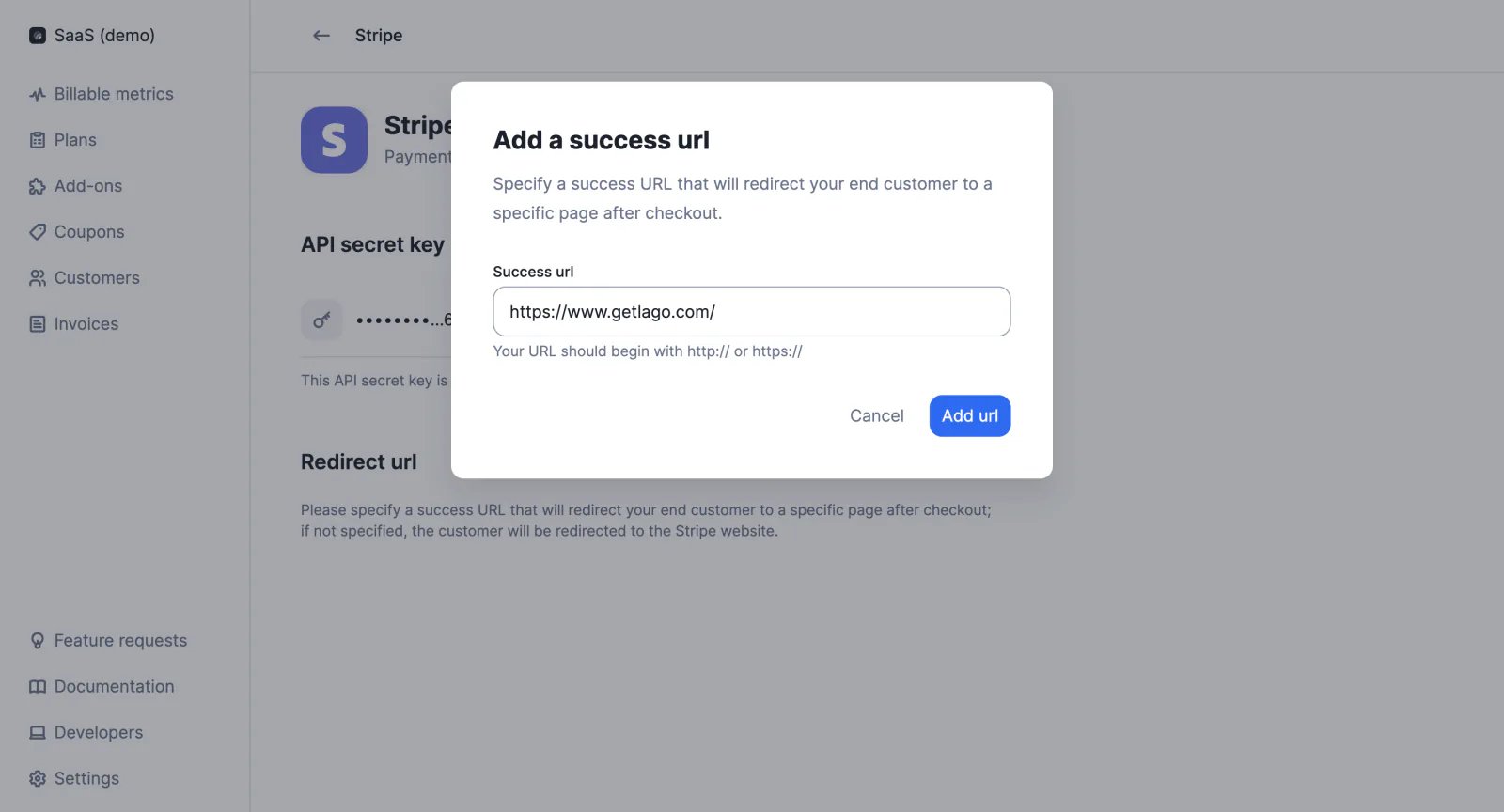
## Custom success URL
When setting up one of our native payment integrations, users can define the URL to which customers should be redirected after completing the checkout process. Custom URLs can only be added via the user interface.
[Learn more](/docs/integrations/introduction)
## Event validations
We have added an `events.errors` webhook message to notify users when some of the events ingested in the last hour are invalid.
Possible errors include:
* Invalid billable metric code
* Missing aggregation property
* Missing group key
[Learn more](/docs/api-reference/webhooks/messages#event-ingestion)
## Regenerate checkout links
When a customer wants to update their payment method, or when a checkout link has expired, users can generate a new checkout URL on demand through the Lago API.
This action is available for all our native payment integrations.
[Learn more](/docs/api-reference/customers/psp-checkout-url)
## Custom success URL
When setting up one of our native payment integrations, users can define the URL to which customers should be redirected after completing the checkout process. Custom URLs can only be added via the user interface.
[Learn more](/docs/integrations/introduction)
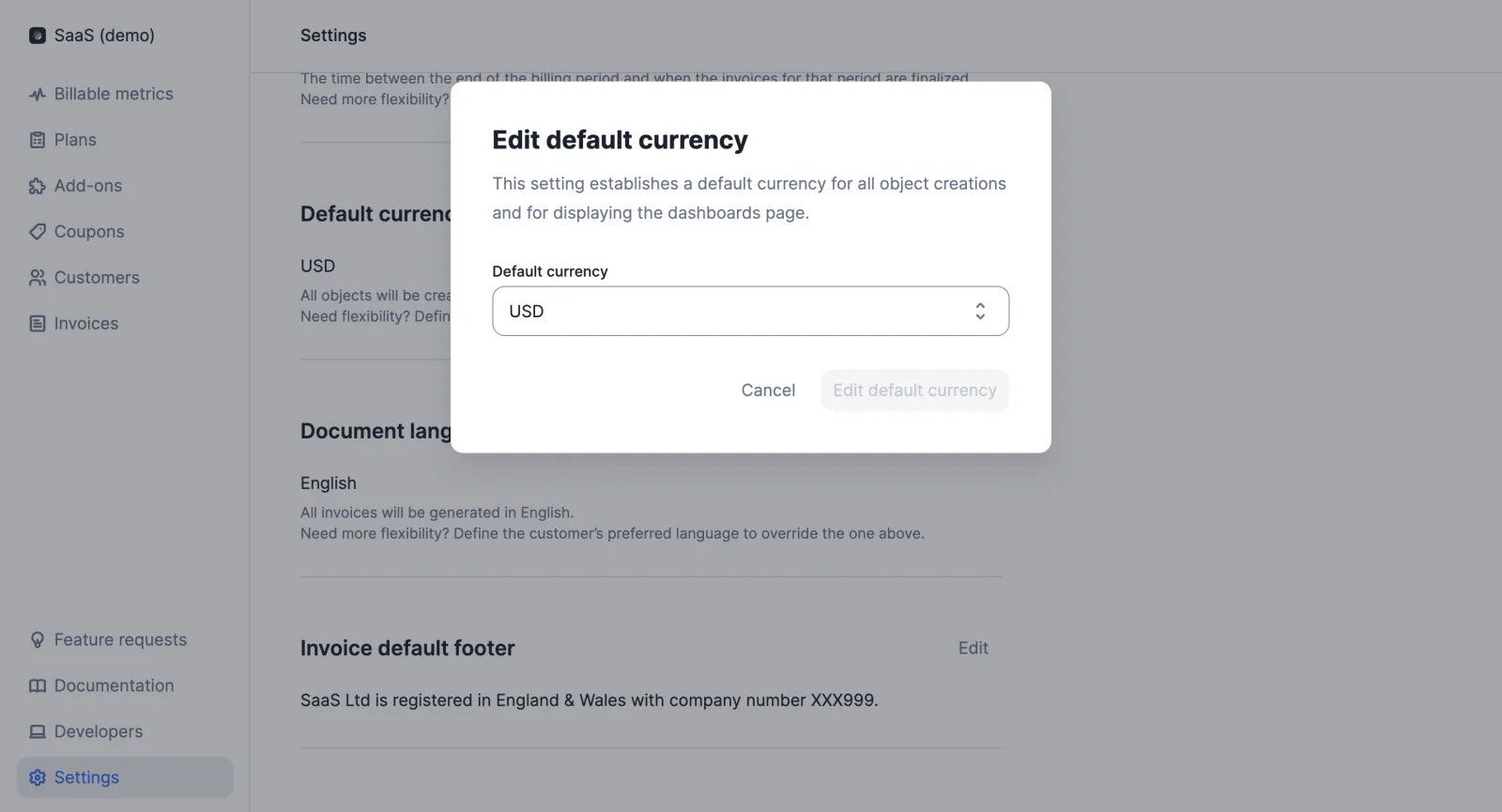
 ## Default currency
The organization's currency can be defined in the settings of the account or via API. It is used as the default currency when creating new objects, such as plans and add-ons, and to display information on dashboards.
[Learn more](/docs/api-reference/organizations/update)
## Default currency
The organization's currency can be defined in the settings of the account or via API. It is used as the default currency when creating new objects, such as plans and add-ons, and to display information on dashboards.
[Learn more](/docs/api-reference/organizations/update)
 ## Helm chart updates
We have released a new version of the Lago Helm Charts to facilitate on-premise deployment.
[Learn more](https://github.com/getlago/lago-helm-charts)
## Integration with Salesforce CRM ✨
✨ This feature is only available via a paying add-on. Please contact [hello@getlago.com](mailto:hello@getlago.com) to get access to the Salesforce CRM integration.
With the new Salesforce CRM integration, Lago data is automatically synced with Salesforce.
Users can access their customers' subscriptions, invoices and credit notes directly in their CRM application.
[Learn more](/docs/integrations/crm/salesforce-crm)
## Removal of event validations
We are currently upgrading our infrastructure and setting up a new event ingestion system. As part of this project, we have decided to remove the validations that were automatically performed when ingesting events through the Lago API.
This means that the API no longer returns error messages when events include incorrect parameters (e.g. wrong billable metric code, subscription not found, `transaction_id` already exists, etc.).
## Retrieve a subscription
We have added a new endpoint to allow users to retrieve a specific subscription via the Lago API, using the `external_id` of the subscription.
[Learn more](/docs/api-reference/subscriptions/get-specific)
## Webhooks for subscription upgrades/downgrades
When the plan associated with a subscription changes, Lago automatically notifies the user with two webhook messages:
* `subscription.terminated` to confirm the termination of the initial plan (includes `next_plan_code`)
* `subscription.started` to confirm the start of the new plan (includes `previous_plan_code`)
[Learn more](/docs/api-reference/webhooks/messages)
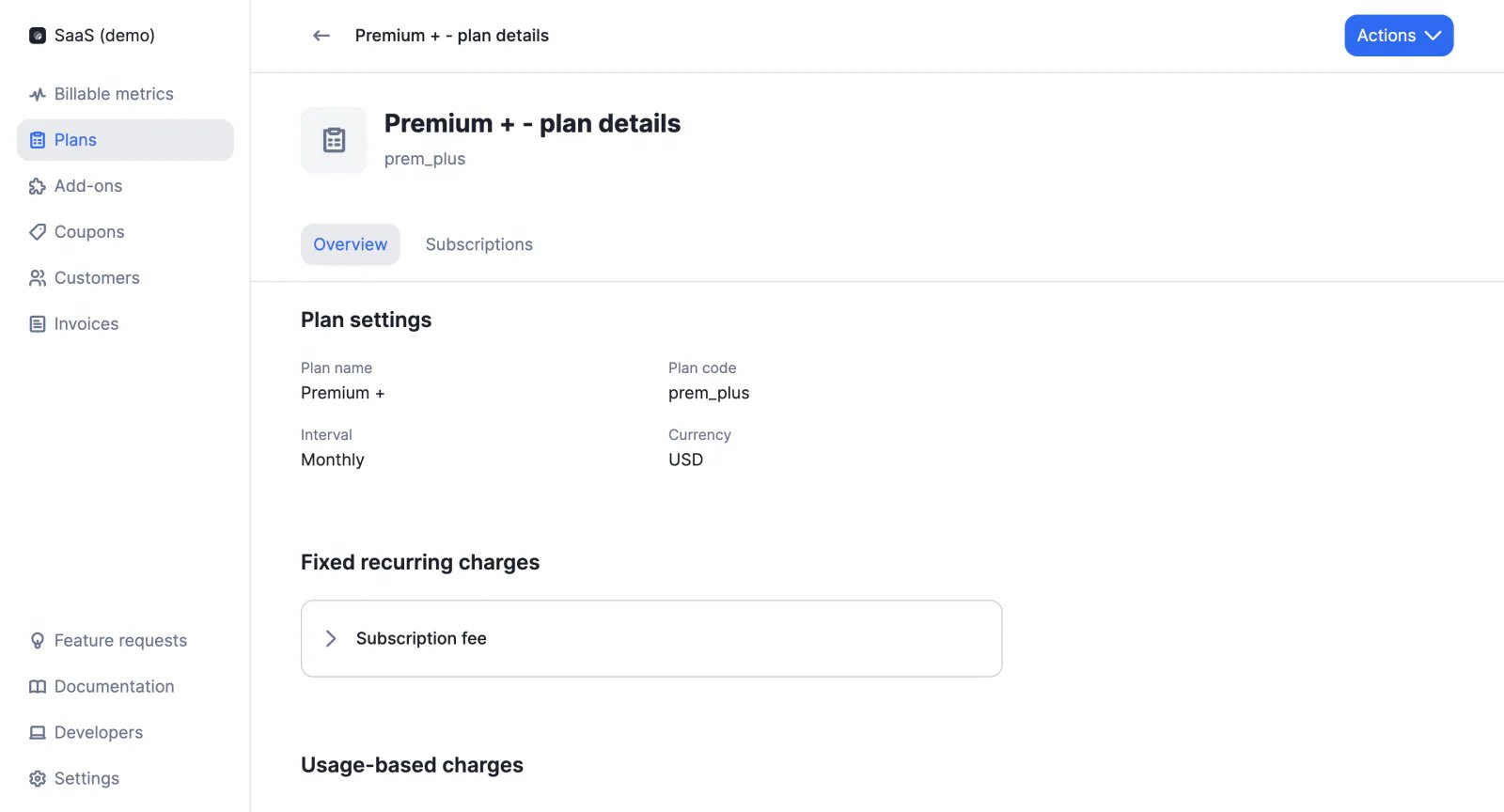
## Plan details
In the Plans section of the app, users can now click one of their plans to see its details (i.e. name, code, interval, currency, subscription fee, usage-based charges, etc.) and also retrieve the list of subscriptions linked to the plan.
In addition, in the customer view of the app, users can click one of the subscriptions assigned to their customer to see its details (i.e. status, start date, interval, currency, fees, charges, etc.).
## Helm chart updates
We have released a new version of the Lago Helm Charts to facilitate on-premise deployment.
[Learn more](https://github.com/getlago/lago-helm-charts)
## Integration with Salesforce CRM ✨
✨ This feature is only available via a paying add-on. Please contact [hello@getlago.com](mailto:hello@getlago.com) to get access to the Salesforce CRM integration.
With the new Salesforce CRM integration, Lago data is automatically synced with Salesforce.
Users can access their customers' subscriptions, invoices and credit notes directly in their CRM application.
[Learn more](/docs/integrations/crm/salesforce-crm)
## Removal of event validations
We are currently upgrading our infrastructure and setting up a new event ingestion system. As part of this project, we have decided to remove the validations that were automatically performed when ingesting events through the Lago API.
This means that the API no longer returns error messages when events include incorrect parameters (e.g. wrong billable metric code, subscription not found, `transaction_id` already exists, etc.).
## Retrieve a subscription
We have added a new endpoint to allow users to retrieve a specific subscription via the Lago API, using the `external_id` of the subscription.
[Learn more](/docs/api-reference/subscriptions/get-specific)
## Webhooks for subscription upgrades/downgrades
When the plan associated with a subscription changes, Lago automatically notifies the user with two webhook messages:
* `subscription.terminated` to confirm the termination of the initial plan (includes `next_plan_code`)
* `subscription.started` to confirm the start of the new plan (includes `previous_plan_code`)
[Learn more](/docs/api-reference/webhooks/messages)
## Plan details
In the Plans section of the app, users can now click one of their plans to see its details (i.e. name, code, interval, currency, subscription fee, usage-based charges, etc.) and also retrieve the list of subscriptions linked to the plan.
In addition, in the customer view of the app, users can click one of the subscriptions assigned to their customer to see its details (i.e. status, start date, interval, currency, fees, charges, etc.).
 ## Override plans ✨
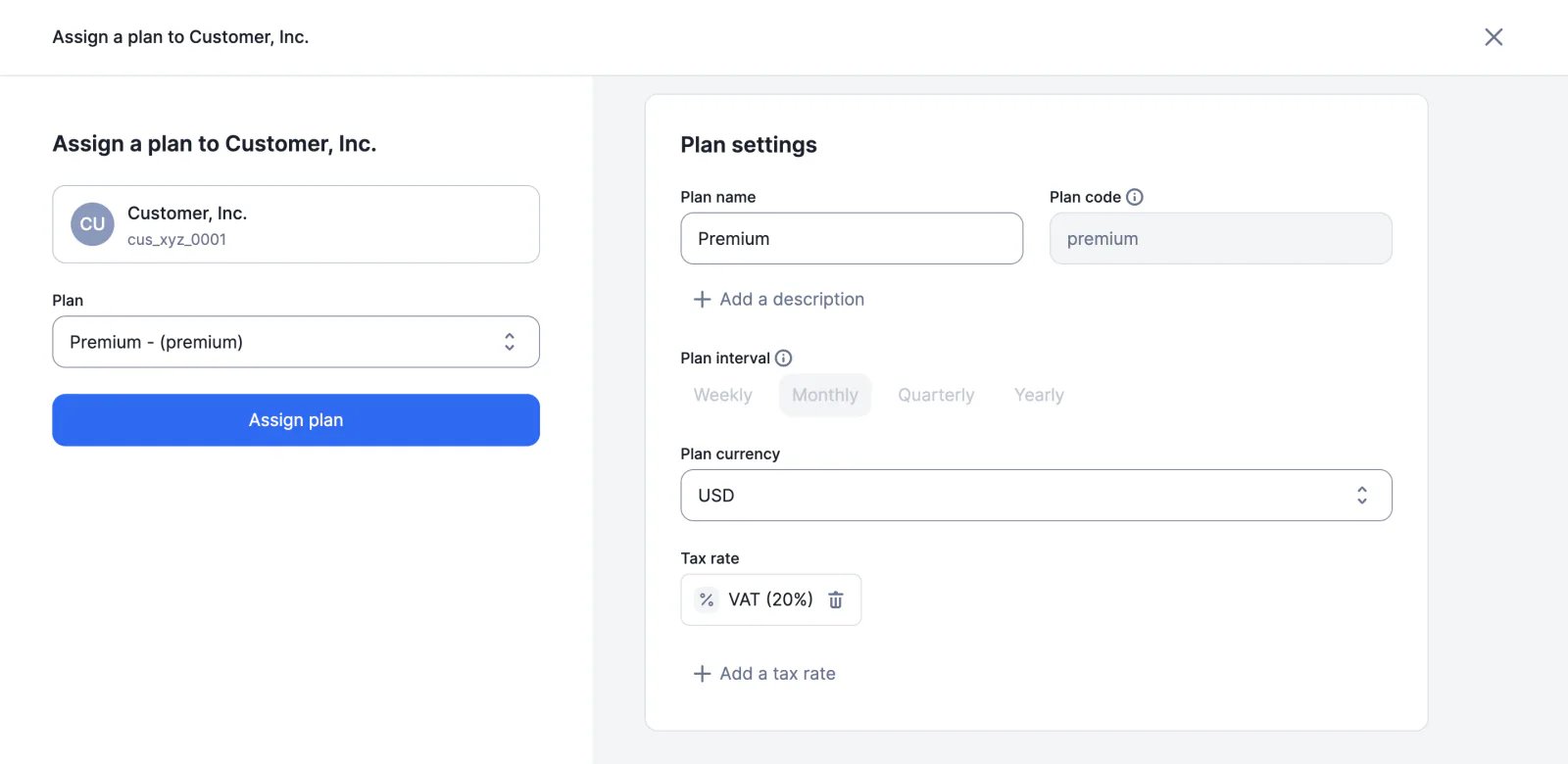
✨ This feature is only available to users with a premium license. Please contact [hello@getlago.com](mailto:hello@getlago.com) to get access to Lago Cloud and Lago Self-Hosted Premium.
When assigning a plan to a customer, you can modify some attributes to create a custom plan. Editable fields include (but are not limited to):
* Currency
* Subscription fee
* Charge prices
* Minimum spending requirements
* Tax rates
* Invoice display names
Details of the new plan will be available in the customer view.
[Learn more](/docs/guide/subscriptions/assign-plan#overriding-a-plan)
## Override plans ✨
✨ This feature is only available to users with a premium license. Please contact [hello@getlago.com](mailto:hello@getlago.com) to get access to Lago Cloud and Lago Self-Hosted Premium.
When assigning a plan to a customer, you can modify some attributes to create a custom plan. Editable fields include (but are not limited to):
* Currency
* Subscription fee
* Charge prices
* Minimum spending requirements
* Tax rates
* Invoice display names
Details of the new plan will be available in the customer view.
[Learn more](/docs/guide/subscriptions/assign-plan#overriding-a-plan)
 ## Spanish locale
¡Hola a todos! The Spanish locale is now available on Lago.
Users can select it as their organization's default language or as a customer's preferred language.
[Learn more](/docs/api-reference/resources/locales)
## Swedish locale
Hej alla! The Swedish locale is now available on Lago.
Users can select it as their organization's default language or as a customer's preferred language.
[Learn more](/docs/api-reference/resources/locales)
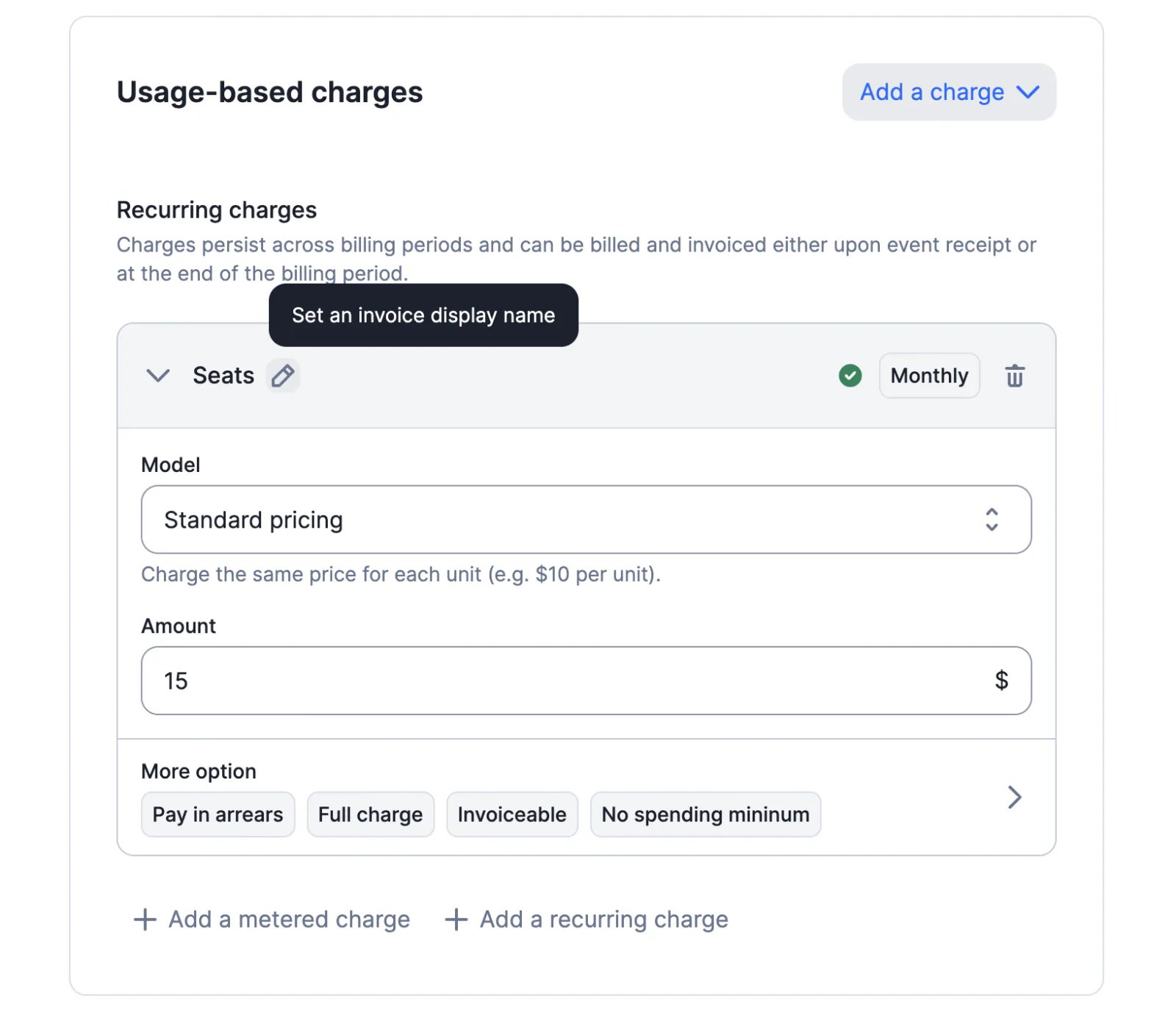
## Display names on invoices
When creating or updating a plan, users can define custom display names for subscription and usage-based charges, which will be printed on the PDF files generated by Lago.
Display names can be defined via the user interface or the API (see `plan.invoice_display_name` and `charges.invoice_display_name`).
[Learn more](/docs/guide/plans/charges/usage-based-charges#update-invoice-display-names)
## Spanish locale
¡Hola a todos! The Spanish locale is now available on Lago.
Users can select it as their organization's default language or as a customer's preferred language.
[Learn more](/docs/api-reference/resources/locales)
## Swedish locale
Hej alla! The Swedish locale is now available on Lago.
Users can select it as their organization's default language or as a customer's preferred language.
[Learn more](/docs/api-reference/resources/locales)
## Display names on invoices
When creating or updating a plan, users can define custom display names for subscription and usage-based charges, which will be printed on the PDF files generated by Lago.
Display names can be defined via the user interface or the API (see `plan.invoice_display_name` and `charges.invoice_display_name`).
[Learn more](/docs/guide/plans/charges/usage-based-charges#update-invoice-display-names)
 ## Retrieve past usage
We have added a new endpoint to retrieve past usage. When a billing period has ended, users can still retrieve usage data through `GET /customers/{external_customer_id}/past_usage`.
Users must specify `external_subscription_id` and can filter results by `billable_metric_code`. They can also select the number of past periods for which they wish to retrieve usage data.
[Learn more](/docs/api-reference/customer-usage/get-past)
## LATEST aggregation
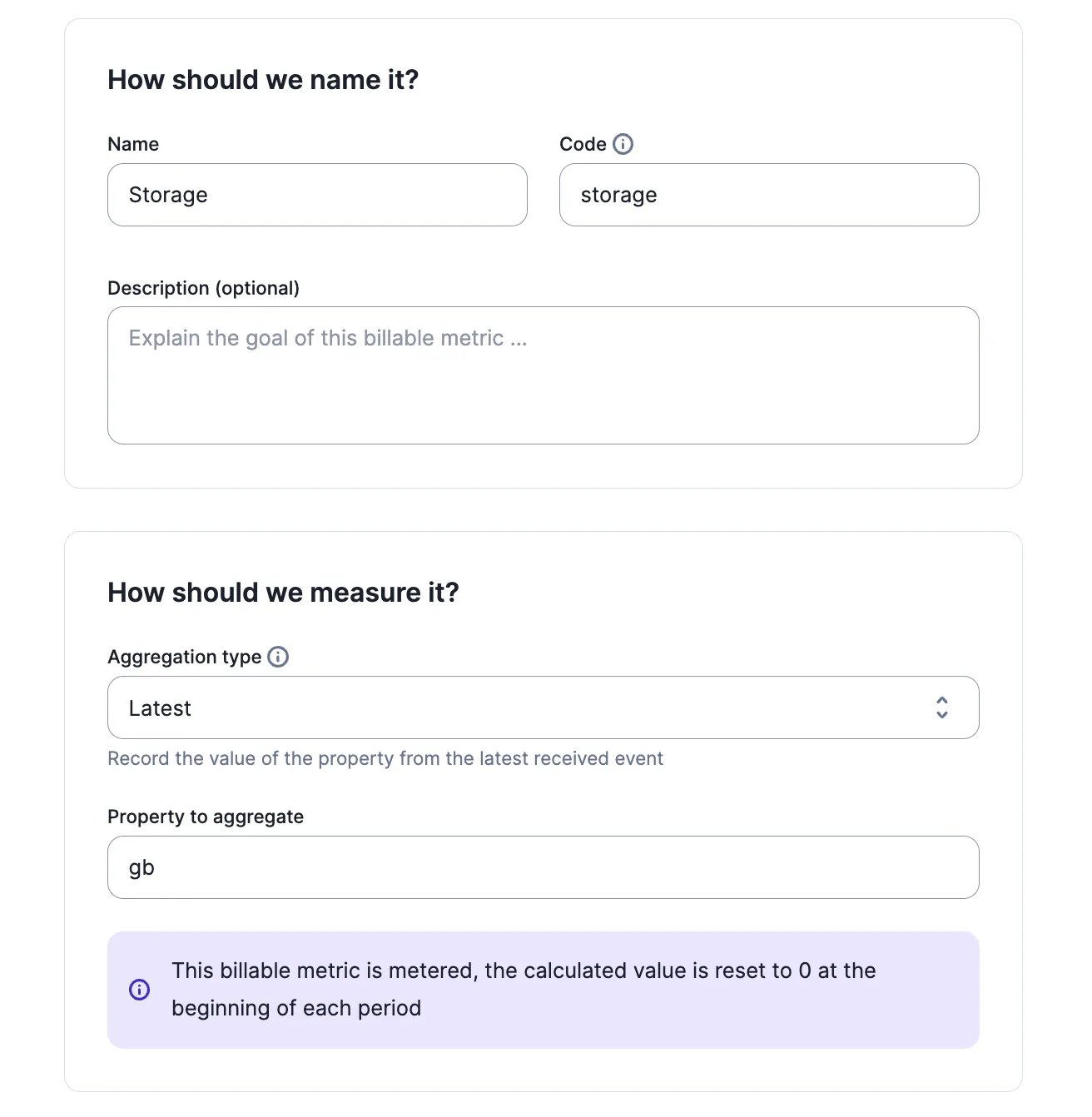
`latest_agg` allows users to compute usage based on the last value received during the period for a billable metric.
Consider the following example for the `storage` metric, where usage is aggregated based on the property `gb`:
* The first event includes 5 GB
* The second event includes 7 GB
* The third event includes 6 GB
With `latest_agg`, at the end of the billing period, the total number of units used to calculate the fee will be 6, as it's the last value received.
[Learn more](/docs/guide/billable-metrics/aggregation-types/latest)
## Retrieve past usage
We have added a new endpoint to retrieve past usage. When a billing period has ended, users can still retrieve usage data through `GET /customers/{external_customer_id}/past_usage`.
Users must specify `external_subscription_id` and can filter results by `billable_metric_code`. They can also select the number of past periods for which they wish to retrieve usage data.
[Learn more](/docs/api-reference/customer-usage/get-past)
## LATEST aggregation
`latest_agg` allows users to compute usage based on the last value received during the period for a billable metric.
Consider the following example for the `storage` metric, where usage is aggregated based on the property `gb`:
* The first event includes 5 GB
* The second event includes 7 GB
* The third event includes 6 GB
With `latest_agg`, at the end of the billing period, the total number of units used to calculate the fee will be 6, as it's the last value received.
[Learn more](/docs/guide/billable-metrics/aggregation-types/latest)
 ## WEIGHTED SUM aggregation
`weighted_sum_agg` allows users to compute usage based on a custom property and the time elapsed between two events (e.g. memory consumption measured in GB-seconds).
Billable metrics based on this aggregation type can be metered or recurring, and are always billed at the end of the billing period.
[Learn more](/docs/guide/billable-metrics/aggregation-types/weighted-sum)
## Subscription end date
When a subscription end date is set, the subscription is automatically terminated by Lago.
A notification is sent to the user 45 days and 15 days before the subscription is terminated (see `subscription.termination_alert` webhook).
If no end date is set for a subscription, it will renew automatically.
[Learn more](/docs/guide/subscriptions/assign-plan#subscription-end-date)
## Duplicate plans
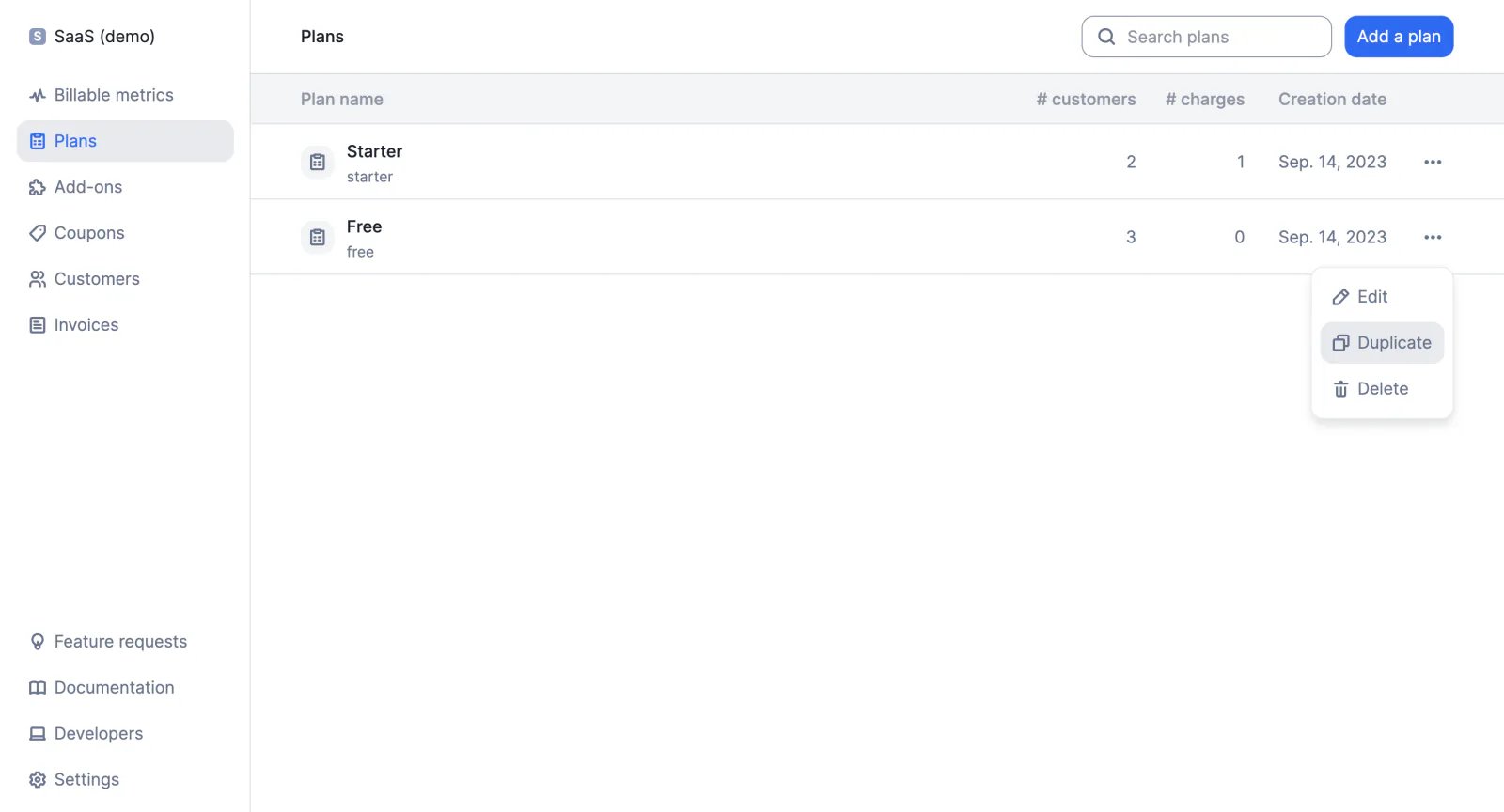
Users can duplicate an existing plan from the user interface to create a new plan with the same structure. They can then choose a name and a code for their new plan, and modify the parameters that differ from the original plan (e.g. interval, currency, charges, etc.).
## WEIGHTED SUM aggregation
`weighted_sum_agg` allows users to compute usage based on a custom property and the time elapsed between two events (e.g. memory consumption measured in GB-seconds).
Billable metrics based on this aggregation type can be metered or recurring, and are always billed at the end of the billing period.
[Learn more](/docs/guide/billable-metrics/aggregation-types/weighted-sum)
## Subscription end date
When a subscription end date is set, the subscription is automatically terminated by Lago.
A notification is sent to the user 45 days and 15 days before the subscription is terminated (see `subscription.termination_alert` webhook).
If no end date is set for a subscription, it will renew automatically.
[Learn more](/docs/guide/subscriptions/assign-plan#subscription-end-date)
## Duplicate plans
Users can duplicate an existing plan from the user interface to create a new plan with the same structure. They can then choose a name and a code for their new plan, and modify the parameters that differ from the original plan (e.g. interval, currency, charges, etc.).
 ## Edit dimensions
When dimensions are defined for a billable metric, users can add/remove groups by modifying the corresponding code snippet via the user interface, or by updating the billable metric object via API.
Changes to dimensions may affect all plans where the billable metric is listed as a charge.
[Learn more](/docs/guide/billable-metrics/filters)
## Default price for groups
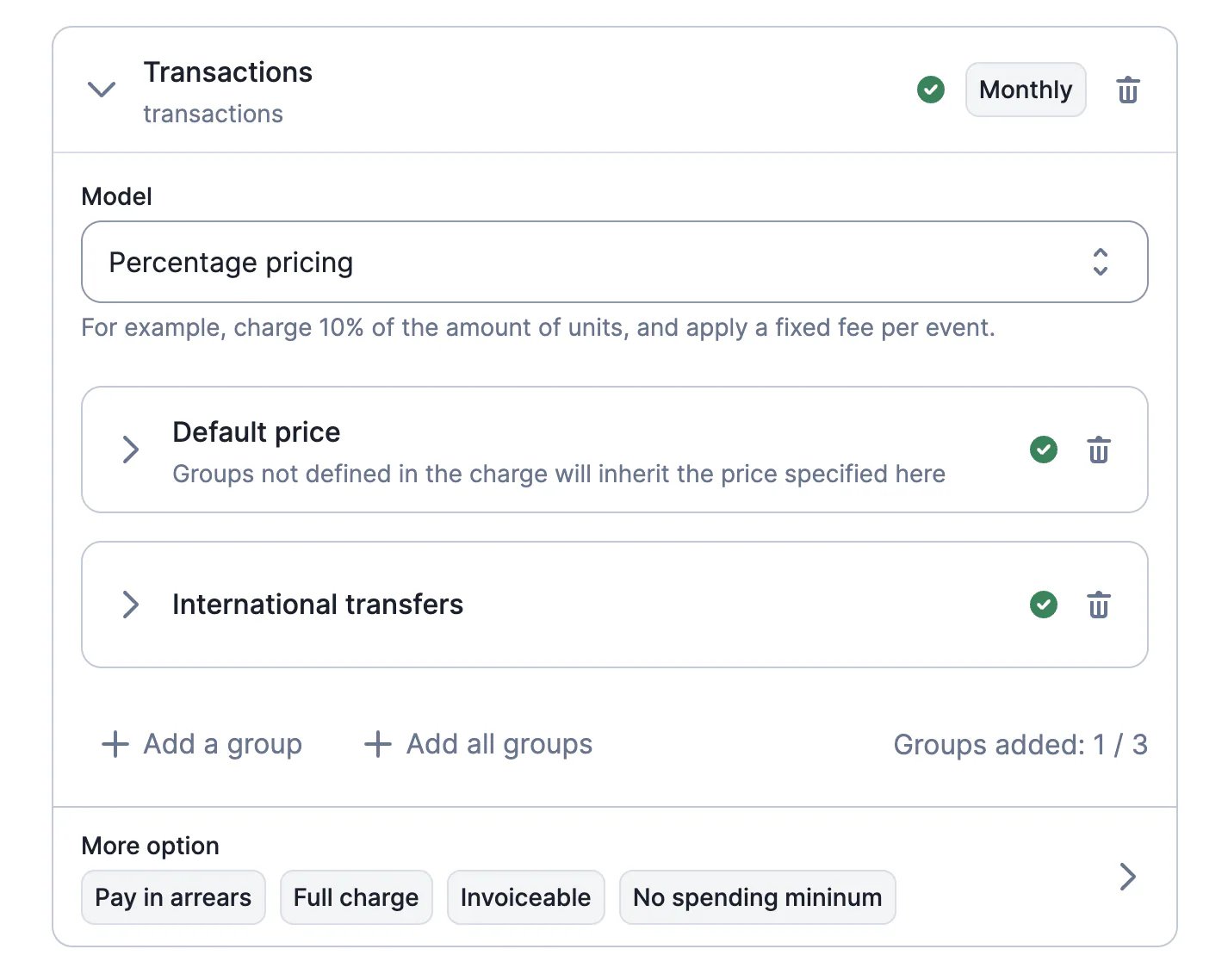
For billable metrics that include several [groups](/docs/guide/billable-metrics/filters), when configuring their plans, users can set a default price that applies to all groups.
The default price can be overwritten by setting a different price for a specific group.
If the default price is not defined, it is automatically set to zero.
[Learn more](/docs/guide/invoicing/overview#custom-invoice-grouping)
## Edit dimensions
When dimensions are defined for a billable metric, users can add/remove groups by modifying the corresponding code snippet via the user interface, or by updating the billable metric object via API.
Changes to dimensions may affect all plans where the billable metric is listed as a charge.
[Learn more](/docs/guide/billable-metrics/filters)
## Default price for groups
For billable metrics that include several [groups](/docs/guide/billable-metrics/filters), when configuring their plans, users can set a default price that applies to all groups.
The default price can be overwritten by setting a different price for a specific group.
If the default price is not defined, it is automatically set to zero.
[Learn more](/docs/guide/invoicing/overview#custom-invoice-grouping)
 ## Italian locale
Ciao a tutti! The Italian locale is now available on Lago.
Users can select it as their organization's default language or as a customer's preferred language.
[Learn more](/docs/api-reference/resources/locales)
## Minimum / Maximum per transaction ✨
✨ This feature is only available to users with a premium license. Please contact [hello@getlago.com](mailto:hello@getlago.com) to get access to Lago Cloud and Lago Self-Hosted Premium.
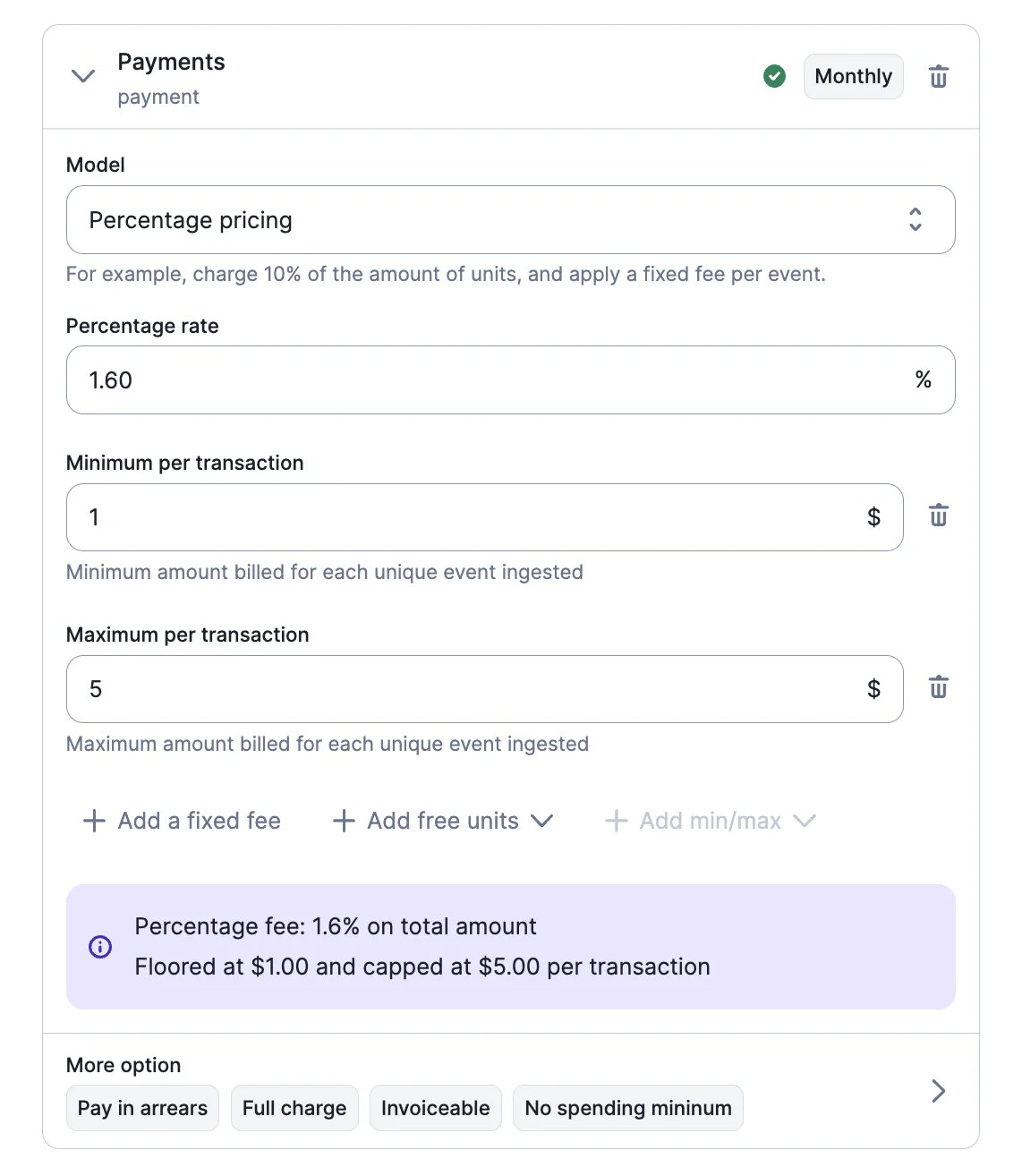
The percentage pricing model includes a new option for defining minimum and maximum prices per transaction.
When applied, Lago adjusts the fees based on the `per_transaction_min_amount` and `per_transaction_max_amount` parameters.
[Learn more](/docs/guide/plans/charges#available-charge-models)
## Italian locale
Ciao a tutti! The Italian locale is now available on Lago.
Users can select it as their organization's default language or as a customer's preferred language.
[Learn more](/docs/api-reference/resources/locales)
## Minimum / Maximum per transaction ✨
✨ This feature is only available to users with a premium license. Please contact [hello@getlago.com](mailto:hello@getlago.com) to get access to Lago Cloud and Lago Self-Hosted Premium.
The percentage pricing model includes a new option for defining minimum and maximum prices per transaction.
When applied, Lago adjusts the fees based on the `per_transaction_min_amount` and `per_transaction_max_amount` parameters.
[Learn more](/docs/guide/plans/charges#available-charge-models)
 ## Webhook for subscriptions started
We have added a new webhook message for subscriptions.
When the status of a subscription switches to `active`, Lago automatically sends a `subscription.started` message.
[Learn more](/docs/api-reference/webhooks/messages)
## Graduated percentage pricing
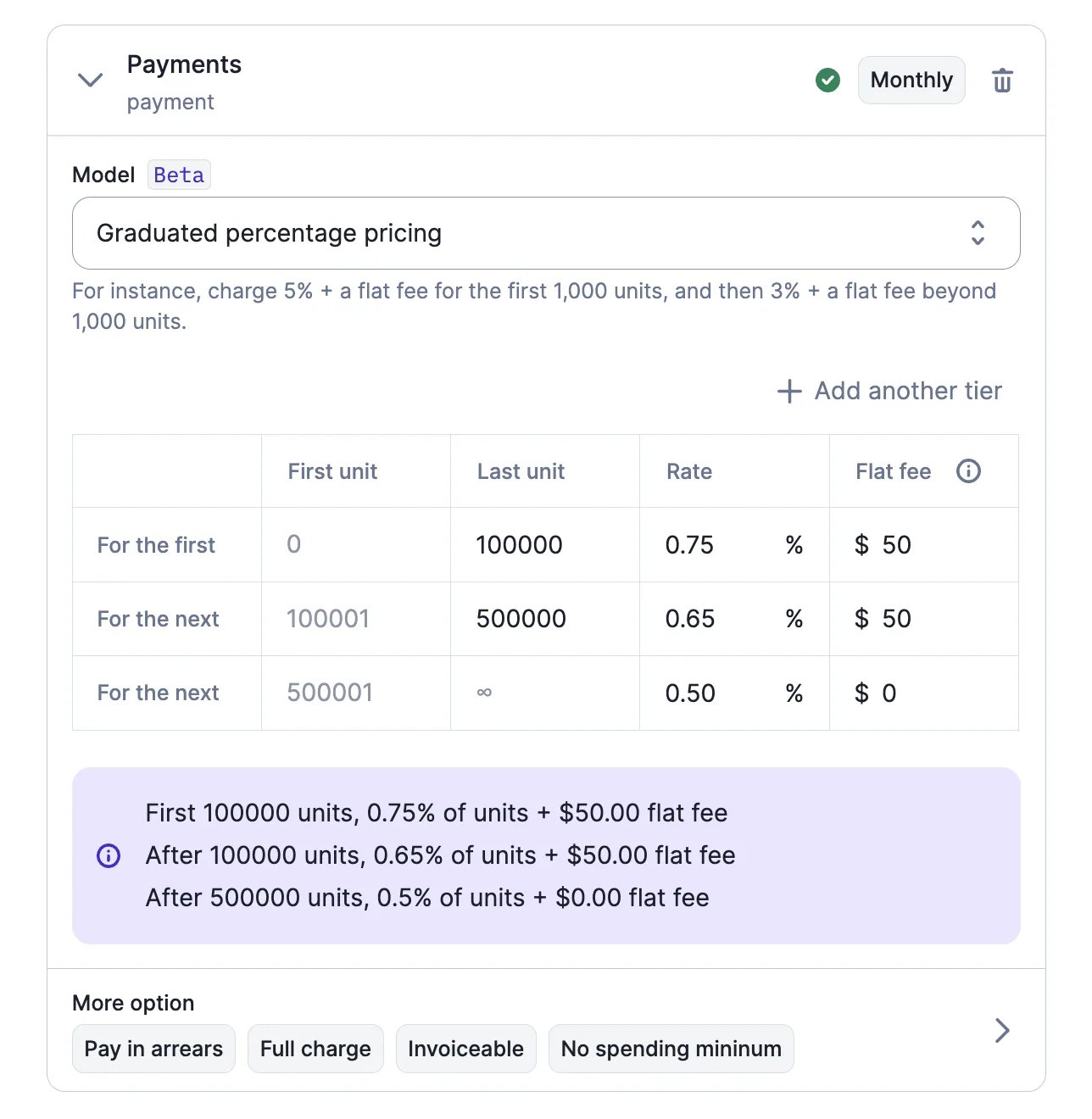
We have added a new graduated pricing model, which allows users to define prices based on a percentage of the number of units, and to add a flat fee for each tier (optional).
[Learn more](/docs/guide/plans/charges#available-charge-models)
## Webhook for subscriptions started
We have added a new webhook message for subscriptions.
When the status of a subscription switches to `active`, Lago automatically sends a `subscription.started` message.
[Learn more](/docs/api-reference/webhooks/messages)
## Graduated percentage pricing
We have added a new graduated pricing model, which allows users to define prices based on a percentage of the number of units, and to add a flat fee for each tier (optional).
[Learn more](/docs/guide/plans/charges#available-charge-models)
 ## Quarterly billing interval
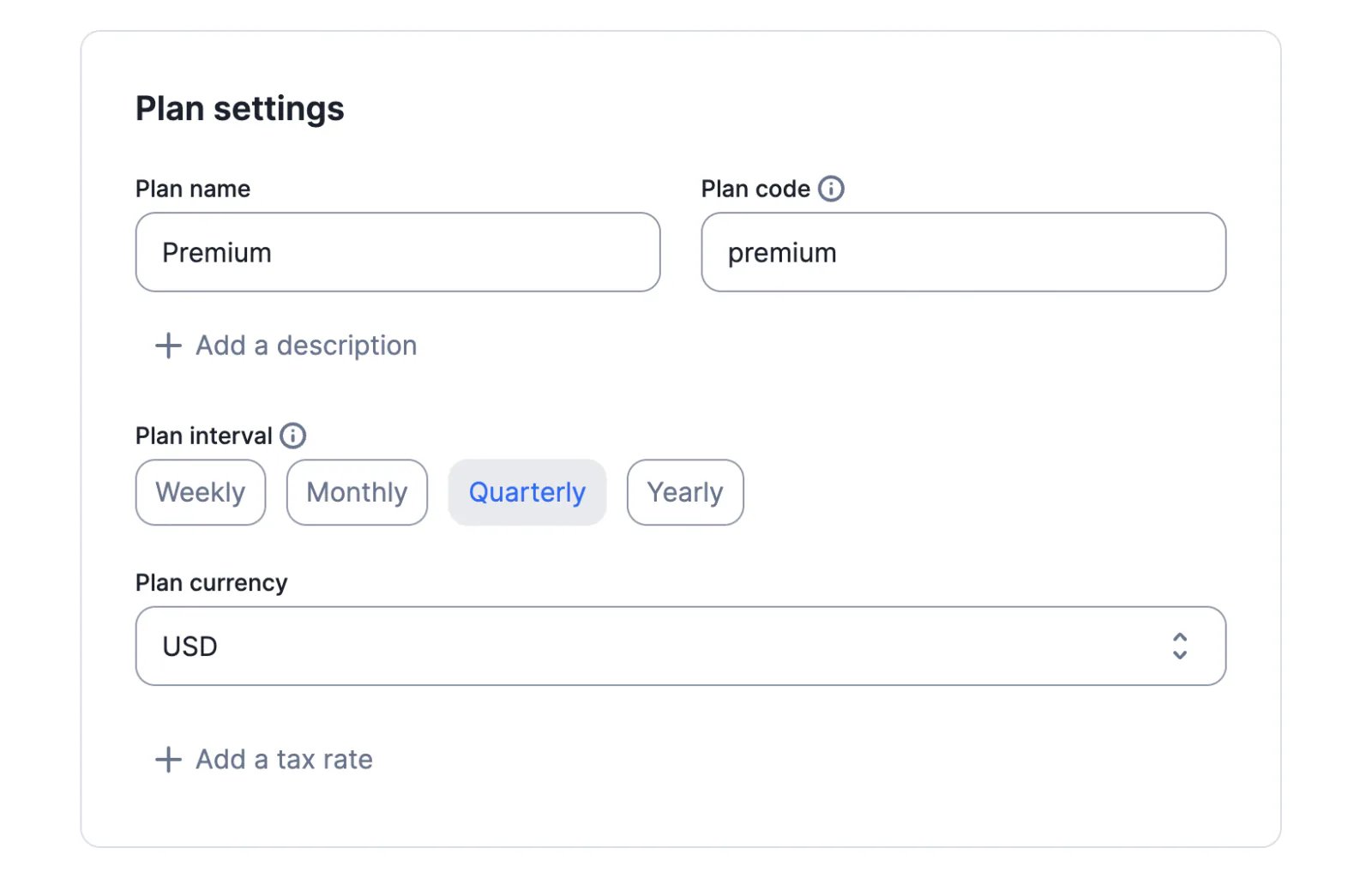
In addition to the weekly, monthly and yearly intervals, Lago `v0.44.1-beta` includes the new quarterly interval.
When selected, all fees (i.e. subscription fee and charges) are billed every three months.
[Learn more](/docs/guide/plans/plan-model#plan-interval)
## Quarterly billing interval
In addition to the weekly, monthly and yearly intervals, Lago `v0.44.1-beta` includes the new quarterly interval.
When selected, all fees (i.e. subscription fee and charges) are billed every three months.
[Learn more](/docs/guide/plans/plan-model#plan-interval)
 ## Webhook signatures
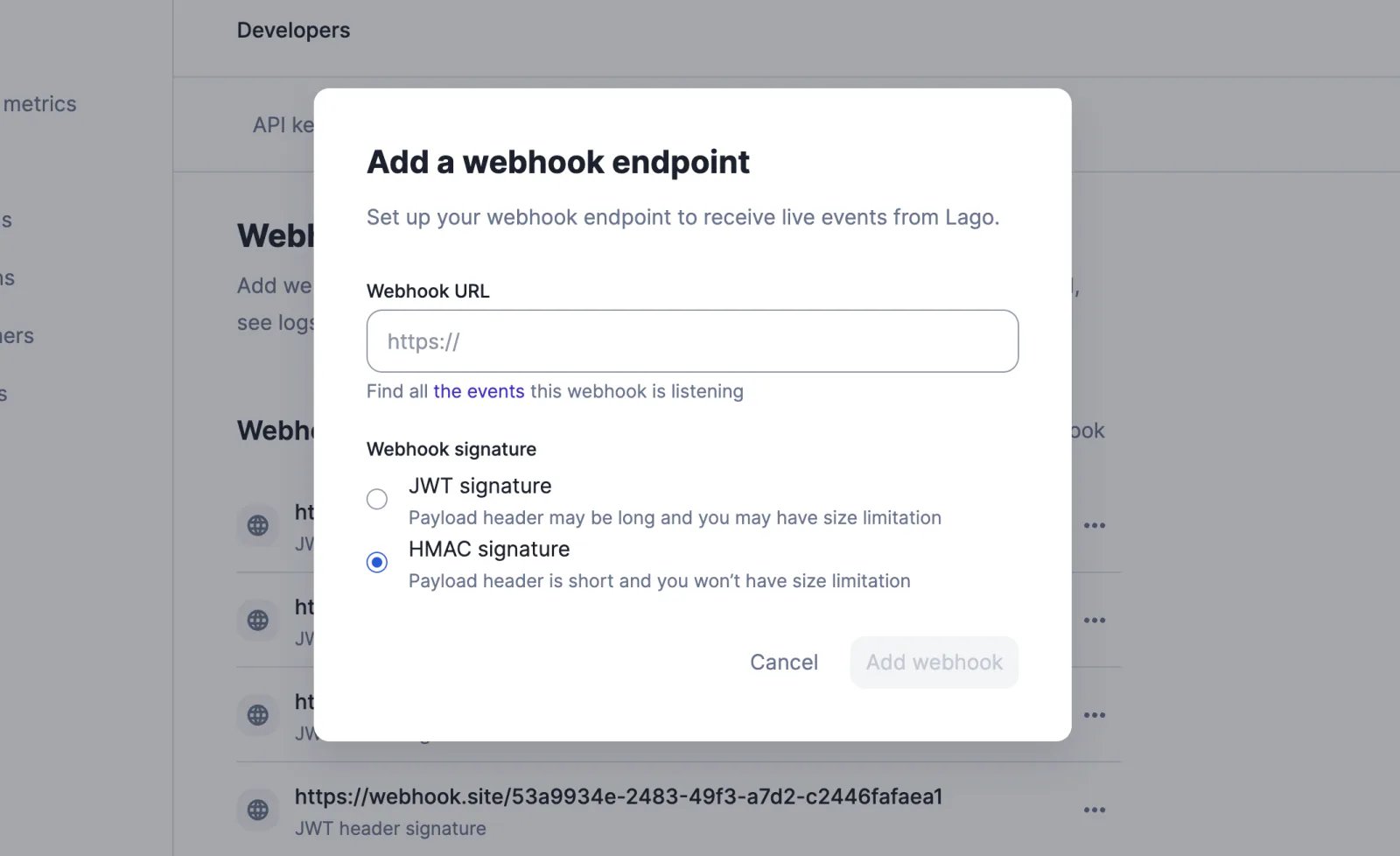
When creating a webhook endpoint through the user interface or the API, you can choose between:
* The original `JWT` signature
* The new `HMAC` signature, which includes a shorter header
Please refer to the guide to find out how to verify the webhook signatures.
[Learn more](/docs/api-reference/webhooks/format---signature)
## Webhook signatures
When creating a webhook endpoint through the user interface or the API, you can choose between:
* The original `JWT` signature
* The new `HMAC` signature, which includes a shorter header
Please refer to the guide to find out how to verify the webhook signatures.
[Learn more](/docs/api-reference/webhooks/format---signature)
 ## Taxes applied to add-ons
Tax objects can now be used to define the default tax rate(s) associated with an add-on.
When creating a one-off invoice, if there is no tax rate associated with the add-on, Lago will automatically select the tax rate defined at customer or organization level.
The tax rate applied to the add-on can be modified at any time through the user interface or the API.
[Learn more](/docs/guide/invoicing/invoicing-settings/taxes#taxes-at-the-add-on-level)
## Taxes applied to add-ons
Tax objects can now be used to define the default tax rate(s) associated with an add-on.
When creating a one-off invoice, if there is no tax rate associated with the add-on, Lago will automatically select the tax rate defined at customer or organization level.
The tax rate applied to the add-on can be modified at any time through the user interface or the API.
[Learn more](/docs/guide/invoicing/invoicing-settings/taxes#taxes-at-the-add-on-level)
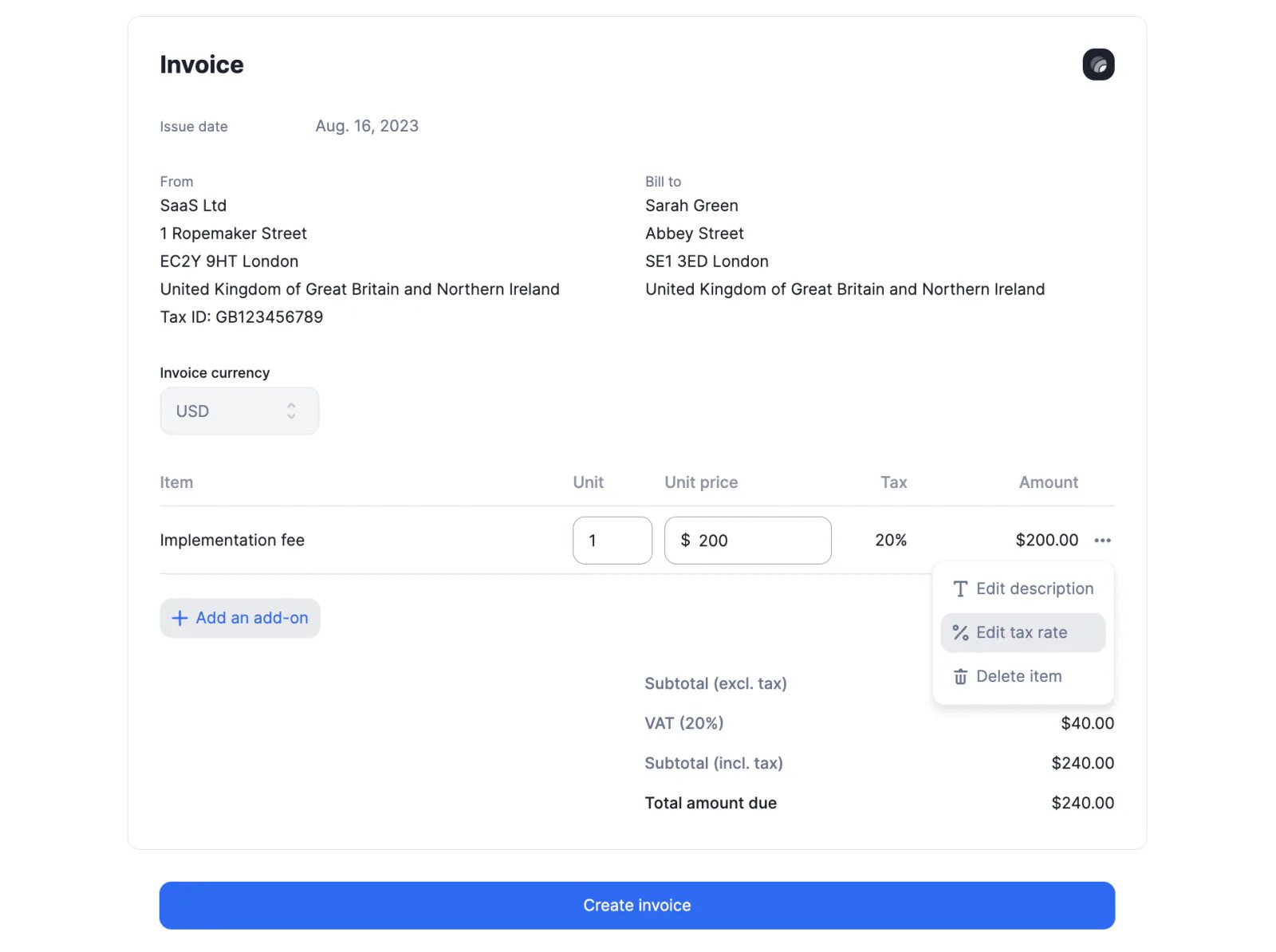 ## Net payment term
The net payment term determines the number of days given to the customer to pay their invoice. It is calculated based on the date the invoice is finalized and displayed on the PDF file.
When the net payment term is defined at the organization level, it applies to all customers by default. However, it can be overridden by the net payment term defined at the customer level.
[Learn more](/docs/guide/invoicing/invoicing-settings/net-payment-term)
## Net payment term
The net payment term determines the number of days given to the customer to pay their invoice. It is calculated based on the date the invoice is finalized and displayed on the PDF file.
When the net payment term is defined at the organization level, it applies to all customers by default. However, it can be overridden by the net payment term defined at the customer level.
[Learn more](/docs/guide/invoicing/invoicing-settings/net-payment-term)
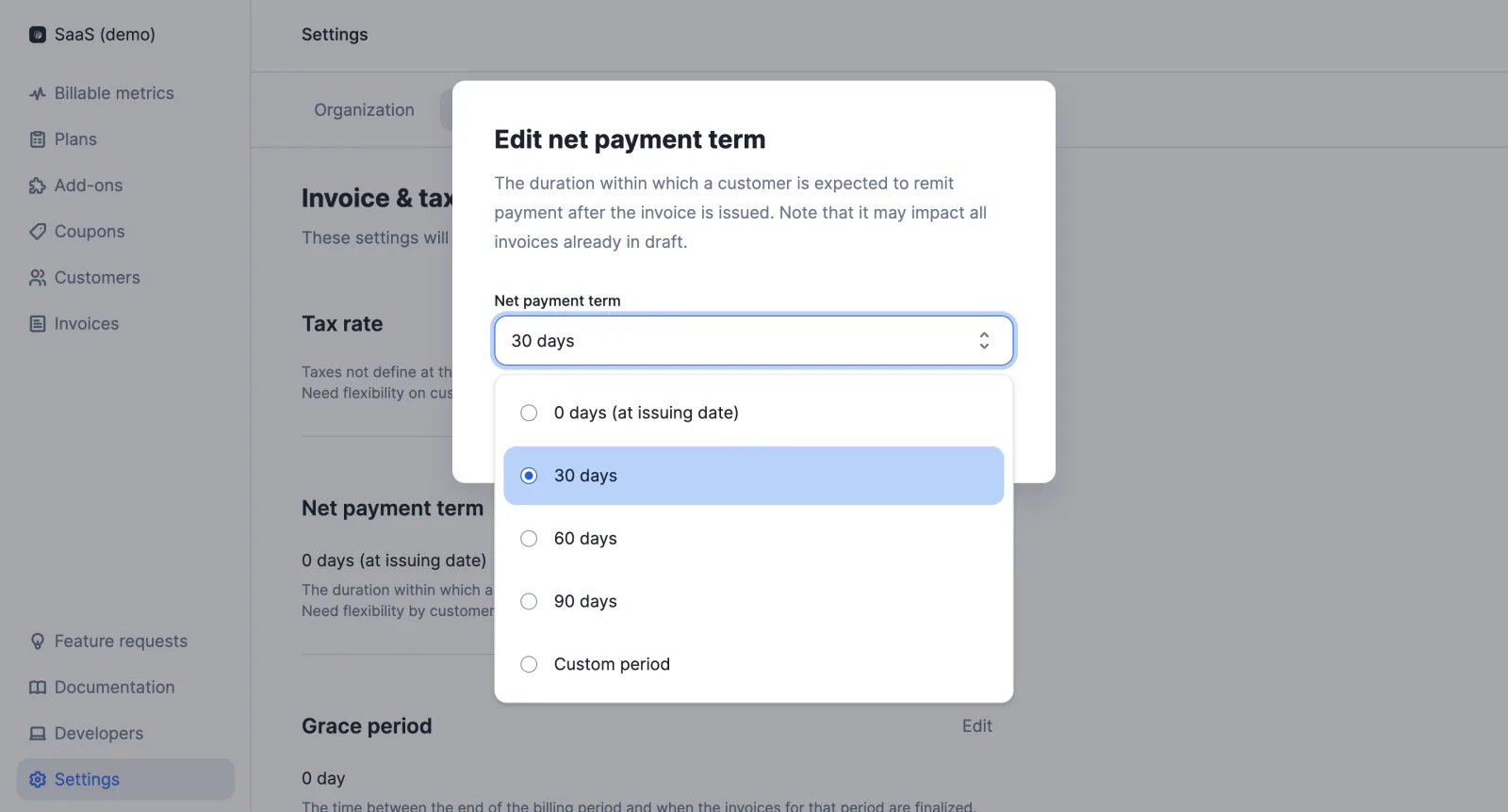 ## Taxes defined at plan and charge level
In addition to the taxes defined at organization and customer level, users can select tax objects at plan and charge level.
For subscription invoices, the tax hierarchy is as follows:
1. Taxes defined at **organization level** will apply to all fees (i.e. subscription and charges)
2. Taxes defined at **customer level** will take precedence over taxes defined at organization level and will apply to all fees (i.e. subscription and charges)
3. Taxes defined at **plan level** will take precedence over taxes defined at customer level and will apply to all fees (i.e. subscription and charges)
4. Taxes defined at **charge level** will take precedence over taxes defined at plan level but will only apply to the fee associated with the corresponding charge
[Learn more](/docs/guide/invoicing/invoicing-settings/taxes)
## Filter subscriptions by status
We have added a new query parameter to the endpoint that allows users to retrieve subscriptions.
By default, `GET /api/v1/subscriptions/` returns all active subscriptions. However, you can also retrieve pending, canceled and terminated subscriptions by using the `status` parameter.
[Learn more](/docs/api-reference/subscriptions/get-all)
## SEPA Direct Debit with Stripe
Our native integration with Stripe now supports SEPA Direct Debit payments.
When Stripe is defined as the default payment provider for a customer, you can select the authorised payment method(s): card, direct debit or both.
Before initiating a payment intent, Lago will automatically check the customer's default payment method registered in Stripe.
Kindly note, SEPA Direct Debit is only available for invoices denominated in euros (EUR).
[Learn more](/docs/integrations/payments/stripe/payments#payment-methods)
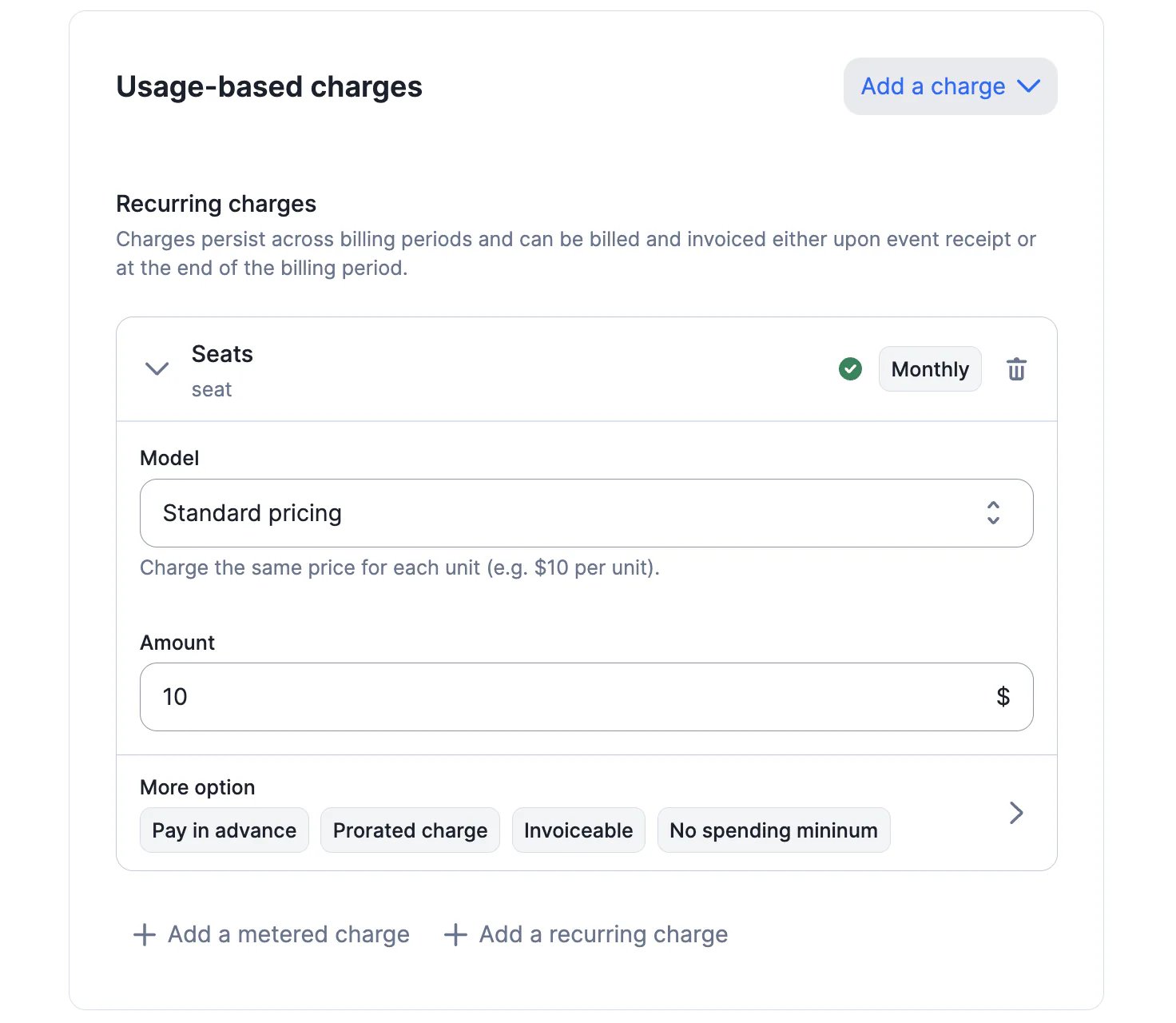
## Recurring and prorated charges
When a billable metric is defined as [recurring](/docs/guide/plans/charges#metered-vs-recurring-charges), the number of billing units at the end of the billing period is carried over to the next period. It is not reset to zero, as with metered metrics.
Users can create recurring metrics based on `sum_agg` and `count_unique_agg`. They can also define whether the corresponding charges should be [prorated](/docs/guide/plans/charges#prorated-vs-fully-billed-charges) (this option is only available for the standard and volume pricing models).
ℹ️ Metrics based on `recurring_count_agg` have been automatically converted into `count_unique_agg` metrics with the attribute `"recurring": true`.
## Taxes defined at plan and charge level
In addition to the taxes defined at organization and customer level, users can select tax objects at plan and charge level.
For subscription invoices, the tax hierarchy is as follows:
1. Taxes defined at **organization level** will apply to all fees (i.e. subscription and charges)
2. Taxes defined at **customer level** will take precedence over taxes defined at organization level and will apply to all fees (i.e. subscription and charges)
3. Taxes defined at **plan level** will take precedence over taxes defined at customer level and will apply to all fees (i.e. subscription and charges)
4. Taxes defined at **charge level** will take precedence over taxes defined at plan level but will only apply to the fee associated with the corresponding charge
[Learn more](/docs/guide/invoicing/invoicing-settings/taxes)
## Filter subscriptions by status
We have added a new query parameter to the endpoint that allows users to retrieve subscriptions.
By default, `GET /api/v1/subscriptions/` returns all active subscriptions. However, you can also retrieve pending, canceled and terminated subscriptions by using the `status` parameter.
[Learn more](/docs/api-reference/subscriptions/get-all)
## SEPA Direct Debit with Stripe
Our native integration with Stripe now supports SEPA Direct Debit payments.
When Stripe is defined as the default payment provider for a customer, you can select the authorised payment method(s): card, direct debit or both.
Before initiating a payment intent, Lago will automatically check the customer's default payment method registered in Stripe.
Kindly note, SEPA Direct Debit is only available for invoices denominated in euros (EUR).
[Learn more](/docs/integrations/payments/stripe/payments#payment-methods)
## Recurring and prorated charges
When a billable metric is defined as [recurring](/docs/guide/plans/charges#metered-vs-recurring-charges), the number of billing units at the end of the billing period is carried over to the next period. It is not reset to zero, as with metered metrics.
Users can create recurring metrics based on `sum_agg` and `count_unique_agg`. They can also define whether the corresponding charges should be [prorated](/docs/guide/plans/charges#prorated-vs-fully-billed-charges) (this option is only available for the standard and volume pricing models).
ℹ️ Metrics based on `recurring_count_agg` have been automatically converted into `count_unique_agg` metrics with the attribute `"recurring": true`.
 ## Cancel pending subscriptions
When a subscription is created with a subscription date in the future, its status is automatically set to `pending`.
You can now cancel a pending subscription through the Lago API, using the following endpoint:
`DELETE /api/v1/subscriptions/{external_id}?status=pending`
[Learn more](/docs/api-reference/subscriptions/terminate)
## Multiple webhook endpoints
Webhook messages can be used to collect billing information and set up custom workflows. They are related to subscriptions, events, fees, invoices, payment providers and credit notes.
You can now create up to five webhook endpoints to listen to Lago events.
[Learn more](/docs/guide/webhooks)
## Custom tax objects
In the settings of their account, users can define the default tax rate that applies by default to all customers of their organization. This tax rate can then be overwritten at the customer level.
Whether set at the organization level or the customer level, so far the tax rate used to calculate fees was simply indicated as "Tax" on invoices.
To give users more flexibility, we've added the option to create several tax objects, which can then be assigned to the organization or specific customers (e.g. state sales tax, VAT, reverse charge, GST, etc.).
[Learn more](/docs/guide/invoicing/invoicing-settings/taxes)
## Stripe checkout URL
When a new customer is successfully created through Lago's native integration with Stripe, the billing system sends a `customer.checkout_url_generated` webhook message.
You can redirect your customer to the corresponding page to register their payment method, which will then be used to collect payment when a new invoice is issued.
[Learn more](/docs/integrations/payments/stripe/payments#stripe-checkout-storing-customers-payment-method-information)
## Tax identification number
The [customer object](/docs/api-reference/customers/object) and [organization object](/docs/api-reference/organizations/organization-object) include a new `tax_identification_number` attribute. When a value is available for this attribute, it is automatically displayed on the PDF version of the next invoices.
## Integration with GoCardless
Lago now offers native integration with [GoCardless](https://gocardless.com/), including (but not limited to):
* Ability to define GoCardless as the default payment provider for a customer
* Ability to automatically create Lago customers in GoCardless and retrieve their customer ID
* Ability to automatically collect payments via direct debit
* Ability to automatically update the status of an invoice depending on the payment status
* Ability to automatically resubmit failed payments with [GoCardless Success+](https://gocardless.com/solutions/success-plus/)
To learn more about this integration, please [consult our guide](/docs/integrations/payments/gocardless-integration)
## Minimum spend on charges ✨
✨ This feature is only available to users with a premium license. Please contact [hello@getlago.com](mailto:hello@getlago.com) to get access to Lago Cloud and Lago Self-Hosted Premium.
You can now define minimum spending requirements for usage-based charges.
The minimum spend is defined as an amount excluding tax. If at the end of the billing period, your customer has spent less than the minimum, then Lago will automatically generate a true-up fee to compensate for the difference.
Minimum spending requirements are defined when creating or editing plans, either through the user interface or the API.
[Learn more](/docs/guide/plans/charges#charge-spending-minimum)
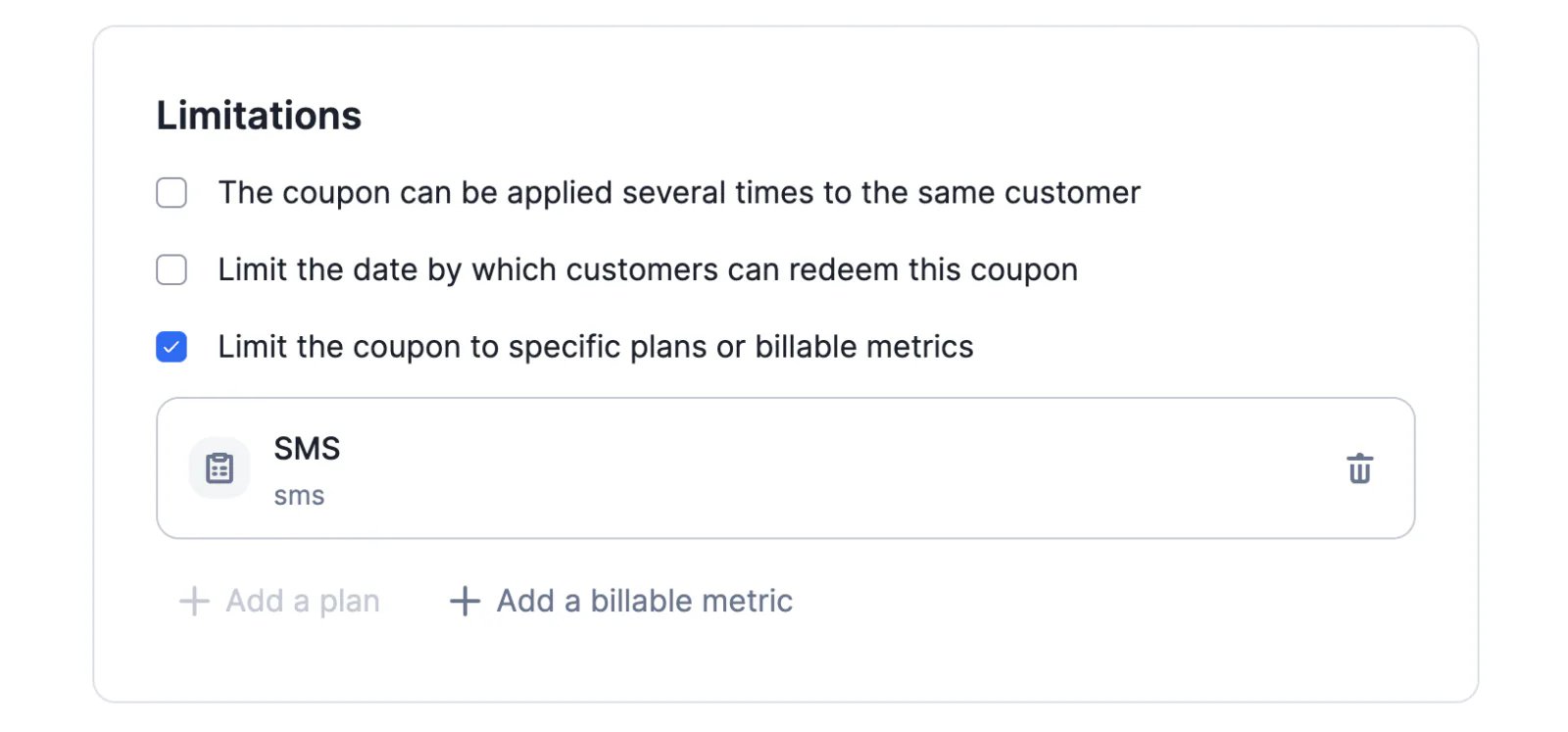
## Coupons limited to specific metrics
We have added a new option to the coupon settings: it is now possible to limit the application scope of a coupon to specific billable metrics.
By default, coupons apply to all charges but when creating a new coupon, you can define the list of billable metrics to which the coupon applies.
This feature is related to the `billable_metric_codes` attribute of the `coupon` object ([see API documentation](/docs/api-reference/coupons/create)).
Please refer to [the guide](/docs/guide/coupons) for more information on coupons.
## Cancel pending subscriptions
When a subscription is created with a subscription date in the future, its status is automatically set to `pending`.
You can now cancel a pending subscription through the Lago API, using the following endpoint:
`DELETE /api/v1/subscriptions/{external_id}?status=pending`
[Learn more](/docs/api-reference/subscriptions/terminate)
## Multiple webhook endpoints
Webhook messages can be used to collect billing information and set up custom workflows. They are related to subscriptions, events, fees, invoices, payment providers and credit notes.
You can now create up to five webhook endpoints to listen to Lago events.
[Learn more](/docs/guide/webhooks)
## Custom tax objects
In the settings of their account, users can define the default tax rate that applies by default to all customers of their organization. This tax rate can then be overwritten at the customer level.
Whether set at the organization level or the customer level, so far the tax rate used to calculate fees was simply indicated as "Tax" on invoices.
To give users more flexibility, we've added the option to create several tax objects, which can then be assigned to the organization or specific customers (e.g. state sales tax, VAT, reverse charge, GST, etc.).
[Learn more](/docs/guide/invoicing/invoicing-settings/taxes)
## Stripe checkout URL
When a new customer is successfully created through Lago's native integration with Stripe, the billing system sends a `customer.checkout_url_generated` webhook message.
You can redirect your customer to the corresponding page to register their payment method, which will then be used to collect payment when a new invoice is issued.
[Learn more](/docs/integrations/payments/stripe/payments#stripe-checkout-storing-customers-payment-method-information)
## Tax identification number
The [customer object](/docs/api-reference/customers/object) and [organization object](/docs/api-reference/organizations/organization-object) include a new `tax_identification_number` attribute. When a value is available for this attribute, it is automatically displayed on the PDF version of the next invoices.
## Integration with GoCardless
Lago now offers native integration with [GoCardless](https://gocardless.com/), including (but not limited to):
* Ability to define GoCardless as the default payment provider for a customer
* Ability to automatically create Lago customers in GoCardless and retrieve their customer ID
* Ability to automatically collect payments via direct debit
* Ability to automatically update the status of an invoice depending on the payment status
* Ability to automatically resubmit failed payments with [GoCardless Success+](https://gocardless.com/solutions/success-plus/)
To learn more about this integration, please [consult our guide](/docs/integrations/payments/gocardless-integration)
## Minimum spend on charges ✨
✨ This feature is only available to users with a premium license. Please contact [hello@getlago.com](mailto:hello@getlago.com) to get access to Lago Cloud and Lago Self-Hosted Premium.
You can now define minimum spending requirements for usage-based charges.
The minimum spend is defined as an amount excluding tax. If at the end of the billing period, your customer has spent less than the minimum, then Lago will automatically generate a true-up fee to compensate for the difference.
Minimum spending requirements are defined when creating or editing plans, either through the user interface or the API.
[Learn more](/docs/guide/plans/charges#charge-spending-minimum)
## Coupons limited to specific metrics
We have added a new option to the coupon settings: it is now possible to limit the application scope of a coupon to specific billable metrics.
By default, coupons apply to all charges but when creating a new coupon, you can define the list of billable metrics to which the coupon applies.
This feature is related to the `billable_metric_codes` attribute of the `coupon` object ([see API documentation](/docs/api-reference/coupons/create)).
Please refer to [the guide](/docs/guide/coupons) for more information on coupons.
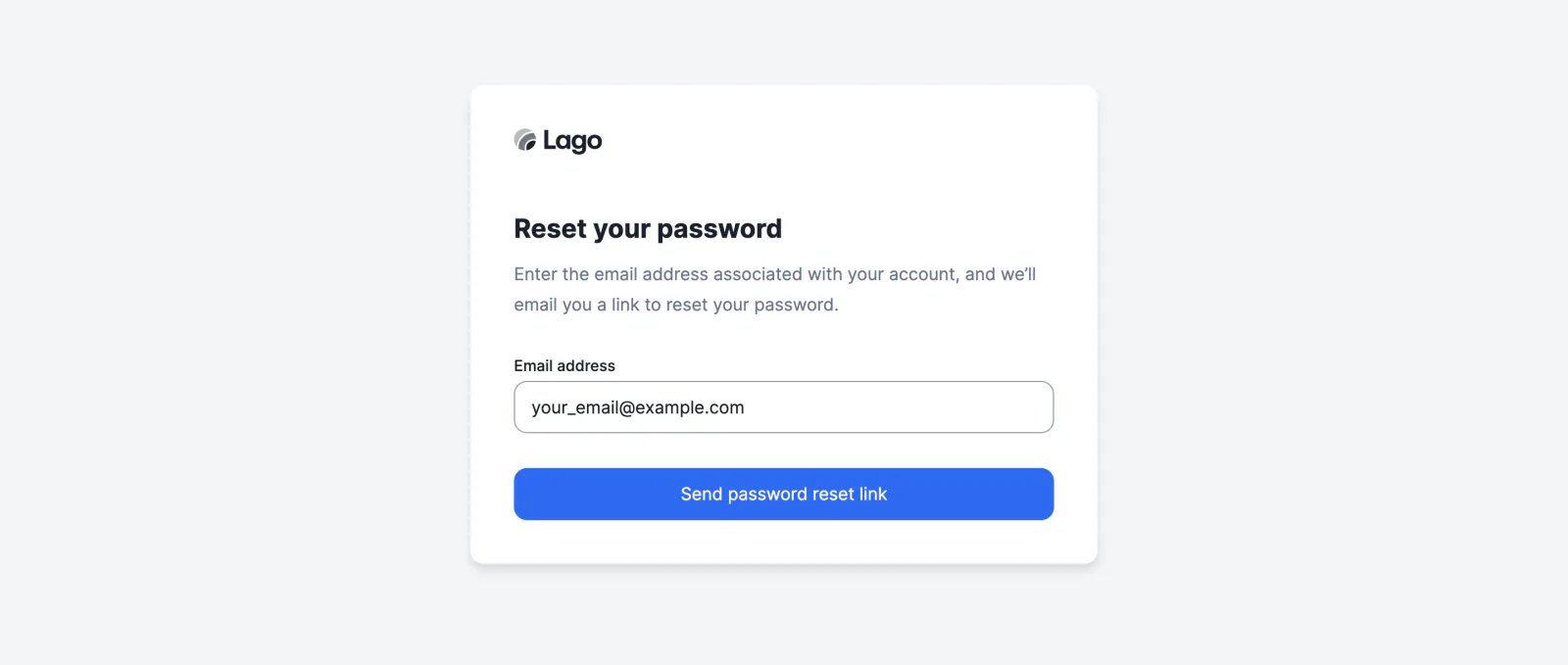
 ## Reset password
You can now reset your password via the user interface.
On the login page, click "Forgotten password" to access the dedicated page where you can request a link to reset your password.
## Reset password
You can now reset your password via the user interface.
On the login page, click "Forgotten password" to access the dedicated page where you can request a link to reset your password.
 ## Automatic emails ✨
✨ This feature is only available to users with a premium license. Please contact [hello@getlago.com](mailto:hello@getlago.com) to get access to Lago Cloud and Lago Self-Hosted Premium.
We are introducing a new built-in invoicing feature, which allows you to automatically send invoices and credit notes from Lago to your customers.
The email template can be customized with the name, email address and logo of your organization, and will be sent in the customer's preferred language (or the default language defined in the settings of your account).
For cloud users, Lago takes care of the SMTP setup. For users on the self-hosted version, the setup is described in the public documentation.
[Learn more](/docs/guide/emails)
## Customer billing portal ✨
✨ This feature is only available to users with a premium license. Please contact [hello@getlago.com](mailto:hello@getlago.com) to get access to Lago Cloud and Lago Self-Hosted Premium.
We have released the first version of our billing portal, which allows your customers to access their invoices.
You can generate access links through the user interface or embed the customer portal into your application using our API and an iframe.
[Learn more](/docs/guide/customers/customer-portal)
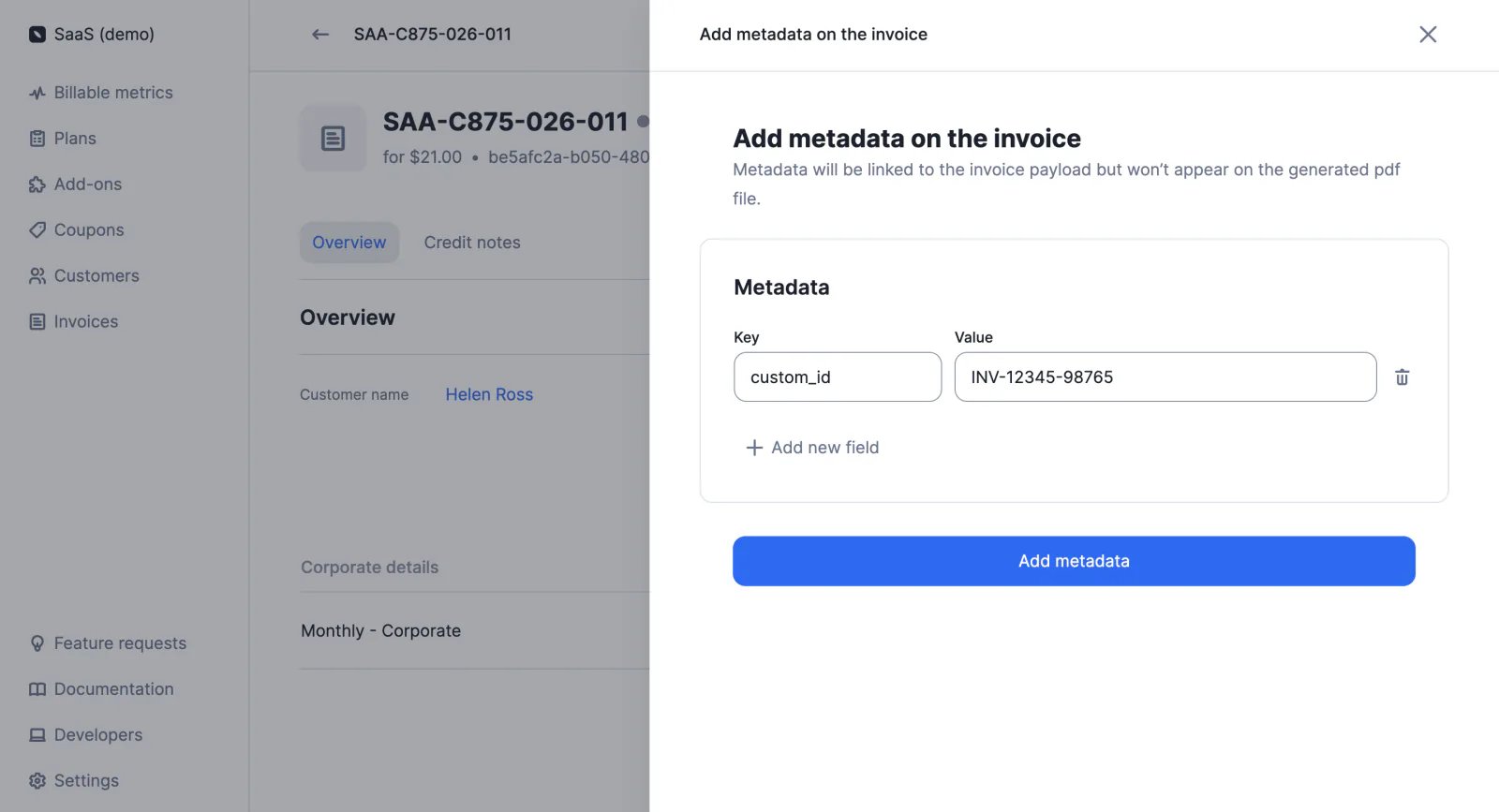
## Invoice metadata
After an invoice has been generated, you can add metadata to store additional information (e.g. custom ID, payment reference, etc.). This information will be included in the `invoice` object but will not be displayed on the PDF invoice.
Invoice metadata can be managed via the user interface or the API.
[Learn more](/docs/guide/invoicing/invoice-metadata)
## Automatic emails ✨
✨ This feature is only available to users with a premium license. Please contact [hello@getlago.com](mailto:hello@getlago.com) to get access to Lago Cloud and Lago Self-Hosted Premium.
We are introducing a new built-in invoicing feature, which allows you to automatically send invoices and credit notes from Lago to your customers.
The email template can be customized with the name, email address and logo of your organization, and will be sent in the customer's preferred language (or the default language defined in the settings of your account).
For cloud users, Lago takes care of the SMTP setup. For users on the self-hosted version, the setup is described in the public documentation.
[Learn more](/docs/guide/emails)
## Customer billing portal ✨
✨ This feature is only available to users with a premium license. Please contact [hello@getlago.com](mailto:hello@getlago.com) to get access to Lago Cloud and Lago Self-Hosted Premium.
We have released the first version of our billing portal, which allows your customers to access their invoices.
You can generate access links through the user interface or embed the customer portal into your application using our API and an iframe.
[Learn more](/docs/guide/customers/customer-portal)
## Invoice metadata
After an invoice has been generated, you can add metadata to store additional information (e.g. custom ID, payment reference, etc.). This information will be included in the `invoice` object but will not be displayed on the PDF invoice.
Invoice metadata can be managed via the user interface or the API.
[Learn more](/docs/guide/invoicing/invoice-metadata)
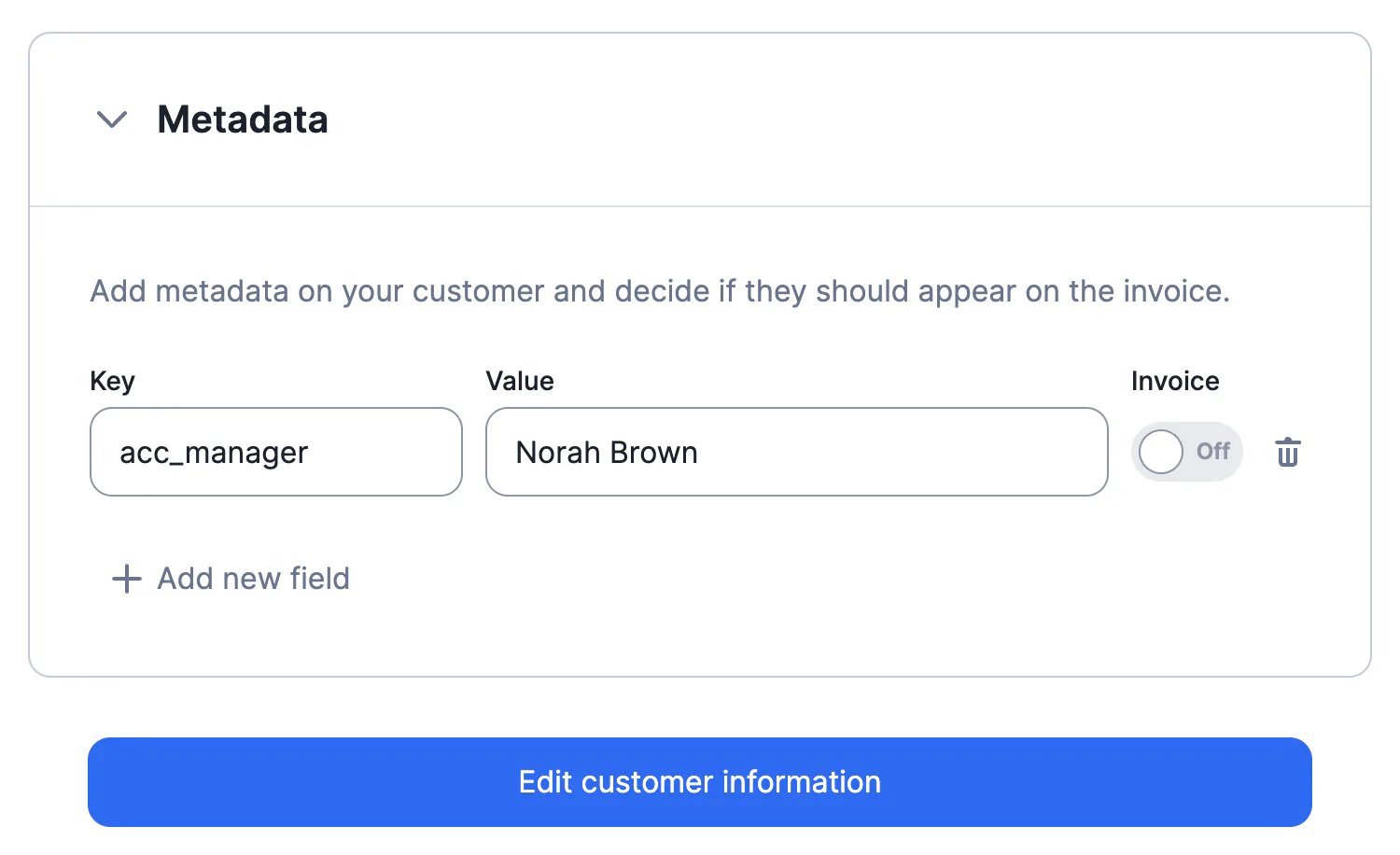
 ## Customer metadata
When creating or editing a customer, you can add metadata to store additional information (e.g. customer type, name of the account manager, etc.).
Customer metadata can be displayed on invoices, and can be managed via the user interface or the API.
[Learn more](/docs/guide/customers/customer-metadata)
## Customer metadata
When creating or editing a customer, you can add metadata to store additional information (e.g. customer type, name of the account manager, etc.).
Customer metadata can be displayed on invoices, and can be managed via the user interface or the API.
[Learn more](/docs/guide/customers/customer-metadata)
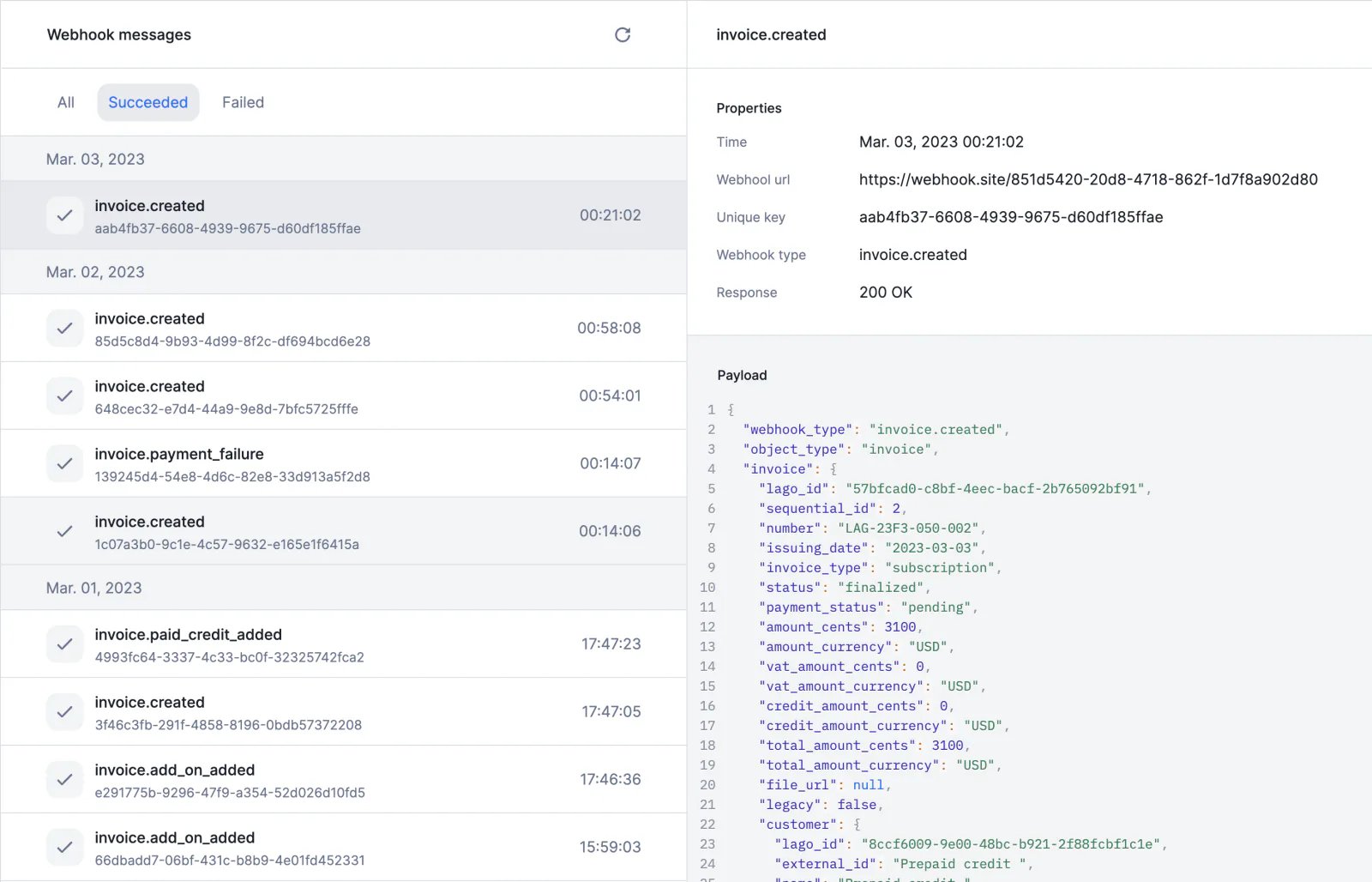
 ## Webhook logs
The new webhook management system allows you to access the list of webhook messages sent by Lago and check their status. You can re-trigger a message that has failed through the user interface.
To access the webhook logs:
1. Go to the **Developers** section via the sidebar
2. Open the **Webhooks** tab
3. Click on the webhook endpoint to see the list of messages
[Learn more](/docs/guide/webhooks)
## Webhook logs
The new webhook management system allows you to access the list of webhook messages sent by Lago and check their status. You can re-trigger a message that has failed through the user interface.
To access the webhook logs:
1. Go to the **Developers** section via the sidebar
2. Open the **Webhooks** tab
3. Click on the webhook endpoint to see the list of messages
[Learn more](/docs/guide/webhooks)
 ## Document translation
PDF files including invoices and credit notes can be generated in different languages.
The [default language](/docs/guide/invoicing/download-invoices#translate-invoices) that is set at the organization level can be overwritten by the [customer's preferred language](/docs/guide/customers/invoice-customer#preferred-language).
In the API, the `document_locale` attribute determines the language of the documents.
You can contribute to Lago's open-source project by helping us translate documents. The new language will then be added to the [list of supported locales](/docs/api-reference/resources/locales) and available to the entire Lago Community.
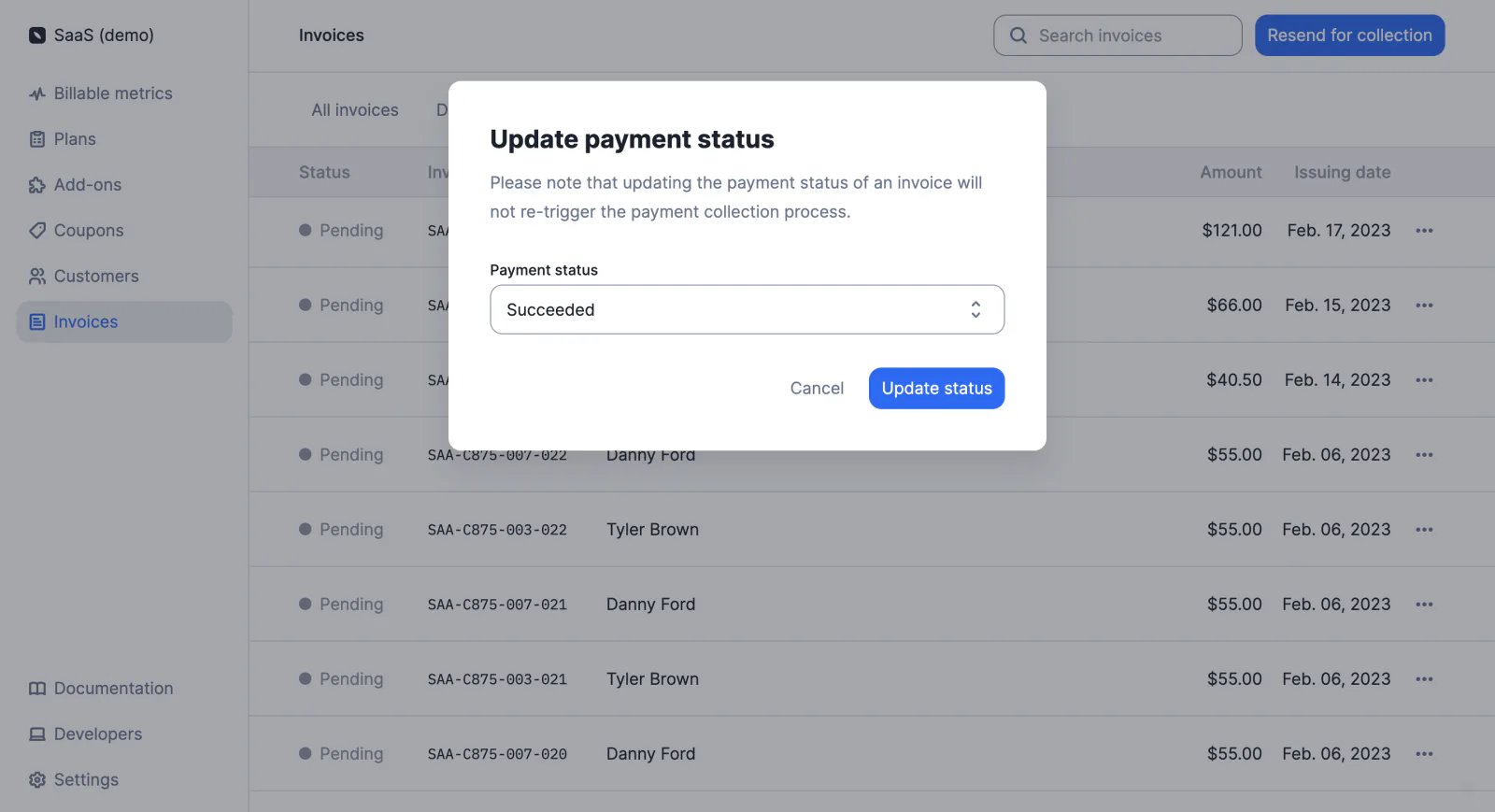
## Update payment status
You can now update the payment status of an invoice through the user interface.
To do so:
1. Access the **Invoices** section
2. Find the relevant invoice
3. Click the ellipsis icon on the right
4. Click **Update payment status**
5. Select the new payment status
6. Click **Update status** to confirm
This action can be performed [via the API](/docs/api-reference/invoices/update) as well.
## Document translation
PDF files including invoices and credit notes can be generated in different languages.
The [default language](/docs/guide/invoicing/download-invoices#translate-invoices) that is set at the organization level can be overwritten by the [customer's preferred language](/docs/guide/customers/invoice-customer#preferred-language).
In the API, the `document_locale` attribute determines the language of the documents.
You can contribute to Lago's open-source project by helping us translate documents. The new language will then be added to the [list of supported locales](/docs/api-reference/resources/locales) and available to the entire Lago Community.
## Update payment status
You can now update the payment status of an invoice through the user interface.
To do so:
1. Access the **Invoices** section
2. Find the relevant invoice
3. Click the ellipsis icon on the right
4. Click **Update payment status**
5. Select the new payment status
6. Click **Update status** to confirm
This action can be performed [via the API](/docs/api-reference/invoices/update) as well.
 ## Coupons limited to specific plans
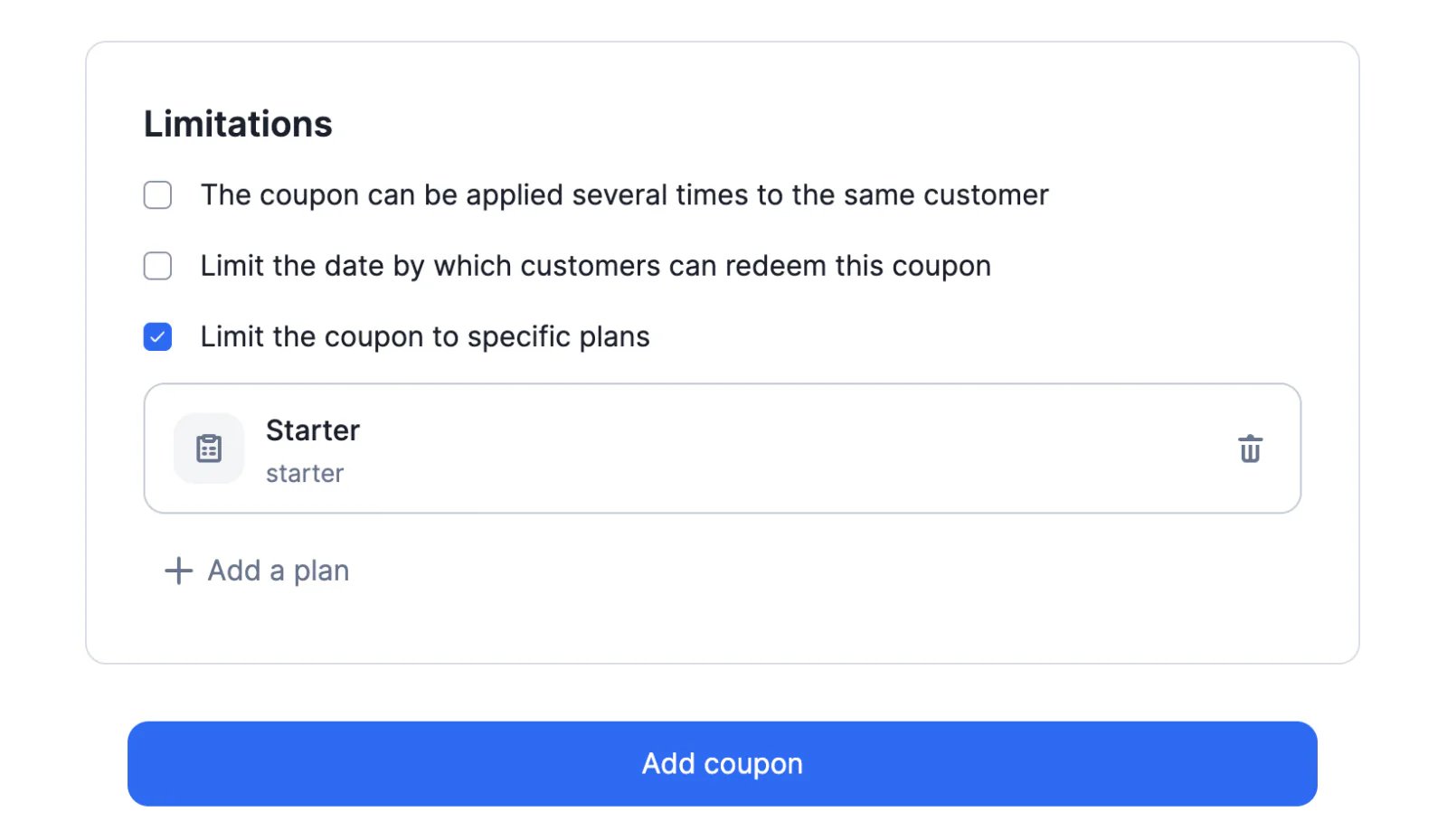
We have added a new option to the coupon settings: it is now possible to limit the application scope of a coupon to specific plans.
By default, coupons apply to all plans but when creating a new coupon, you can define the list of plans to which the coupon applies.
This feature is related to the `plan_codes` attribute of the `coupon` object ([see API documentation](/docs/api-reference/coupons/create)).
Please refer to [the guide](/docs/guide/coupons) for more information on coupons.
## Coupons limited to specific plans
We have added a new option to the coupon settings: it is now possible to limit the application scope of a coupon to specific plans.
By default, coupons apply to all plans but when creating a new coupon, you can define the list of plans to which the coupon applies.
This feature is related to the `plan_codes` attribute of the `coupon` object ([see API documentation](/docs/api-reference/coupons/create)).
Please refer to [the guide](/docs/guide/coupons) for more information on coupons.
 ## Coupons that apply forever
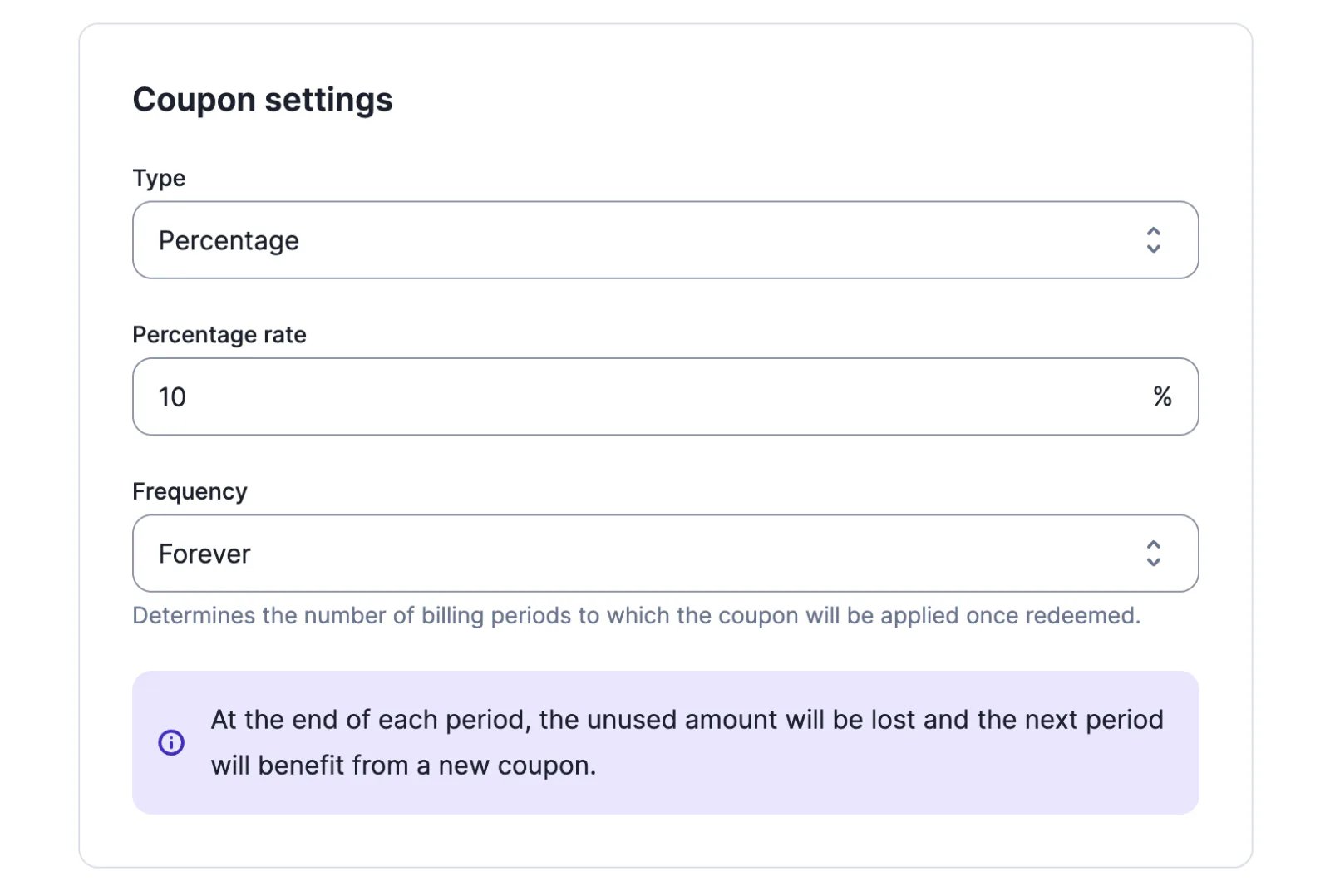
When creating a coupon, through the [user interface](/docs/guide/coupons) or the [API](/docs/api-reference/coupons/create), it is now possible to select the `forever` frequency.
Coupons with the `forever` frequency apply to all subscription invoices, regardless of the number of subscription invoices generated in a given period.
ℹ️ The value of the coupon is deducted from the amount of the invoice after tax. Coupons do not apply to add-ons or any other one-off charges.
## Coupons that apply forever
When creating a coupon, through the [user interface](/docs/guide/coupons) or the [API](/docs/api-reference/coupons/create), it is now possible to select the `forever` frequency.
Coupons with the `forever` frequency apply to all subscription invoices, regardless of the number of subscription invoices generated in a given period.
ℹ️ The value of the coupon is deducted from the amount of the invoice after tax. Coupons do not apply to add-ons or any other one-off charges.
 ## Search bar
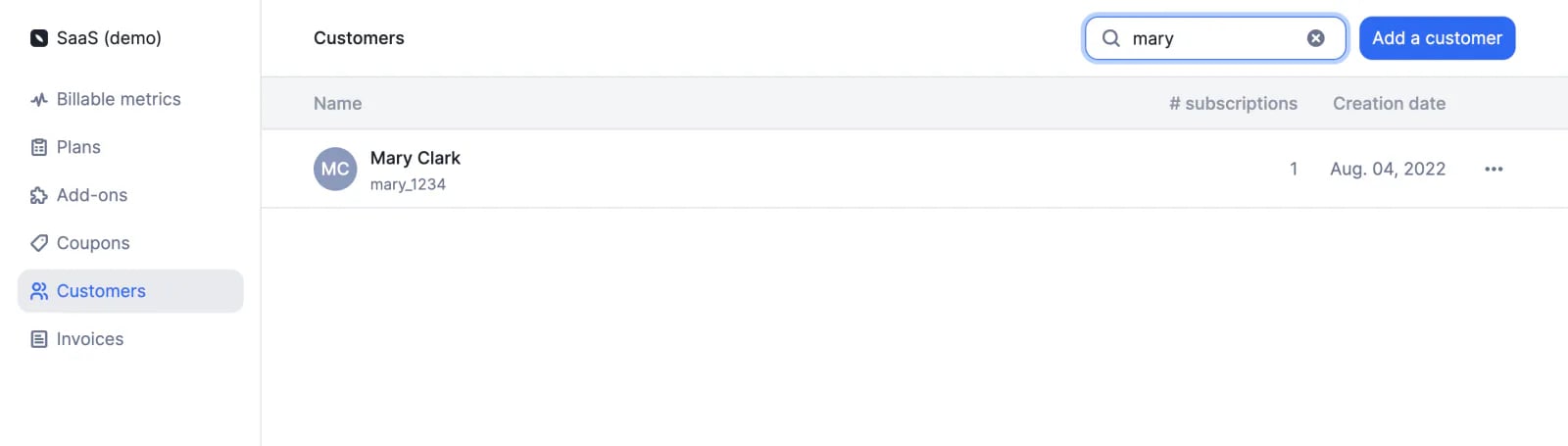
Tired of scrolling through an endless list to find the customer your are looking for? We understand that.
We have added a search functionality to the user interface to make it easier to find metrics, plans, customers, invoices, etc.
## Search bar
Tired of scrolling through an endless list to find the customer your are looking for? We understand that.
We have added a search functionality to the user interface to make it easier to find metrics, plans, customers, invoices, etc.
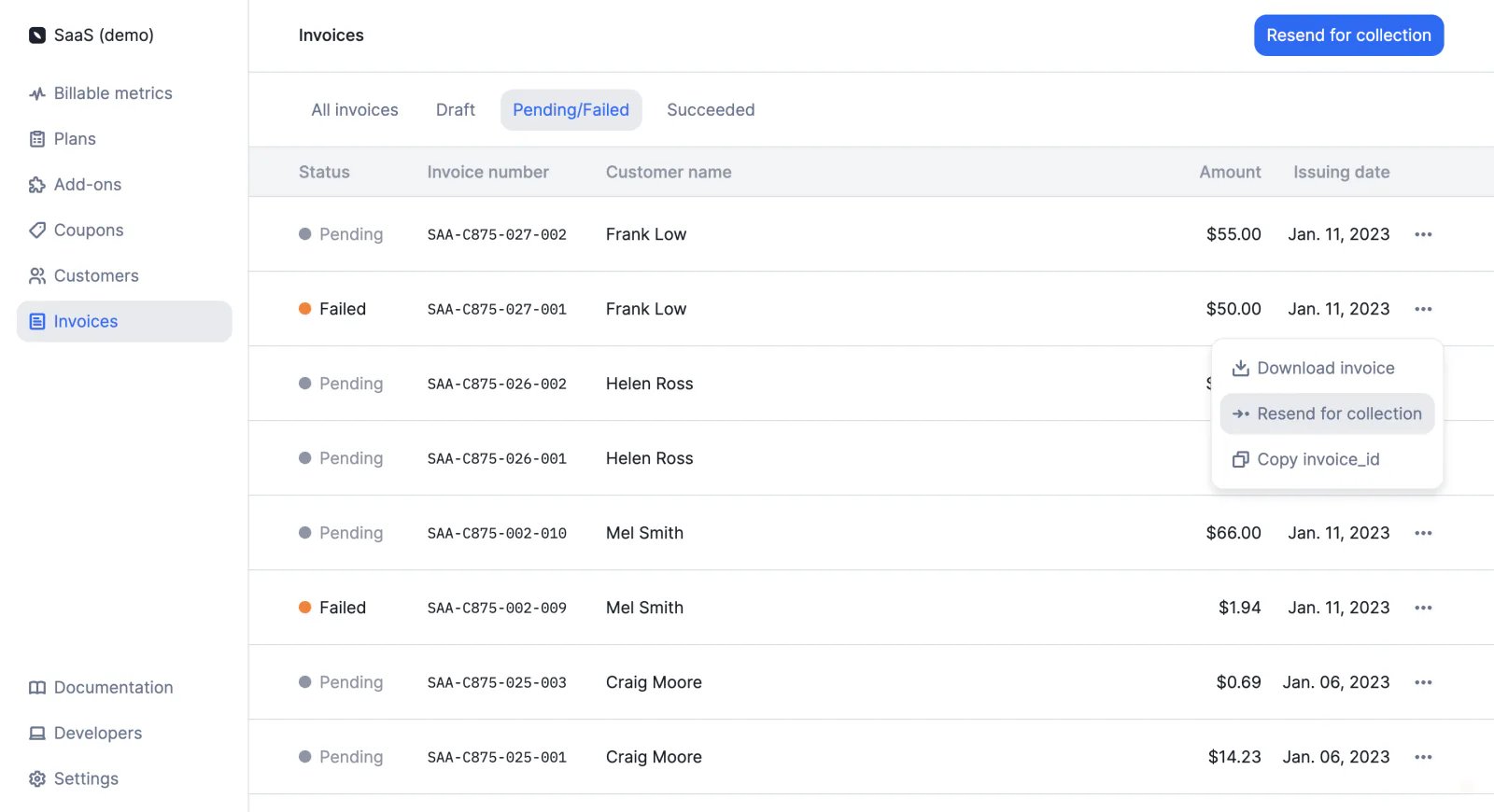
 ## Payment retries
We have added the ability to resend payments for collection.
This new feature is available to all users:
* Through the user interface ([learn more](/docs/guide/payments/payment-retries))
* Through the API ([learn more](/docs/guide/payments/payment-retries))
## Payment retries
We have added the ability to resend payments for collection.
This new feature is available to all users:
* Through the user interface ([learn more](/docs/guide/payments/payment-retries))
* Through the API ([learn more](/docs/guide/payments/payment-retries))
 ## Grace period ✨
✨ This feature is only available to users with a premium license. Please contact [hello@getlago.com](mailto:hello@getlago.com) to get access to Lago Cloud and Lago Self-Hosted Premium.
If at the end of the billing period, you want to review the invoices before sending them to customers for payment, you can define a [grace period](/docs/guide/invoicing/invoicing-settings/grace-period).
During the grace period, invoices are in `draft` status and can be modified. Available actions include:
* **Adding usage records** by sending events with a `timestamp` within the relevant billing period
* **Applying coupons** to the customer's account
* **Adding credits** to the customer's wallet and credit note wallet
When the grace period expires, invoices are automatically `finalized` (they can no longer be edited), which triggers the `invoice.created` [webhook](/docs/api-reference/webhooks/messages). You can also finalize invoices manually.
The organization's grace period applies to all customers by default, but it can be overwritten by the customer's grace period.
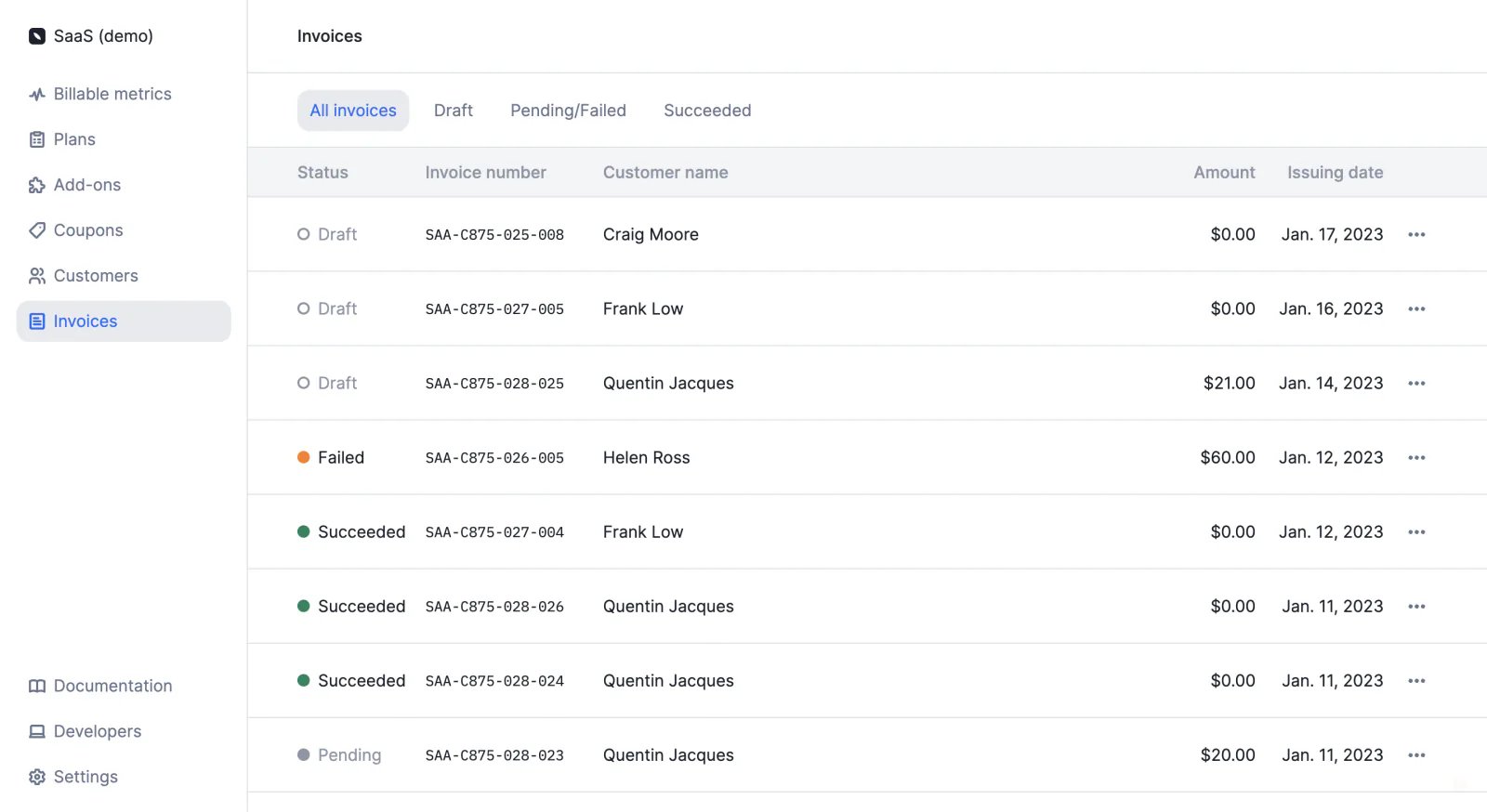
## Invoice list
We have added a new **Invoices** section, which allows you to access the list of invoices.
Invoices are filtered according to their status (i.e. draft or finalized) and according to their payment status (i.e. succeeded, pending or failed).
The same filters can be applied when [retrieving invoices via the API](/docs/api-reference/invoices/get-all).
## Grace period ✨
✨ This feature is only available to users with a premium license. Please contact [hello@getlago.com](mailto:hello@getlago.com) to get access to Lago Cloud and Lago Self-Hosted Premium.
If at the end of the billing period, you want to review the invoices before sending them to customers for payment, you can define a [grace period](/docs/guide/invoicing/invoicing-settings/grace-period).
During the grace period, invoices are in `draft` status and can be modified. Available actions include:
* **Adding usage records** by sending events with a `timestamp` within the relevant billing period
* **Applying coupons** to the customer's account
* **Adding credits** to the customer's wallet and credit note wallet
When the grace period expires, invoices are automatically `finalized` (they can no longer be edited), which triggers the `invoice.created` [webhook](/docs/api-reference/webhooks/messages). You can also finalize invoices manually.
The organization's grace period applies to all customers by default, but it can be overwritten by the customer's grace period.
## Invoice list
We have added a new **Invoices** section, which allows you to access the list of invoices.
Invoices are filtered according to their status (i.e. draft or finalized) and according to their payment status (i.e. succeeded, pending or failed).
The same filters can be applied when [retrieving invoices via the API](/docs/api-reference/invoices/get-all).
 ## Credit notes ✨
✨ Lago may automatically generate a credit note when a subscription is upgraded or downgraded. However, only users with a premium license can manually generate credit notes via the user interface or the API. Please contact [hello@getlago.com](mailto:hello@getlago.com) to get access to Lago Cloud and Lago Self-Hosted Premium.
You can now use your Lago account to issue credit notes for subscription invoices and add-ons.
Depending on the payment status of the invoice, you will be able to:
* **Refund the customer** (only for paid invoices)
* **Credit back the customer's account**
Please refer to the [documentation](/docs/guide/invoicing/credit-notes/overview) for more information on credit notes and credit methods.
## Timezones ✨
✨ This feature is only available to users with a premium license. Please contact [hello@getlago.com](mailto:hello@getlago.com) to get access to Lago Cloud and Lago Self-Hosted Premium.
You can now set the timezone of your organization in the settings of the app. To do so:
1. Access the **Settings** section via the side menu
2. In the **Organization** tab, you will see the current timezone (UTC by default)
3. Click **Edit**
4. Select a new timezone from the list
5. Click **Save timezone** to confirm
It can also be set through the API using this [endpoint](/docs/api-reference/organizations/update).
The organization's timezone applies to all customers by default and determines when billing periods start and end (i.e. when invoices should be generated). It is also the reference timezone for most views and lists in the app.
The organization's timezone can be overwritten by the customer's timezone ([learn more](/docs/guide/customers/invoice-customer#bill-following-your-customers-timezone)).
ℹ️ In the app, you can hover over any date with a dotted underline to see the reference timezones.
## Credit notes ✨
✨ Lago may automatically generate a credit note when a subscription is upgraded or downgraded. However, only users with a premium license can manually generate credit notes via the user interface or the API. Please contact [hello@getlago.com](mailto:hello@getlago.com) to get access to Lago Cloud and Lago Self-Hosted Premium.
You can now use your Lago account to issue credit notes for subscription invoices and add-ons.
Depending on the payment status of the invoice, you will be able to:
* **Refund the customer** (only for paid invoices)
* **Credit back the customer's account**
Please refer to the [documentation](/docs/guide/invoicing/credit-notes/overview) for more information on credit notes and credit methods.
## Timezones ✨
✨ This feature is only available to users with a premium license. Please contact [hello@getlago.com](mailto:hello@getlago.com) to get access to Lago Cloud and Lago Self-Hosted Premium.
You can now set the timezone of your organization in the settings of the app. To do so:
1. Access the **Settings** section via the side menu
2. In the **Organization** tab, you will see the current timezone (UTC by default)
3. Click **Edit**
4. Select a new timezone from the list
5. Click **Save timezone** to confirm
It can also be set through the API using this [endpoint](/docs/api-reference/organizations/update).
The organization's timezone applies to all customers by default and determines when billing periods start and end (i.e. when invoices should be generated). It is also the reference timezone for most views and lists in the app.
The organization's timezone can be overwritten by the customer's timezone ([learn more](/docs/guide/customers/invoice-customer#bill-following-your-customers-timezone)).
ℹ️ In the app, you can hover over any date with a dotted underline to see the reference timezones.