> ## Documentation Index
> Fetch the complete documentation index at: https://getlago.com/docs/llms.txt
> Use this file to discover all available pages before exploring further.
# Product updates: 2024
> Lago product updates released in 2024.
Browse: [Latest](/docs/changelog/product) · [2025](/docs/changelog/product-2025) · **2024** · [2023](/docs/changelog/product-2023) · [2022](/docs/changelog/product-2022)
## Filter and export credit notes
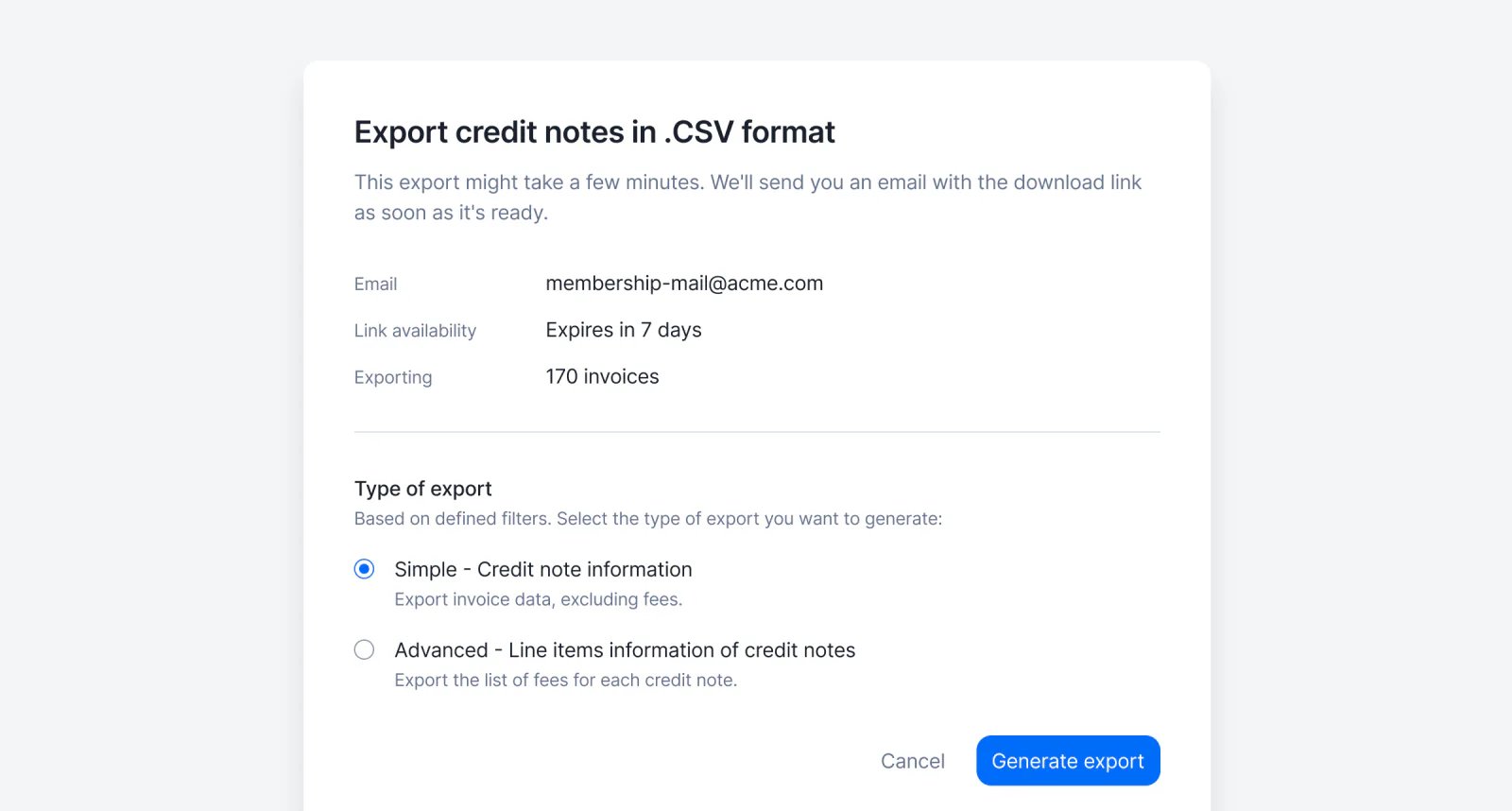 Users can now filter the list of credit notes (e.g. by currency, customer, issuing date, amount, reason, etc.) and the filtered list can then be exported from the user interface.
Two export options are available:
* Standard, including the list of credit notes and credit note amounts (i.e. one row per credit note); and
* Advanced, including the list of credit note line items (i.e. one row per line item, so multiple rows per credit note if it includes multiple items).
The list is automatically emailed to the requester in a CSV file.
[Learn more](../guide/invoicing/export#filter-and-export-credit-notes)
## Granular API key permissions
Users can now filter the list of credit notes (e.g. by currency, customer, issuing date, amount, reason, etc.) and the filtered list can then be exported from the user interface.
Two export options are available:
* Standard, including the list of credit notes and credit note amounts (i.e. one row per credit note); and
* Advanced, including the list of credit note line items (i.e. one row per line item, so multiple rows per credit note if it includes multiple items).
The list is automatically emailed to the requester in a CSV file.
[Learn more](../guide/invoicing/export#filter-and-export-credit-notes)
## Granular API key permissions
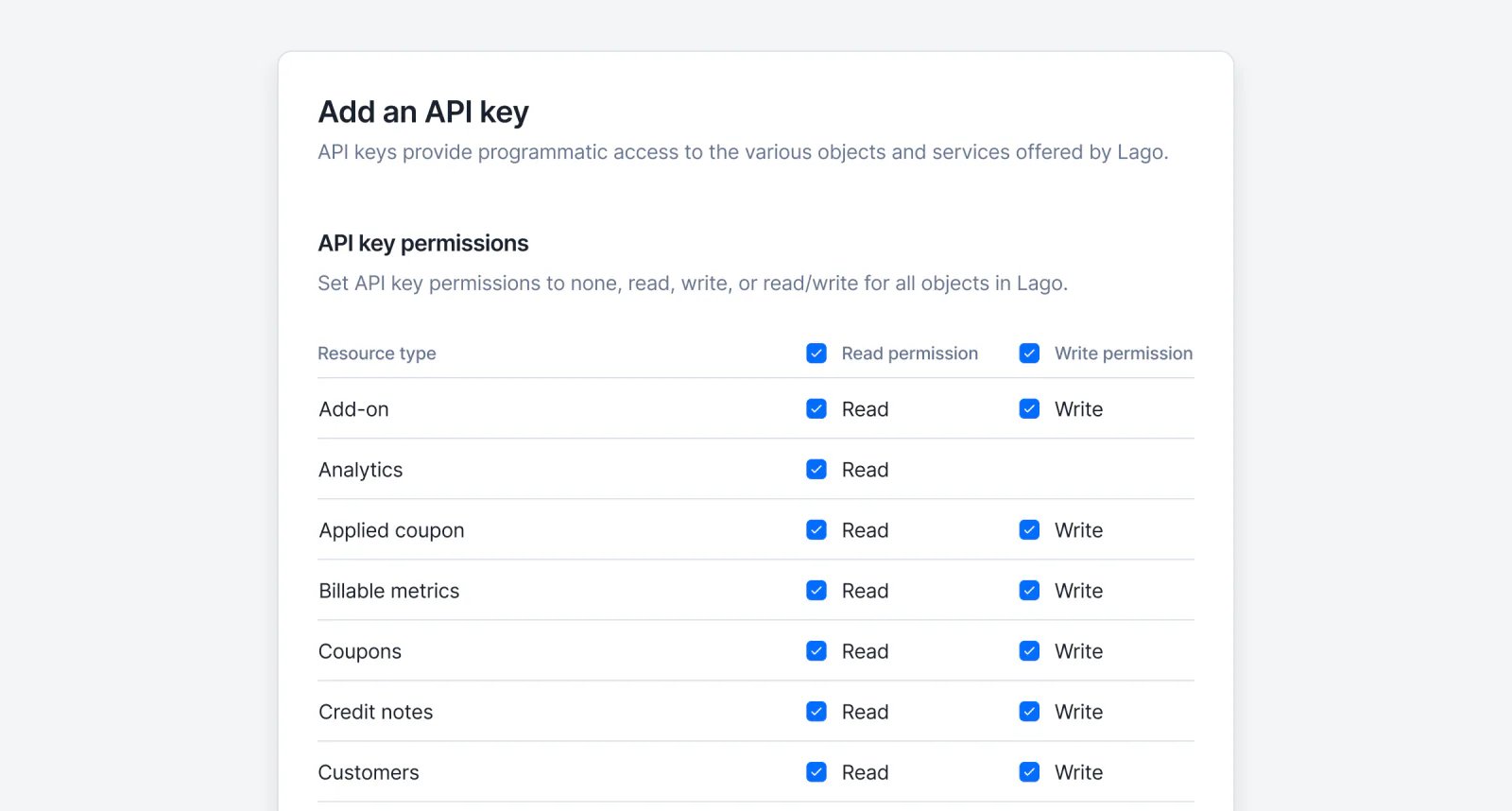 You can now customize permissions for API keys in Lago! 🔒
When creating or editing an API key, you can define **read**, **write**, or **read and write** access for every object in the Lago API. This gives you full control over which endpoints can be accessed and how.
If an API key doesn’t have the required permissions, the API will block the request, ensuring enhanced security and precise access control.
[Learn more](../guide/security/api-keys#set-api-key-permissions)
## Edit and delete dunning campaign
You can now customize permissions for API keys in Lago! 🔒
When creating or editing an API key, you can define **read**, **write**, or **read and write** access for every object in the Lago API. This gives you full control over which endpoints can be accessed and how.
If an API key doesn’t have the required permissions, the API will block the request, ensuring enhanced security and precise access control.
[Learn more](../guide/security/api-keys#set-api-key-permissions)
## Edit and delete dunning campaign
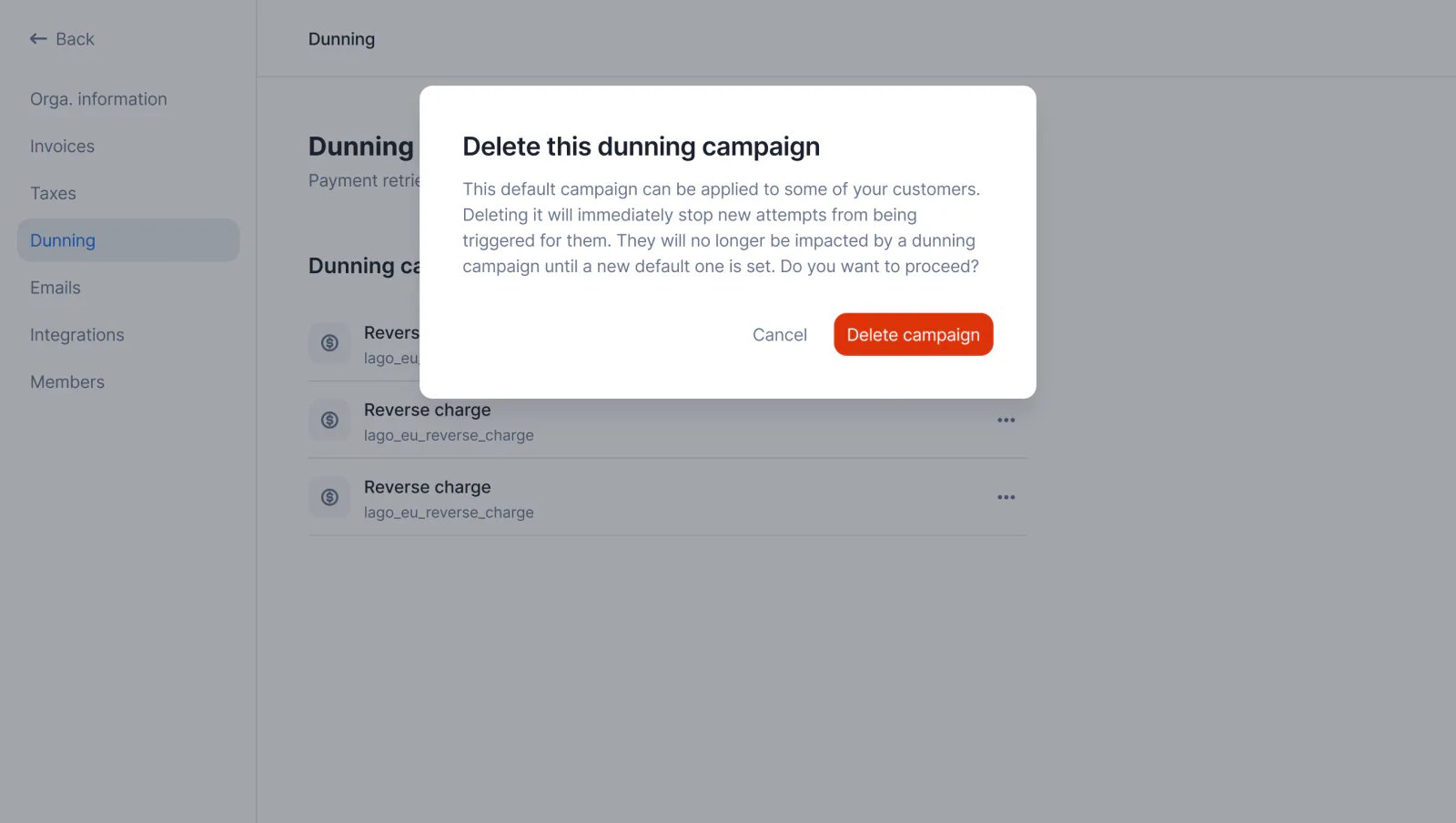 You can now instantly update dunning campaign thresholds, delays, and attempts to fit your needs—changes may trigger new attempts for linked customers. No longer need a campaign? Delete it! Customers will either switch to the default campaign or be excluded if none exists.
[Learn more](../guide/dunning/automatic-dunning#edit-a-dunning-campaign)
## Create new API keys
You can now instantly update dunning campaign thresholds, delays, and attempts to fit your needs—changes may trigger new attempts for linked customers. No longer need a campaign? Delete it! Customers will either switch to the default campaign or be excluded if none exists.
[Learn more](../guide/dunning/automatic-dunning#edit-a-dunning-campaign)
## Create new API keys
 ✨ This feature is only available via a premium licence. Please contact [hello@getlago.com](mailto:hello@getlago.com) to get access to Lago Cloud and Lago Self-Hosted Premium.
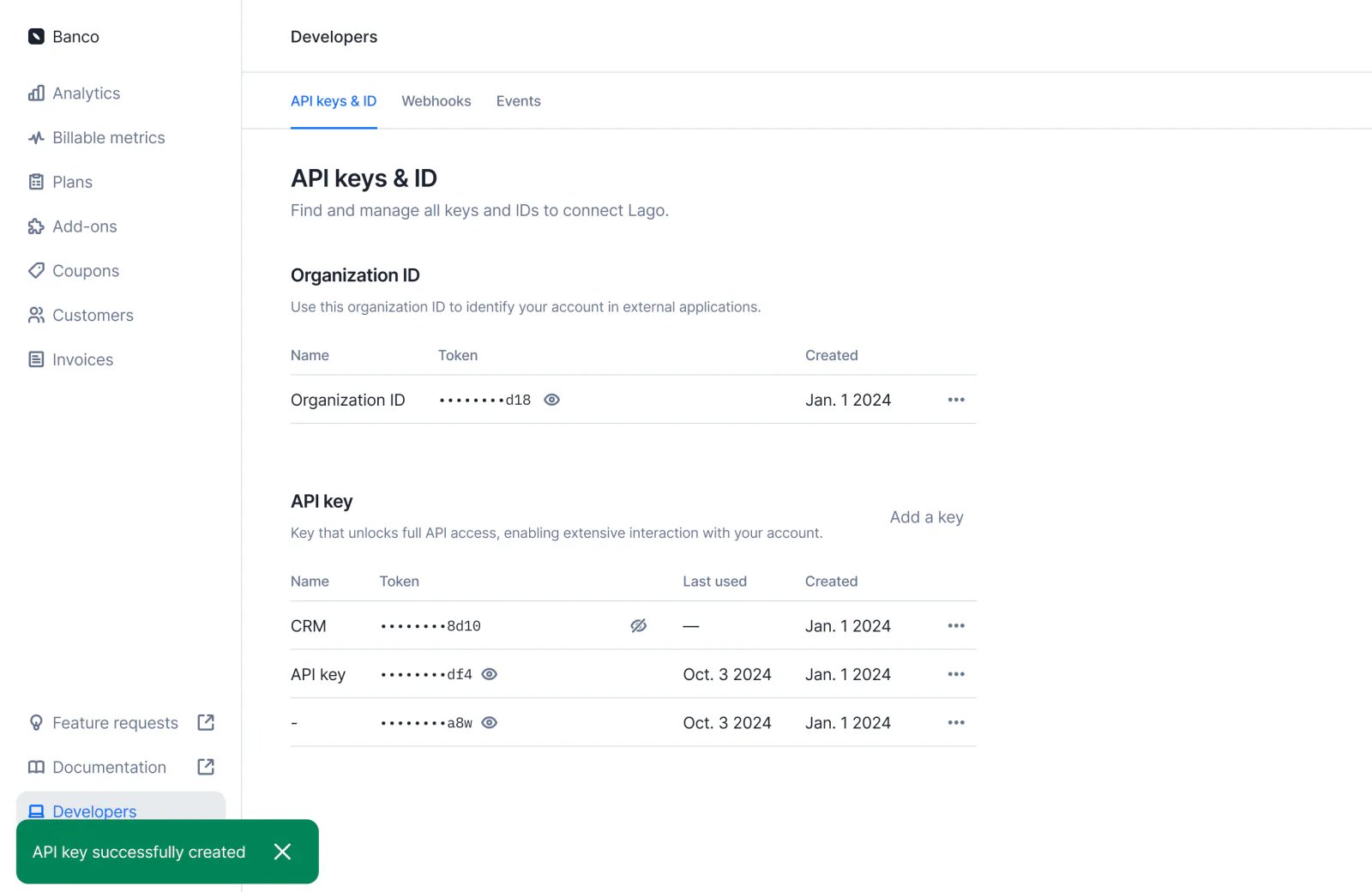
Need more API keys? You can now manage your API keys more efficiently—create, name, and delete them to seamlessly connect Lago to other tools.
Visit the **Developers > API Keys** section to explore this new experience.
[Learn more](../guide/security/api-keys#create-an-api-key)
## Schedule an API key rotation
✨ This feature is only available via a premium licence. Please contact [hello@getlago.com](mailto:hello@getlago.com) to get access to Lago Cloud and Lago Self-Hosted Premium.
Need more API keys? You can now manage your API keys more efficiently—create, name, and delete them to seamlessly connect Lago to other tools.
Visit the **Developers > API Keys** section to explore this new experience.
[Learn more](../guide/security/api-keys#create-an-api-key)
## Schedule an API key rotation
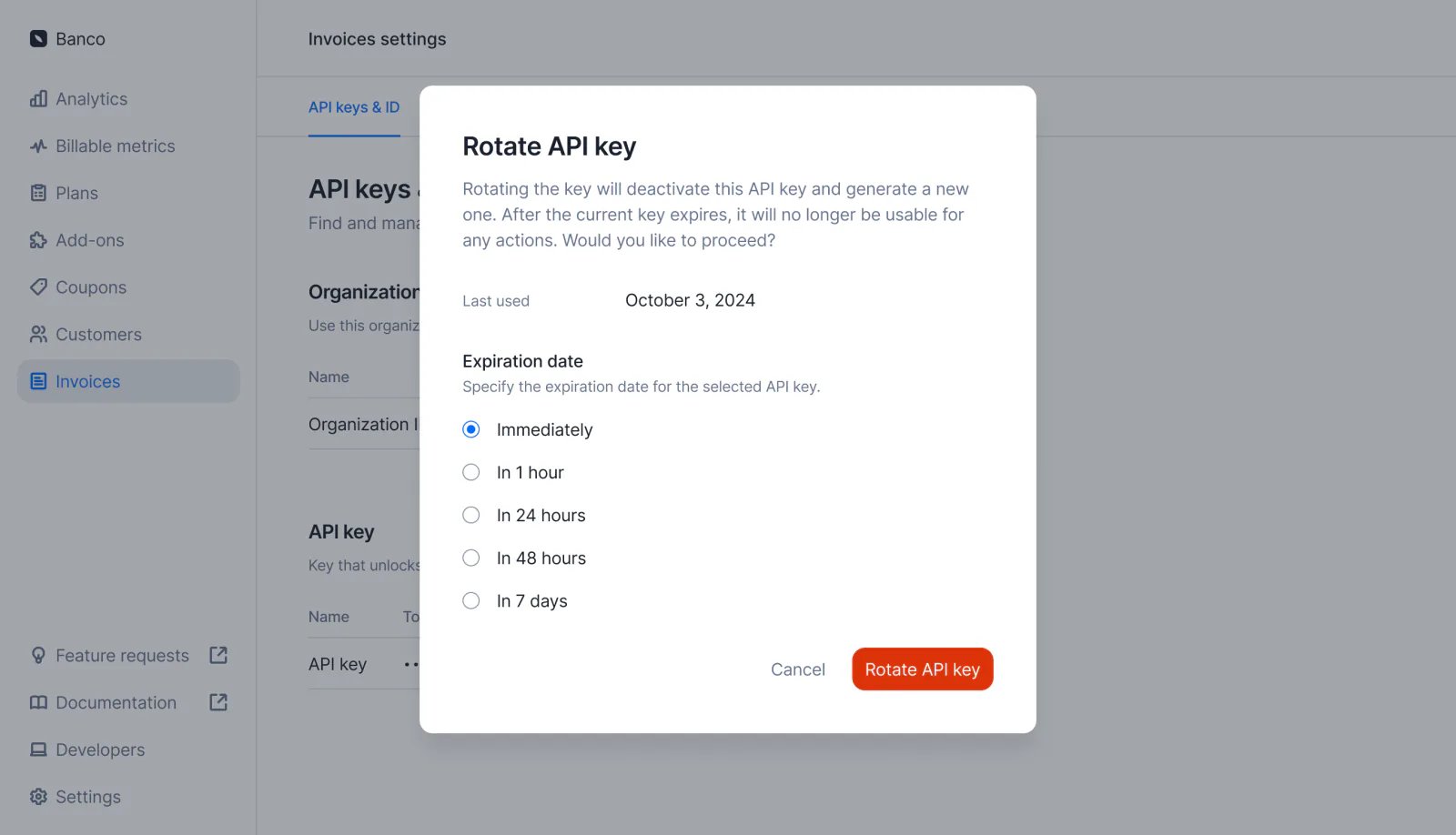 ✨ This feature is only available via a premium licence. Please contact [hello@getlago.com](mailto:hello@getlago.com) to get access to Lago Cloud and Lago Self-Hosted Premium.
You can schedule an API key rotation to proactively manage security migrations. Choose a timeframe—now, in 1 hour, 24 hours, 48 hours, or 7 days—and Lago will automatically deactivate the old API key.
[Learn more](../guide/security/api-keys#schedule-an-api-key-rotation)
## Rotate your API key
✨ This feature is only available via a premium licence. Please contact [hello@getlago.com](mailto:hello@getlago.com) to get access to Lago Cloud and Lago Self-Hosted Premium.
You can schedule an API key rotation to proactively manage security migrations. Choose a timeframe—now, in 1 hour, 24 hours, 48 hours, or 7 days—and Lago will automatically deactivate the old API key.
[Learn more](../guide/security/api-keys#schedule-an-api-key-rotation)
## Rotate your API key
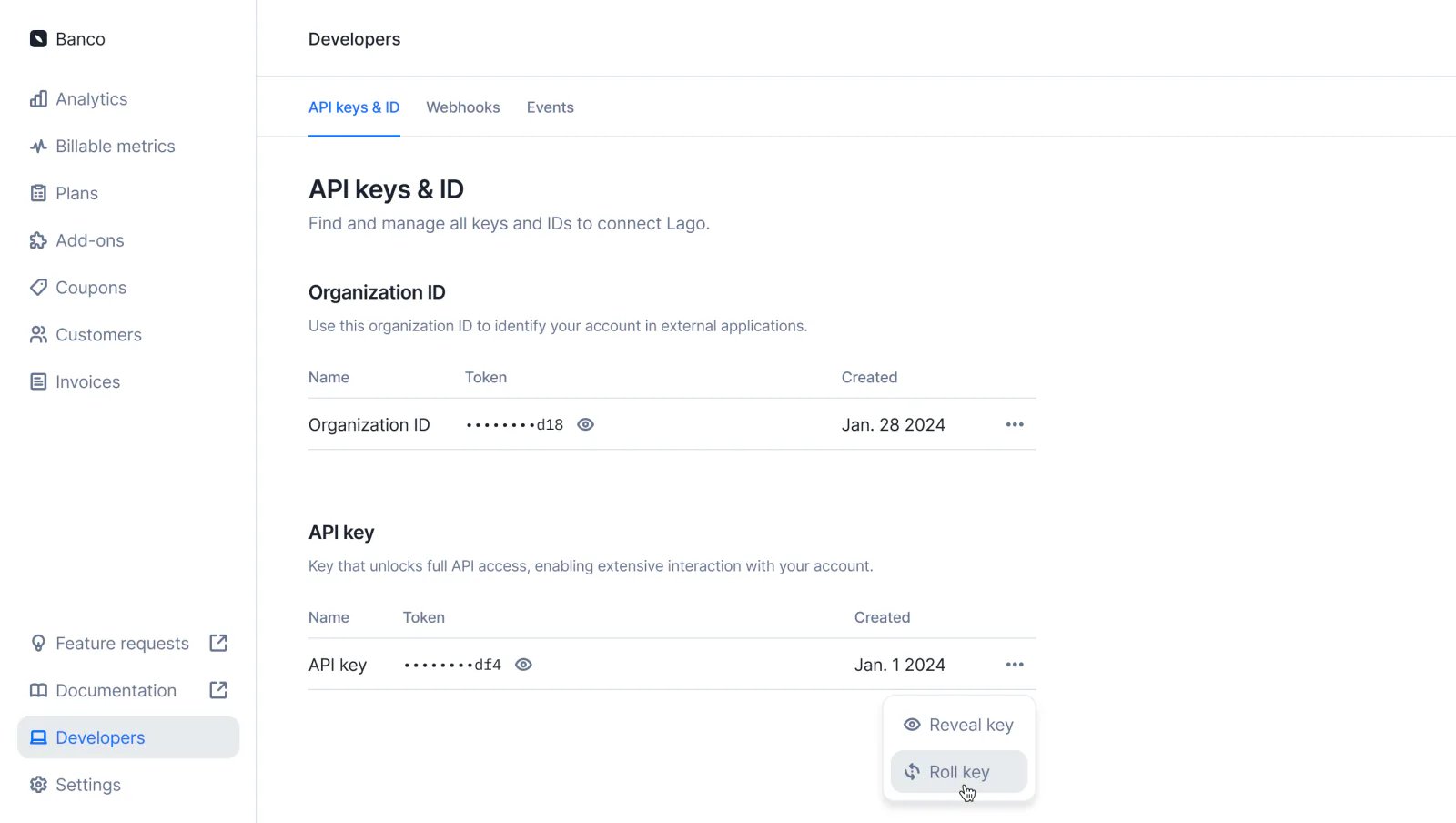 Oops! Think your API key might be exposed, or just want to rotate it to stay safe? No worries—you don’t need to reach out to us. You can now quickly roll your key anytime in the Developer section.
[Learn more](../guide/security/api-keys)
## Automatic dunning: Payment reminders on autopilot
Oops! Think your API key might be exposed, or just want to rotate it to stay safe? No worries—you don’t need to reach out to us. You can now quickly roll your key anytime in the Developer section.
[Learn more](../guide/security/api-keys)
## Automatic dunning: Payment reminders on autopilot
 For businesses billing on usage, keeping payments timely is essential. That's why we're introducing **Automatic Dunning**—a hands-off way to manage overdue invoices and keep cash flow steady.
With Automatic Dunning, you can **set up tailored reminder campaigns** for different customer groups. Once activated, **these campaigns run on autopilot**, sending scheduled email reminders for any unpaid invoices. Reminders will keep going until the payment is made or you adjust the settings.
Automatic Dunning keeps your payment reminders on autopilot, so you can focus on what matters while your billing engine handles collections in the background.
[Learn more](../guide/dunning/automatic-dunning)
## Customizable rounding for usage metrics
For businesses billing on usage, keeping payments timely is essential. That's why we're introducing **Automatic Dunning**—a hands-off way to manage overdue invoices and keep cash flow steady.
With Automatic Dunning, you can **set up tailored reminder campaigns** for different customer groups. Once activated, **these campaigns run on autopilot**, sending scheduled email reminders for any unpaid invoices. Reminders will keep going until the payment is made or you adjust the settings.
Automatic Dunning keeps your payment reminders on autopilot, so you can focus on what matters while your billing engine handles collections in the background.
[Learn more](../guide/dunning/automatic-dunning)
## Customizable rounding for usage metrics
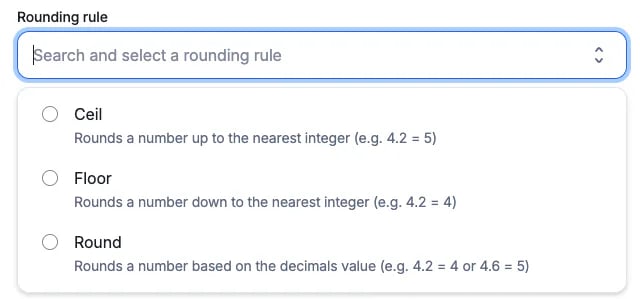 Previously, usage rounding in Lago was limited to a default precision. Now, with **Customizable Rounding Rules**, you have full control over how usage-based metrics are rounded.
Choose from these rounding options:
* **Ceil**: Always round up to the nearest integer.
* **Floor**: Always round down to the nearest integer.
* **Round**: Round to the nearest integer using standard rounding rules.
Additionally, you can specify a **precision level**—positive or negative—allowing you to round usage to a set number of decimals.
[Learn more](../guide/billable-metrics/rounding)
## Build any usage-based metric with SQL expressions
Previously, usage-based metrics in Lago were powered by a single field—ideal for simplicity but limited in flexibility. Now, we are giving you complete control with SQL Expressions.
**With SQL Expressions, you can build metrics tailored to your needs**. Use advanced math operations, concatenations, rounding, and more to create precise, custom metrics that reflect your unique usage patterns.
**Custom expressions allow you to define more advanced computation logic** by dynamically using any event field within your expression. Here are a few examples:
* **Concatenation:** `CONCAT(value1, '_', value2)`
* **Math operations:** `((value1 * value2) / value3)`
* **Rounding:** `ROUND(value1 / value2)`
```SQL SQL Expression example theme={"dark"}
CEIL((event.properties.ended_at - event.timestamp) / 3600)
```
[Learn more](../guide/billable-metrics/sql-expressions)
## Cascade plan editions to overridden subscriptions
Previously, usage rounding in Lago was limited to a default precision. Now, with **Customizable Rounding Rules**, you have full control over how usage-based metrics are rounded.
Choose from these rounding options:
* **Ceil**: Always round up to the nearest integer.
* **Floor**: Always round down to the nearest integer.
* **Round**: Round to the nearest integer using standard rounding rules.
Additionally, you can specify a **precision level**—positive or negative—allowing you to round usage to a set number of decimals.
[Learn more](../guide/billable-metrics/rounding)
## Build any usage-based metric with SQL expressions
Previously, usage-based metrics in Lago were powered by a single field—ideal for simplicity but limited in flexibility. Now, we are giving you complete control with SQL Expressions.
**With SQL Expressions, you can build metrics tailored to your needs**. Use advanced math operations, concatenations, rounding, and more to create precise, custom metrics that reflect your unique usage patterns.
**Custom expressions allow you to define more advanced computation logic** by dynamically using any event field within your expression. Here are a few examples:
* **Concatenation:** `CONCAT(value1, '_', value2)`
* **Math operations:** `((value1 * value2) / value3)`
* **Rounding:** `ROUND(value1 / value2)`
```SQL SQL Expression example theme={"dark"}
CEIL((event.properties.ended_at - event.timestamp) / 3600)
```
[Learn more](../guide/billable-metrics/sql-expressions)
## Cascade plan editions to overridden subscriptions
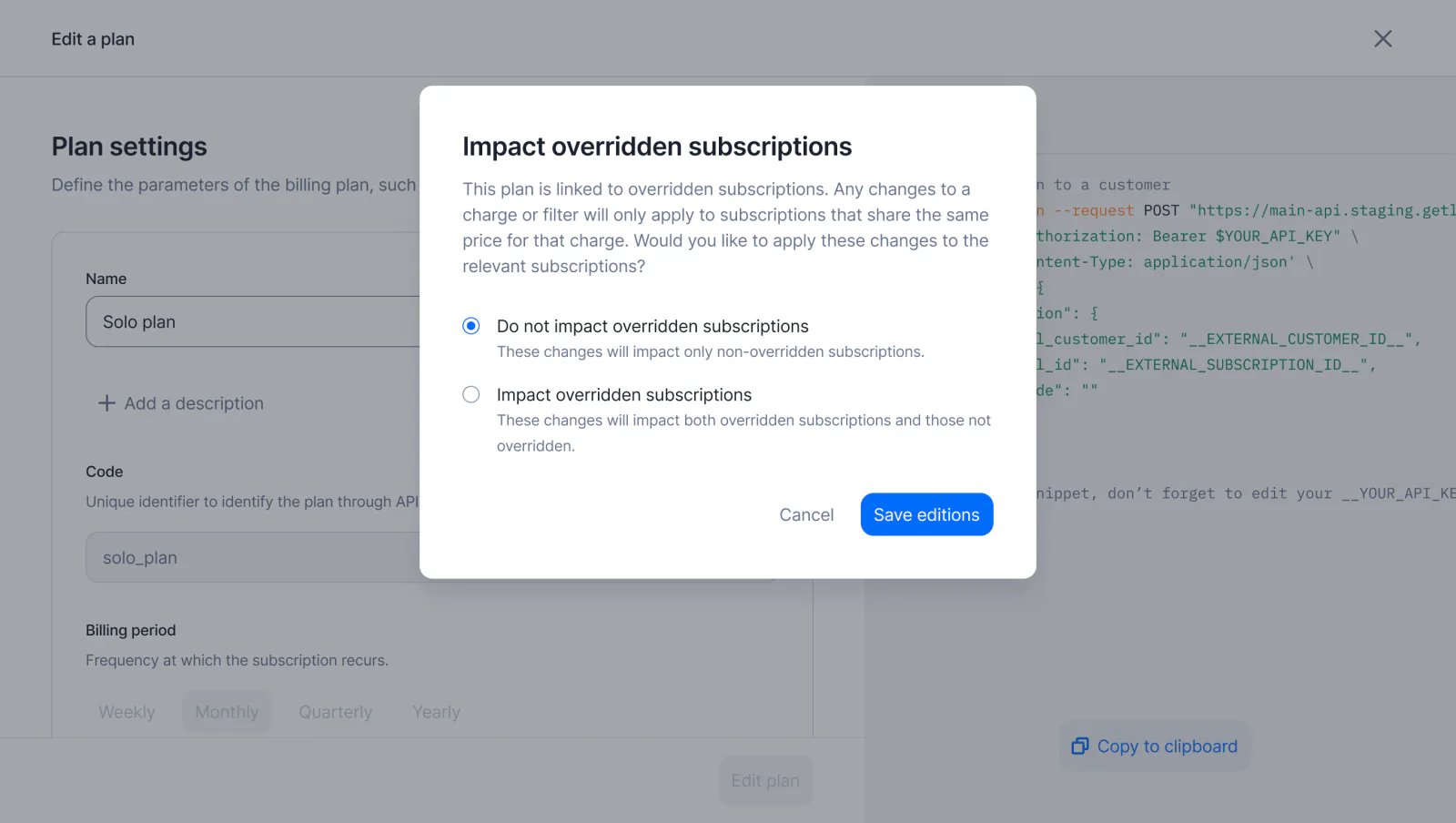 You have now the flexibility to decide whether changes made to the parent plan should automatically cascade to all overridden subscriptions.
For instance, if you add a new charge to the parent plan, it will immediately reflect in the overridden subscriptions, ensuring that all pricing updates are seamlessly applied across your entire customer base while maintaining the flexibility of custom pricing.
[Learn more](../guide/plans/overview#editing-plans)
## Sync billing data to HubSpot
You have now the flexibility to decide whether changes made to the parent plan should automatically cascade to all overridden subscriptions.
For instance, if you add a new charge to the parent plan, it will immediately reflect in the overridden subscriptions, ensuring that all pricing updates are seamlessly applied across your entire customer base while maintaining the flexibility of custom pricing.
[Learn more](../guide/plans/overview#editing-plans)
## Sync billing data to HubSpot
 With Lago’s new integration, you can now seamlessly sync billing data in real time to HubSpot. By connecting your Lago account to HubSpot, you’ll enable the following:
1. **Customer Creation**: Automatically create Contacts or Companies in HubSpot based on your Lago customer data.
2. **Invoice Syncing**: Real-time invoice sync to a HubSpot custom object named `LagoInvoices`.
3. **Subscription Syncing**: Real-time subscription sync to a HubSpot custom object named `LagoSubscriptions`.
[Learn more](../integrations/crm/hubspot)
## Quote in Salesforce CPQ, bill in Lago!
With Lago’s new integration, you can now seamlessly sync billing data in real time to HubSpot. By connecting your Lago account to HubSpot, you’ll enable the following:
1. **Customer Creation**: Automatically create Contacts or Companies in HubSpot based on your Lago customer data.
2. **Invoice Syncing**: Real-time invoice sync to a HubSpot custom object named `LagoInvoices`.
3. **Subscription Syncing**: Real-time subscription sync to a HubSpot custom object named `LagoSubscriptions`.
[Learn more](../integrations/crm/hubspot)
## Quote in Salesforce CPQ, bill in Lago!
 Our enhanced Salesforce package now enables you to use Salesforce CPQ for quoting leads and customers.
**Once a quote is approved and signed, it automatically triggers a real-time subscription in Lago**.
No need for separate processes—your sales team can directly create subscriptions from validated quotes within Salesforce.
[Learn more](../integrations/crm/salesforce-cpq)
## Dynamic pricing
Our enhanced Salesforce package now enables you to use Salesforce CPQ for quoting leads and customers.
**Once a quote is approved and signed, it automatically triggers a real-time subscription in Lago**.
No need for separate processes—your sales team can directly create subscriptions from validated quotes within Salesforce.
[Learn more](../integrations/crm/salesforce-cpq)
## Dynamic pricing
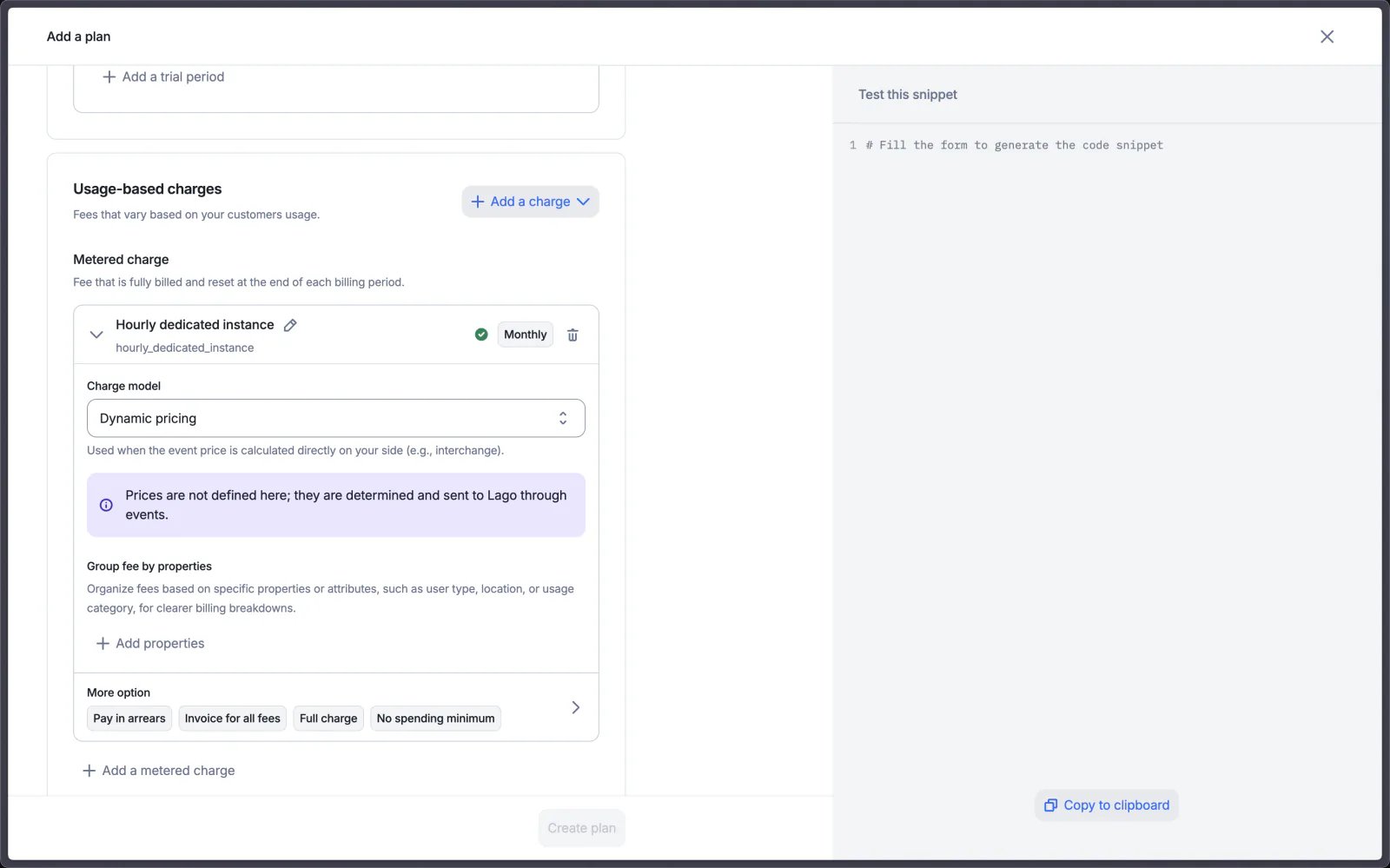 Do your prices change dynamically based on a provider or complex in-house calculations?
Here are some real-life use cases:
* 🤖 AI companies: prices fluctuating based on real-time models cost
* 🏦 Fintech: matching prices to live market data
* 📱 Telco/CPaaS: adjusting costs to fluctuating carrier rates
We've heard you, and we're excited to introduce Dynamic Pricing for this!
You can now set a charge model as Dynamic and send the event amount directly through each event. No more headaches trying to manage interchange fees or fluctuating custom prices.
[Learn more](../guide/plans/charges/charge-models/dynamic)
## Credit note on prepaid credit invoices
Refund your customers who purchased prepaid credit in no time!
You can now process refunds for prepaid credit bought within Lago directly, without needing to engage your payment provider.
Lago takes care of the refund through its credit note module, enabling you to initiate the refund to the payment provider and automatically void the prepaid credit in the active wallet according to the wallet’s refund status.
[Learn more](/docs/guide/invoicing/credit-notes/overview)
## Customer Portal complete rework
Do your prices change dynamically based on a provider or complex in-house calculations?
Here are some real-life use cases:
* 🤖 AI companies: prices fluctuating based on real-time models cost
* 🏦 Fintech: matching prices to live market data
* 📱 Telco/CPaaS: adjusting costs to fluctuating carrier rates
We've heard you, and we're excited to introduce Dynamic Pricing for this!
You can now set a charge model as Dynamic and send the event amount directly through each event. No more headaches trying to manage interchange fees or fluctuating custom prices.
[Learn more](../guide/plans/charges/charge-models/dynamic)
## Credit note on prepaid credit invoices
Refund your customers who purchased prepaid credit in no time!
You can now process refunds for prepaid credit bought within Lago directly, without needing to engage your payment provider.
Lago takes care of the refund through its credit note module, enabling you to initiate the refund to the payment provider and automatically void the prepaid credit in the active wallet according to the wallet’s refund status.
[Learn more](/docs/guide/invoicing/credit-notes/overview)
## Customer Portal complete rework
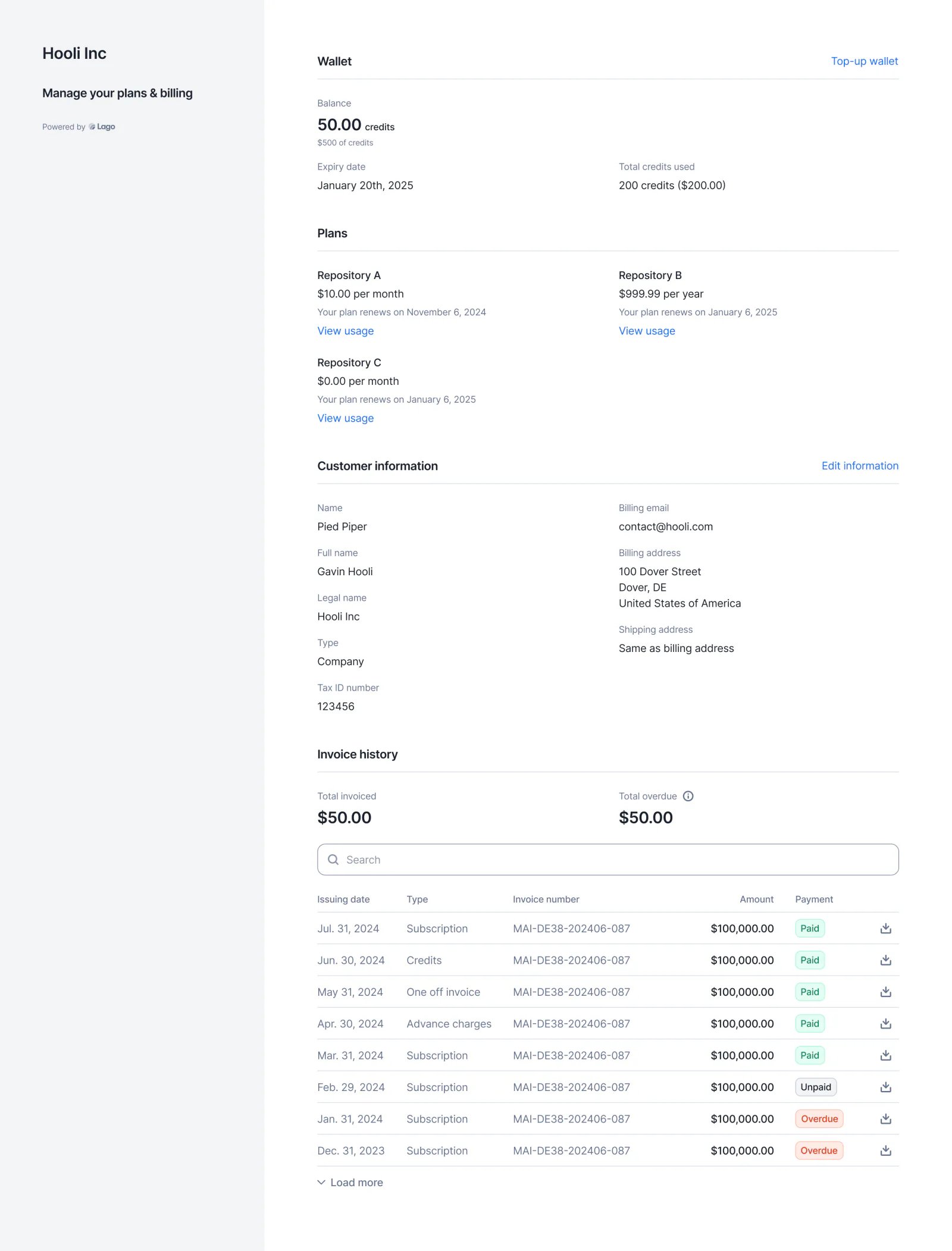 We’ve **completely reworked the Customer Portal**. You can now embed the portal URL to display in real-time **plans and usage information**, **wallet data**, **customer info**, and **invoice lists**.
Additionally, your end customers can take actions directly within the portal, such as **adding prepaid credits** and **updating their customer info**—all automatically synced with your Lago back office.
**Cherry on top?** We’re offering the new Customer Portal **for free** to all users, including those on our open-source plan.
## Usage ingestion sources
We’ve **completely reworked the Customer Portal**. You can now embed the portal URL to display in real-time **plans and usage information**, **wallet data**, **customer info**, and **invoice lists**.
Additionally, your end customers can take actions directly within the portal, such as **adding prepaid credits** and **updating their customer info**—all automatically synced with your Lago back office.
**Cherry on top?** We’re offering the new Customer Portal **for free** to all users, including those on our open-source plan.
## Usage ingestion sources
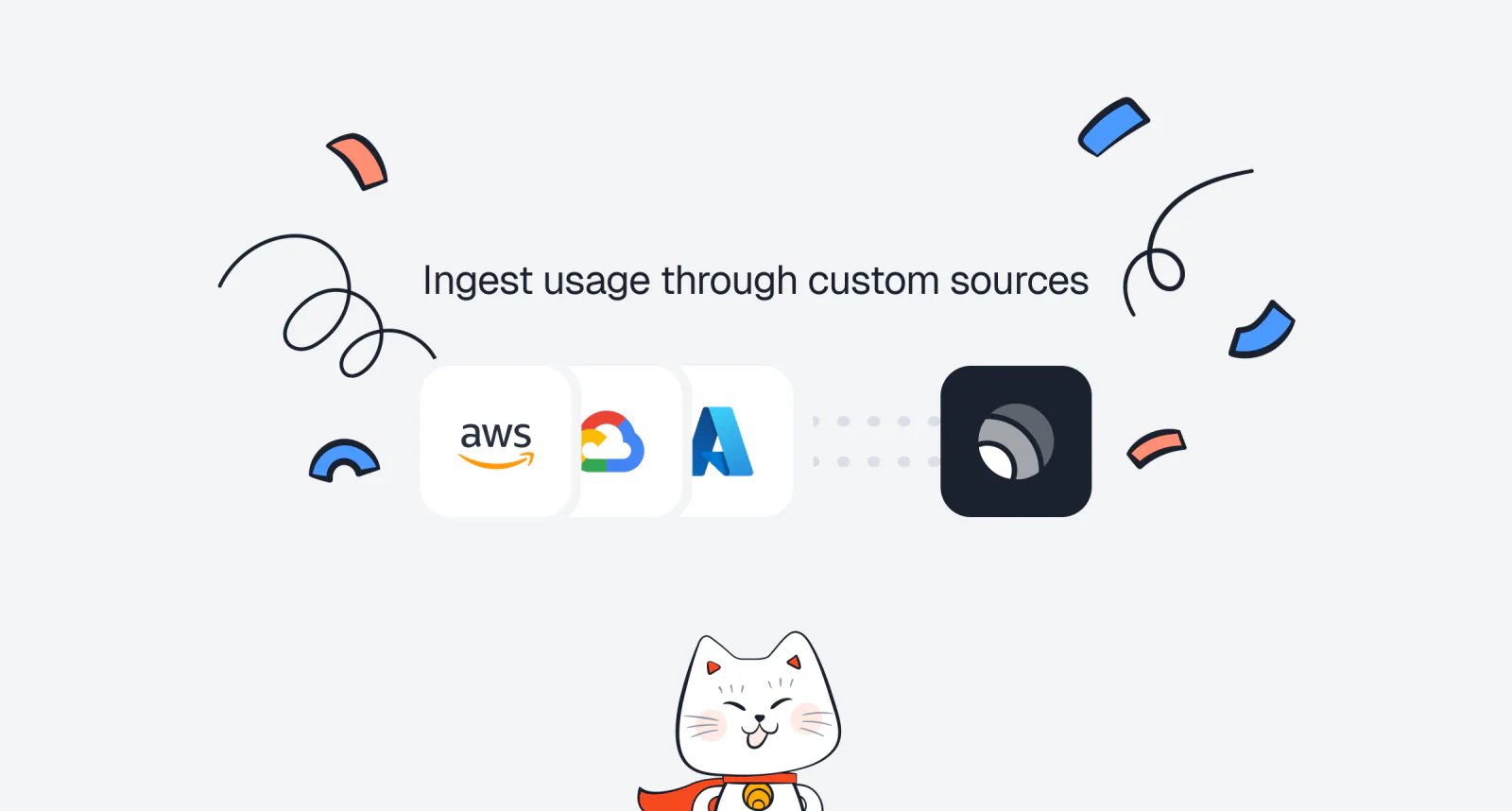 Premium ingestion sources for metering and usage consumption are now **generally available**.
Instead of using the basic API, you can leverage dedicated connectors to ingest data directly from sources like **AWS S3**, **AWS Kinesis**, **Kafka**, **MongoDB**, and **Azure**.
Most connectors support ingestion rates of **over 15,000 events per second** (compared to 1,000 via the basic REST API).
For custom ingestion connectors, please contact the Lago team.
[Learn more](/docs/guide/events/metering-source)
## Customer type
Premium ingestion sources for metering and usage consumption are now **generally available**.
Instead of using the basic API, you can leverage dedicated connectors to ingest data directly from sources like **AWS S3**, **AWS Kinesis**, **Kafka**, **MongoDB**, and **Azure**.
Most connectors support ingestion rates of **over 15,000 events per second** (compared to 1,000 via the basic REST API).
For custom ingestion connectors, please contact the Lago team.
[Learn more](/docs/guide/events/metering-source)
## Customer type
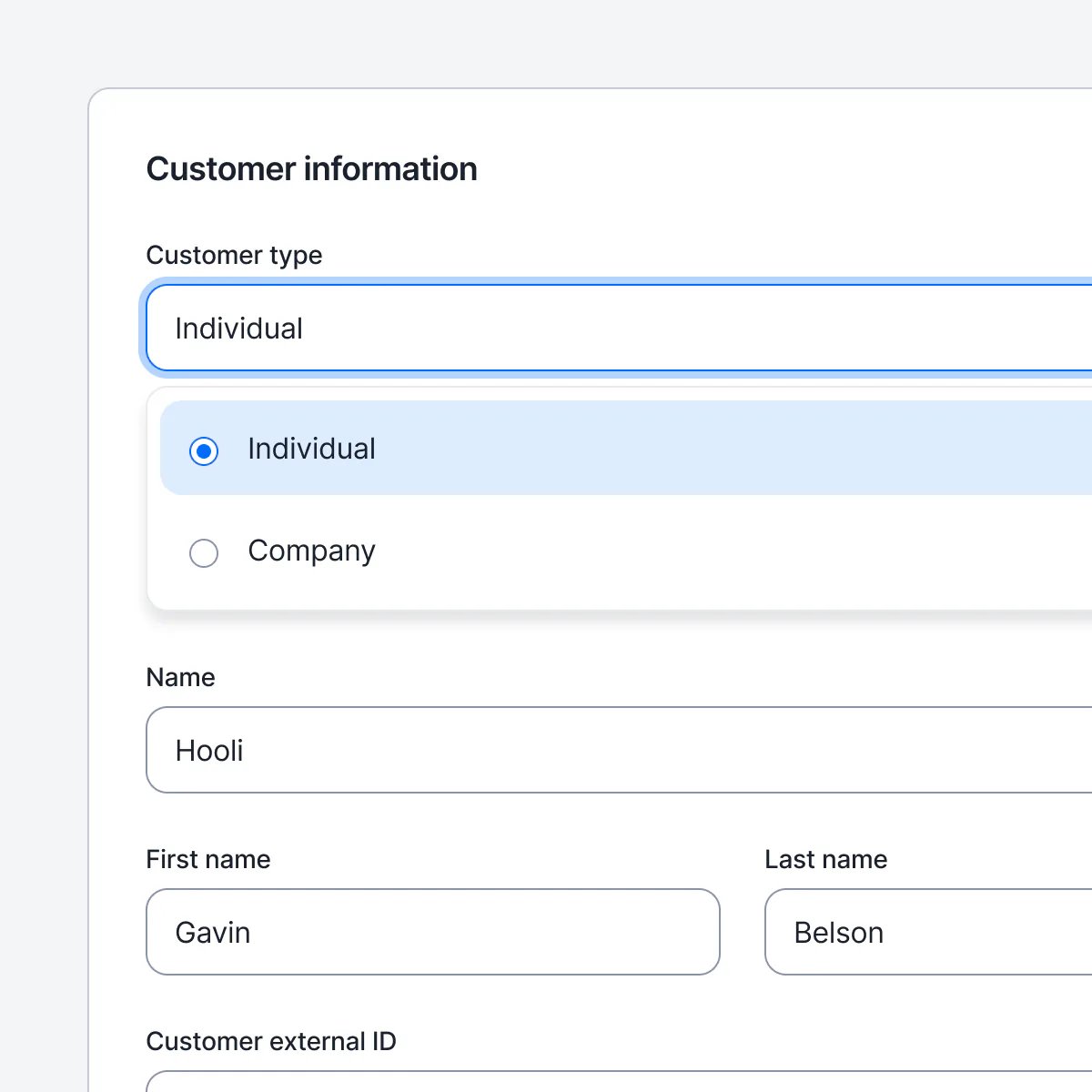 Users can specify whether the customer is a company or an individual by setting the customer type.
By default, if no customer type is specified, customers are created without a defined type and you will need to assign one manually.
[Learn more](/docs/guide/customers/customer-management#companies-vs-individuals)
## Send tax invoices
Users can specify whether the customer is a company or an individual by setting the customer type.
By default, if no customer type is specified, customers are created without a defined type and you will need to assign one manually.
[Learn more](/docs/guide/customers/customer-management#companies-vs-individuals)
## Send tax invoices
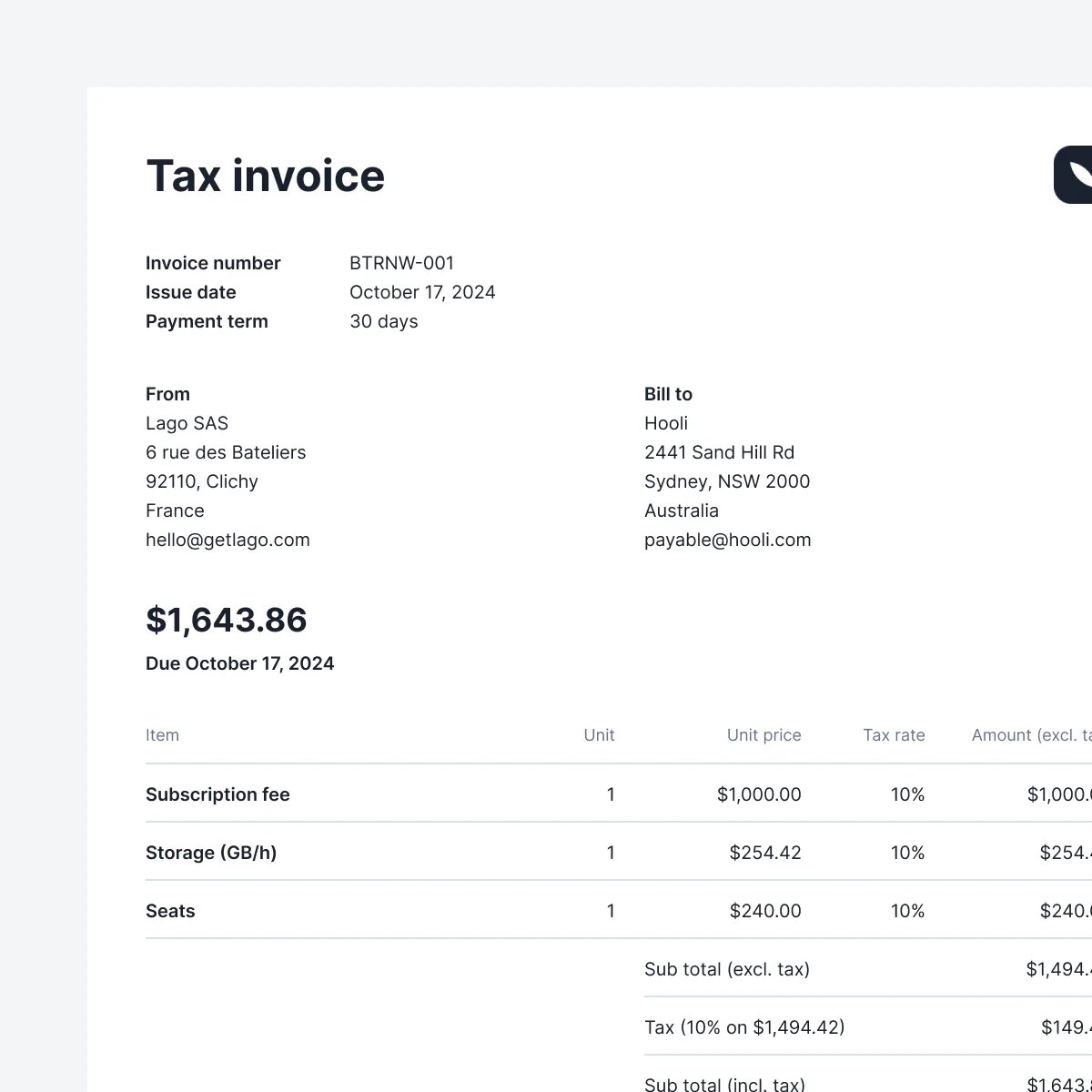 Lago invoices are now fully compliant with local legislation in Australia, Indonesia, New Zealand and the United Arab Emirates.
In those countries, it is mandatory to emit "Tax Invoices" accord to specific rules. This can now be handled with Lago.
## Retrieve all events using the API
Users can now retrieve and filters all events using the API. The endpoint also allows for filtering by:
* `code`
* `external_subscription_id`
* `timestamp_from`
* `timestamp_to`
[Learn more](/docs/api-reference/events/list-events)
## Anrok integration ✨
✨ This feature is only available via a paying add-on. Please contact [hello@getlago.com](mailto:hello@getlago.com) to get access to Lago Cloud and Lago Self-Hosted Premium.
We have developed an integration with Anrok to make tax management easier. This native integration allows you to automatically update your invoices with tax amounts sourced directly from Anrok.
* Lago sends the customer's address, tax identifier (if applicable), and the relevant product ID to calculate the appropriate tax for each line item
* Anrok calculates the tax for the invoice and returns the data to Lago, which is used to update the invoice with accurate tax information
* Lago synchronizes updates for voided and disputed invoices, as well as any credit notes created, ensuring that your records remain up to date
This integration ensures compliance with international tax regulations by calculating taxes for US & non-US obligations, like VAT.
[Learn more](/docs/integrations/taxes/anrok#mapping-items-between-lago-and-anrok-mandatory)
Lago invoices are now fully compliant with local legislation in Australia, Indonesia, New Zealand and the United Arab Emirates.
In those countries, it is mandatory to emit "Tax Invoices" accord to specific rules. This can now be handled with Lago.
## Retrieve all events using the API
Users can now retrieve and filters all events using the API. The endpoint also allows for filtering by:
* `code`
* `external_subscription_id`
* `timestamp_from`
* `timestamp_to`
[Learn more](/docs/api-reference/events/list-events)
## Anrok integration ✨
✨ This feature is only available via a paying add-on. Please contact [hello@getlago.com](mailto:hello@getlago.com) to get access to Lago Cloud and Lago Self-Hosted Premium.
We have developed an integration with Anrok to make tax management easier. This native integration allows you to automatically update your invoices with tax amounts sourced directly from Anrok.
* Lago sends the customer's address, tax identifier (if applicable), and the relevant product ID to calculate the appropriate tax for each line item
* Anrok calculates the tax for the invoice and returns the data to Lago, which is used to update the invoice with accurate tax information
* Lago synchronizes updates for voided and disputed invoices, as well as any credit notes created, ensuring that your records remain up to date
This integration ensures compliance with international tax regulations by calculating taxes for US & non-US obligations, like VAT.
[Learn more](/docs/integrations/taxes/anrok#mapping-items-between-lago-and-anrok-mandatory)
 ## Precise amount for fees
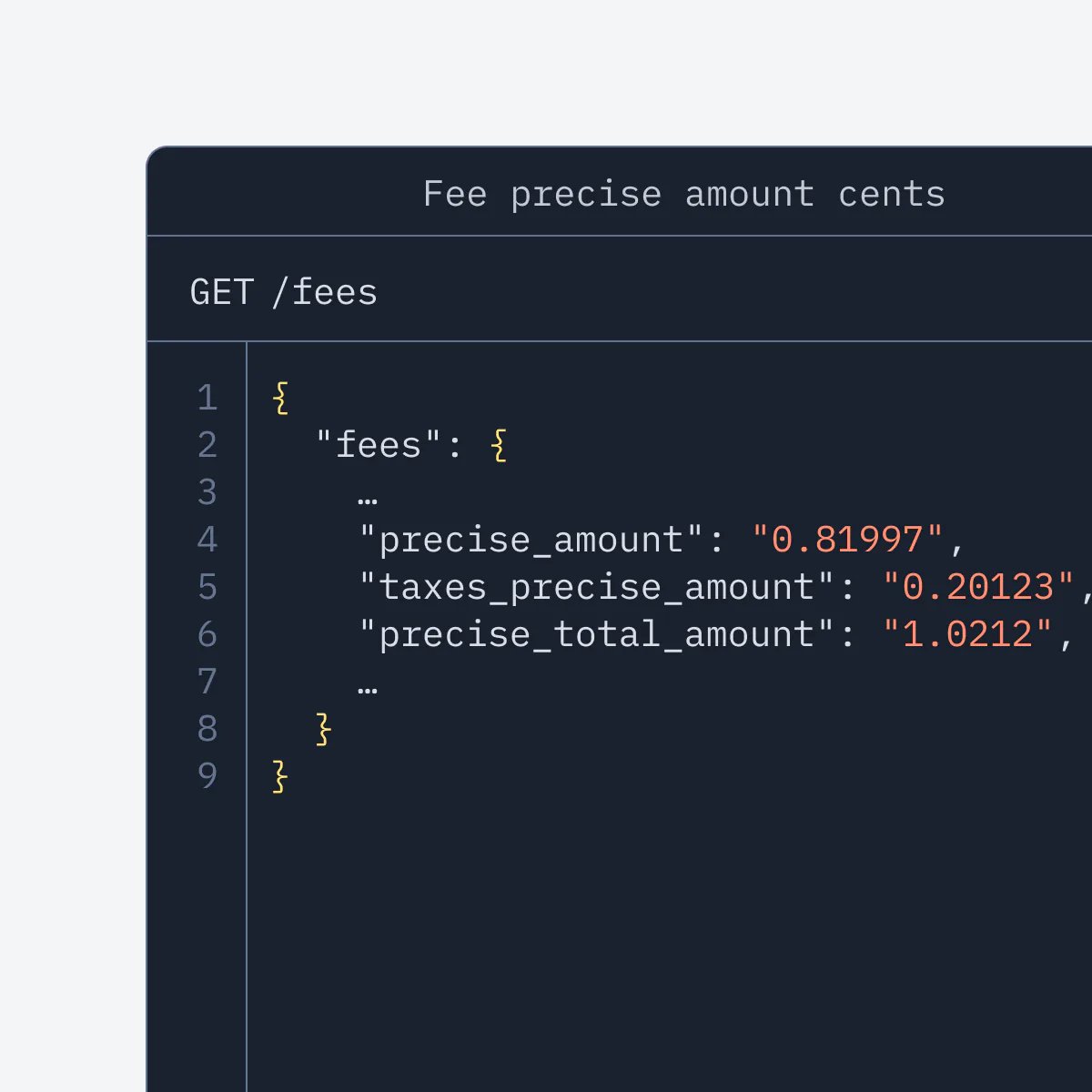
Lago now allows you to retrieve the precise (ie. non rounded) amount on the fee object. Before only the rounded `amount_cents` was available.
To use the precise fee amount, you can use the `precise_amount` field.
[Learn more](/docs/api-reference/fees/fee-object)
## Precise amount for fees
Lago now allows you to retrieve the precise (ie. non rounded) amount on the fee object. Before only the rounded `amount_cents` was available.
To use the precise fee amount, you can use the `precise_amount` field.
[Learn more](/docs/api-reference/fees/fee-object)
 ## Progressive billing ✨
✨ This feature is only available via a paying add-on. Please contact [hello@getlago.com](mailto:hello@getlago.com) to get access to Lago Cloud and Lago Self-Hosted Premium.
Progressive billing, also known as threshold billing, automatically triggers an invoice when a customer's cumulative usage reaches predefined thresholds.
This method ensures that customers cannot exceed certain usage limits without ensuring payment is received, reducing the risk of unpaid services or fraud.
You can setup 2 types of threshold:
* Step-based threshold: invoices are generated when the lifetime usage of a subscription reaches a defined threshold. You can set an unlimited number of thresholds, each with a specific amount and a unique name
* Recurring threshold: this threshold determines what happens after the final step-based threshold is reached. (For example, after the last threshold, Lago will automatically bill \$100 each time the lifetime usage increments by that amount)
[Learn more](/docs/guide/plans/progressive-billing#progressive-billing)
## Skip empty invoices generation
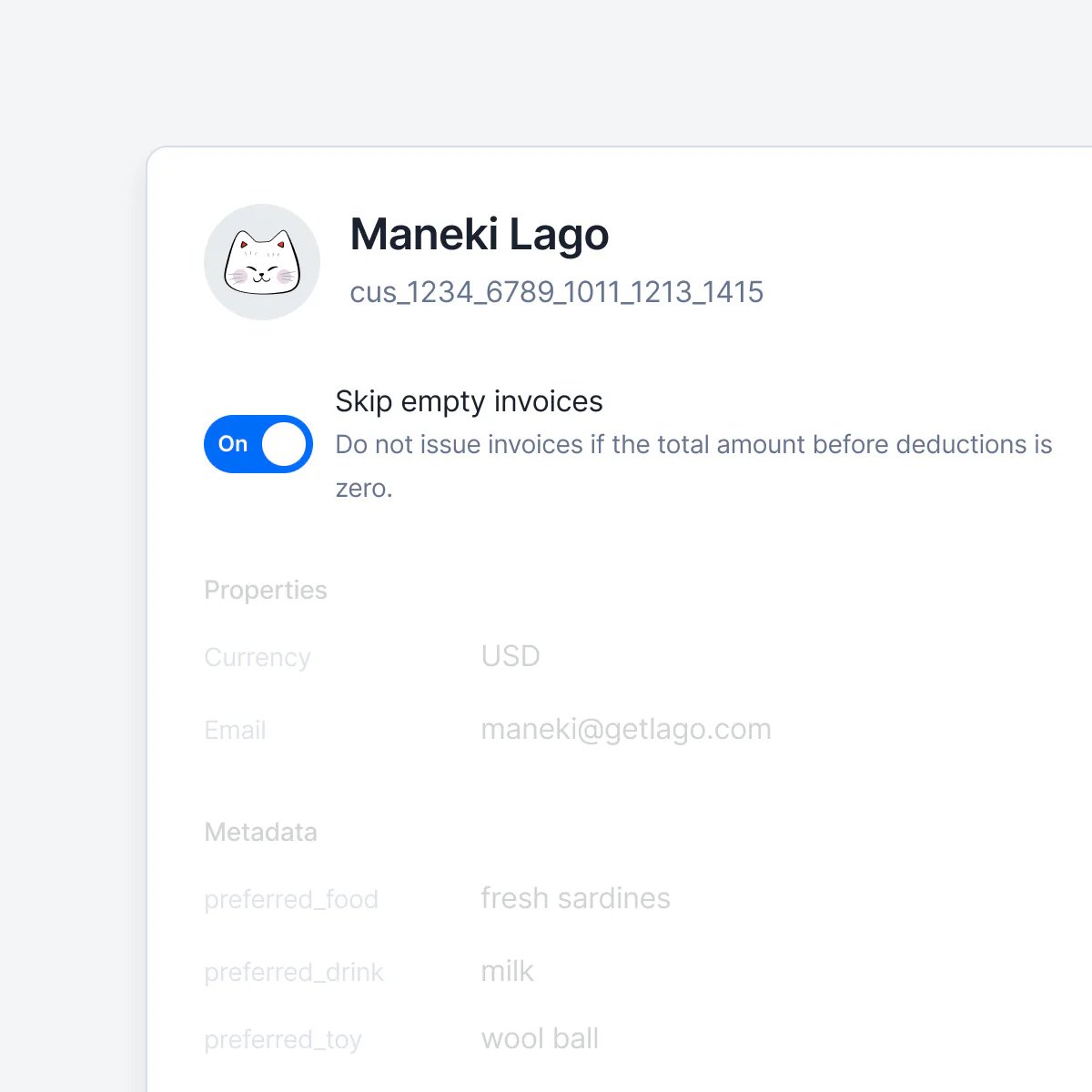
Users can now decide whether or not to issue \$0 invoices (ie. empty invoices). By default, empty invoices are generated. You can change this setting at the organisation level.
When creating a customer, it takes by default the configuration of the organization for this specific field.
However, you can decide to override this information for a specific customer. Why? You might have customers who need to receive an invoice each month, even if the total amount is 0.
[Learn more](/docs/guide/invoicing/overview#finalize-empty-invoices)
## Progressive billing ✨
✨ This feature is only available via a paying add-on. Please contact [hello@getlago.com](mailto:hello@getlago.com) to get access to Lago Cloud and Lago Self-Hosted Premium.
Progressive billing, also known as threshold billing, automatically triggers an invoice when a customer's cumulative usage reaches predefined thresholds.
This method ensures that customers cannot exceed certain usage limits without ensuring payment is received, reducing the risk of unpaid services or fraud.
You can setup 2 types of threshold:
* Step-based threshold: invoices are generated when the lifetime usage of a subscription reaches a defined threshold. You can set an unlimited number of thresholds, each with a specific amount and a unique name
* Recurring threshold: this threshold determines what happens after the final step-based threshold is reached. (For example, after the last threshold, Lago will automatically bill \$100 each time the lifetime usage increments by that amount)
[Learn more](/docs/guide/plans/progressive-billing#progressive-billing)
## Skip empty invoices generation
Users can now decide whether or not to issue \$0 invoices (ie. empty invoices). By default, empty invoices are generated. You can change this setting at the organisation level.
When creating a customer, it takes by default the configuration of the organization for this specific field.
However, you can decide to override this information for a specific customer. Why? You might have customers who need to receive an invoice each month, even if the total amount is 0.
[Learn more](/docs/guide/invoicing/overview#finalize-empty-invoices)
 ## Filter and export invoices
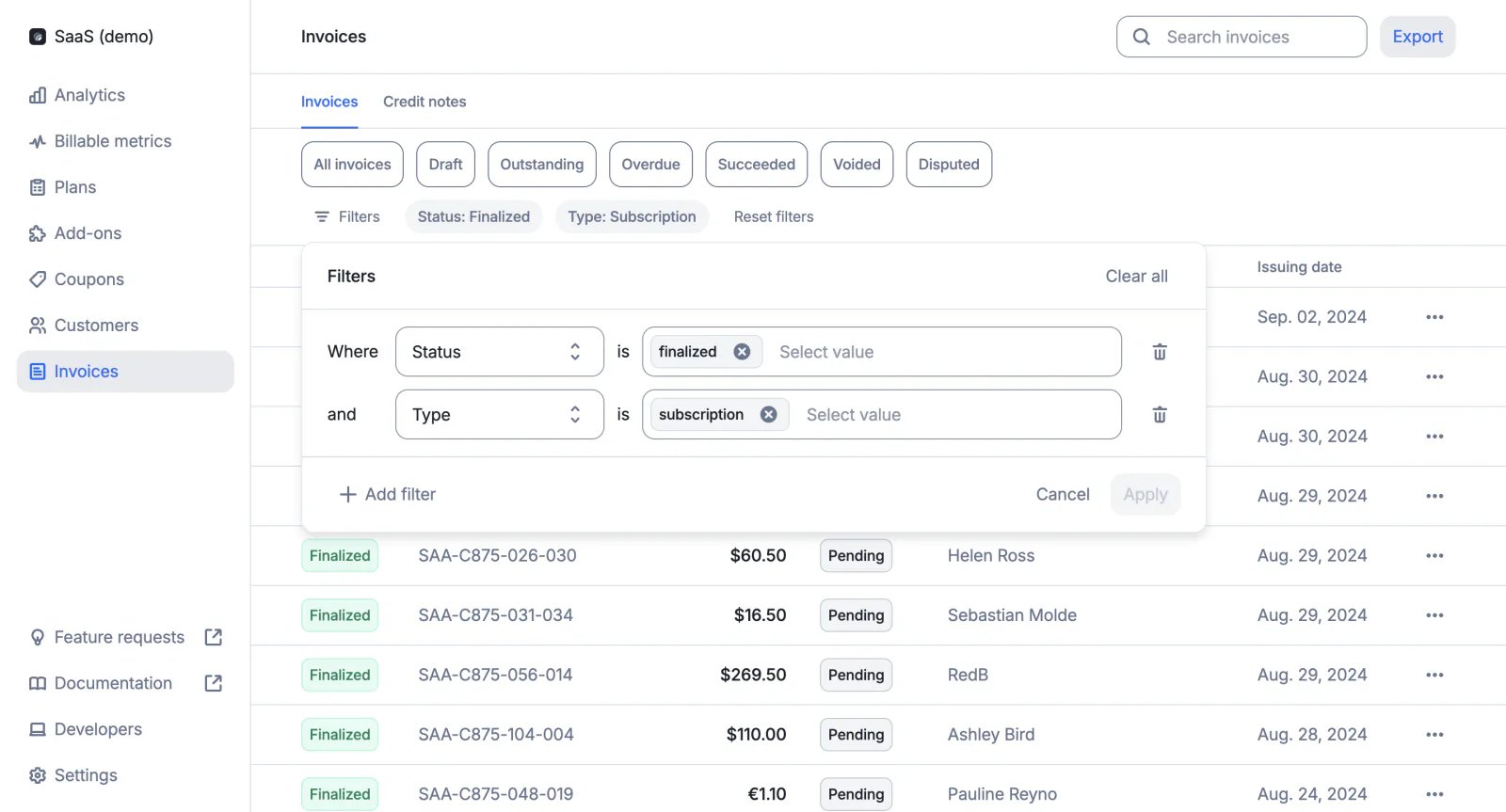
Users can now filter the list of invoices (e.g. by currency, customer, issuing date, etc.) and the filtered list can then be exported from the user interface.
Two export options are available:
* Standard, including the list of invoices and invoice amounts (i.e. one row per invoice)
* Advanced, including the list of fees (i.e. one row per fee, so multiple rows per invoice if the invoice includes multiple fees)
The list is automatically emailed to the requester in a CSV file.
[Learn more](/docs/guide/invoicing/export)
## Filter and export invoices
Users can now filter the list of invoices (e.g. by currency, customer, issuing date, etc.) and the filtered list can then be exported from the user interface.
Two export options are available:
* Standard, including the list of invoices and invoice amounts (i.e. one row per invoice)
* Advanced, including the list of fees (i.e. one row per fee, so multiple rows per invoice if the invoice includes multiple fees)
The list is automatically emailed to the requester in a CSV file.
[Learn more](/docs/guide/invoicing/export)
 ## Wallet transaction metadata
When creating a wallet transaction via API, you can add metadata to store additional information (e.g. source of the transaction).
This information is not displayed in the user interface.
[Learn more](/docs/api-reference/wallets/wallet-transaction-object)
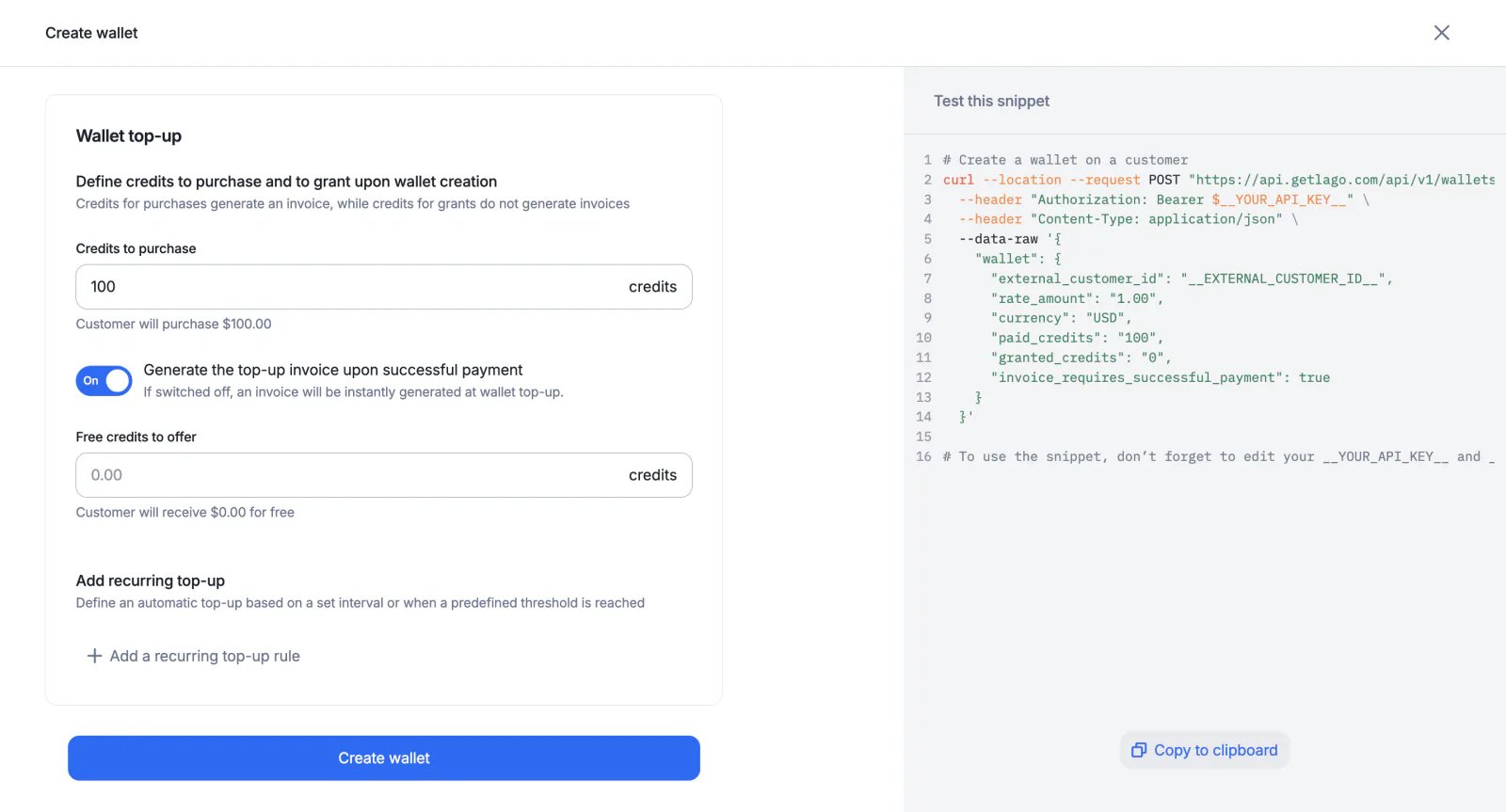
## Invoicing options for wallet top-ups
When creating a new wallet for a customer, users can choose to generate invoices for credit purchases either:
* As soon as the wallet transaction is created
* Only when payment is successful, which avoids generating invoices for transactions that have not been finalized
These options are also available for automatic and manual top-ups (see `wallet_transaction.invoice_requires_successful_payment`).
[Learn more](/docs/guide/wallet-and-prepaid-credits/overview#invoicing-after-successful-payment-option)
## Wallet transaction metadata
When creating a wallet transaction via API, you can add metadata to store additional information (e.g. source of the transaction).
This information is not displayed in the user interface.
[Learn more](/docs/api-reference/wallets/wallet-transaction-object)
## Invoicing options for wallet top-ups
When creating a new wallet for a customer, users can choose to generate invoices for credit purchases either:
* As soon as the wallet transaction is created
* Only when payment is successful, which avoids generating invoices for transactions that have not been finalized
These options are also available for automatic and manual top-ups (see `wallet_transaction.invoice_requires_successful_payment`).
[Learn more](/docs/guide/wallet-and-prepaid-credits/overview#invoicing-after-successful-payment-option)
 ## API changes (v1.7.0)
As announced a few months ago, we have updated the event ingestion process and removed deprecated API fields. Changes include:
**1. Replacing groups with filters**
The new dimension system based on filters allows users to create billable metrics with more than two dimensions, and makes it easier to create charges based on custom event properties. The old dimension system based on groups has been permanently removed from the Lago API ([see all changes](/docs/guide/migration/migration-to-v1.2.0#1-transition-from-group-to-filters)).
**`2. Marking external_subscription_id as mandatory for events`**
Events that only include `external_customer_id` are no longer taken into account when aggregating usage ([learn more](/docs/guide/migration/migration-to-v1.2.0#2-mandatory-external-subscription-id-field-in-event-payloads)). This change will streamline the event validation process and enable real-time billing capabilities.
**3. Removing deprecated API fields**
For the sake of clarity and to preserve the quality of the API, we've deprecated several legacy fields ([see full list](/docs/guide/migration/migration-to-v1.2.0#3-deprecated-fields)).
[Learn more](/docs/guide/migration/migration-to-v1.2.0)
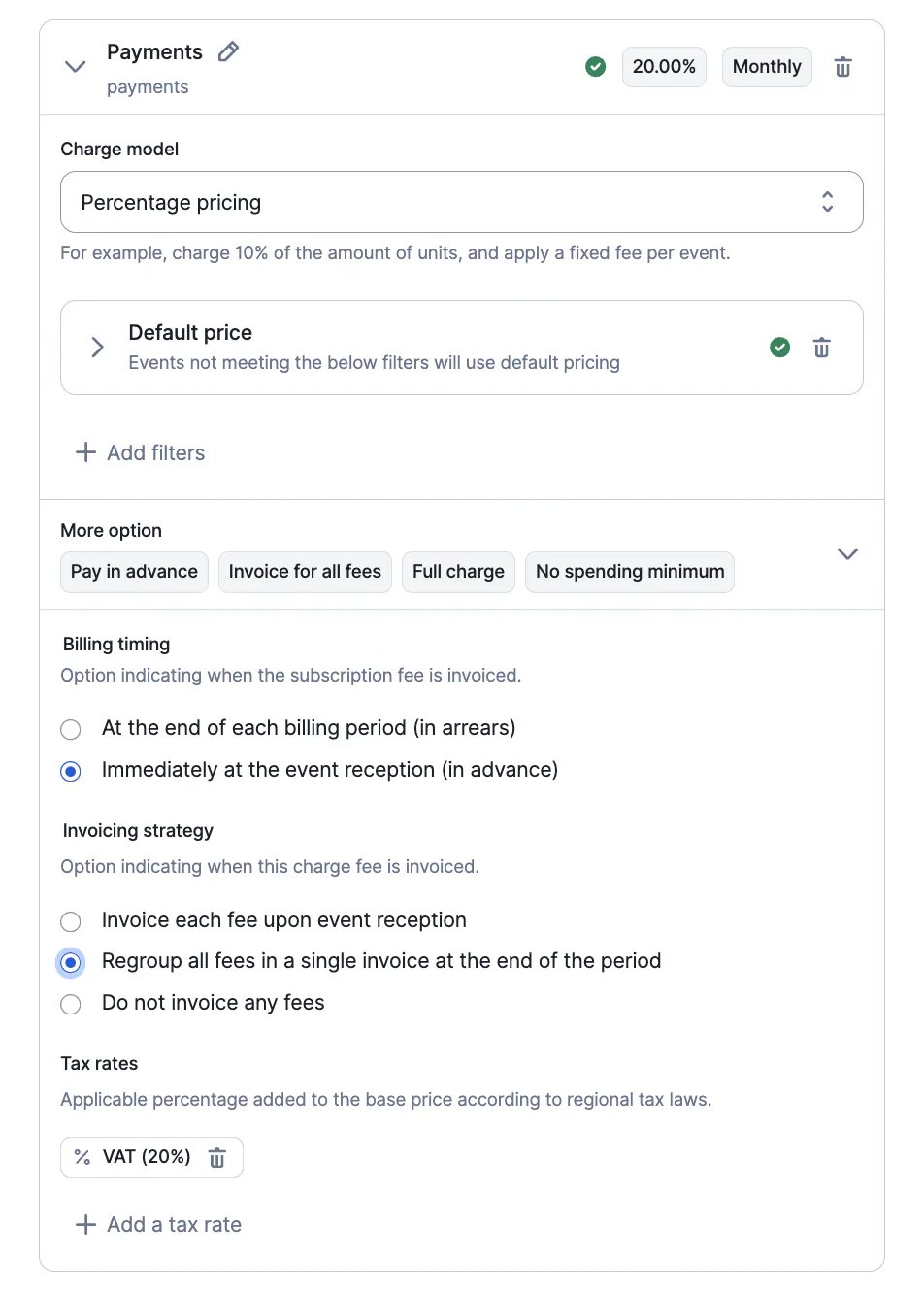
## Invoicing options for instant charges ✨
✨ This feature is only available to users with a premium license. Please contact [hello@getlago.com](mailto:hello@getlago.com) to get access to Lago Cloud and Lago Self-Hosted Premium.
For charges paid in advances, Lago offers three invoicing options:
* An invoice can be issued for each event
* An invoice that only includes paid fees can be issued at the end of the billing period
* No invoices (users only rely on the `fee.created` webhook)
[Learn more](/docs/guide/plans/charges/invoiceable-vs-noninvoiceable)
## API changes (v1.7.0)
As announced a few months ago, we have updated the event ingestion process and removed deprecated API fields. Changes include:
**1. Replacing groups with filters**
The new dimension system based on filters allows users to create billable metrics with more than two dimensions, and makes it easier to create charges based on custom event properties. The old dimension system based on groups has been permanently removed from the Lago API ([see all changes](/docs/guide/migration/migration-to-v1.2.0#1-transition-from-group-to-filters)).
**`2. Marking external_subscription_id as mandatory for events`**
Events that only include `external_customer_id` are no longer taken into account when aggregating usage ([learn more](/docs/guide/migration/migration-to-v1.2.0#2-mandatory-external-subscription-id-field-in-event-payloads)). This change will streamline the event validation process and enable real-time billing capabilities.
**3. Removing deprecated API fields**
For the sake of clarity and to preserve the quality of the API, we've deprecated several legacy fields ([see full list](/docs/guide/migration/migration-to-v1.2.0#3-deprecated-fields)).
[Learn more](/docs/guide/migration/migration-to-v1.2.0)
## Invoicing options for instant charges ✨
✨ This feature is only available to users with a premium license. Please contact [hello@getlago.com](mailto:hello@getlago.com) to get access to Lago Cloud and Lago Self-Hosted Premium.
For charges paid in advances, Lago offers three invoicing options:
* An invoice can be issued for each event
* An invoice that only includes paid fees can be issued at the end of the billing period
* No invoices (users only rely on the `fee.created` webhook)
[Learn more](/docs/guide/plans/charges/invoiceable-vs-noninvoiceable)
 ## Xero integration ✨
✨ This feature is only available via a paying add-on. Please contact [hello@getlago.com](mailto:hello@getlago.com) to get access to Lago Cloud and Lago Self-Hosted Premium.
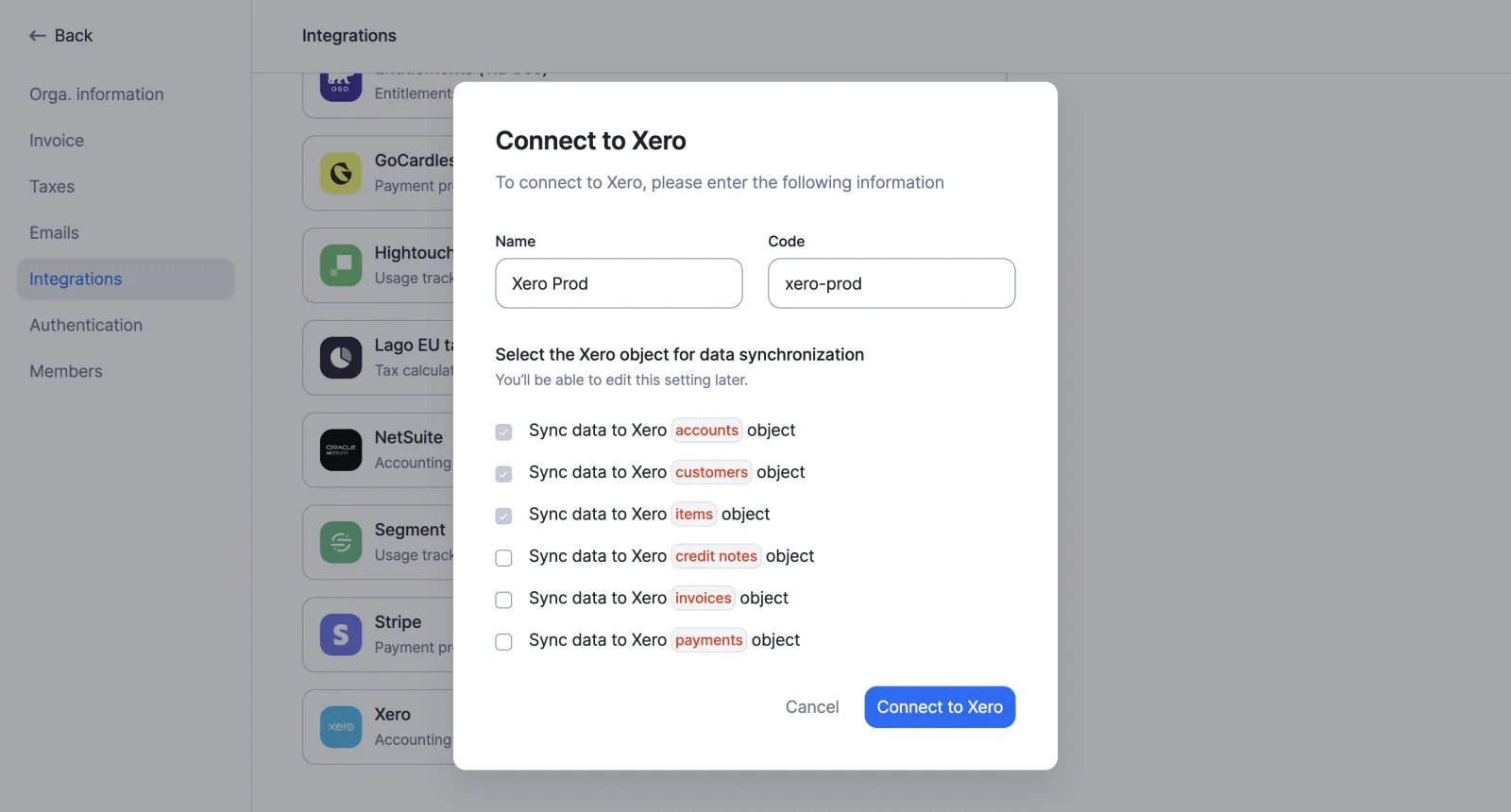
We have developed a Xero integration to make accounting easier. Available features include:
* Connecting a Lago account to a Xero account via OAuth
* Mapping Lago objects such as billable metrics, plans, coupons, wallet credits and taxes to Xero items
* Real-time synchronization of customer accounts
* Real-time synchronization of invoices
* Real-time synchronization of credit notes
* Real-time synchronization of payments
[Learn more](/docs/integrations/accounting/xero)
## Xero integration ✨
✨ This feature is only available via a paying add-on. Please contact [hello@getlago.com](mailto:hello@getlago.com) to get access to Lago Cloud and Lago Self-Hosted Premium.
We have developed a Xero integration to make accounting easier. Available features include:
* Connecting a Lago account to a Xero account via OAuth
* Mapping Lago objects such as billable metrics, plans, coupons, wallet credits and taxes to Xero items
* Real-time synchronization of customer accounts
* Real-time synchronization of invoices
* Real-time synchronization of credit notes
* Real-time synchronization of payments
[Learn more](/docs/integrations/accounting/xero)
 ## Link checkout
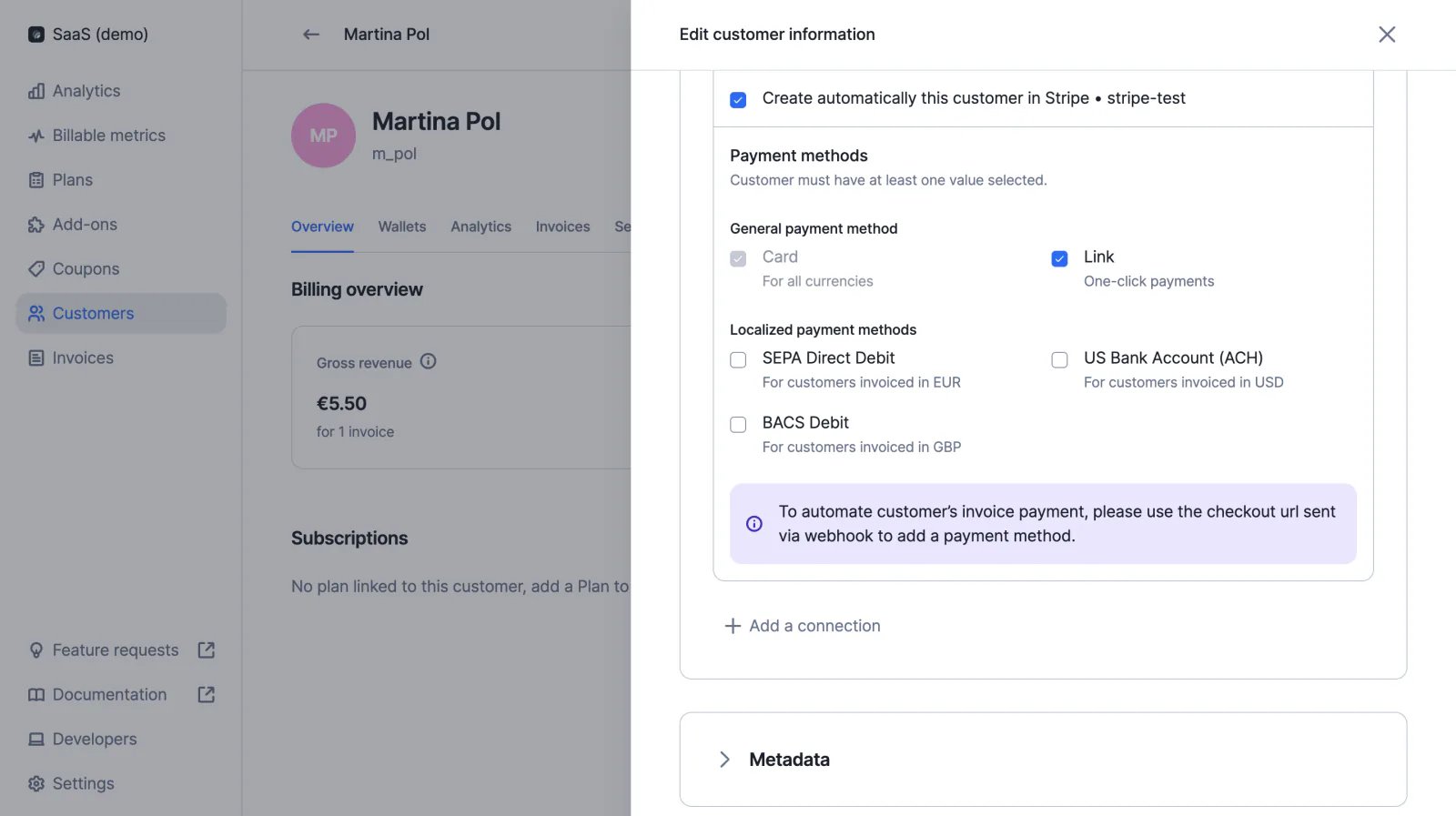
For card payments processed through integration with Stripe, users can enable the Link option. Link automatically fills the customer's payment information for faster checkout.
[Learn more](/docs/integrations/payments/stripe/payments#link)
## Link checkout
For card payments processed through integration with Stripe, users can enable the Link option. Link automatically fills the customer's payment information for faster checkout.
[Learn more](/docs/integrations/payments/stripe/payments#link)
 ## Overview of customer billing
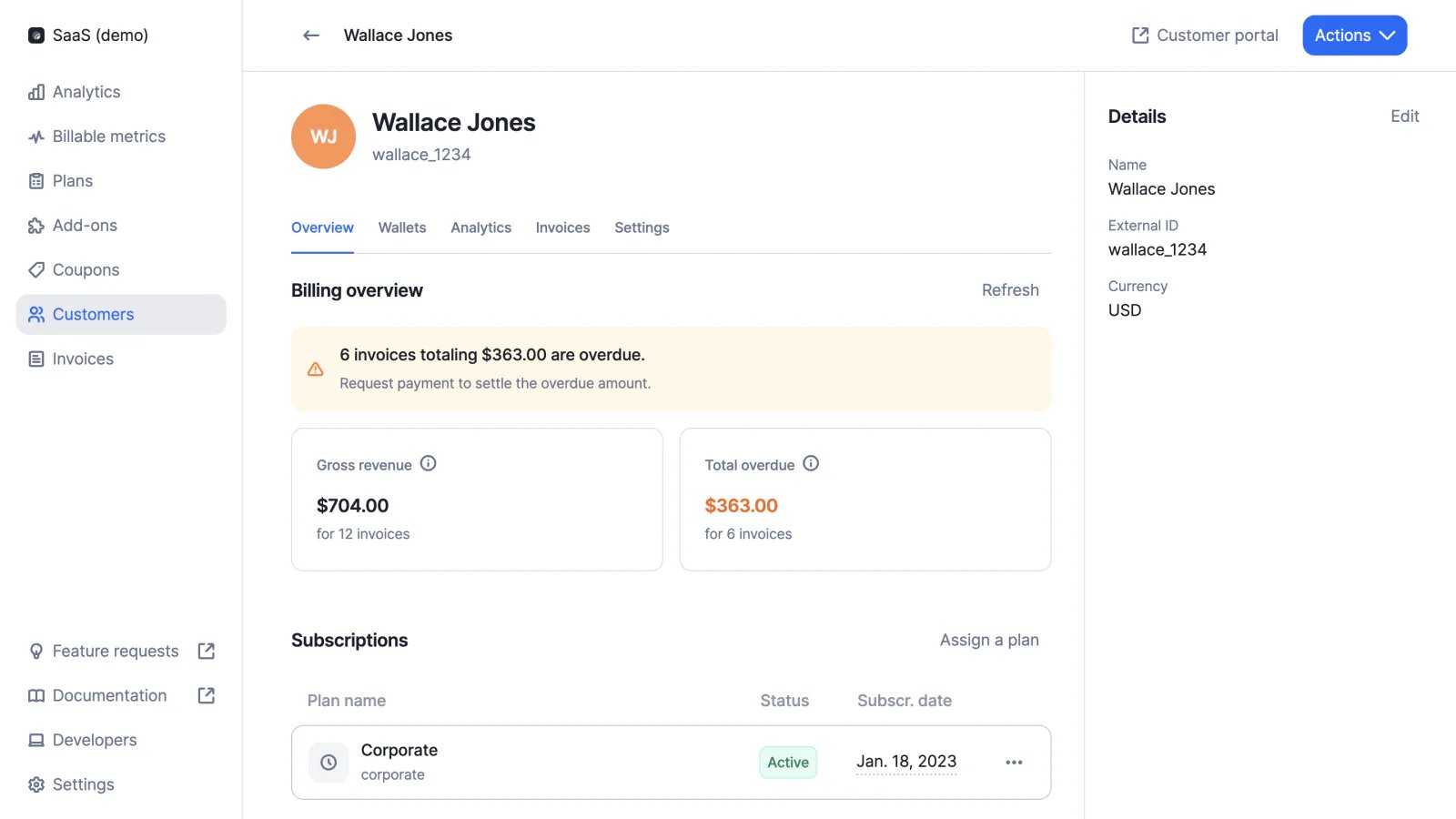
The customer view features a new billing section, including:
* Gross revenue (i.e. total amount billed to the customer)
* Total overdue (i.e. total amount of invoices that are past their due date)
This improvement is the first step toward dunning management (coming soon).
[Learn more](/docs/guide/customers/customer-management#monitor-the-customers-billing-status)
## Overview of customer billing
The customer view features a new billing section, including:
* Gross revenue (i.e. total amount billed to the customer)
* Total overdue (i.e. total amount of invoices that are past their due date)
This improvement is the first step toward dunning management (coming soon).
[Learn more](/docs/guide/customers/customer-management#monitor-the-customers-billing-status)
 ## NetSuite integration ✨
✨ This feature is only available via a paying add-on. Please contact [hello@getlago.com](mailto:hello@getlago.com) to get access to Lago Cloud and Lago Self-Hosted Premium.
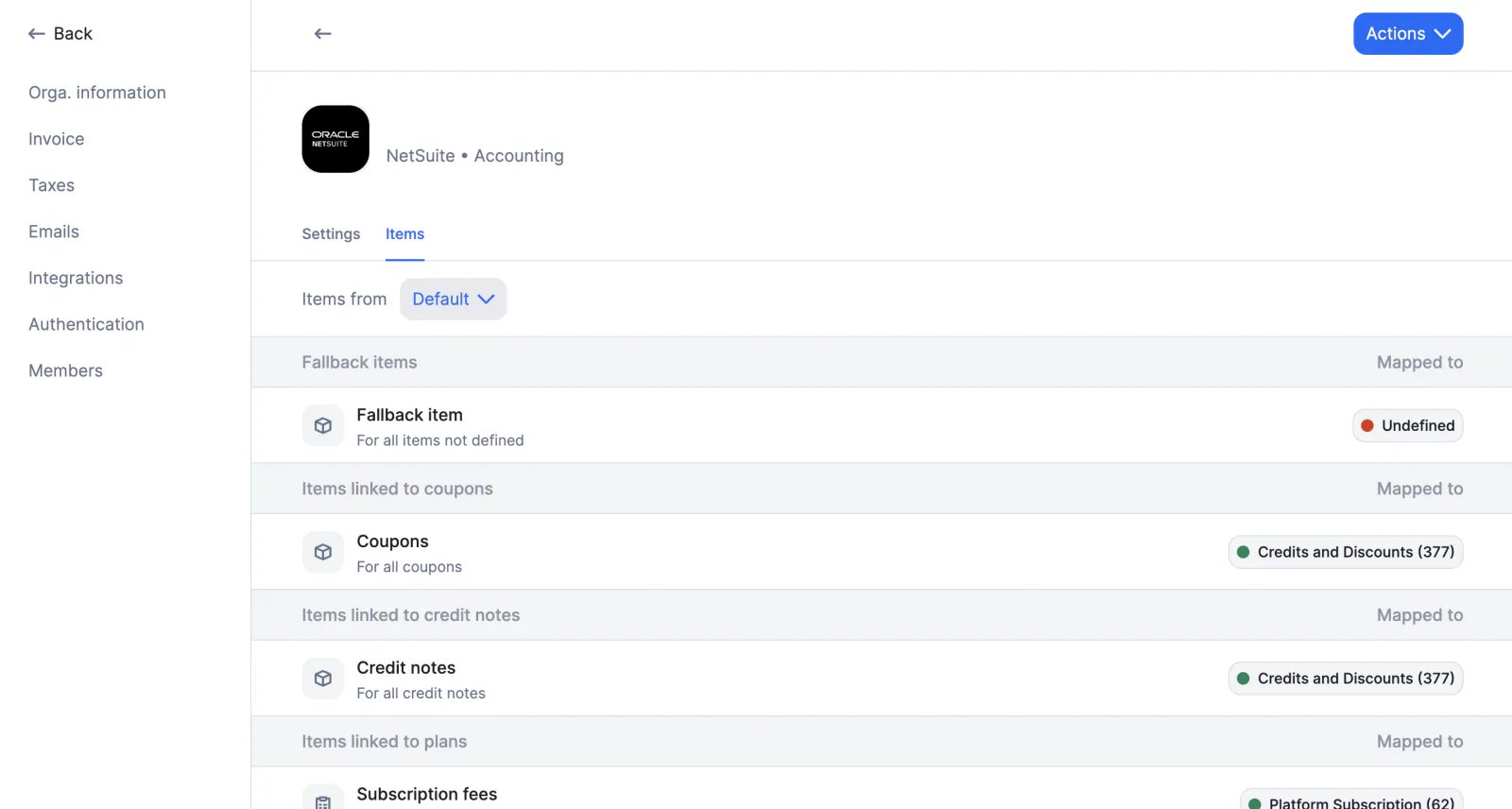
We have developed a NetSuite integration to make accounting easier. Available features include:
* Connecting a Lago account to a NetSuite account via OAuth
* Mapping Lago objects such as billable metrics, plans, coupons, wallet credits and taxes to NetSuite items and tax items
* Real-time synchronization of customer accounts
* Real-time synchronization of invoices (and sales orders)
* Real-time synchronization of credit notes
* Real-time synchronization of payments
[Learn more](/docs/integrations/accounting/netsuite)
## NetSuite integration ✨
✨ This feature is only available via a paying add-on. Please contact [hello@getlago.com](mailto:hello@getlago.com) to get access to Lago Cloud and Lago Self-Hosted Premium.
We have developed a NetSuite integration to make accounting easier. Available features include:
* Connecting a Lago account to a NetSuite account via OAuth
* Mapping Lago objects such as billable metrics, plans, coupons, wallet credits and taxes to NetSuite items and tax items
* Real-time synchronization of customer accounts
* Real-time synchronization of invoices (and sales orders)
* Real-time synchronization of credit notes
* Real-time synchronization of payments
[Learn more](/docs/integrations/accounting/netsuite)
 ## Shipping address
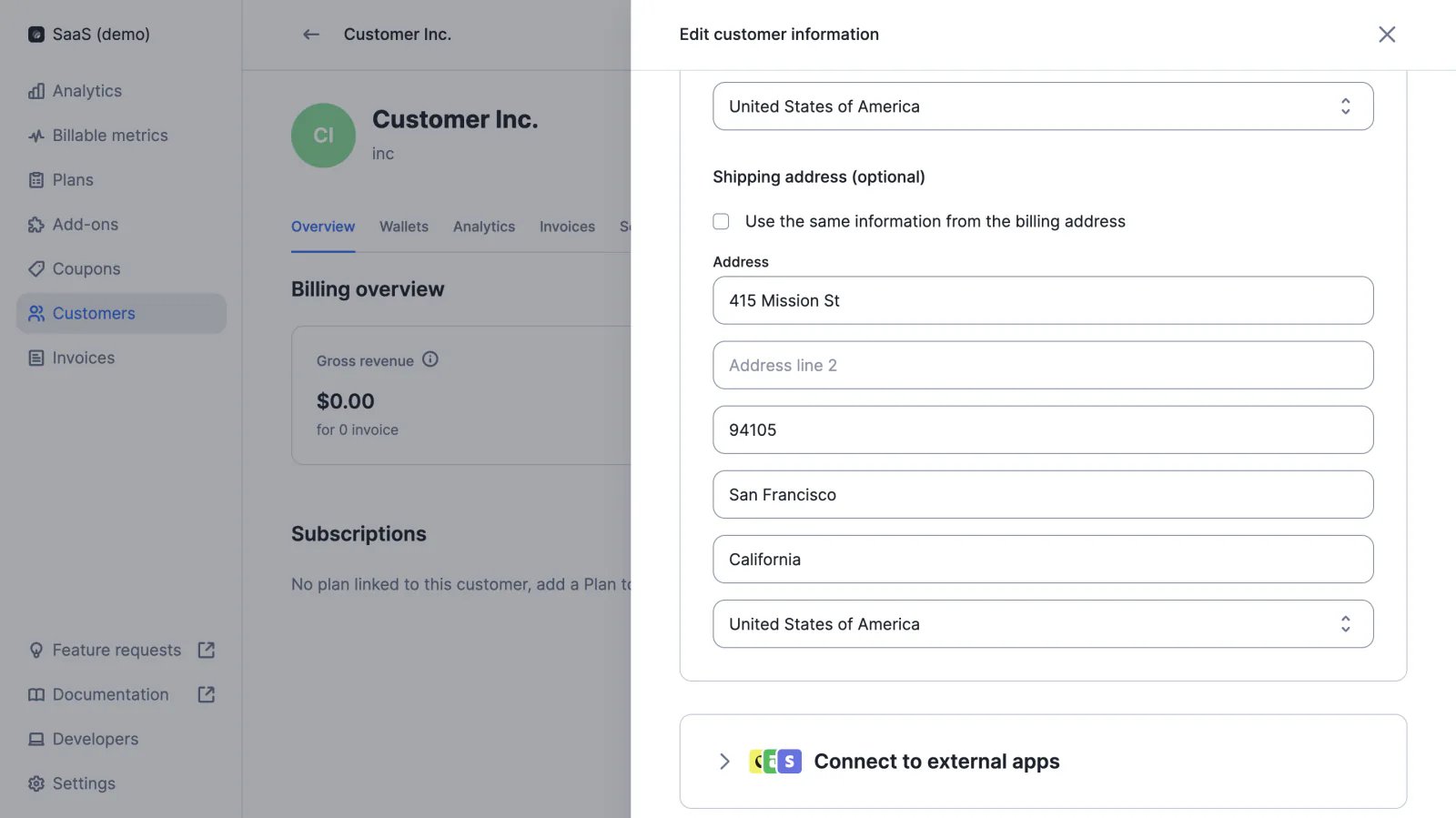
In addition to the customer's billing address, users can add a shipping address. This information can be useful when the applicable tax rates are determined through integration with a tax management provider (e.g. Anrok).
## Shipping address
In addition to the customer's billing address, users can add a shipping address. This information can be useful when the applicable tax rates are determined through integration with a tax management provider (e.g. Anrok).
 ## Overdue invoices
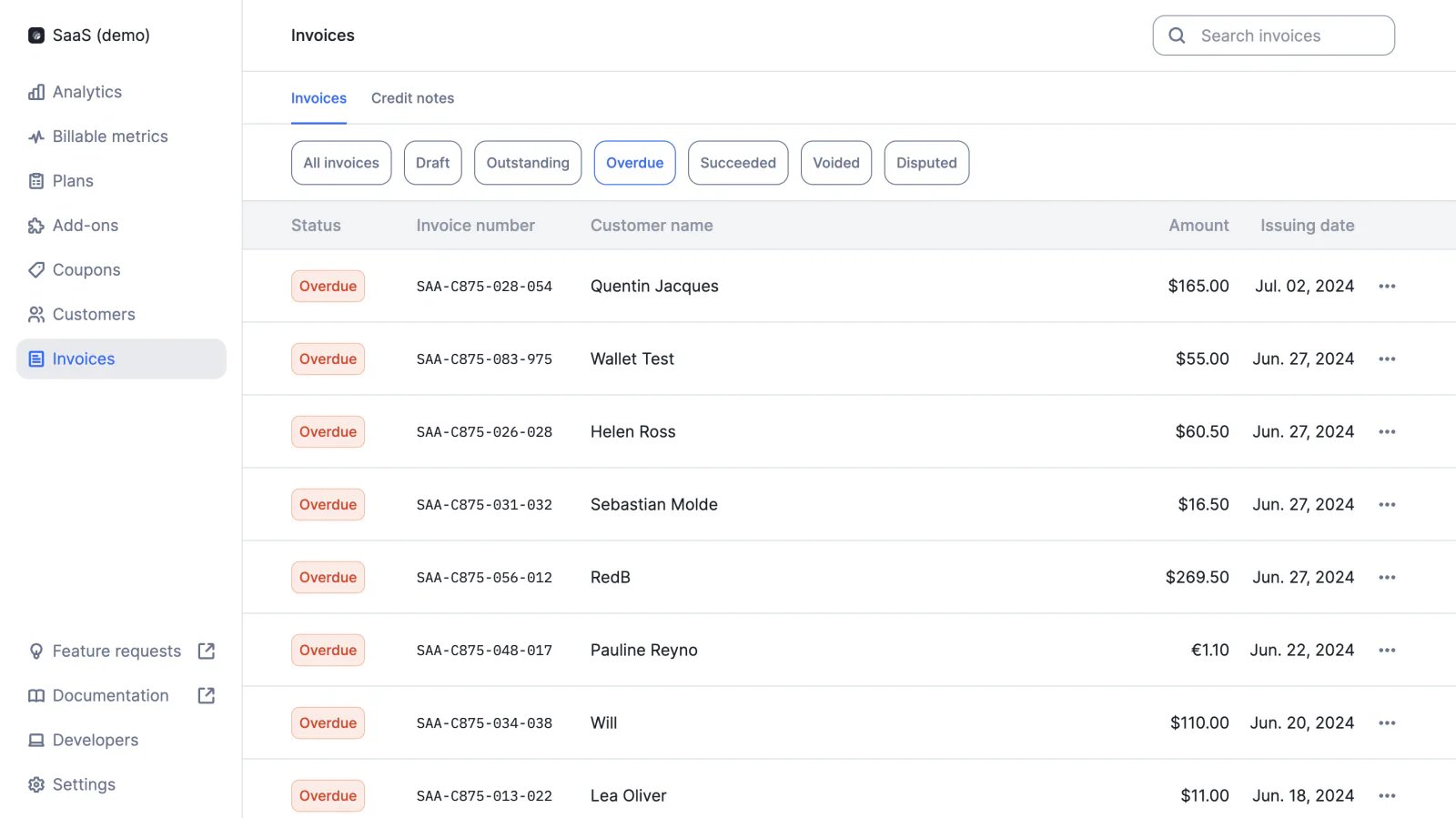
If an invoice is not marked as paid once its due date has passed, it is considered to be overdue. The billing system will then send a webhook message to notify the organization that issued the invoice (see `invoice.payment_overdue`).
[Learn more](/docs/api-reference/webhooks/messages#payment-overdue)
## Overdue invoices
If an invoice is not marked as paid once its due date has passed, it is considered to be overdue. The billing system will then send a webhook message to notify the organization that issued the invoice (see `invoice.payment_overdue`).
[Learn more](/docs/api-reference/webhooks/messages#payment-overdue)
 ## Custom pricing ✨
✨ This feature is only available via a paying add-on. Please contact [hello@getlago.com](mailto:hello@getlago.com) to get access to Lago Cloud and Lago Self-Hosted Premium.
For companies whose aggregation and pricing models cannot be reproduced using standard functions, our team can inject a custom code snippet into the billing application.
This feature allows users to implement advanced billing rules based on custom logic, which can be very useful when migrating from an in-house billing system.
[Learn more](/docs/guide/plans/charges/charge-models/custom-price)
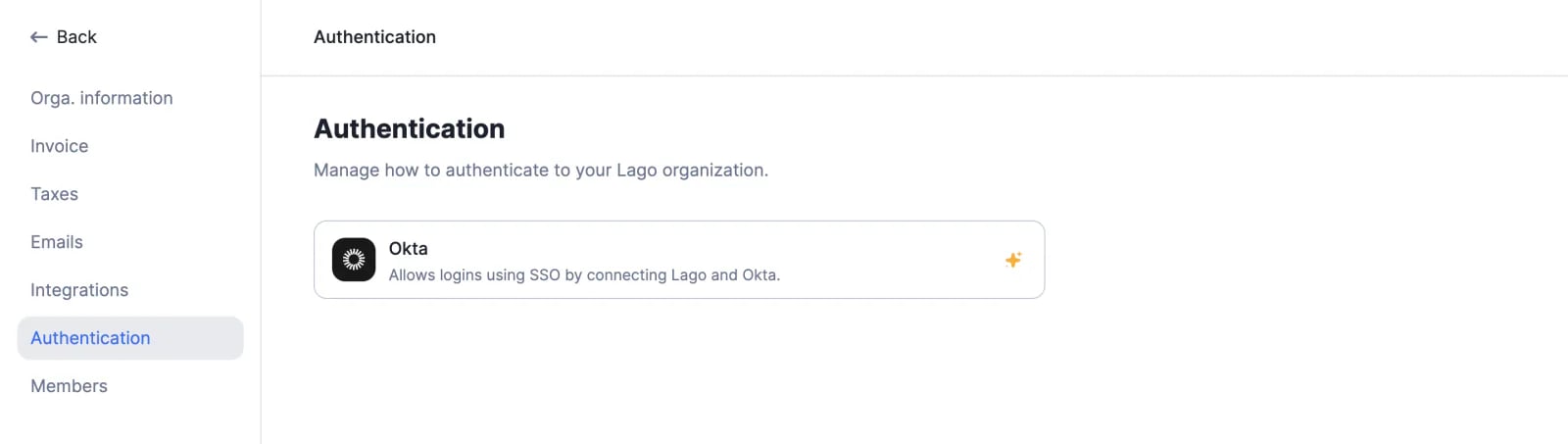
## Okta SSO ✨
✨ This feature is only available via a paying add-on. Please contact [hello@getlago.com](mailto:hello@getlago.com) to get access to Lago Cloud and Lago Self-Hosted Premium.
Users can sign up and log in to their Lago account through Okta single sign-on (SSO), which enables a better experience and ensures that the identity provider remains the system of record for authenticating users.
[Learn more](/docs/guide/security/sso#okta-sso)
## Custom pricing ✨
✨ This feature is only available via a paying add-on. Please contact [hello@getlago.com](mailto:hello@getlago.com) to get access to Lago Cloud and Lago Self-Hosted Premium.
For companies whose aggregation and pricing models cannot be reproduced using standard functions, our team can inject a custom code snippet into the billing application.
This feature allows users to implement advanced billing rules based on custom logic, which can be very useful when migrating from an in-house billing system.
[Learn more](/docs/guide/plans/charges/charge-models/custom-price)
## Okta SSO ✨
✨ This feature is only available via a paying add-on. Please contact [hello@getlago.com](mailto:hello@getlago.com) to get access to Lago Cloud and Lago Self-Hosted Premium.
Users can sign up and log in to their Lago account through Okta single sign-on (SSO), which enables a better experience and ensures that the identity provider remains the system of record for authenticating users.
[Learn more](/docs/guide/security/sso#okta-sso)
 ## Hiding subscription fees at zero
We have modified the invoice template and introduced new rules for subscription fees:
* If `amount_cents` is zero for the subscription fee and there are no other fees (e.g. usage-based charges or commitment) in the invoice, the subscription fee will appear on the PDF invoice
* If `amount_cents` is zero for the subscription fee and there are other fees in the invoice, the subscription fee will not be displayed on the PDF invoice
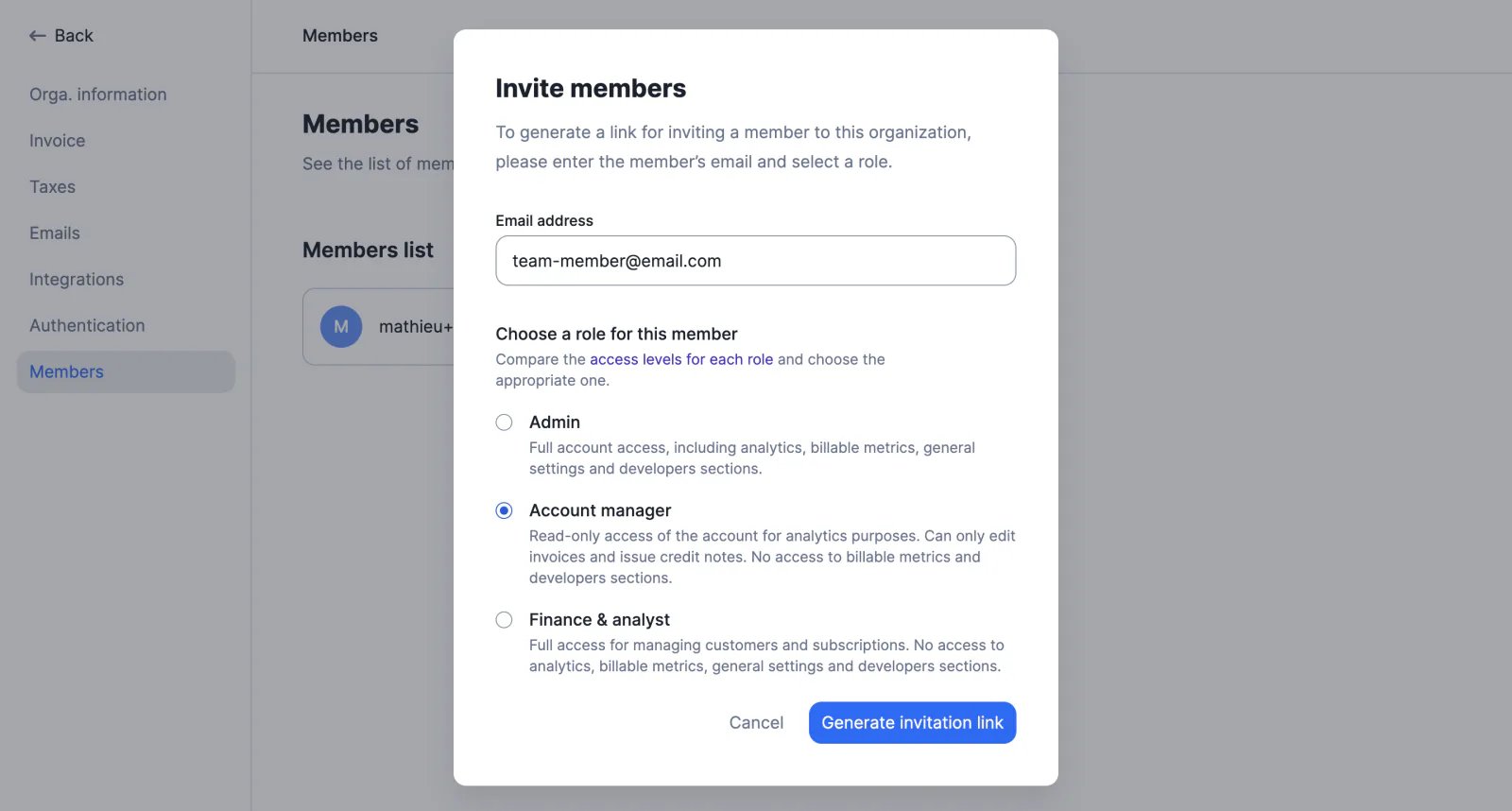
## Role-based access control (RBAC) ✨
✨ This feature is only available to users with a premium license. Please contact [hello@getlago.com](mailto:hello@getlago.com) to get access to Lago Cloud and Lago Self-Hosted Premium.
With the RBAC feature, organizations can ensure that each member only has access to the information and actions required to perform their job duties.
There are three roles available on the Lago platform:
* Admin: full access to all views and actions (usually assigned to billing engineers and managers)
* Account Manager: can manage customer accounts and subscriptions (suitable for sales and success teams)
* Finance & Analyst: mostly view-only, with the ability to manage invoices and credit notes
[Learn more](/docs/guide/security/rbac)
## Hiding subscription fees at zero
We have modified the invoice template and introduced new rules for subscription fees:
* If `amount_cents` is zero for the subscription fee and there are no other fees (e.g. usage-based charges or commitment) in the invoice, the subscription fee will appear on the PDF invoice
* If `amount_cents` is zero for the subscription fee and there are other fees in the invoice, the subscription fee will not be displayed on the PDF invoice
## Role-based access control (RBAC) ✨
✨ This feature is only available to users with a premium license. Please contact [hello@getlago.com](mailto:hello@getlago.com) to get access to Lago Cloud and Lago Self-Hosted Premium.
With the RBAC feature, organizations can ensure that each member only has access to the information and actions required to perform their job duties.
There are three roles available on the Lago platform:
* Admin: full access to all views and actions (usually assigned to billing engineers and managers)
* Account Manager: can manage customer accounts and subscriptions (suitable for sales and success teams)
* Finance & Analyst: mostly view-only, with the ability to manage invoices and credit notes
[Learn more](/docs/guide/security/rbac)
 ## Recurring wallet top-ups ✨
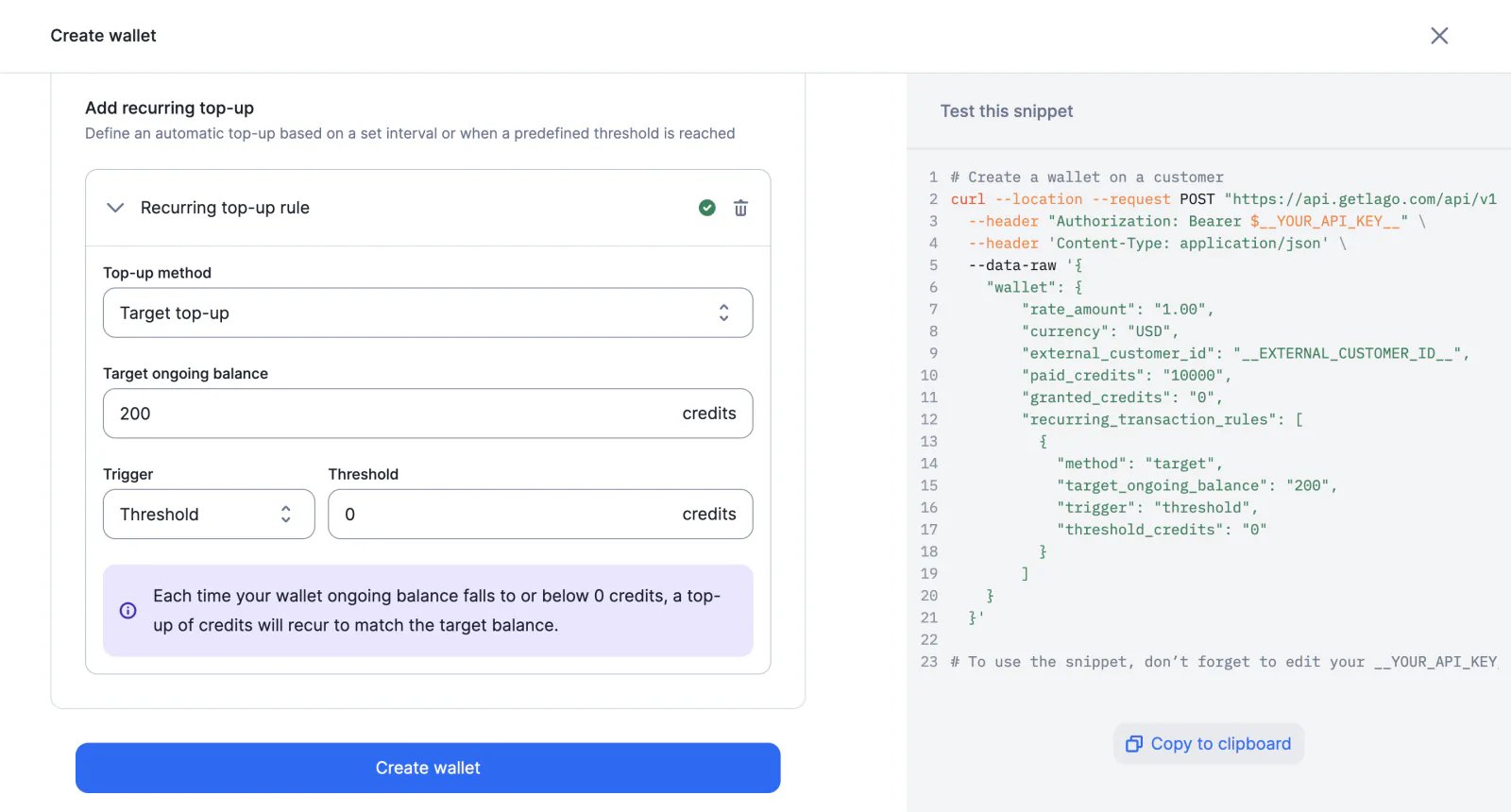
✨ This feature is only available to users with a premium license. Please contact [hello@getlago.com](mailto:hello@getlago.com) to get access to Lago Cloud and Lago Self-Hosted Premium.
Users can define rules to automatically trigger wallet top-ups, based on two methods:
* Fixed: a predefined number of credits is added to the customer's wallet
* Target: credits are added to the customer's wallet to reach a predefined balance
There are also two trigger options:
* Interval: weekly, monthly, quarterly, semiannual or yearly top-ups, with a custom start date
* Threshold: the top-up is triggered when the ongoing balance of the wallet reaches a predefined minimum threshold
[Learn more](/docs/guide/wallet-and-prepaid-credits/wallet-top-up-and-void#setup-recurring-top-ups)
## Recurring wallet top-ups ✨
✨ This feature is only available to users with a premium license. Please contact [hello@getlago.com](mailto:hello@getlago.com) to get access to Lago Cloud and Lago Self-Hosted Premium.
Users can define rules to automatically trigger wallet top-ups, based on two methods:
* Fixed: a predefined number of credits is added to the customer's wallet
* Target: credits are added to the customer's wallet to reach a predefined balance
There are also two trigger options:
* Interval: weekly, monthly, quarterly, semiannual or yearly top-ups, with a custom start date
* Threshold: the top-up is triggered when the ongoing balance of the wallet reaches a predefined minimum threshold
[Learn more](/docs/guide/wallet-and-prepaid-credits/wallet-top-up-and-void#setup-recurring-top-ups)
 ## Webhook messages for wallets
Lago now sends webhook messages when:
* A wallet transaction is created (see `wallet_transaction.created`)
* The status of a wallet transaction is updated (e.g. when a pending transaction is settled - see `wallet_transaction.updated`)
* When the ongoing balance of the wallet is zero or less than zero (see `wallet.depleted_ongoing_balance`)
[Learn more](/docs/api-reference/webhooks/messages#wallets)
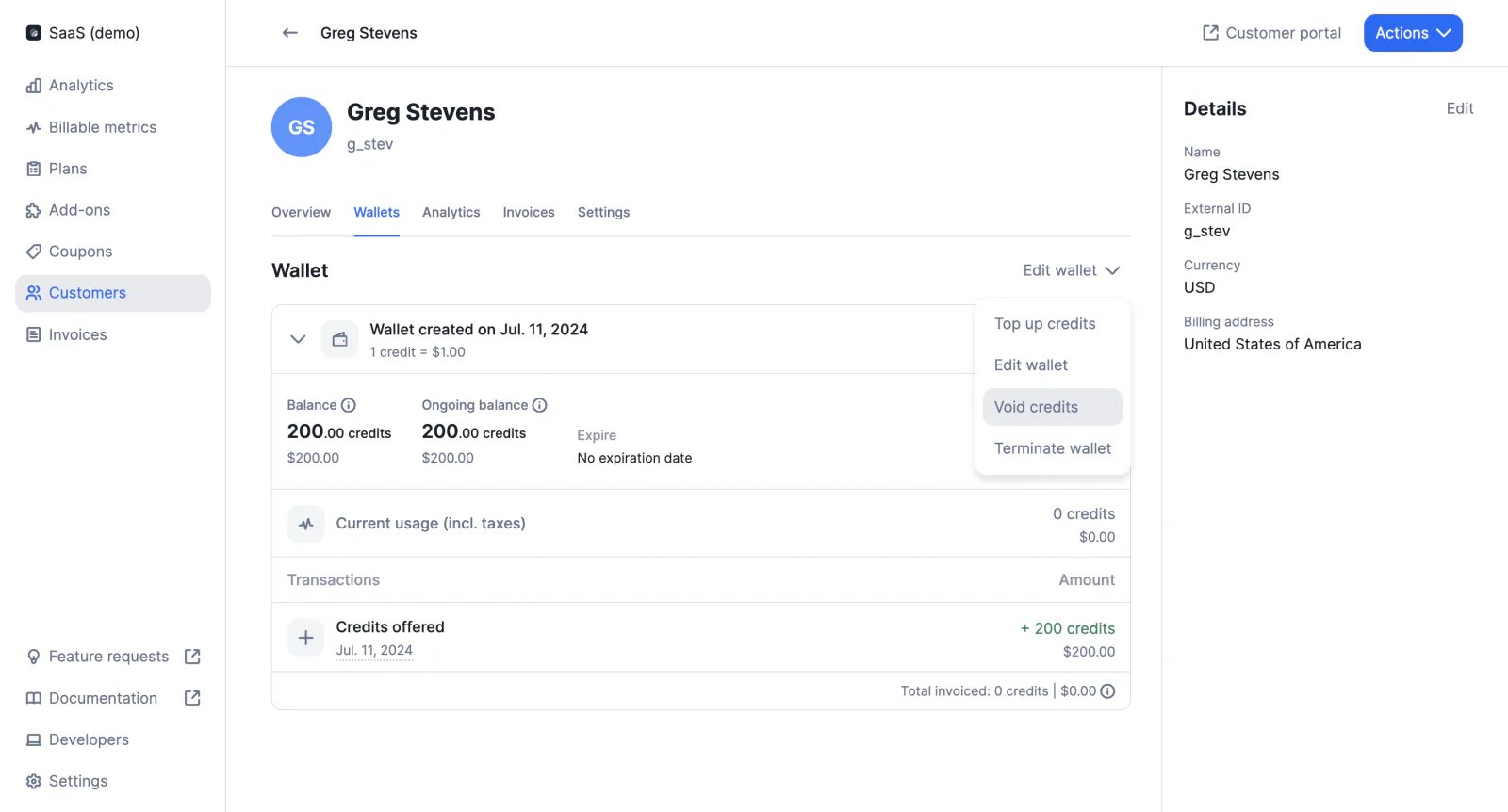
## Void wallet credits
The endpoint `POST /wallet_transactions` includes a new function to void credits, which are immediately deducted from the balance of the customer's wallet.
This action can also be triggered via the user interface.
[Learn more](/docs/api-reference/wallets/top-up)
## Webhook messages for wallets
Lago now sends webhook messages when:
* A wallet transaction is created (see `wallet_transaction.created`)
* The status of a wallet transaction is updated (e.g. when a pending transaction is settled - see `wallet_transaction.updated`)
* When the ongoing balance of the wallet is zero or less than zero (see `wallet.depleted_ongoing_balance`)
[Learn more](/docs/api-reference/webhooks/messages#wallets)
## Void wallet credits
The endpoint `POST /wallet_transactions` includes a new function to void credits, which are immediately deducted from the balance of the customer's wallet.
This action can also be triggered via the user interface.
[Learn more](/docs/api-reference/wallets/top-up)
 ## Filters for billable metrics
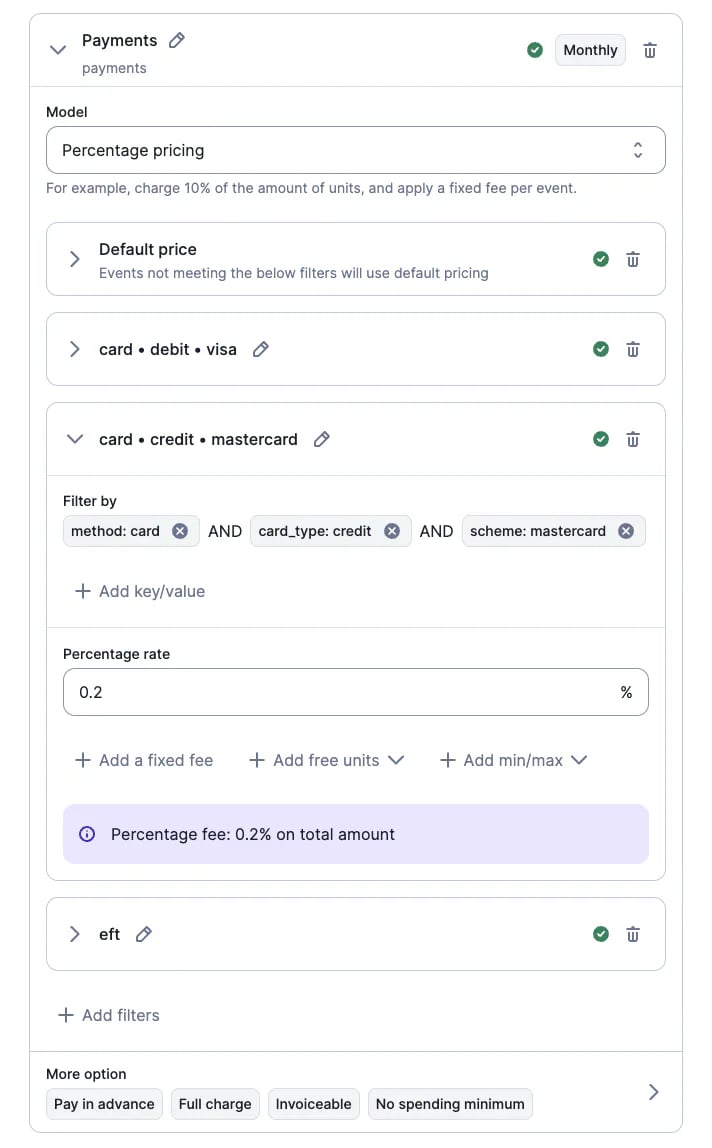
We have made changes to our dimension system and replaced metric groups with filters. This new feature offers greater flexibility as:
* Users can create as many filters as needed (they are no longer limited to two dimensions)
* Users can define specific rates based on very granular filter combinations (e.g. online card payments with Visa cards, offline card payments with Amex cards, etc.)
[Learn more](/docs/guide/plans/charges/charges-with-filters)
## Filters for billable metrics
We have made changes to our dimension system and replaced metric groups with filters. This new feature offers greater flexibility as:
* Users can create as many filters as needed (they are no longer limited to two dimensions)
* Users can define specific rates based on very granular filter combinations (e.g. online card payments with Visa cards, offline card payments with Amex cards, etc.)
[Learn more](/docs/guide/plans/charges/charges-with-filters)
 ## Google SSO
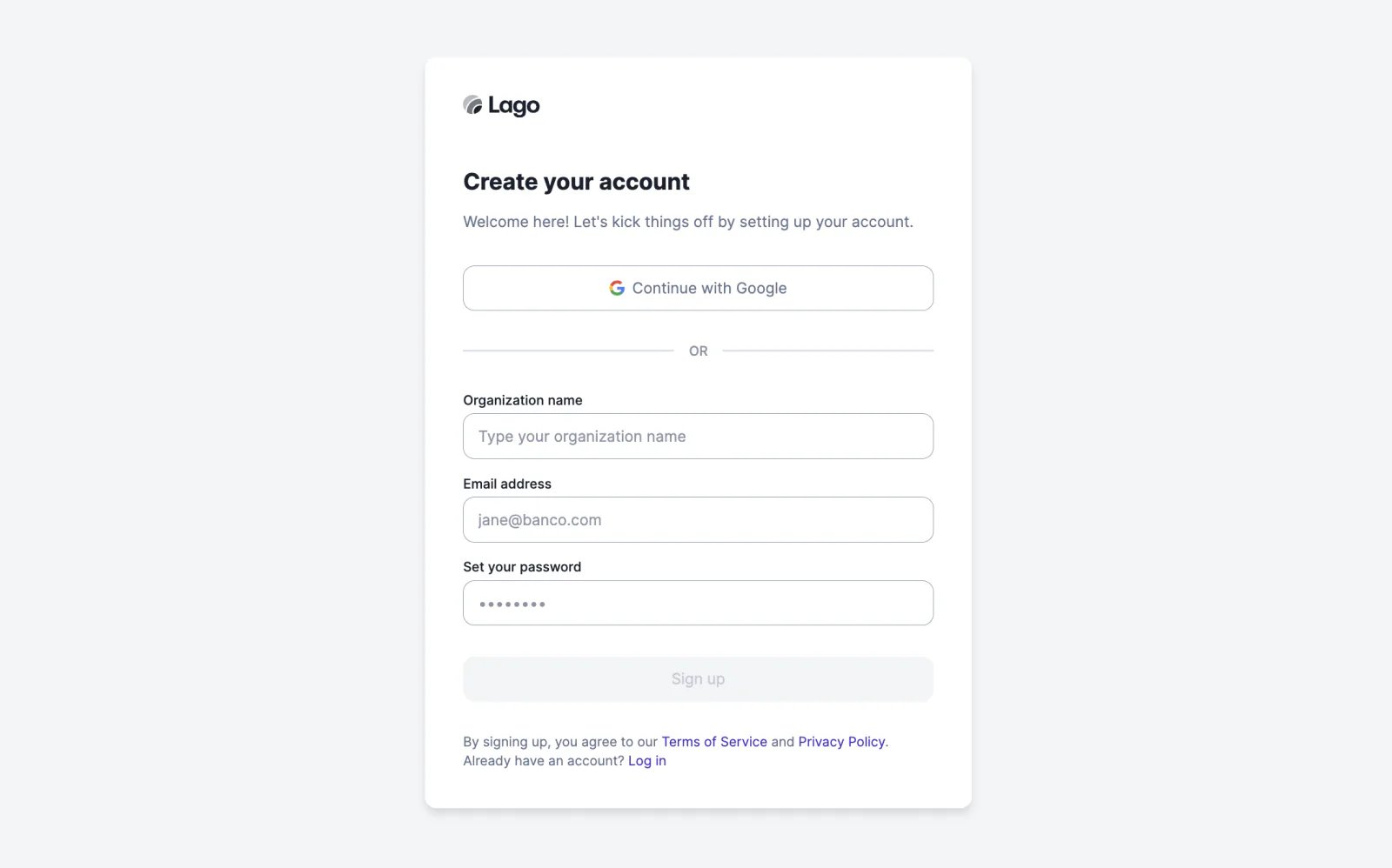
Users can sign up and log in to their Lago account through Google single sign-on (SSO), which enables a better experience and ensures that the identity provider remains the system of record for authenticating users.
[Learn more](/docs/guide/security/sso#google-sso)
## Google SSO
Users can sign up and log in to their Lago account through Google single sign-on (SSO), which enables a better experience and ensures that the identity provider remains the system of record for authenticating users.
[Learn more](/docs/guide/security/sso#google-sso)
 ## Improved trial period
When the subscription fee of a plan is paid in advance and the plan includes a trial period, the first invoice was initially generated when the subscription started. Following feedback from the Lago Community, we have modified this logic to generate the first invoice at the end of the free trial.
[Learn more](/docs/guide/plans/plan-model#the-trial-period-optional)
## Payment disputes
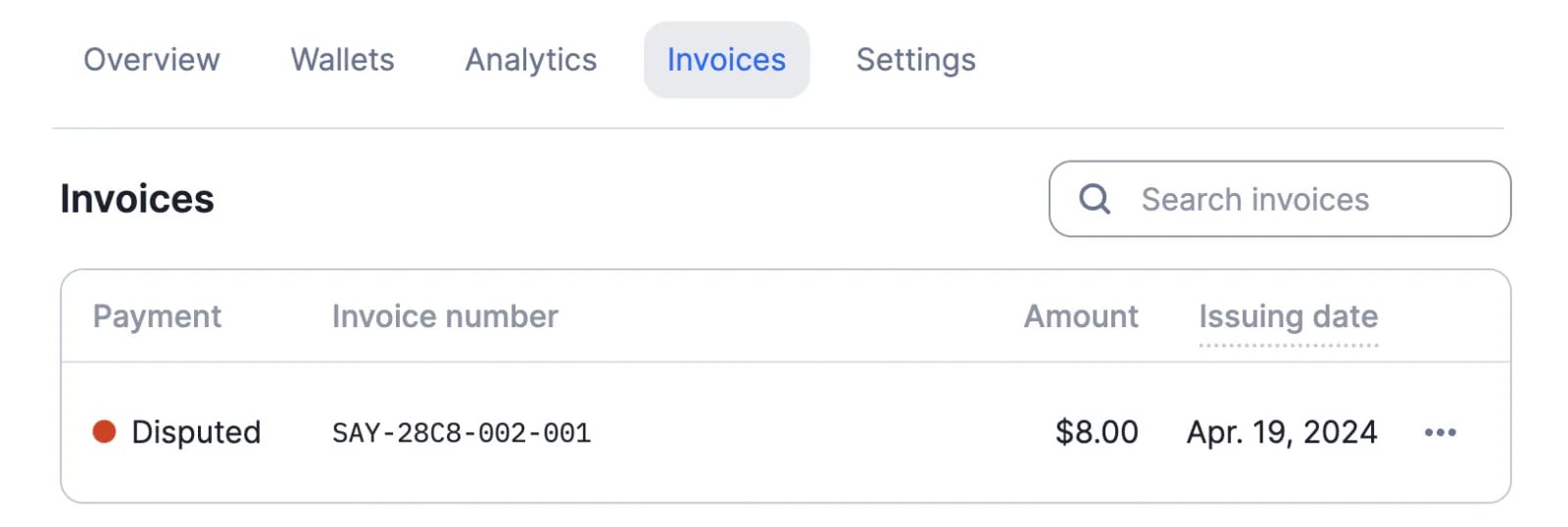
If a payment dispute is reported as lost by the payment provider, Lago will provide `invoice.payment_dispute_lost_at` and send the webhook message `invoice.payment_dispute_lost`.
This feature is available via integrations with Stripe and Adyen.
## Improved trial period
When the subscription fee of a plan is paid in advance and the plan includes a trial period, the first invoice was initially generated when the subscription started. Following feedback from the Lago Community, we have modified this logic to generate the first invoice at the end of the free trial.
[Learn more](/docs/guide/plans/plan-model#the-trial-period-optional)
## Payment disputes
If a payment dispute is reported as lost by the payment provider, Lago will provide `invoice.payment_dispute_lost_at` and send the webhook message `invoice.payment_dispute_lost`.
This feature is available via integrations with Stripe and Adyen.
 ## Upcoming API changes (v1.2.0)
We have released a new version of Lago with exciting new features, but also API changes likely to affect our users' workflows.
**1. Replacing groups with filters**
We have developed a new dimension system that offers greater flexibility. Filters allow users to create billable metrics with more than two dimensions, and make it easier to create charges based on custom event properties.
However, this feature introduces changes to a number of objects, including `billable_metric`, `plan`, `fee` and `customer_usage`. In addition, the endpoint to retrieve billable metric groups will be deprecated ([see all changes](/docs/guide/migration/migration-to-v1.2.0#1-transition-from-group-to-filters)).
**2. The external subscription ID becomes mandatory for events**
In order to develop real-time billing capabilities, we need to streamline our validation process. We have therefore decided to make `external_subscription_id` mandatory when sending events via the Lago API.
Events that only include `external_customer_id` will no longer be taken into account when aggregating usage ([learn more](/docs/guide/migration/migration-to-v1.2.0#2-mandatory-external-subscription-id-field-in-event-payloads)).
**3. Deprecation of API fields**
For the sake of clarity and to preserve the quality of the API, we are going to deprecate several legacy fields ([see full list](/docs/guide/migration/migration-to-v1.2.0#3-deprecated-fields)).
**Timeline**
We will maintain the current API logic until July 9, 2024. After this date, previous versions will no longer be supported. We kindly ask our users to update their integration before that day to avoid any potential breaking change.
[Learn more](/docs/guide/migration/migration-to-v1.2.0)
## Minimum plan commitment ✨
✨ This feature is only available to users with a premium license. Please contact [hello@getlago.com](mailto:hello@getlago.com) to get access to Lago Cloud and Lago Self-Hosted Premium.
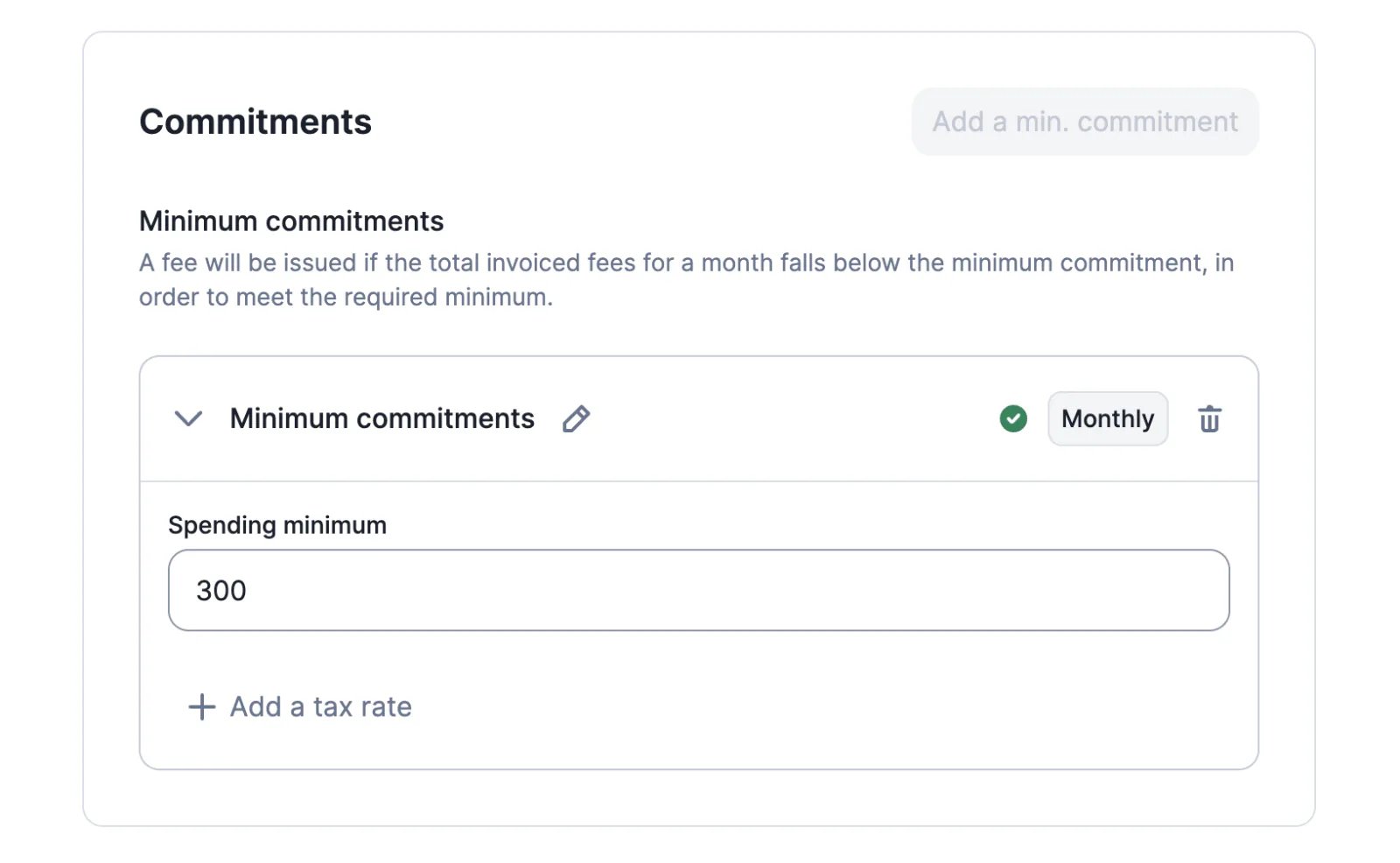
When creating a plan, defining a commitment ensures a minimum invoice amount for the billing period.
This minimum is calculated at the end of the period, taking into account the subscription fee and all usage-based charges. If the total amount invoiced is less than the minimum commitment, Lago will automatically apply a true-up fee.
The default commitment can be overridden when assigning the plan to a customer.
[Learn more](/docs/guide/plans/commitment)
## Upcoming API changes (v1.2.0)
We have released a new version of Lago with exciting new features, but also API changes likely to affect our users' workflows.
**1. Replacing groups with filters**
We have developed a new dimension system that offers greater flexibility. Filters allow users to create billable metrics with more than two dimensions, and make it easier to create charges based on custom event properties.
However, this feature introduces changes to a number of objects, including `billable_metric`, `plan`, `fee` and `customer_usage`. In addition, the endpoint to retrieve billable metric groups will be deprecated ([see all changes](/docs/guide/migration/migration-to-v1.2.0#1-transition-from-group-to-filters)).
**2. The external subscription ID becomes mandatory for events**
In order to develop real-time billing capabilities, we need to streamline our validation process. We have therefore decided to make `external_subscription_id` mandatory when sending events via the Lago API.
Events that only include `external_customer_id` will no longer be taken into account when aggregating usage ([learn more](/docs/guide/migration/migration-to-v1.2.0#2-mandatory-external-subscription-id-field-in-event-payloads)).
**3. Deprecation of API fields**
For the sake of clarity and to preserve the quality of the API, we are going to deprecate several legacy fields ([see full list](/docs/guide/migration/migration-to-v1.2.0#3-deprecated-fields)).
**Timeline**
We will maintain the current API logic until July 9, 2024. After this date, previous versions will no longer be supported. We kindly ask our users to update their integration before that day to avoid any potential breaking change.
[Learn more](/docs/guide/migration/migration-to-v1.2.0)
## Minimum plan commitment ✨
✨ This feature is only available to users with a premium license. Please contact [hello@getlago.com](mailto:hello@getlago.com) to get access to Lago Cloud and Lago Self-Hosted Premium.
When creating a plan, defining a commitment ensures a minimum invoice amount for the billing period.
This minimum is calculated at the end of the period, taking into account the subscription fee and all usage-based charges. If the total amount invoiced is less than the minimum commitment, Lago will automatically apply a true-up fee.
The default commitment can be overridden when assigning the plan to a customer.
[Learn more](/docs/guide/plans/commitment)
 ## ACH and BACS payments
Lago's native integration with Stripe supports two new payment methods:
* ACH Direct Debit for customers with a US bank account
* BACS Direct Debit for customers with a UK bank account
[Learn more](/docs/integrations/payments/stripe/payments#supported-payment-methods)
## ACH and BACS payments
Lago's native integration with Stripe supports two new payment methods:
* ACH Direct Debit for customers with a US bank account
* BACS Direct Debit for customers with a UK bank account
[Learn more](/docs/integrations/payments/stripe/payments#supported-payment-methods)
 ## Grouping of charges
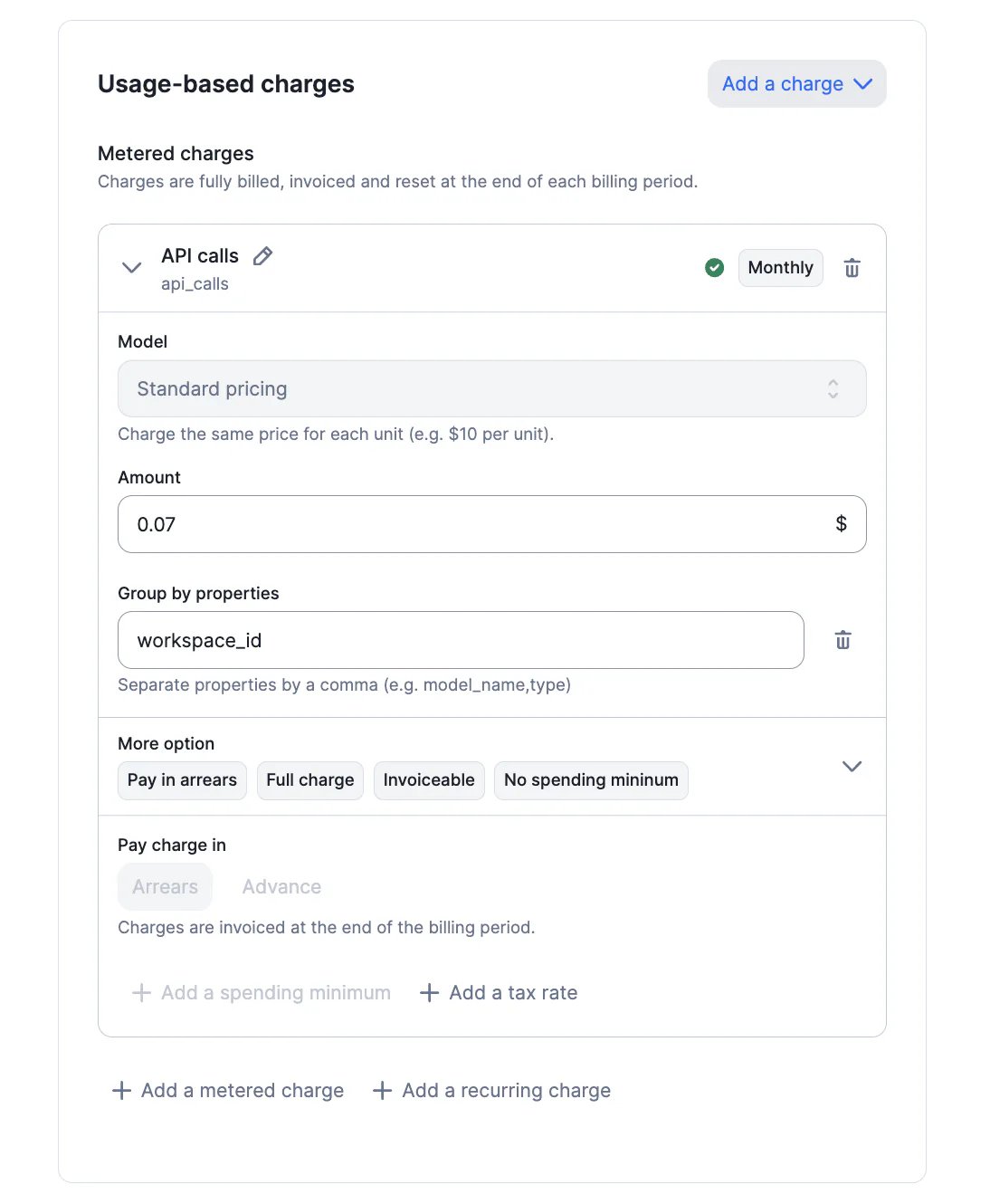
It is possible to group charges on the invoice according to a custom attribute. When creating a charge based on the standard pricing model, users can define one or several `grouped_by` attributes that will then be used to provide information on the distribution of usage.
For a customer who has sent thousands of API requests, for instance, we could display the breakdown of usage based on the `workspace_id` to which each request is linked.
[Learn more](/docs/guide/invoicing/overview#custom-invoice-grouping)
## Grouping of charges
It is possible to group charges on the invoice according to a custom attribute. When creating a charge based on the standard pricing model, users can define one or several `grouped_by` attributes that will then be used to provide information on the distribution of usage.
For a customer who has sent thousands of API requests, for instance, we could display the breakdown of usage based on the `workspace_id` to which each request is linked.
[Learn more](/docs/guide/invoicing/overview#custom-invoice-grouping)
 ## Updated Salesforce package ✨
✨ This feature is only available via a paying add-on. Please contact [hello@getlago.com](mailto:hello@getlago.com) to get access to the Salesforce CRM integration.
This new package allows users to initiate actions in Lago without leaving the Salesforce interface. It includes two customizable flows:
1. Ability to automatically create Lago customers from Salesforce accounts
2. Ability to automatically create Lago subscriptions from Salesforce opportunities, including the option to override existing plans
[Learn more](/docs/integrations/crm/salesforce-crm#iii-actions-from-salesforce-to-lago)
## Payment link for a specific invoice
We have added a new endpoint to generate checkout URLs for specific invoices.
This feature is available via integrations with Stripe and Adyen. It allows users to collect payments in countries where payment methods cannot be saved for future use.
[Learn more](/docs/api-reference/invoices/payment-url)
## Wallet balance in (near) real-time ✨
✨ This feature is only available to users with a premium license. Please contact [hello@getlago.com](mailto:hello@getlago.com) to get access to Lago Cloud and Lago Self-Hosted Premium.
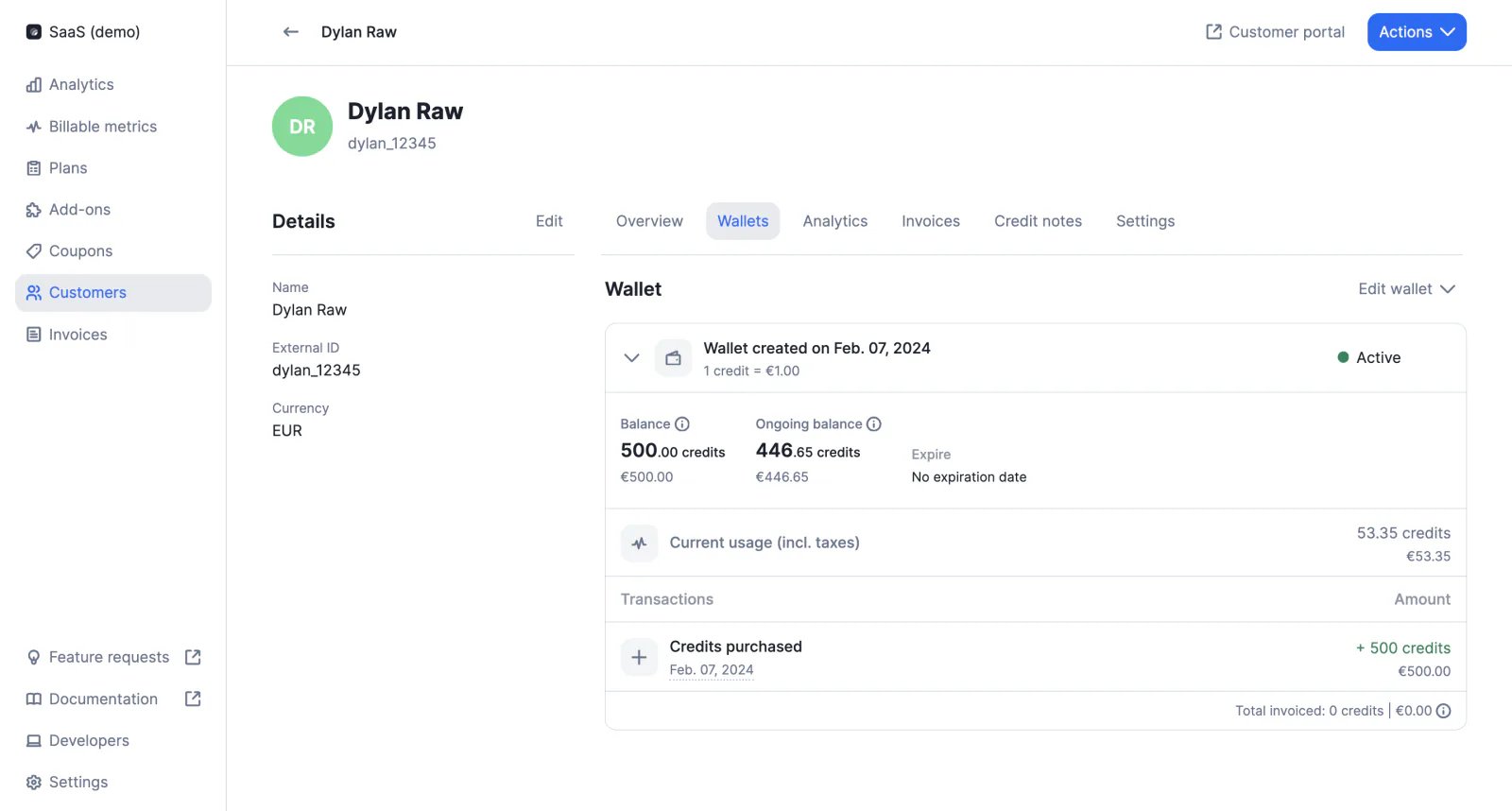
In addition to the invoiced balance, which represents the credit available in the wallet after the last invoice has been finalized, wallets include an ongoing balance, which takes into account the customer's current usage and taxes.
The ongoing balance gives an overview of the credit available in the wallet in near real-time, as it is updated every 5 minutes.
[Learn more](/docs/guide/wallet-and-prepaid-credits/overview#real-time-wallet-balance)
## Updated Salesforce package ✨
✨ This feature is only available via a paying add-on. Please contact [hello@getlago.com](mailto:hello@getlago.com) to get access to the Salesforce CRM integration.
This new package allows users to initiate actions in Lago without leaving the Salesforce interface. It includes two customizable flows:
1. Ability to automatically create Lago customers from Salesforce accounts
2. Ability to automatically create Lago subscriptions from Salesforce opportunities, including the option to override existing plans
[Learn more](/docs/integrations/crm/salesforce-crm#iii-actions-from-salesforce-to-lago)
## Payment link for a specific invoice
We have added a new endpoint to generate checkout URLs for specific invoices.
This feature is available via integrations with Stripe and Adyen. It allows users to collect payments in countries where payment methods cannot be saved for future use.
[Learn more](/docs/api-reference/invoices/payment-url)
## Wallet balance in (near) real-time ✨
✨ This feature is only available to users with a premium license. Please contact [hello@getlago.com](mailto:hello@getlago.com) to get access to Lago Cloud and Lago Self-Hosted Premium.
In addition to the invoiced balance, which represents the credit available in the wallet after the last invoice has been finalized, wallets include an ongoing balance, which takes into account the customer's current usage and taxes.
The ongoing balance gives an overview of the credit available in the wallet in near real-time, as it is updated every 5 minutes.
[Learn more](/docs/guide/wallet-and-prepaid-credits/overview#real-time-wallet-balance)
 ## Edit draft invoices ✨
✨ This feature is only available to users with a premium license. Please contact [hello@getlago.com](mailto:hello@getlago.com) to get access to Lago Cloud and Lago Self-Hosted Premium.
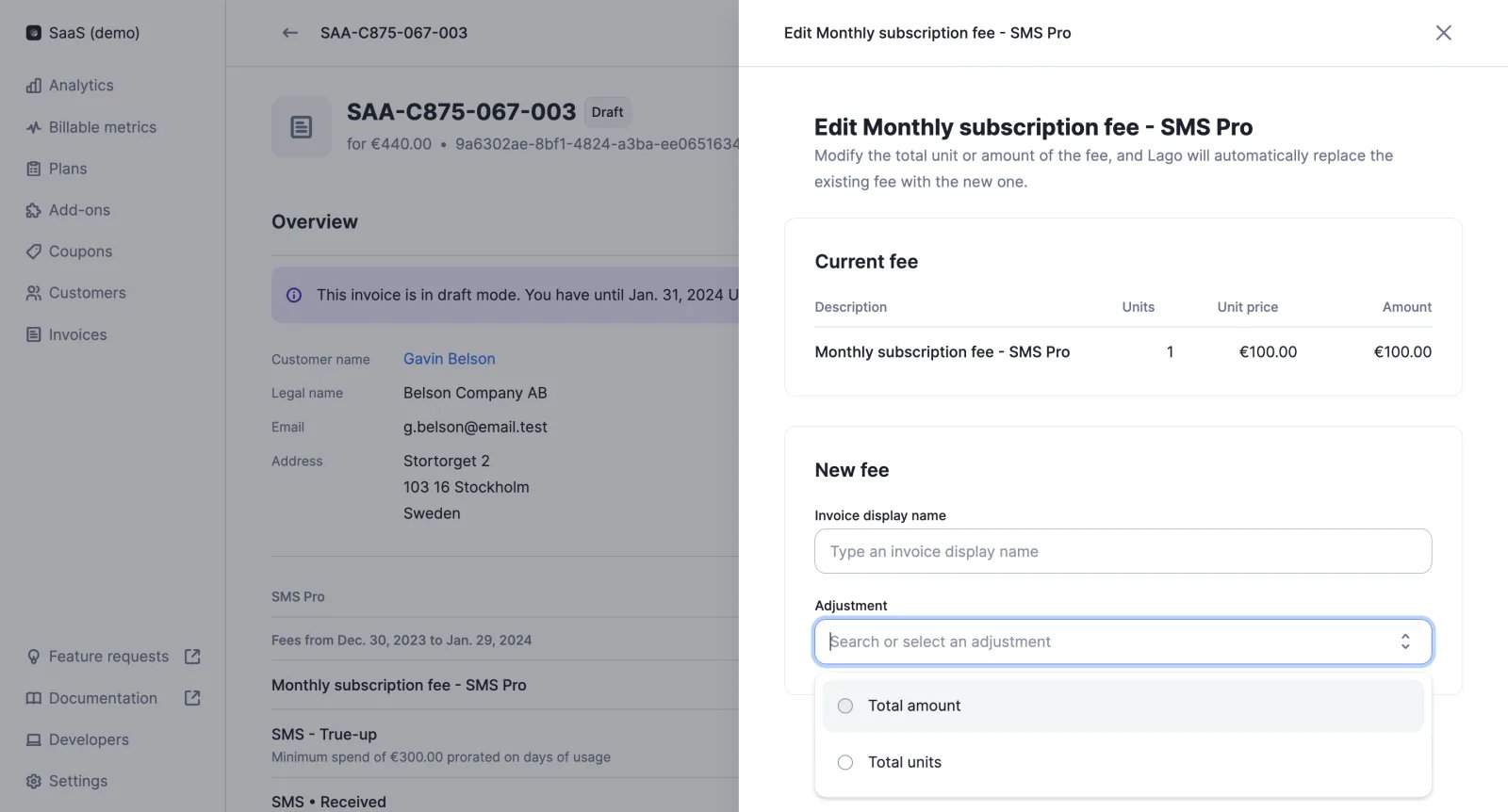
When an invoice is in draft (i.e. during the grace period), fees can be modified via the user interface. Users can either:
* Overwrite the total number of units, in which case Lago will automatically recalculate the fee based on the pricing model associated with the charge
* Overwrite the number of units and unit price, in which case Lago will automatically recalculate the fee based on this information
[Learn more](/docs/guide/invoicing/draft-invoices#edit-a-specific-fee)
## Edit draft invoices ✨
✨ This feature is only available to users with a premium license. Please contact [hello@getlago.com](mailto:hello@getlago.com) to get access to Lago Cloud and Lago Self-Hosted Premium.
When an invoice is in draft (i.e. during the grace period), fees can be modified via the user interface. Users can either:
* Overwrite the total number of units, in which case Lago will automatically recalculate the fee based on the pricing model associated with the charge
* Overwrite the number of units and unit price, in which case Lago will automatically recalculate the fee based on this information
[Learn more](/docs/guide/invoicing/draft-invoices#edit-a-specific-fee)
 ## Multiple PSP accounts
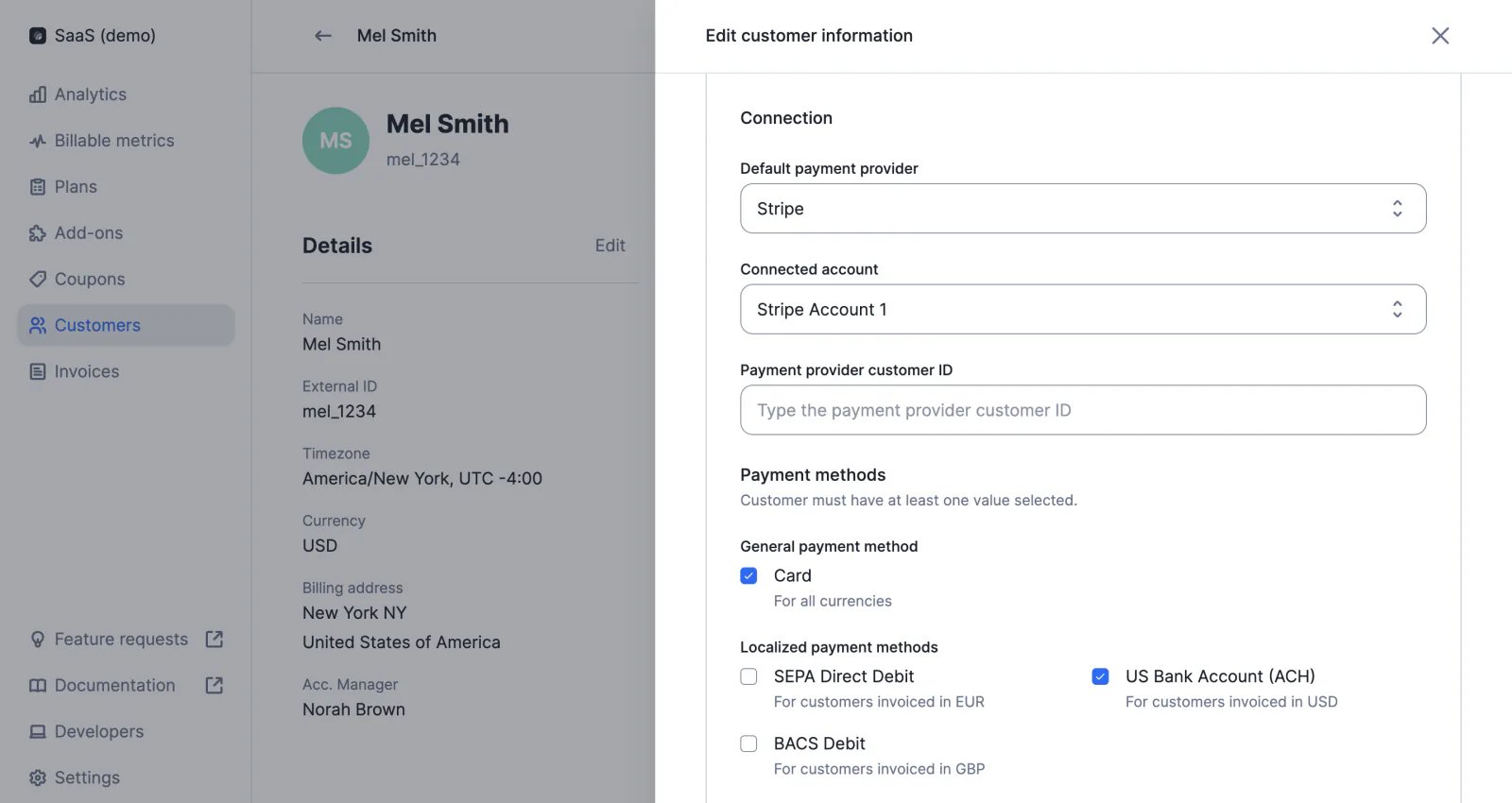
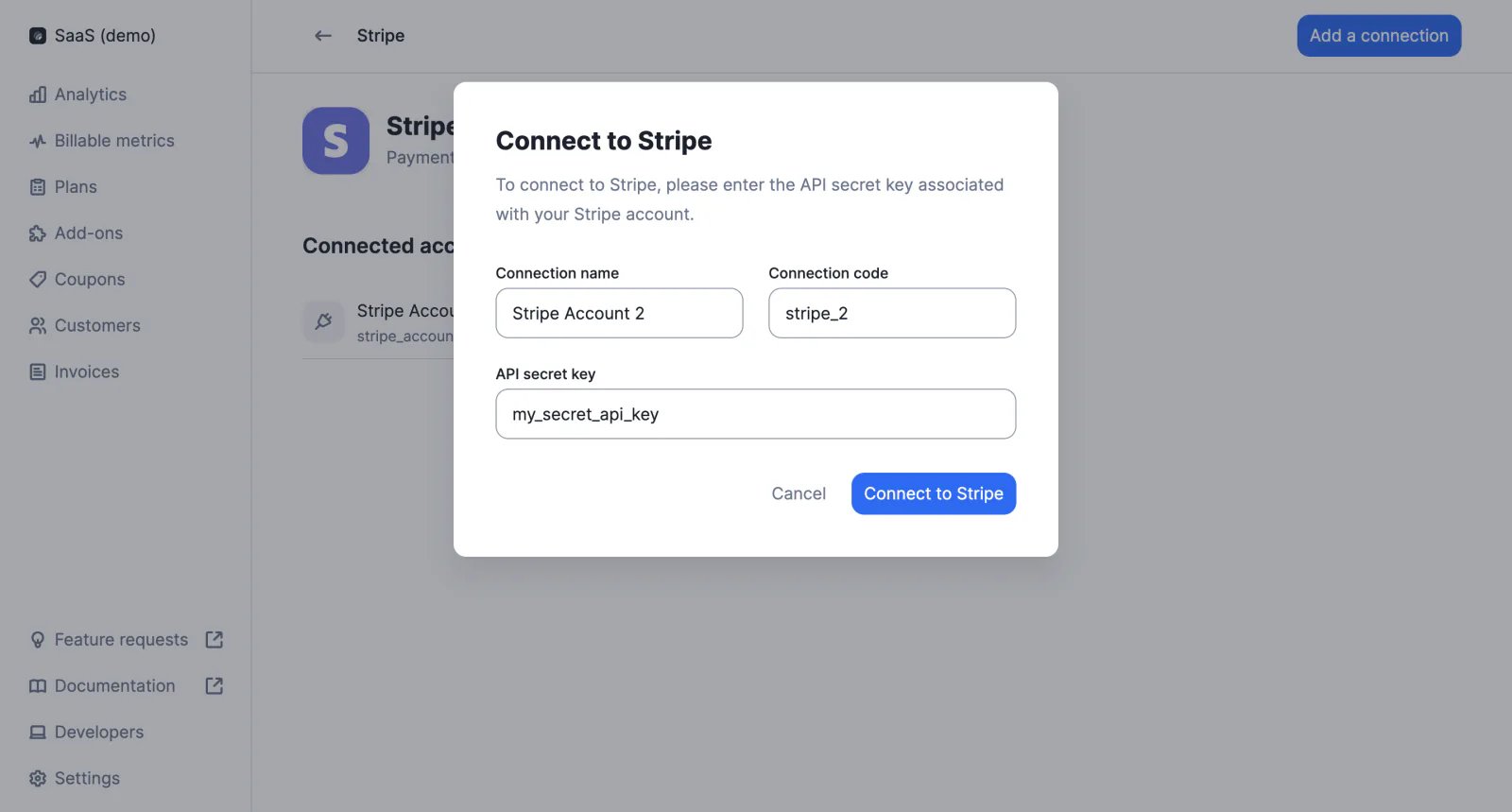
If an organization has multiple accounts with the same PSP (e.g. US Stripe account and EU Stripe account) they can all be connected to Lago. Users can then select the most appropriate account to process payments for each customer.
[Learn more](/docs/integrations/introduction)
## Multiple PSP accounts
If an organization has multiple accounts with the same PSP (e.g. US Stripe account and EU Stripe account) they can all be connected to Lago. Users can then select the most appropriate account to process payments for each customer.
[Learn more](/docs/integrations/introduction)
 ## Batch endpoint
Events can now be sent in batches using the new `/events/batch` endpoint. Each API call may include up to 100 events.
[Learn more](/docs/api-reference/events/batch)
## Disabling emails for invoices without fees
To avoid sending too many notifications to customers, we have deactivated emails for invoices without fees.
Although invoices with `"fees_amount_cents": 0` are no longer sent to customers by email, they are still available in the database and user interface.
[Learn more](/docs/guide/emails#email-scenarios)
## Batch endpoint
Events can now be sent in batches using the new `/events/batch` endpoint. Each API call may include up to 100 events.
[Learn more](/docs/api-reference/events/batch)
## Disabling emails for invoices without fees
To avoid sending too many notifications to customers, we have deactivated emails for invoices without fees.
Although invoices with `"fees_amount_cents": 0` are no longer sent to customers by email, they are still available in the database and user interface.
[Learn more](/docs/guide/emails#email-scenarios)