

Prorating is available per second per period.
Contact the Lago team if you need other proration options, such as hourly rates.
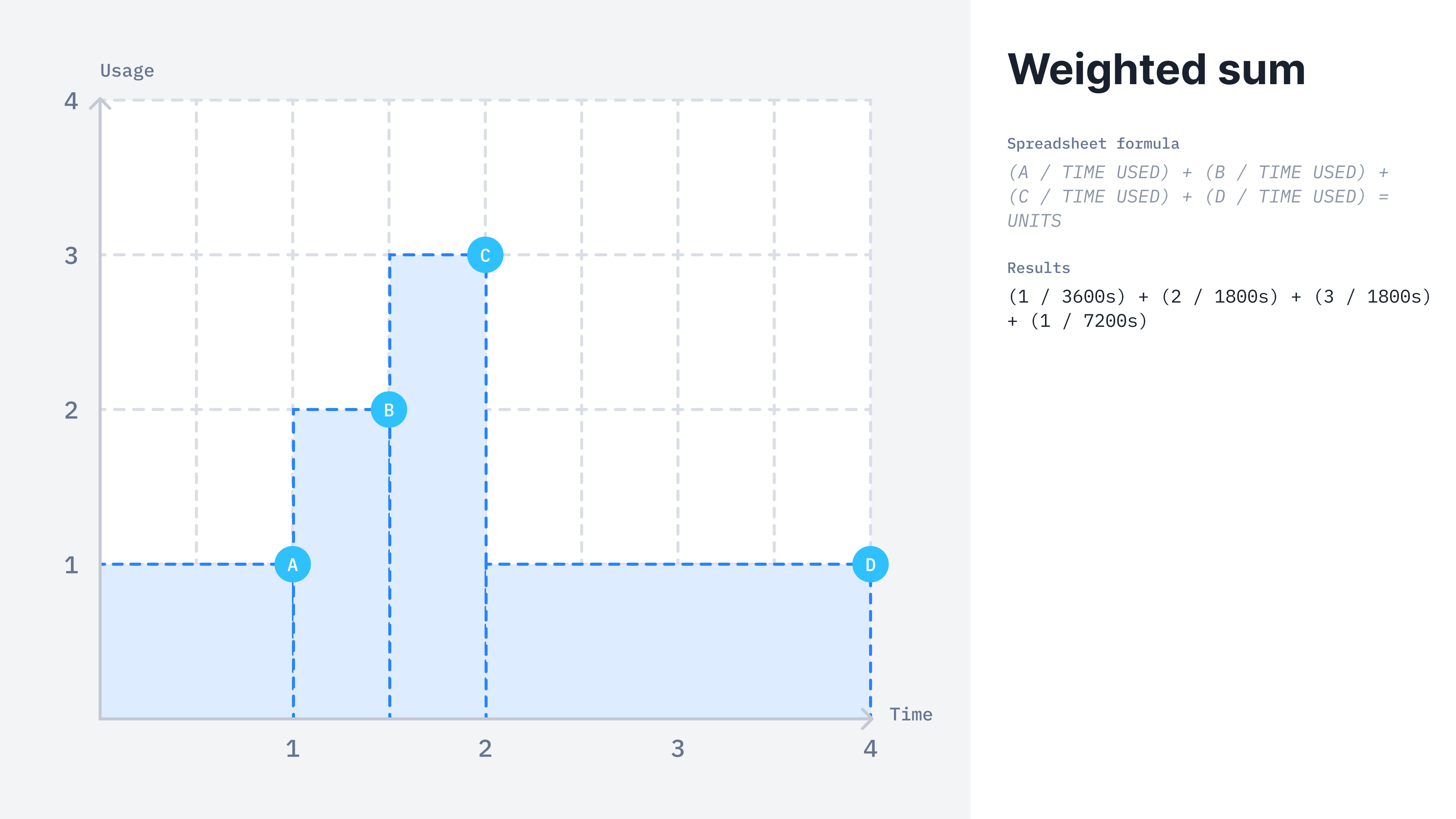
WEIGHTED SUM calculation method
WEIGHTED SUM billable metric
- Dashboard
- API
Here is how you can create a weighted sum aggregation from the UI:
- Access the “Billable metrics” section via the side menu;
- Create a new billable metric;
- Define a name, a code and an optional description;
- Select “weighted sum” as the aggregation type;
- Define if this metric is
meteredorrecurring; - Define the property to aggregate;
- Define the
weighted_intervalused for time proration (Lago currently supportssecondsonly); - Apply filters if any; and
- Click “Add billable metric”.
This billable metric can be either
metered or recurring.Calculation example
Lago calculates theSUM(events.properties.property_name) / (DATEDIFF(SECOND, timestamp.event_1, timestamp.event_2) + 1) * (DATEDIFF(SECOND, 'period_start', 'period_end') + 1) for the two following events received.
gb property in the event payloads, but prorates it based on time used during the current period.
Keep in mind that the entire month comprises 2,678,400 seconds. The first 20 GB has been used for a day (86,400 seconds), and the 30 GB (20 + 10) has been used for 15 days (1,296,000 seconds till the end of the month):
- (20 / 2678400) x 86400 = 0.64516129032 GB/s
- (30 / 2678400) x 1296000 = 14.5161290323 GB/s
- 0.64516129032 + 14.5161290323 = 15.1612903226 GB/s