

Destinations
You can push Lago billing data to destinations such as Snowflake, BigQuery, Redshift, S3 buckets or Azure. The entire list is in Airbyte’s destinations documentation.Data available for extraction
With Airbyte’s native integration of Lago, you can push the following billing data to warehouses:- billable_metrics
- plans
- coupons
- add_ons
- invoices
- customers
- subscriptions
1. Connect Lago to Airbyte
You only need your Lago private API key. In Airbyte:- Go to Sources;
- Select GetLago as a source of data; and
- Paste your Lago private API key.
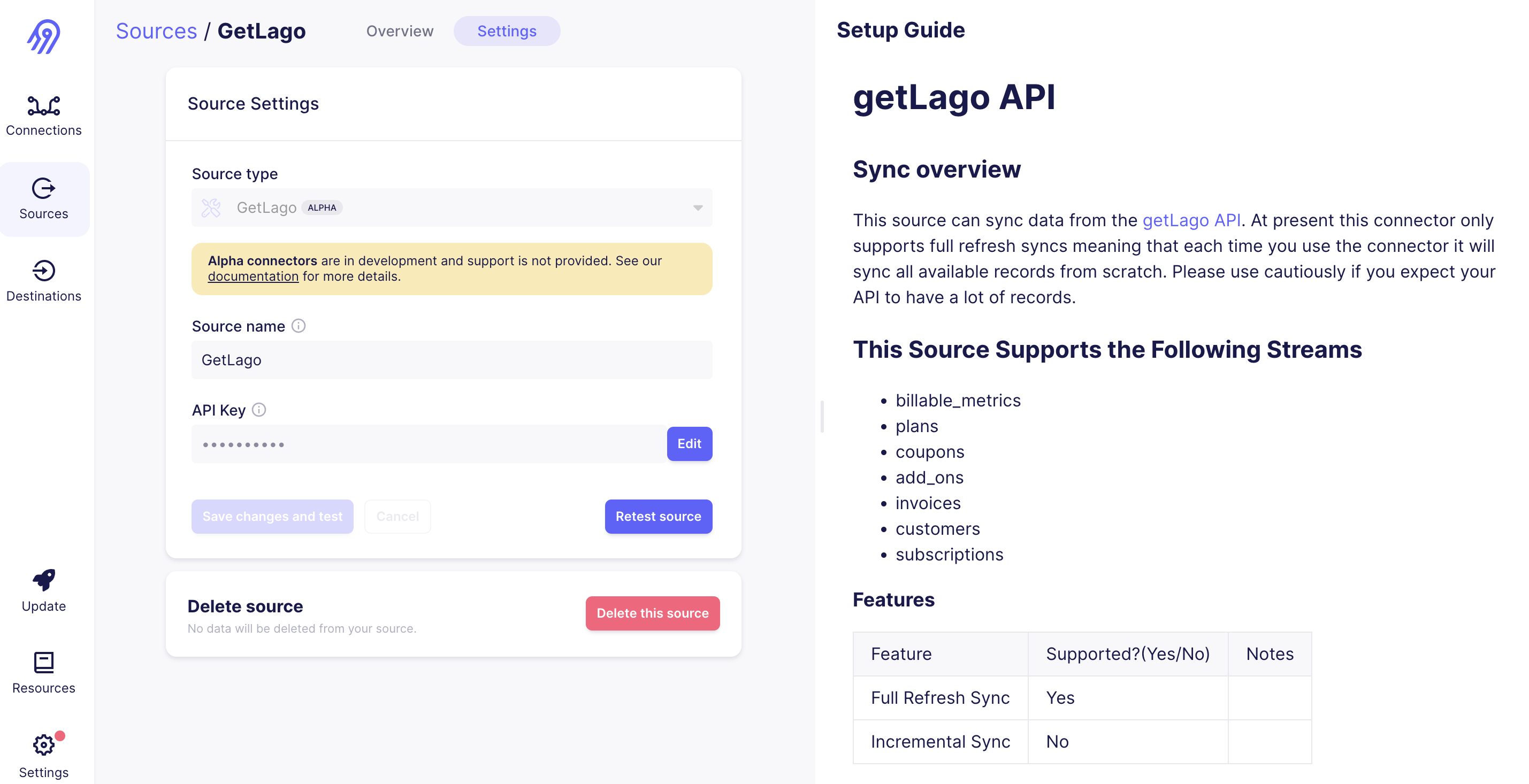
Lago data source in Airbyte
2. Select a destination
Select any of the data destinations available in Airbyte. It can be a warehouse (BigQuery, Redshift, Snowflake…) or a file storage tool such as S3.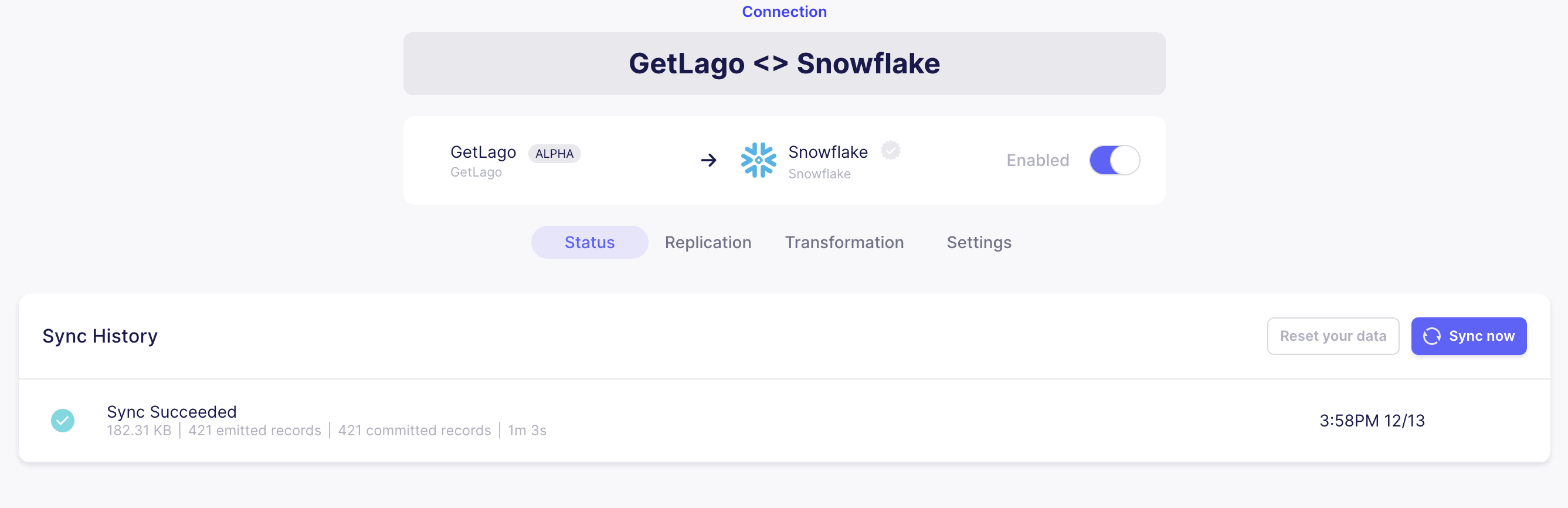
Destination in Airbyte
3. Sync billing data
This example connects Lago billing data to a Snowflake data warehouse. You can select another destination.- Create a data sync between Lago source and your destination;
- Define a sync frequency; and
- Activate the sync in Airbyte between Lago source and your destination.
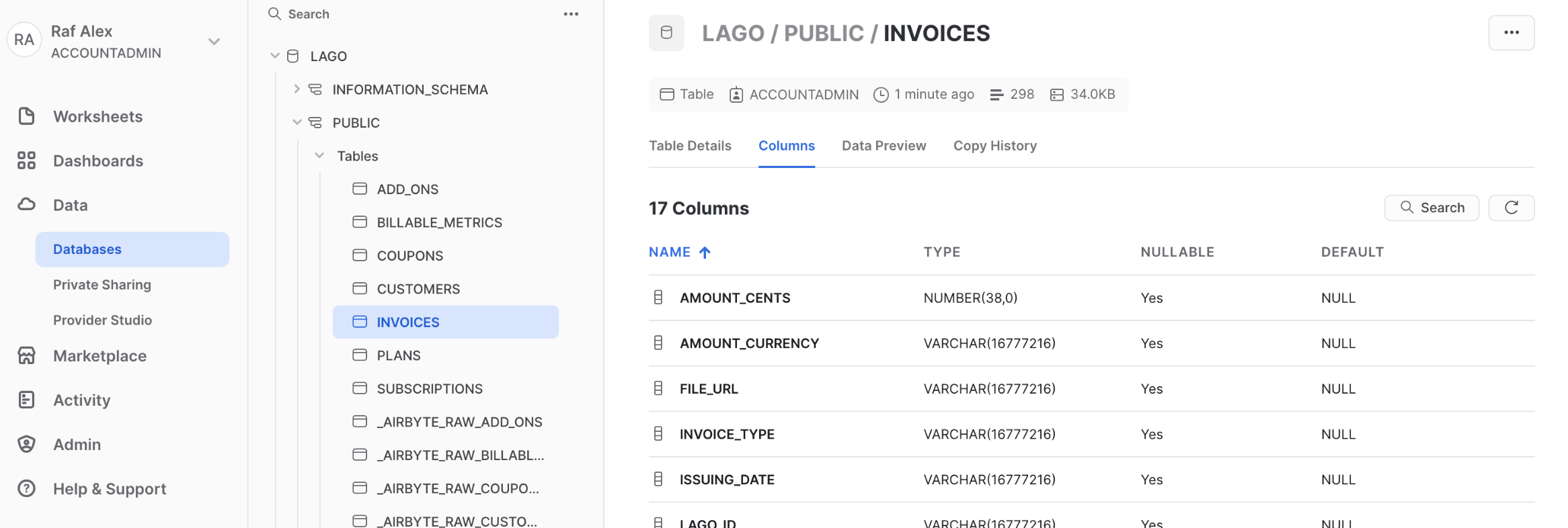
Lago data in Snowflake
4. Query Lago billing data
Once the data lands in your destination, you can query it. Here is a query calculating your monthly revenue with Lago: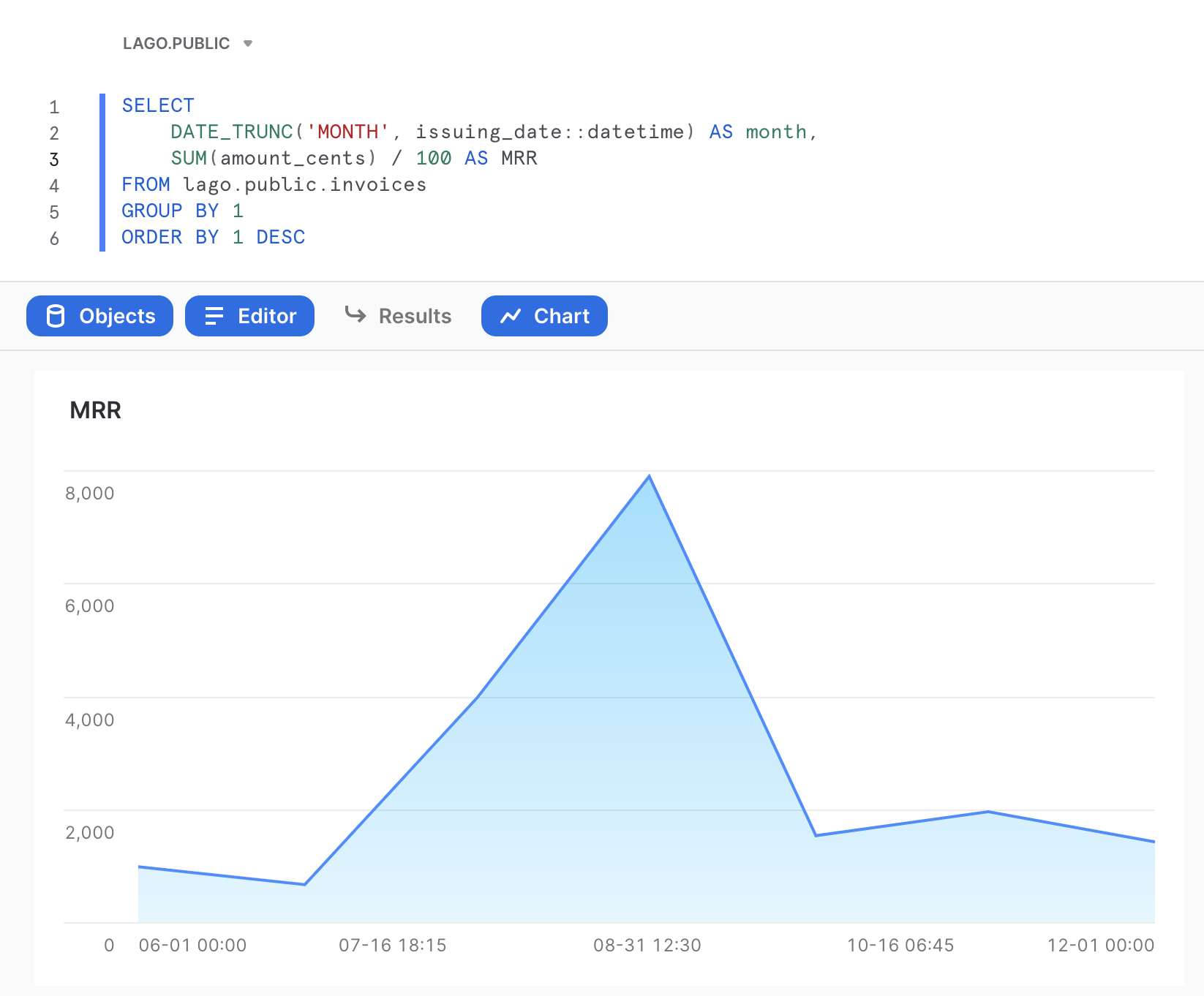
Query in Snowflake