

This integration is community-maintained, and therefore Lago provides only limited support.
Payments in India
Cashfree is a leading payment platform in India, offering an end-to-end suite of payment and payout products tailored to the country’s needs. It covers credit and debit cards, net banking, UPI, and wallets such as Paytm, PhonePe and Amazon Pay, so you can collect from Indian customers with the method they already use. This integration collects Lago invoices in India through those local payment methods.Connect Cashfree to Lago
To connect Cashfree to Lago, navigate to your Lago UI, then go to Integrations > Built by community, and add a new Cashfree Payments connection:- Click Add a connection.
- Type a connection name.
- Type a unique connection code.
- Paste your Cashfree Client ID.
- Paste your Cashfree Client Secret.
- Provide the redirect URL to redirect your users when a payment is processed.
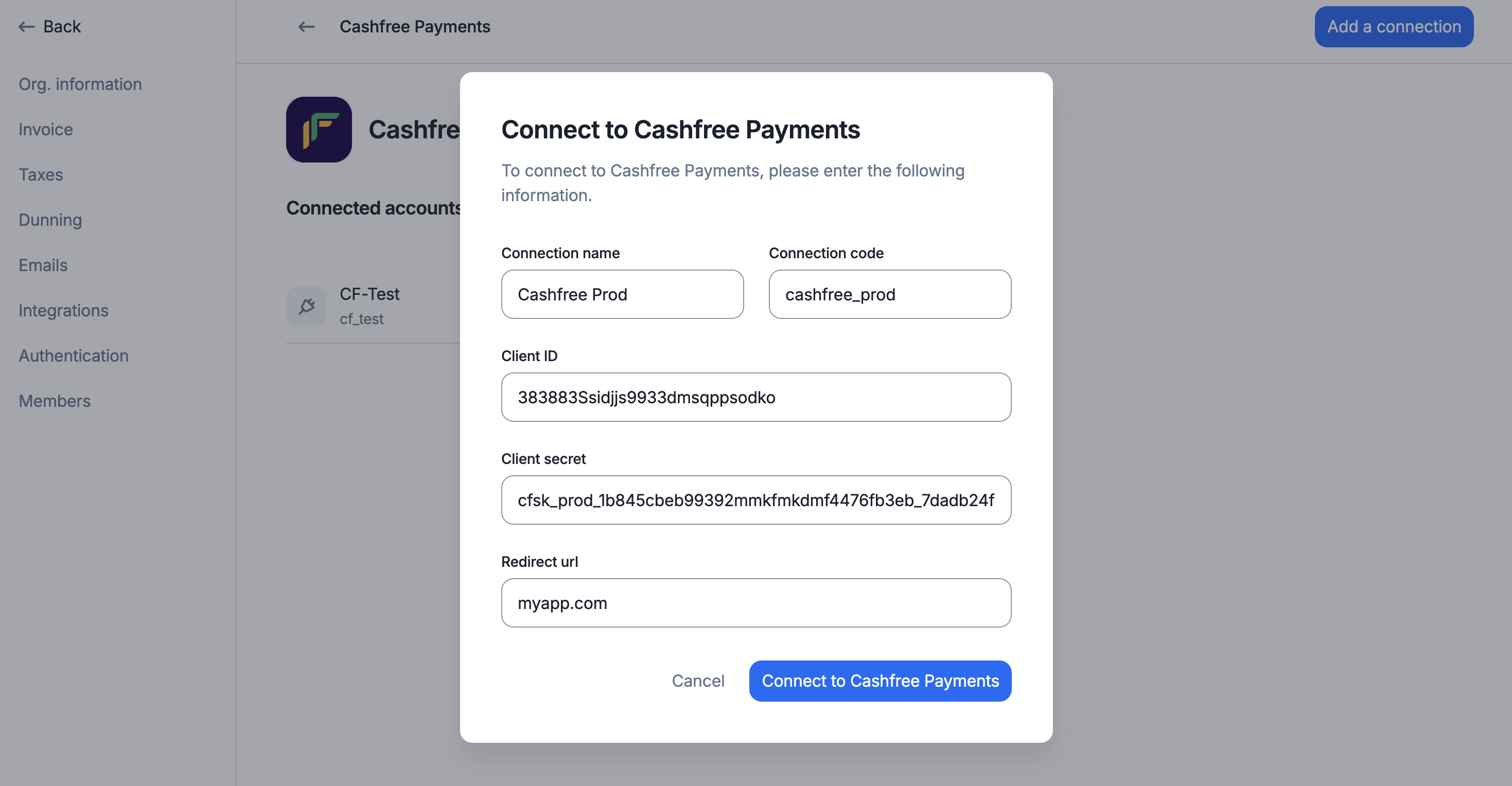
Connect your Cashfree account from Lago UI
Create a webhook endpoint
If you want Lago to automatically retrieve the status of the payments processed via Cashfree Payments, you must create a webhook endpoint in Cashfree. To do so:- Log in to your Cashfree Payments account;
- Add the following Webhook URL in the Webhooks > Payment Link section of the Cashfree Payments dashboard;
- Enter the following URL:
https://api.getlago.com/webhooks/cashfree/{{__YOUR_ORG_ID__}}?code={{__YOUR_CONNECTION_CODE__}}(replace__YOUR_ORG_ID__with your Lago organization ID and__YOUR_CONNECTION_CODE__with the connection code); and - Save the creation of this webhook endpoint.
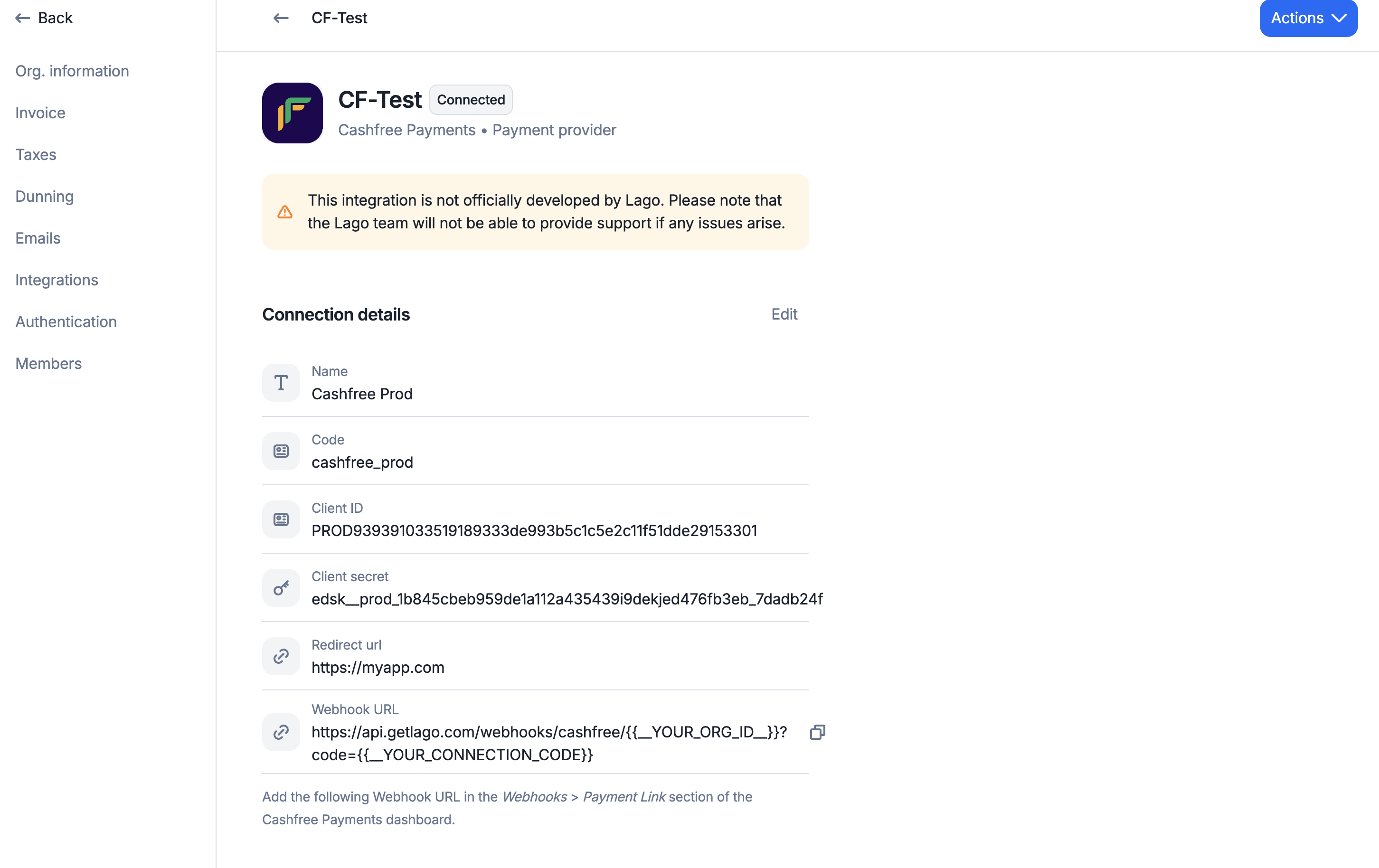
Webhook endpoint creation in Cashfree Payments
Collect payments via Cashfree
Connect a Lago Customer to Cashfree
To begin collecting payments for your Lago invoices via Cashfree, you need to link a Lago customer to a Cashfree connection. When creating or editing a customer in Lago, select the relevant Cashfree connection under external apps to enable invoice payments.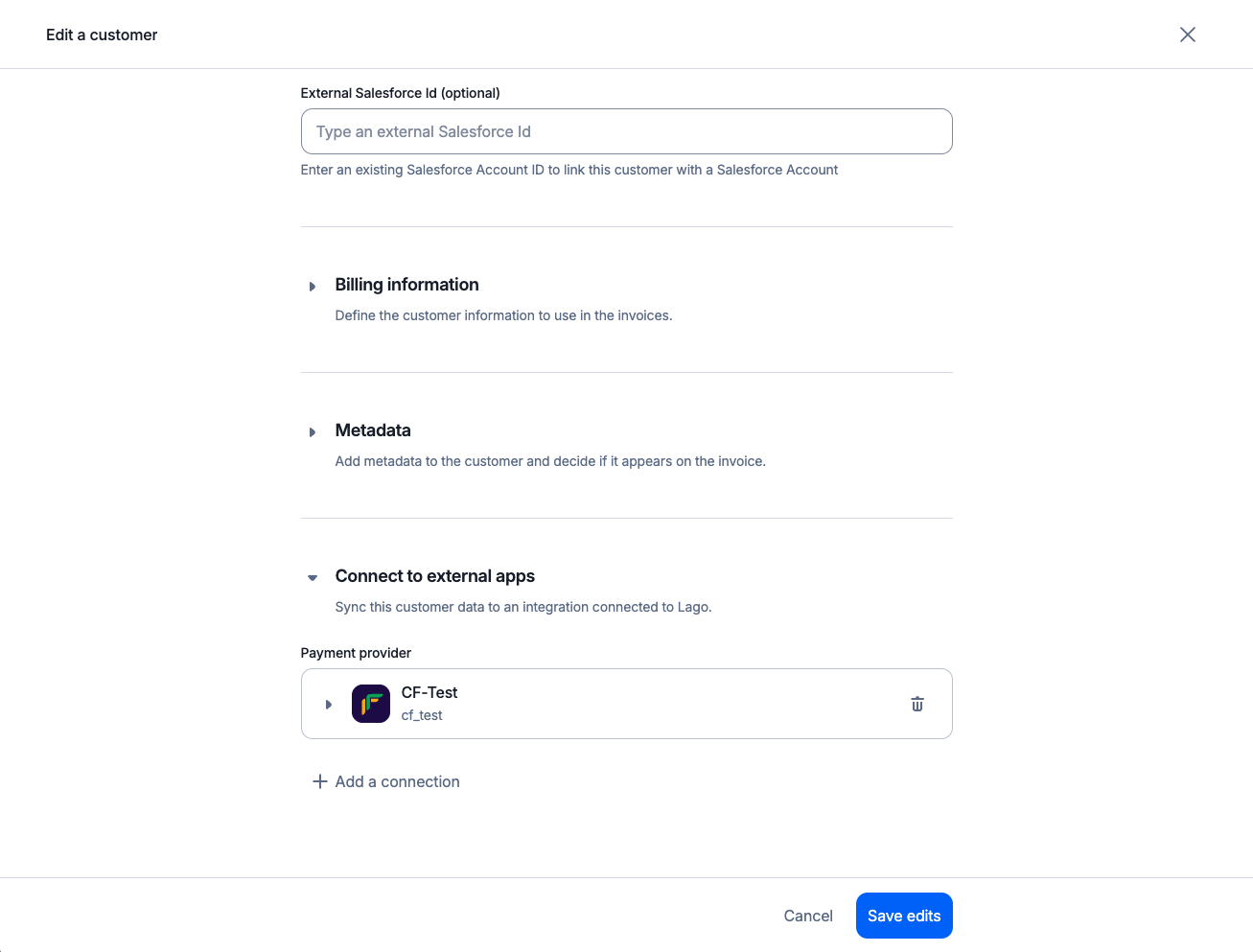
Link Lago Customers to Cashfree Payments
Generate a checkout link
Note that payments through Cashfree do not proceed automatically when Lago generates an invoice. You need to programmatically generate a checkout link by calling the following endpoint:Request
Response
Cashfree payment errors
If an error occurs during the Cashfree payment process for a Lago invoice, Lago sends apayment_request.payment_failure webhook containing the error details.