

PREMIUM ADD-ON ✨Governance is available upon request only. Please contact us to get access to this premium feature.
- Dashboard
- API
Create an entity
- Go to Settings > Governance.
- Click Add a governance entity.
- Fill in the fields, then click Create governance entity.
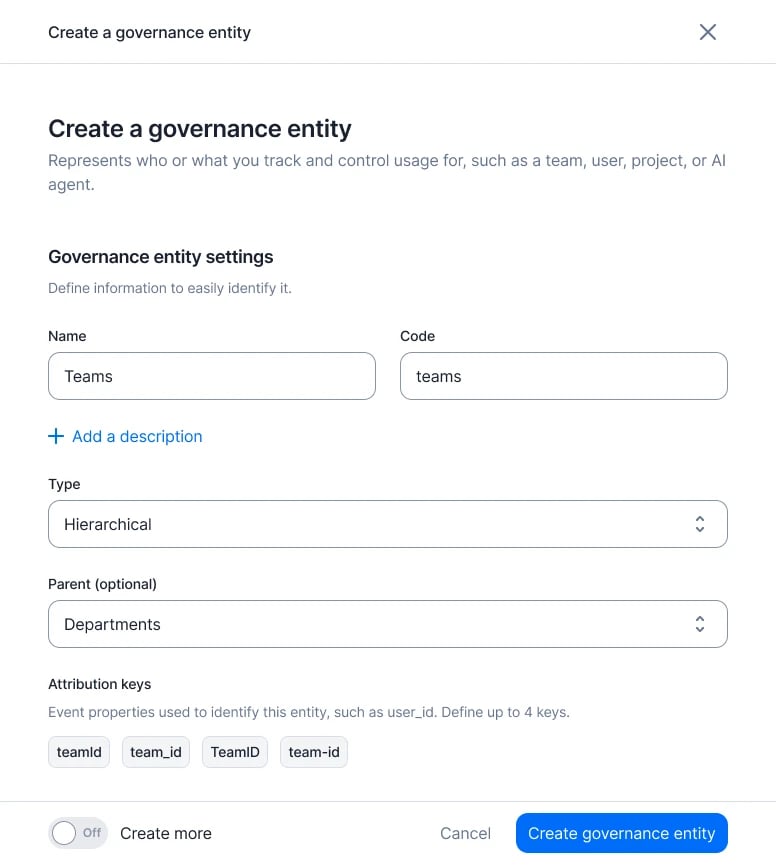
Create a governance entity
- Name and Code: the code is how the API refers to the entity.
- Description (optional).
- Type: Hierarchical or Flat.
- Parent (optional): hierarchical entities only. Leave it empty for the top of the tree.
- Attribution keys: the event properties that carry the value. Type a key and press enter. Up to 4.
View your entities
The Governance entities list has one tab per type. The Hierarchical tab shows the tree, each entity indented under its parent: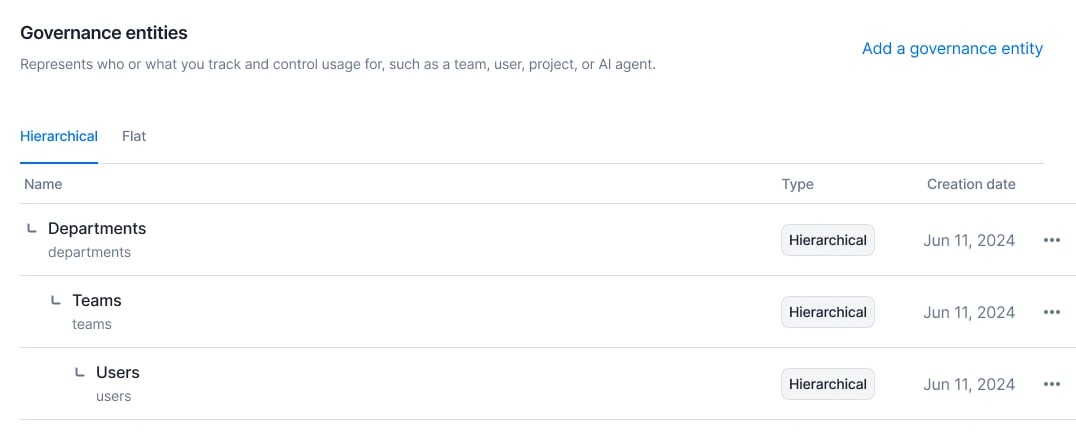
Hierarchical entities
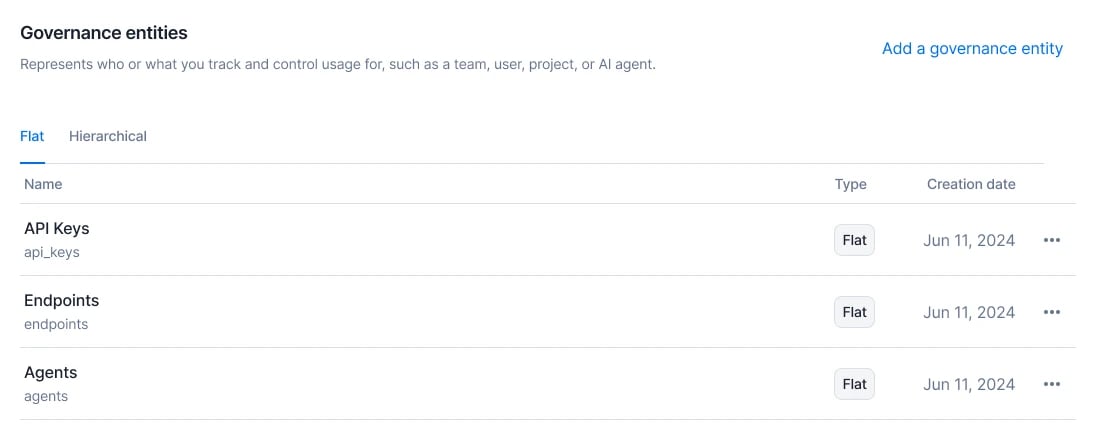
Flat entities
Edit or delete an entity
Open the entity’s menu in the Governance entities list, then click Edit entity or Delete entity.Rules
- You can always change the name, description and attribution keys. New keys apply to new events only.
- Once usage is attributed to an entity, its code, role and parent are locked (
usage_already_attributed). - A flat entity has no parent, and an entity with children can’t become flat.
- Deleting an entity stops attribution from now on. Billing isn’t affected.
Send attributed events
Tag events with entity values.
Query attributed usage
Read usage and spend per entity.