

E-Invoicing principles
E-Invoicing is the automated exchange of invoice data between businesses in a structured digital format. Governments require it to prevent tax fraud by tracking transactions in real-time, while businesses benefit from faster payments, fewer errors, and lower processing costs. Instead of sending PDFs or paper invoices that need manual entry, E-Invoicing systems automatically validate and process invoice data, making the entire billing cycle more efficient. As more countries make E-Invoicing mandatory, it’s becoming the standard way businesses exchange invoices globally.Supported E-Invoicing jurisdictions
Lago issues compliant documents for invoices, credit notes, and payment receipts for the following jurisdictions:Activate E-Invoicing in Lago
You can enable E-Invoicing at the entity level. Each entity can have its own E-Invoicing configuration based on its jurisdiction. To activate E-Invoicing:- Go to Settings in your Lago dashboard;
- Select the entity you want to update;
- In the General settings section of this entity, click Edit; and
- At the bottom of the form, toggle E-invoicing on.
The E-Invoicing toggle appears only if Lago supports E-Invoicing for the entity’s country. If the option is not displayed, the country is currently not supported.
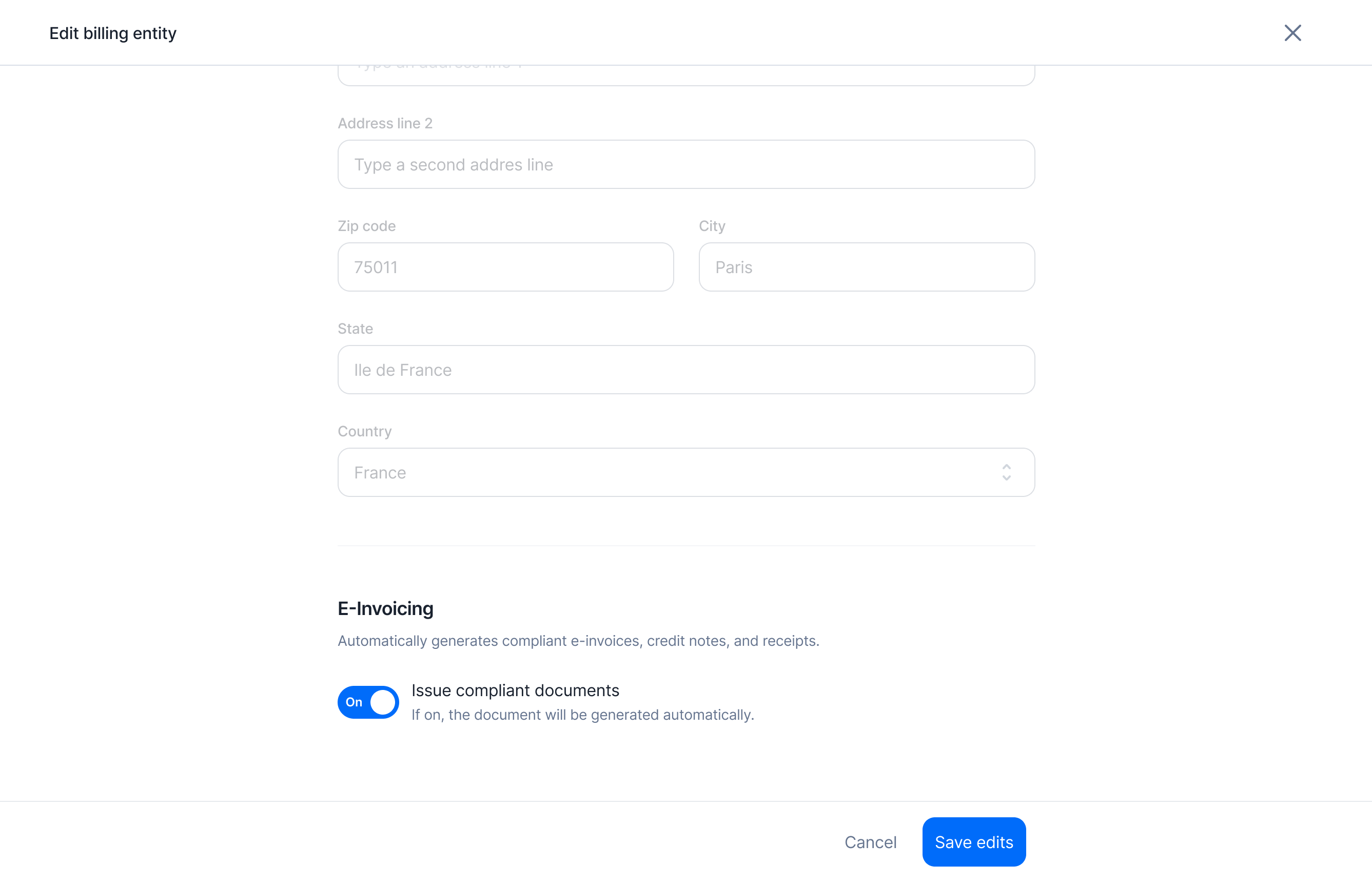
Activate E-Invoicing for a Lago entity
Formats and contributions
The output type is typically either an embedded XML file (PDF with the XML attached asfactur-x.xml) or a standalone XML, depending on the requirements of each jurisdiction.
Lago supports two standard E-Invoicing formats: UBL (Universal Business Language) and CII (Cross Industry Invoice).
Using Lago’s core templates for these formats, you can extend or customize them to meet the specific requirements of additional jurisdictions.
If your jurisdiction is not yet supported and you’d like to contribute to a new format, please contact us or visit this page.
Here is an example of a Cross Industry Invoice (CII) XML file for Factur-X in France: