

Create a one-off invoice
To create a one-off invoice for a specific customer:- Select the customer from the list of customers
- Click the Actions button in the upper-right corner, then select Create one-off invoice
Adding add-ons to one-off invoices
Once you have started the flow, add one or several add-ons to the invoice:- Dashboard
- API
- Define a purchase order number, if needed
- Click Add an add-on to add a line item to the invoice
- Set the number of units for the add-on
- Define the add-on billing period (past, present, or future)
- Edit the unit price, if needed (you can set it to 0)
- Edit the description displayed on the invoice
- Click Create one-off invoice to issue it
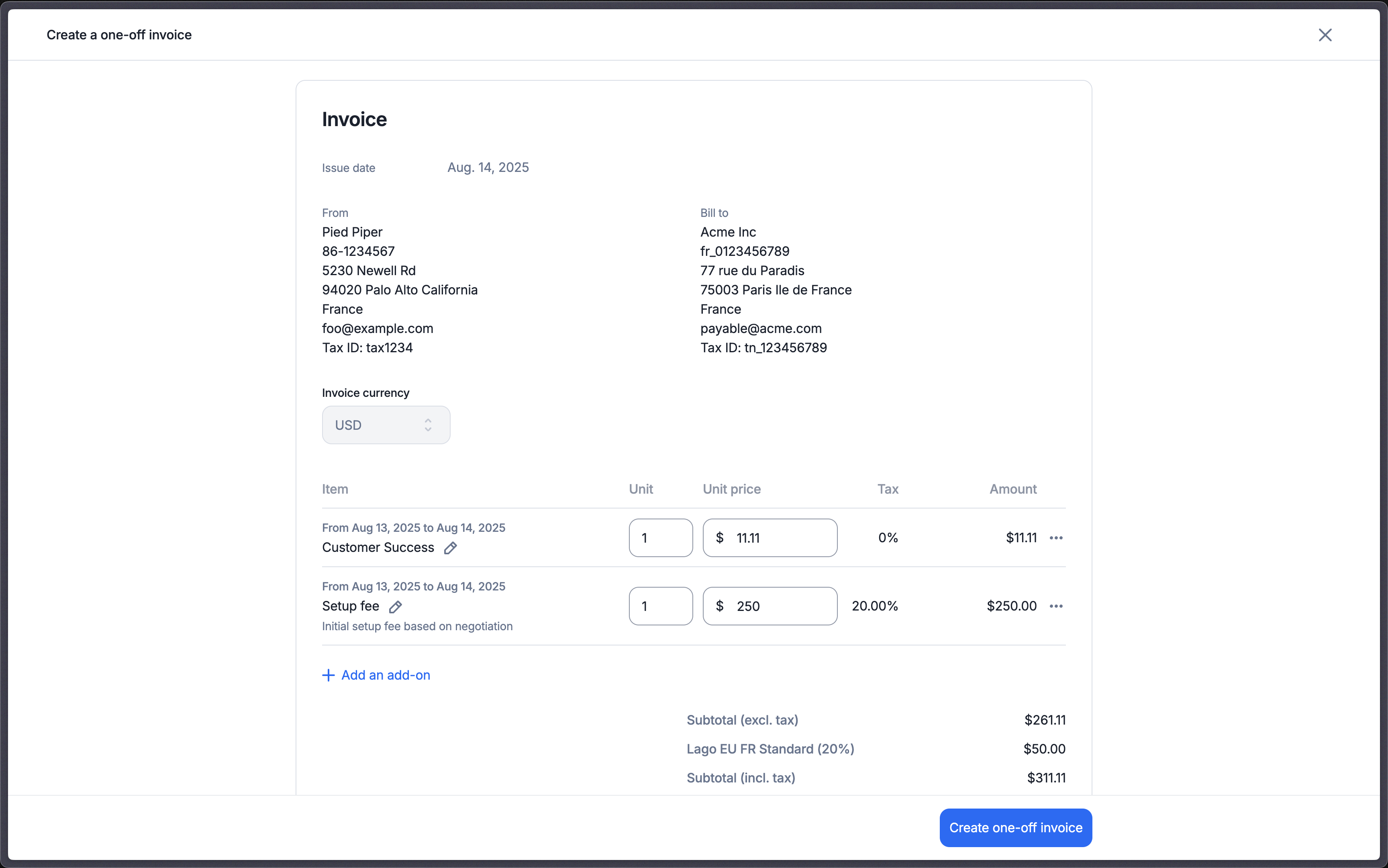
Adding add-ons to create a one-off invoice
Application scope of one-off invoices
- A one-off invoice can include the same add-on several times.
- The currency and billing entity of the one-off invoice can differ from the customer’s defaults: the invoice is issued in the currency and by the billing entity you select for it. Set
billing_entity_codeto pick the billing entity from the API. - You can reuse the same add-on for several customers, even when their subscriptions use different currencies. You can also charge a different amount to each of them.
- Coupons or prepaid credits (discounts) do not apply to one-off invoices.
- One-off invoices are subject to taxes. For each fee, Lago applies the
tax_codessent in the payload. If there are none, it falls back to the taxes of the add-on, then to the taxes of the customer, then to the default taxes of the billing entity.
Invoicing
A one-off invoice is issued straight away. Lago then sends theinvoice.one_off_created webhook message.