Prepaid credits and wallets: bill usage against a balance
Since usage-based charges can be calculated at the end of the billing period, you often need to wait to collect payments. With prepaid credits, you can now unlock recurring revenue opportunities for pay-as-you-go pricing models.
Prepaid credits increase predictability. You collect payments in advance, then monitor how the balance of your customers’ wallets evolves.
You can create up to 6 active wallets per customer, each with its own settings. A wallet can be scoped to specific fees or billable metrics, include usage limitations, and define its own recurring top-up rules.When a subscription or progressive billing invoice is generated, Lago automatically applies available wallet credits to reduce the invoice total.Wallet priority controls the order in which wallets are applied, from 1 to 50, where 1 is applied first and 50 last.When several wallets share the same priority, the wallet that expires soonest is applied first, and wallets without an expiration date are applied after those with one. Wallets with the same priority and expiration date are applied in creation order, oldest first.
Dashboard
API
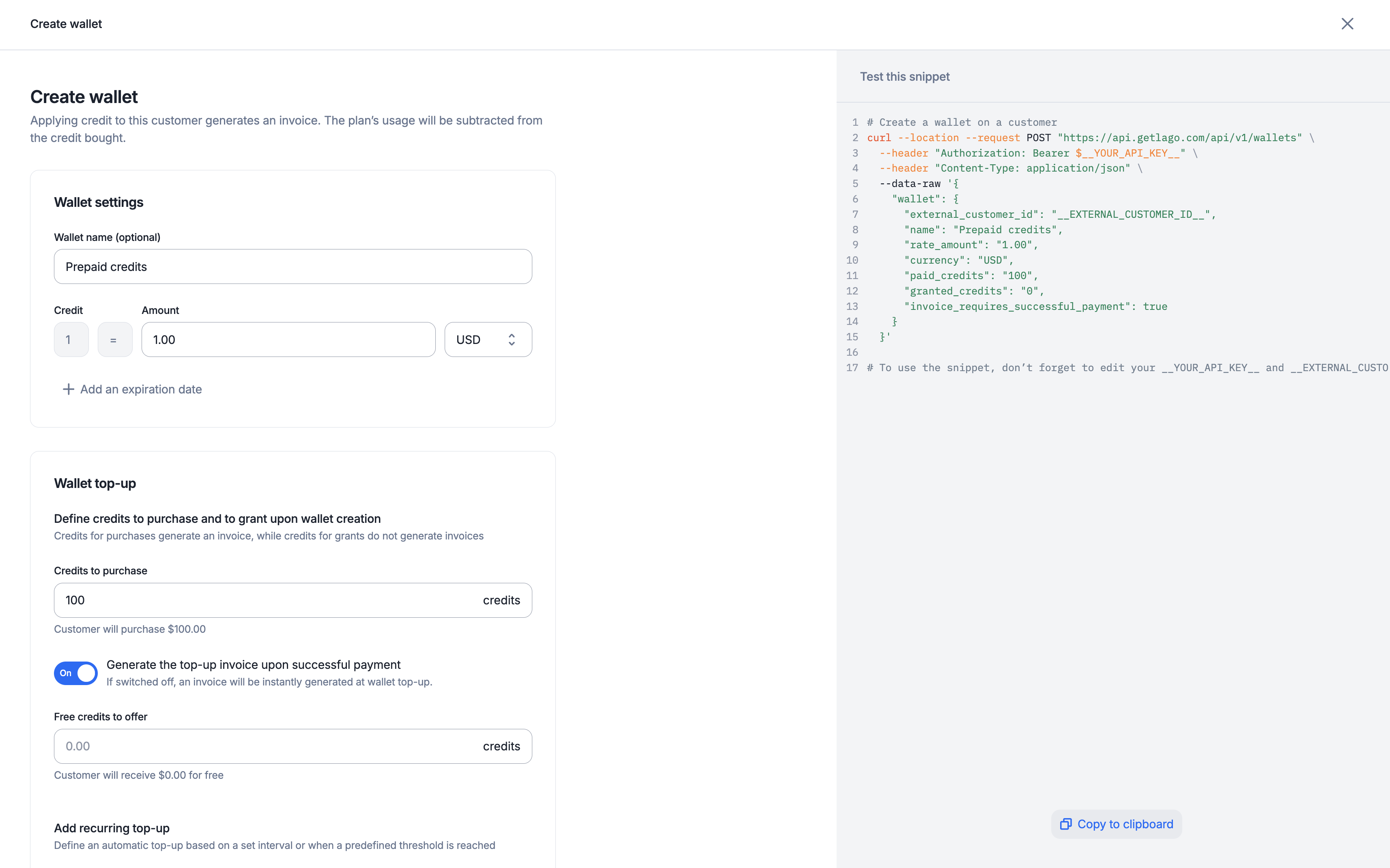
To create a wallet for one of your customers through the user interface:
Access the “Customers” section via the side menu;
Select a customer from the list;
Open the “Wallets” tab and click “Add wallet & credits” on the right;
Choose a name for the wallet (optional);
Set the credit value (e.g. 1 credit = $5);
Define the wallet priority;
Enter the number of credits to be purchased and/or granted for free;
Define transaction metadata (optional & available only via API);
Determine whether the wallet transaction generates an invoice after a top-up or only following a successful payment;
Define a PO number to be used on invoices generated from this wallet;
The currency of the wallet can differ from the default currency of the customer.
Prepaid credits only apply to invoices sharing the same currency as the wallet.
PREMIUM FEATURE ✨This feature is only available to users with a premium license. Please
contact us to get access to Lago Cloud and Lago
Self-Hosted Premium.
Keep track of the real-time balance of your customers’ wallets. Lago provides two types of balance:
Balance: the invoiced balance, which reflects the prepaid credits left in the wallet. It updates each time an invoice is finalized for the customer.
Ongoing balance: the balance that accounts for current usage, including taxes and draft invoices. It estimates the consumption of the balance close to real time, and also updates each time an invoice is finalized for the customer.
Prepaid credits settled in a wallet are applied to upcoming subscription invoices. They are deducted from the post-tax subtotal, after any credit notes have been applied.
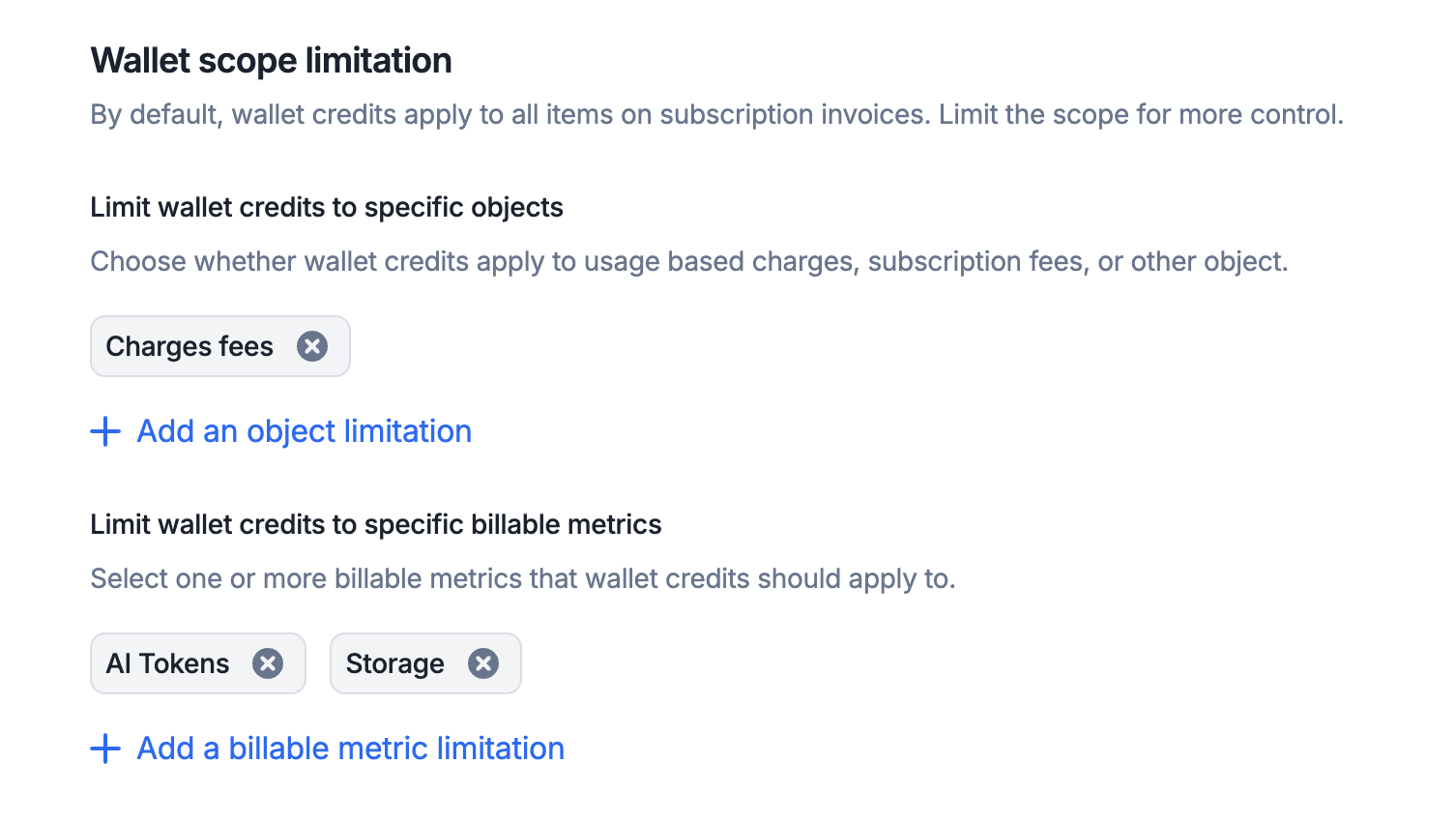
By default, prepaid credits apply to every fee type. You can refine this behavior by configuring limitation rules directly in the wallet. The create a wallet endpoint lists the fee types a wallet can be restricted to.
Dashboard
API
To limit the scope of prepaid credits through the user interface:
Create or edit an existing wallet;
In the “Limit wallet credits to specific objects” section, add one or more object limitations;
You can also limit wallet prepaid credits to specific billable metrics; and
Keep in mind: selecting all items has the same effect as selecting none. For this reason, we recommend leaving all options unselected unless a specific restriction is needed.
When enabled, this option delays issuing an invoice for a wallet top-up until a successful payment is made. If disabled, the invoice is issued immediately upon the wallet top-up, whatever the payment status. This setting applies to all the transactions of the wallet, and you can override it on individual transactions or on recurring rules.
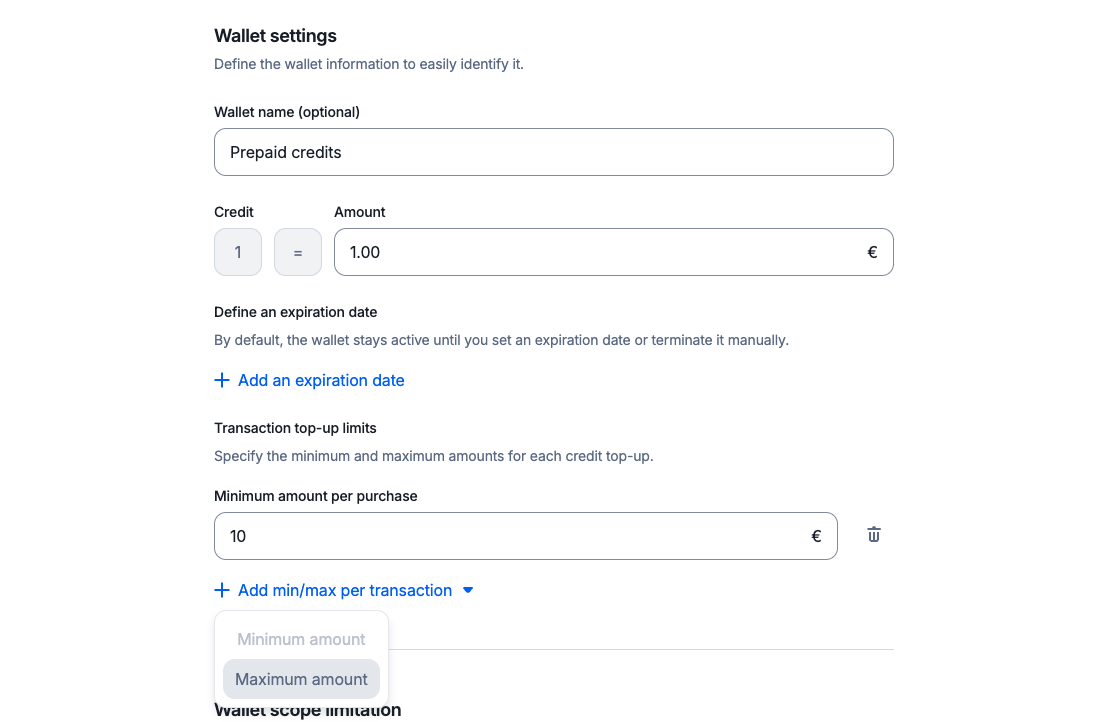
For each wallet, you can set minimum and maximum limits per paid transaction.
When these limits are defined, any top-up attempt must fall within the specified range. Transactions below the minimum or above the maximum are rejected.
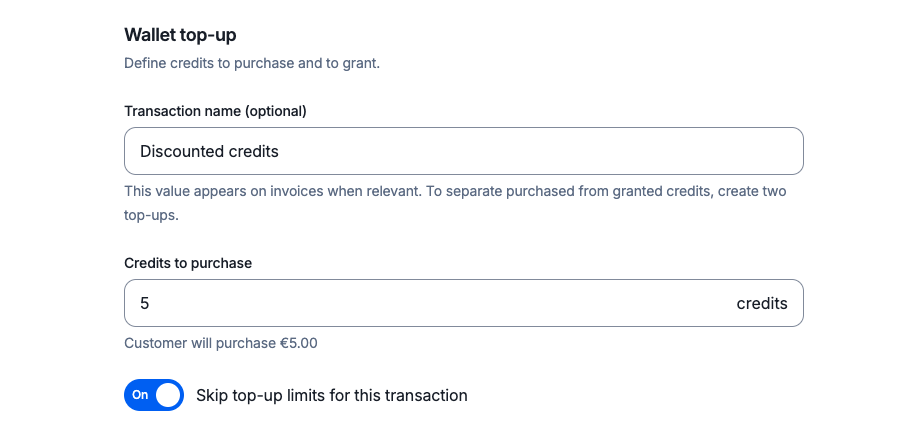
For a single transaction, you can ignore wallet limits at any time by adding the ignore_paid_top_up_limits flag to the payload, or by enabling the Skip top-up limits for this transaction option in the UI.
This applies to both single transactions and automatic top-ups (recurring wallet transactions).
If you don’t set an expiration date, prepaid credits are carried over to the next billing period until the wallet balance is zero.If you define an expiration date, all the remaining credits are automatically voided when that date is reached.To modify the expiration date of the prepaid credits through the user interface:
Open the “Wallets” tab and click “Edit wallet” on the right;
Select “Edit information”;
Modify the expiration date; and
Click “Edit information” to confirm.
The expiration date displayed in the app is based on the organization’s timezone.You can also terminate a wallet manually, before its expiration date:
Open the “Wallets” tab and click “Edit wallet” on the right;
Select “Terminate wallet”; and
Click again to confirm.
Terminating a wallet instantly voids all the remaining credits. This action
cannot be undone.