

Retry an invoice payment
Whether you use one of our native integrations or rely on our webhooks to collect payments, you have the ability to manually resend payments for collection when needed. To re-trigger the payment process through the user interface:- Access the Invoices section via the side menu;
- Open the Outstanding tab;
- Find the invoice for which you would like to collect payment;
- Click the ellipsis icon on the right; and
- Select Resend for collection.
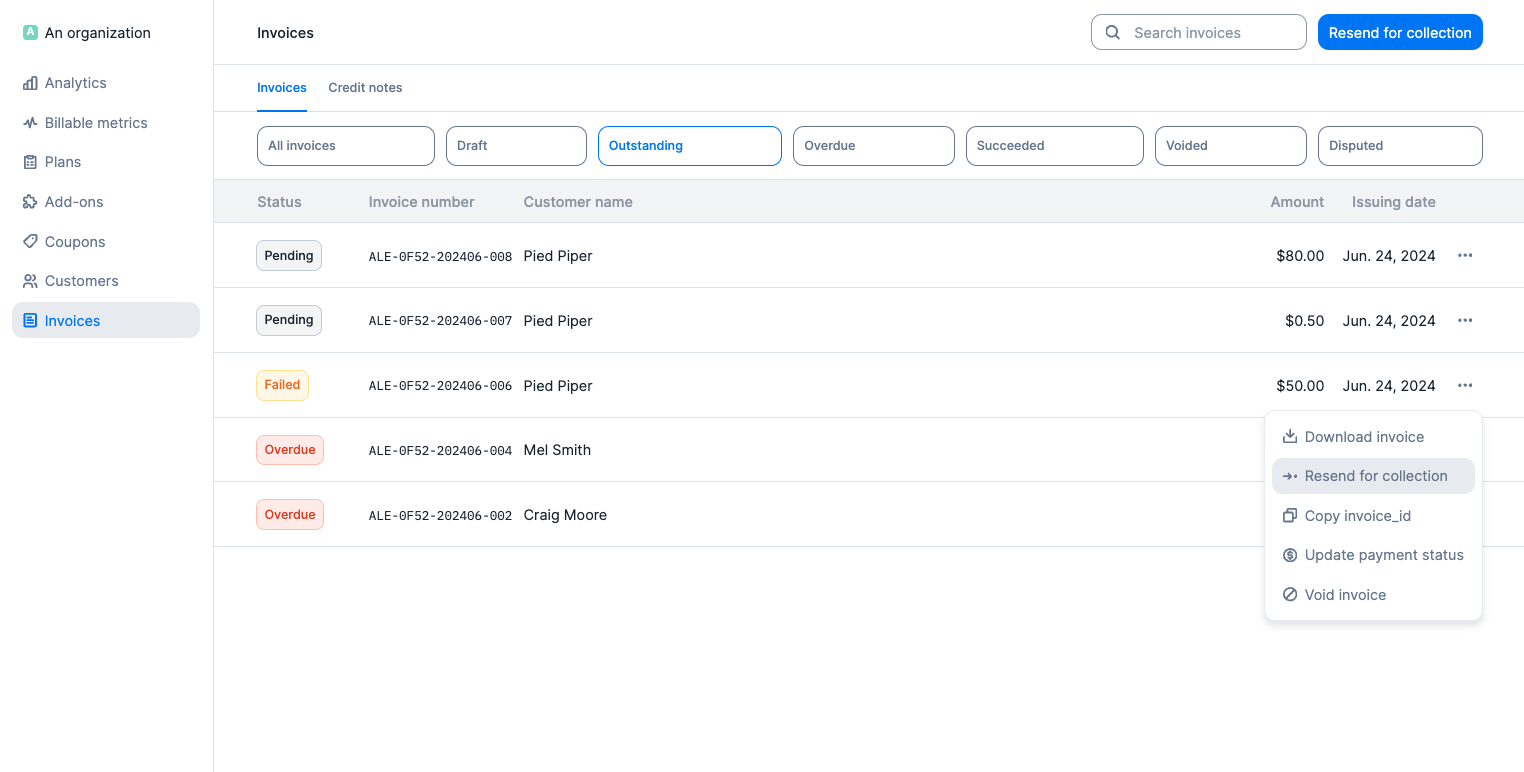
Payment retry via the invoice list
Invoices that are overdue are available both on the Outstanding and the Overdue tabs. Make sure you resend for collection from the Overdue tab if you wish to collect payment for past due invoices only.
- If the payment succeeds, an
invoice.payment_status_updatedwebhook is sent. - If the payment fails, an
invoice.payment_failurewebhook is sent. - If the customer doesn’t have a payment method available for Lago to retry, an
invoice.payment_failurewebhook is also sent.