

Usage & meteringWallets & creditsSelf-hosted
API lists return at most 200 records per page
Until now,/api/v1 list endpoints accepted any per_page.List requests now accept up to 200 records per page. The default stays at 100.- Above the limit, an error. A
per_pageabove 200 returns a422withvalue_is_out_of_rangeonper_page. Nothing is cut off silently. - Below it, no change. Requests without
per_page, or with 200 or less, behave as before. A value such as0still falls back to the default. - More records, more pages. To read a full list, request the next page until
meta.next_pageisnull. - Self-hosted limit.
LAGO_API_PAGINATION_MAX_PAGE_SIZEsets the limit for your instance. Raise it before upgrading if your integrations send larger pages today.
Check your integrations. A script or connector that sends
per_page=1000 now gets a 422 instead of a long list. Lower the value and read the next pages.Alert resolution: know when it is safe to unblock
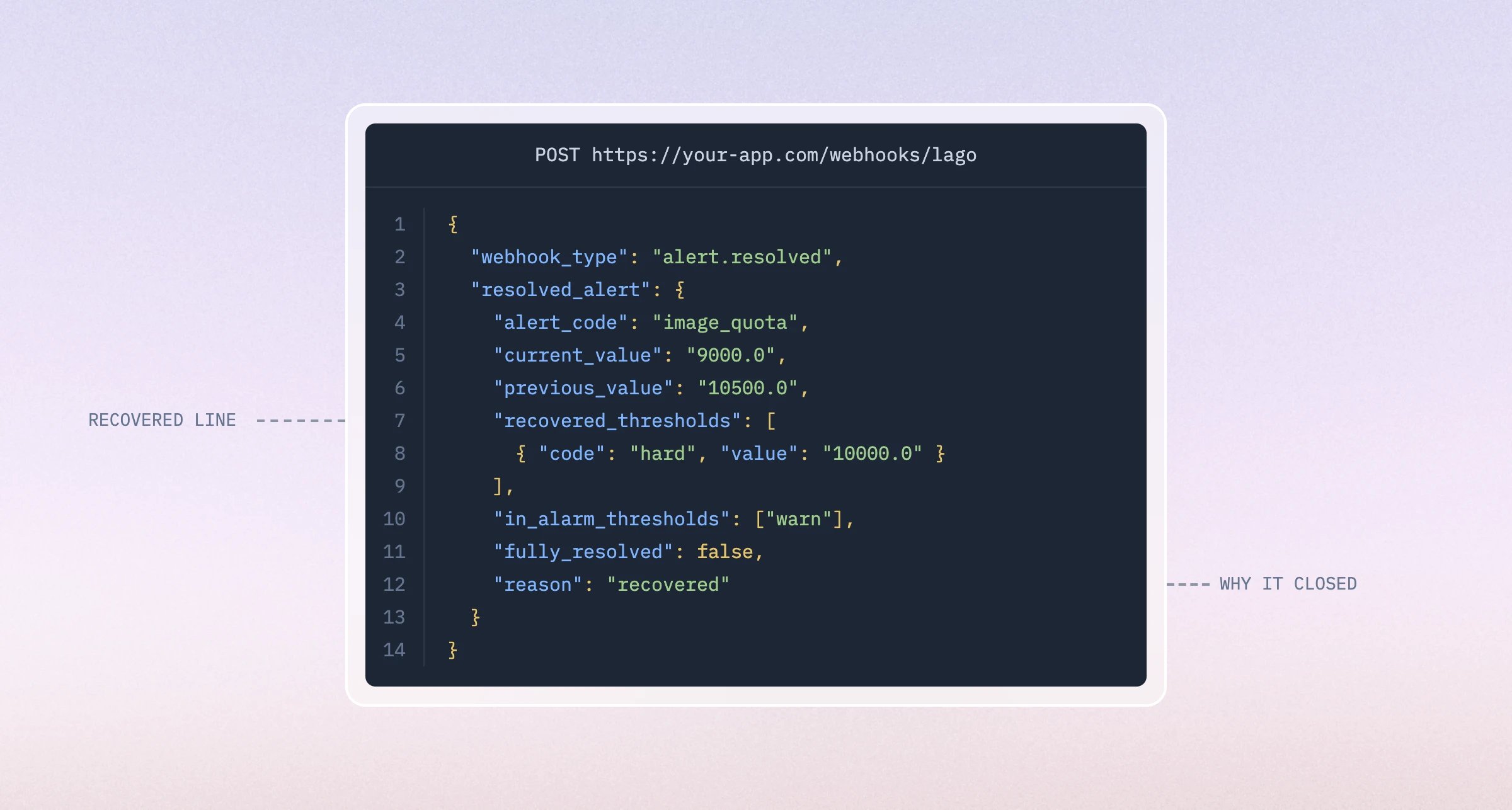
alert.resolved when the value is back on the safe side of a threshold.- Opt in per threshold. Set Notify when resolved to True on the
hardcap, in the Dashboard or withnotify_on, and leave thewarnnudge alone. Existing thresholds stay off. - One event per state change. A threshold in alarm cannot trigger again until it resolves, so usage hovering over the line never floods your endpoint.
- Safe to automate.
fully_resolvedis true only when no threshold is left in alarm.reasonsays whether the value recovered or you edited the threshold. - Usage and wallets. Works on every usage and credits consumption alert type. A top-up on an empty wallet sends
alert.resolvedwithin seconds.
Helm chart 2.0: scale each Lago component on its own
The 1.x Helm chart was a monolith. One Sidekiq worker ran every queue, so a slow billing run could starve webhook delivery.Helm chart 2.0 is the chart Lago runs in its own production clusters, now published. It is an umbrella over independent subcharts.- One Deployment per queue. Billing, events, webhook, PDF, clock, alerts, wallets and analytics each toggle on with their own replicas and resources.
- Separate subcharts. API, frontend, PDF rendering and streaming ingestion are configured and scaled independently. Shared config lives once, under
global. - Two install sources. The Helm repo at
charts.getlago.com, or OCI artifacts atoci://ghcr.io/getlago/helm-charts/lago. - 1.x keeps working. It is frozen at
1.28.0and still gets fixes on thev1branch. Pin the version and nothing changes.
New install, not an upgrade. The values schema and resource names changed, so
helm upgrade from 1.x migrates nothing. Install 2.0 as a new release against your existing database, check it, then remove the old release. Your data lives in Postgres, not in the chart.APIAI agents
The Lago CLI: every endpoint, one command away
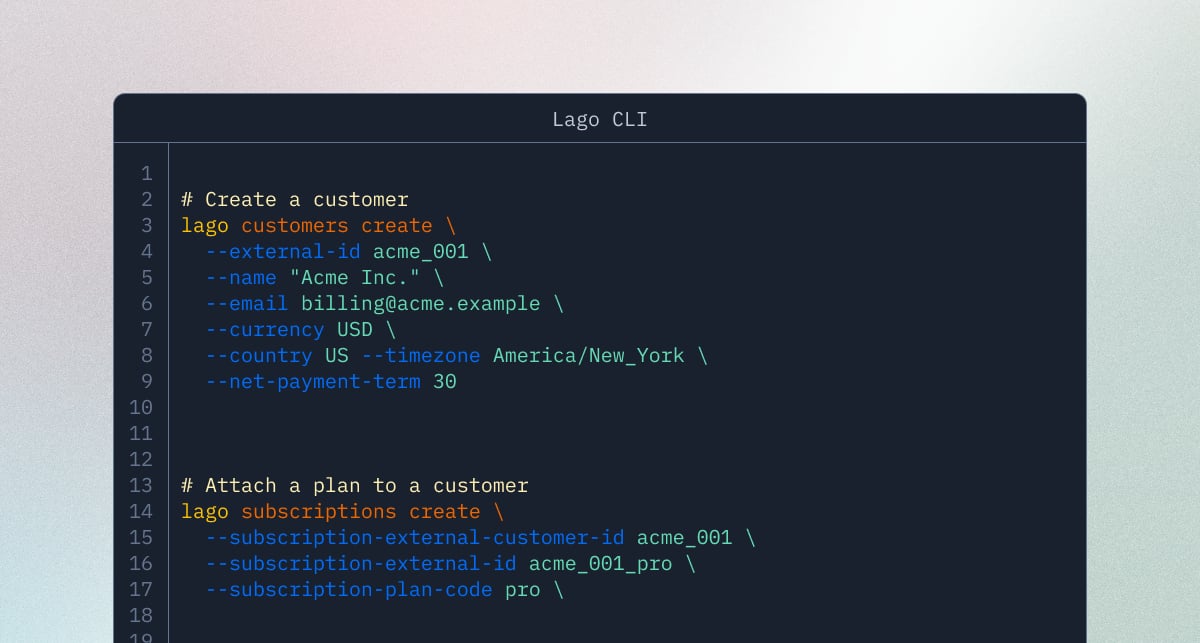
- Built for scripts and agents.
--output json, a JMESPath--query, and eight documented exit codes. A wrong identifier exits 4 and names the resource type. - Nothing sent on
--dry-run. The CLI prints the method, URL, redacted headers, and exact body. No connection is opened. - Destructive operations ask first.
delete,void,finalize, andterminateprompt for the identifier in live mode. A script passes--confirminstead. - Any endpoint, same auth.
lago api GET /customers?page=2reaches endpoints newer than the binary.lago seed demobuilds a metric, plan, customer, subscription, event, and invoice preview in one command.
brew install getlago/tap/lago or go install github.com/getlago/lago-cli/cmd/lago@latest, then lago init validates the key before writing a profile. The CLI sends no telemetry.Learn moreQuotes & order formsAI agentsIntegrationsRevenue recognitionInvoicing
Turn Ramp Router usage into customer billing
- Keep Router’s flexibility. Lago reads the model from the response, so fallbacks and Switchyard substitutions are billed against the model that actually served the request.
- Connect usage to the right customer. Set the Lago subscription when wrapping the client or override it for an individual call.
- Avoid building token-metering infrastructure. The SDK captures input, output, cached-input and reasoning tokens as calls happen.
- Control your pricing and margin. Ramp Router usage arrives in Lago as token counts. Your Lago plan sets what the customer pays.
- Keep your call sites unchanged. Point an OpenAI Responses client at Ramp Router and wrap it with the Lago Agent SDK.
Snowflake Cortex: bill the AI usage your metering can’t see
- Both halves of Cortex, one bill. Live API calls, plus the AI functions your customers run inside the warehouse where nothing can intercept them.
- Charge for usage that already happened. Read Snowflake’s own usage history and invoice last month’s consumption, not just next month’s.
- Every call finds its customer. One attribution key, shared with Databricks and Cloudflare, so multi-cloud AI usage lands on the right subscription.
- Your rate, your margin. Snowflake meters Cortex in credits. You decide what your customers pay for it in Lago.
Quotes & Order Forms: what you negotiate is what gets billed
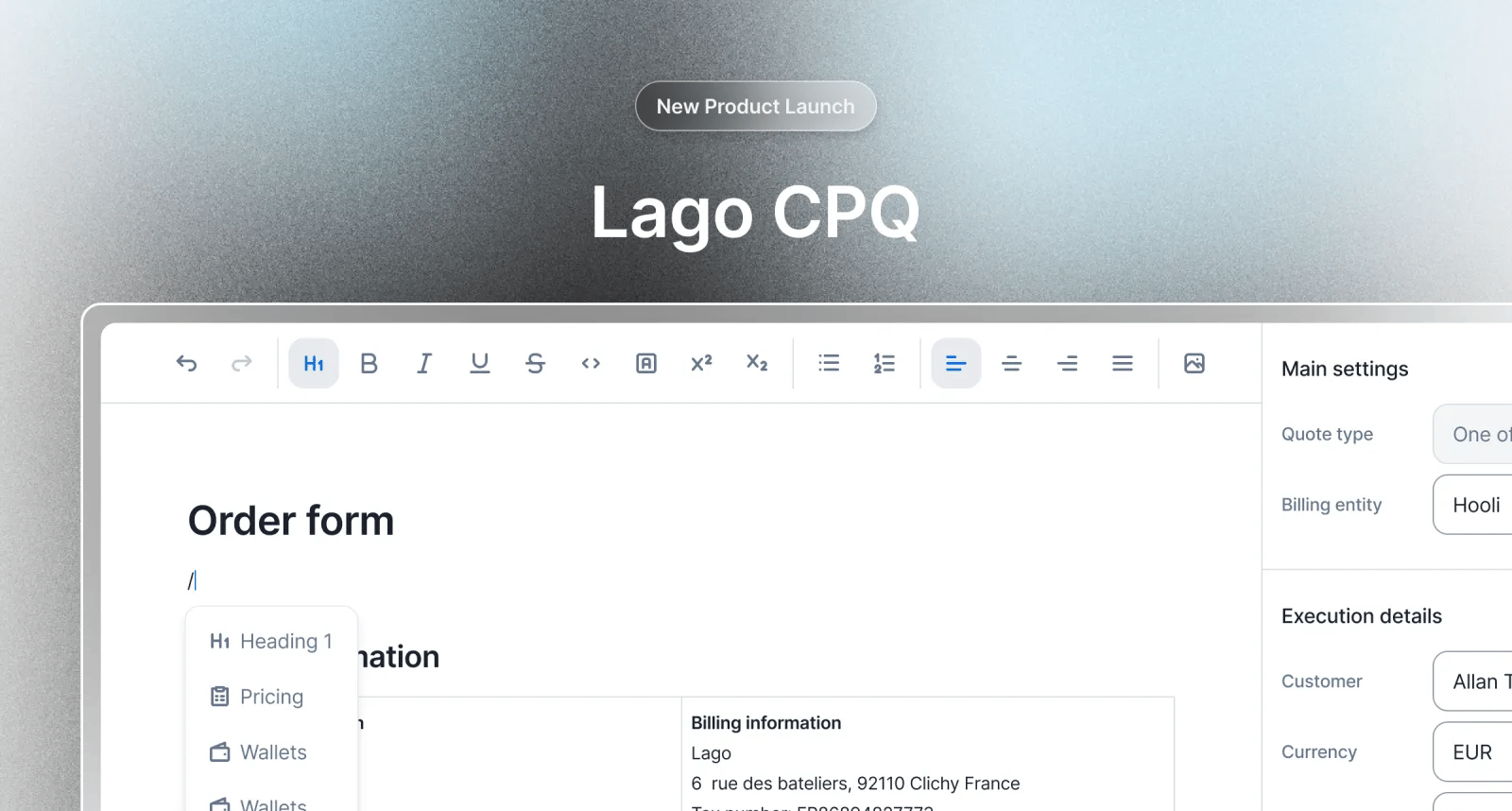
- Negotiate prices. Per-unit rates, the subscription fee, the tiers.
- Negotiate commitments. The minimum, and the term it runs for.
- Negotiate credits. $50k upfront buying $60k of credits.
- Negotiate discounts. A coupon, for three months or forever.
The Dunning Agent: chase the customer, not the calendar Beta
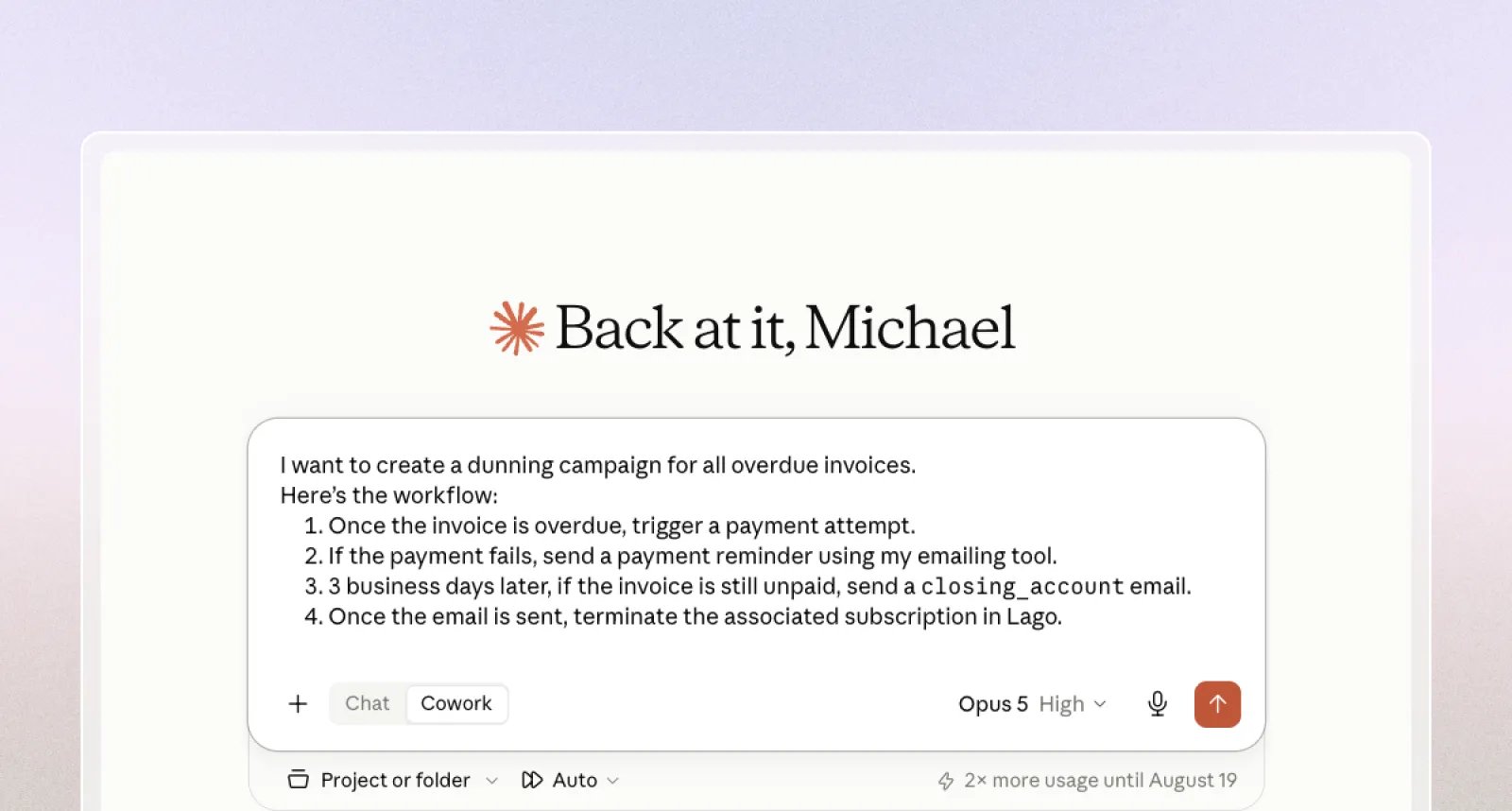
- It waits on customers who aren’t a problem. Reliably eight days late and six days overdue is not a collections issue.
- It chases the net, never the face value. Payments and credit notes come off first.
- A declined card gets a card-fix link, not a reminder. And a retry, once, through the provider you already connected.
- Large or unanswered accounts go to a person, with the reason and the next step, in Slack.
Beta. Available on request. Contact us for access. It sends email and re-attempts real charges, so start with a dry run.
Revenue Recognition: from what you billed to what you earned Private beta
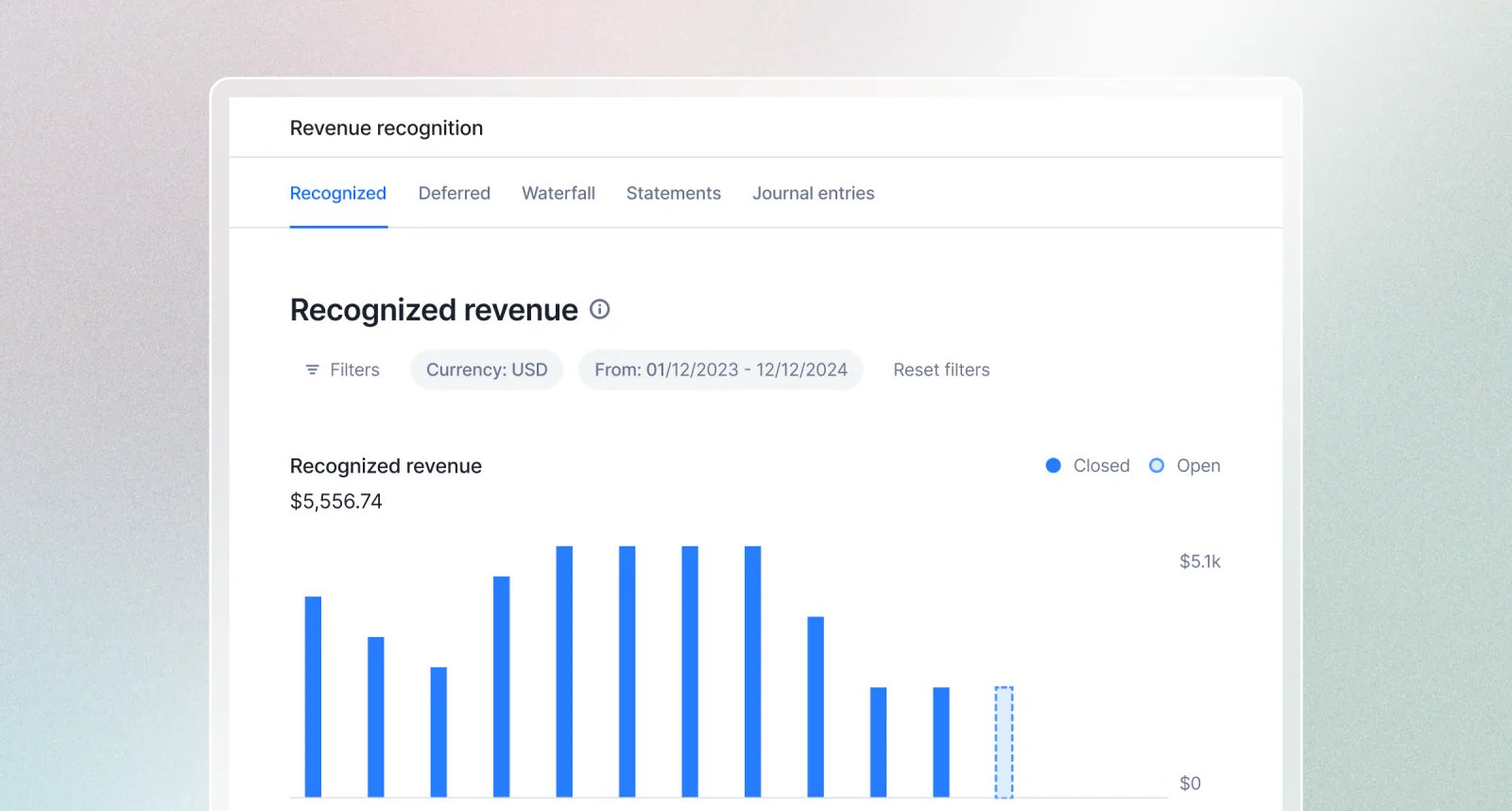
- Earned, not billed. Revenue follows the service period, not the invoice date and not the payment date. Bill annually, monthly, upfront or in arrears: the revenue still lands in the month you delivered.
- The reports finance already works in. Recognized revenue, deferred revenue, a waterfall showing when everything you’ve booked releases into revenue, plus a balance sheet and income statement built from your billing activity.
- ASC 606 and IFRS 15 by construction. Not a compliance badge. Recognition is driven by delivery, advance billings sit as a liability until earned, delivered-but-unbilled work sits as an asset, and tax never counts as revenue.
- Every number traces back. Drill any figure down to the balanced journal entry and the invoice or subscription behind it. Recognized plus deferred always reconciles to what you invoiced.
- Built for the close. Export any report to reconcile against your general ledger and post into your accounting system or ERP.
- Nothing to configure. No allocation rules, no recognition methods, no account mappings. Lago reads how you already bill and applies the logic.
Private beta. Released gradually, account by account, so the figures get validated against real ledgers and real closes first. Reports, exports, and edge-case treatment can still change between releases, so reconcile the output before you rely on it for a statutory close.
Databricks AI Gateway: hosted models in tokens, BYOK in dollars
OpenAI or Anthropic client you already use, pointed at your workspace:base_url does the routing. /ai-gateway/mlflow/ marks a call as Databricks-hosted. The BYOK paths keep their real vendor, so those calls price against the vendor’s rate card as normal.Or backfill from Databricks’ own books. Point the SDK at the system.ai_gateway.usage table and bill usage that already happened:- BYOK rows bill the metered dollar cost. Databricks records the vendor’s USD per call. The SDK bills that number, not a rate-card estimate.
- Hosted rows bill as token counts. Databricks publishes no per-request dollar figure for its own models, and prices them well above the open-weight rate cards, so the SDK deliberately never prices them. You set the rate in Lago.
- Re-run any window safely. Event ids derive from the source row, so a re-run has Lago reject the duplicates instead of billing them again.
- Per-call attribution. Set
Databricks-Ai-Gateway-Request-Tagswith alago_subscriptionand every call carries its own subscription. The backfill reads the same tag, so the two paths agree on who pays.
Cloudflare AI Gateway: bill what your gateway actually metered
wrap(), same code. Change a URL:- The real figure, not a rate card. Cloudflare reports an exact cost per call. On this path the SDK bills that number and skips its own price lookup entirely, so the cost you bill on is the cost you were charged, before you add your own margin. One caveat: Cloudflare’s figure leaves out reasoning tokens, so bill thinking-heavy models in token mode instead.
- Bill history you never metered. Your gateway kept logging while you were still wiring up billing. Backfill as far back as its log retention goes, and re-run it as often as you like: pass each entry’s log id as the event key and Lago rejects the duplicate instead of billing it again.
- Cache hits settle themselves. Cloudflare logs a cache hit with zero tokens and zero cost, so a backfilled cache hit bills zero without you filtering anything.
- Workers AI, priced from source. Give the SDK a Cloudflare account id and API token and it prices Cloudflare’s own models from Cloudflare’s own catalog. No price file to maintain.
- Every provider, one gateway. OpenAI, Anthropic, Mistral, Gemini, Workers AI. Each event is tagged with the model that actually served it, so one billable metric can charge a different rate per provider.
Sign in to Lago with Microsoft Entra ID
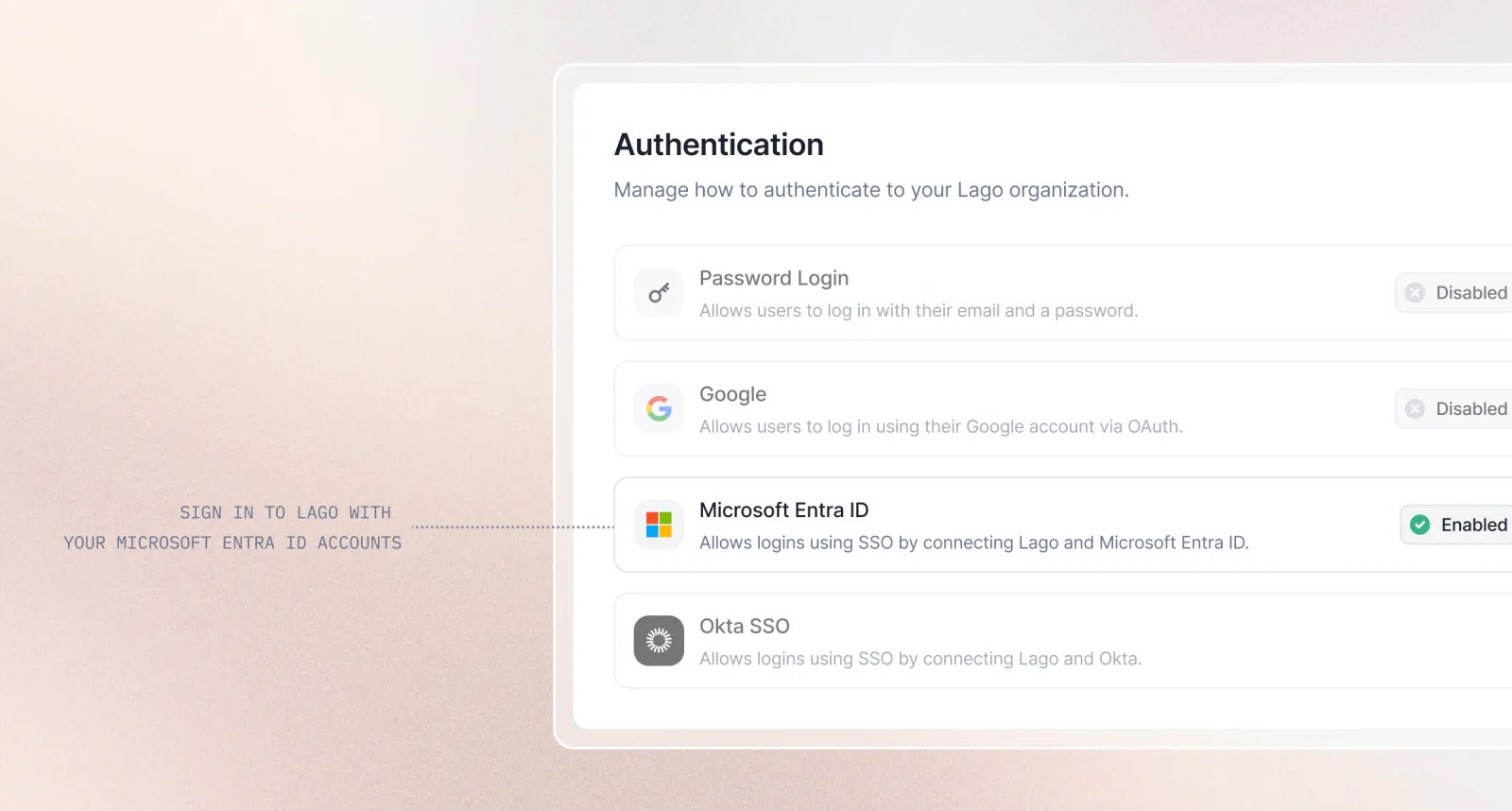
- Connect Microsoft Entra ID by adding your client ID, client secret, and tenant ID in Settings → Authentication.
- Custom Microsoft login domains are also supported.
- Sign in or accept invitations using a corporate Microsoft account, as long as the Entra ID email matches the email used in Lago.
- Control authentication methods by choosing which login providers are allowed for your organization.
AI agentsInvoicingAnalyticsBilling entities
AI Finance Assistant (Beta): ask your billing data anything, get the report
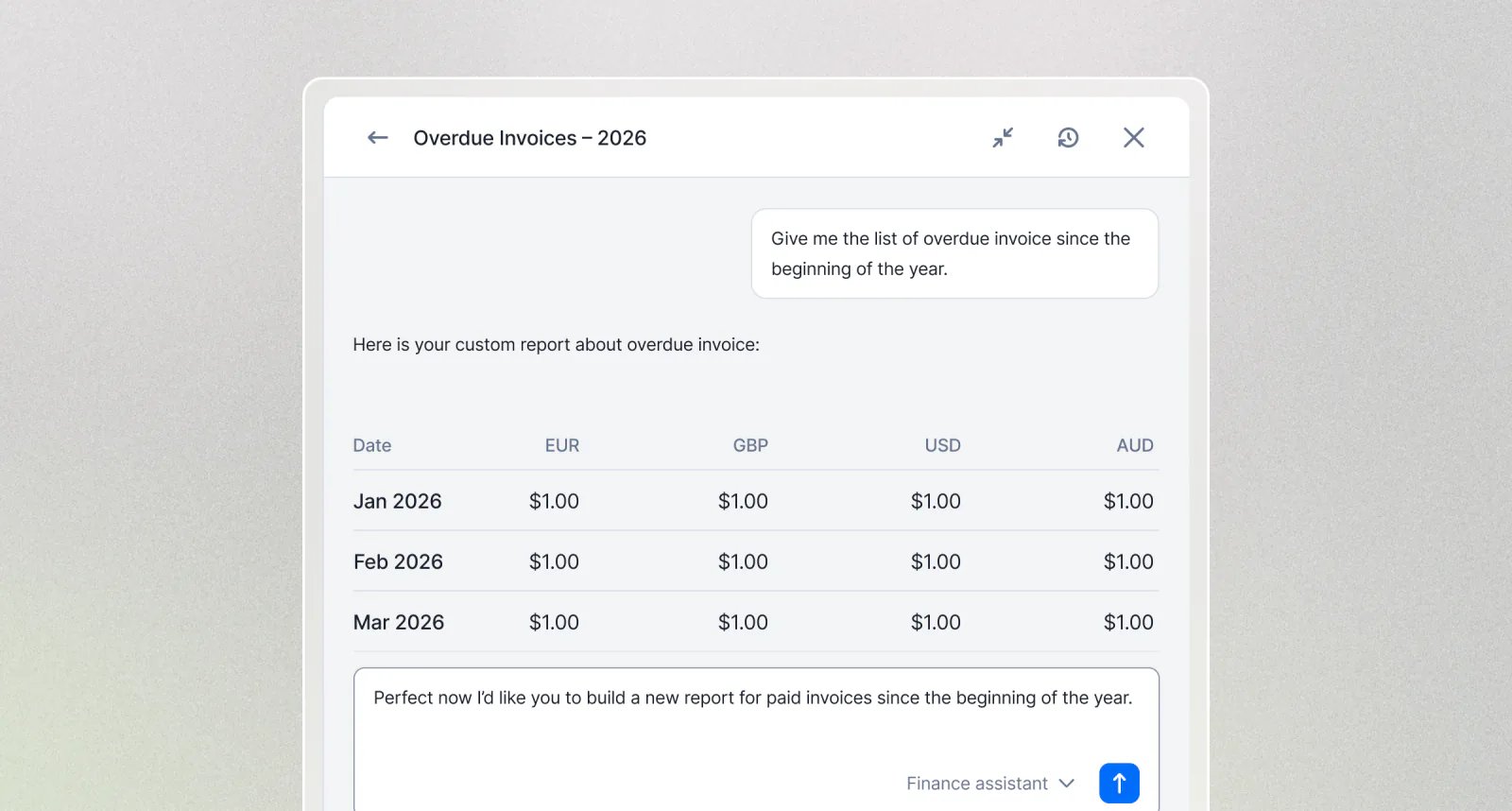
BetaThe AI Finance Assistant is currently in beta. Results are AI-generated and can contain mistakes, so review each report before relying on it or sharing it.
- Just ask: Type what you want to know in your own words. Revenue, invoices, payments, usage, customers. The assistant does the aggregation.
- Preview, then export: In the app you get a clean preview of the data. Need every row? Export the full CSV in one click.
- Where you already work: Open it from the side panel, or query the same data through the Lago MCP Server from Claude, your own agent, or any MCP client.
- Reporting, not operations: The Finance Assistant is read-only. It answers questions and never touches your data.
Delete draft invoices: erase billing mistakes before they become real
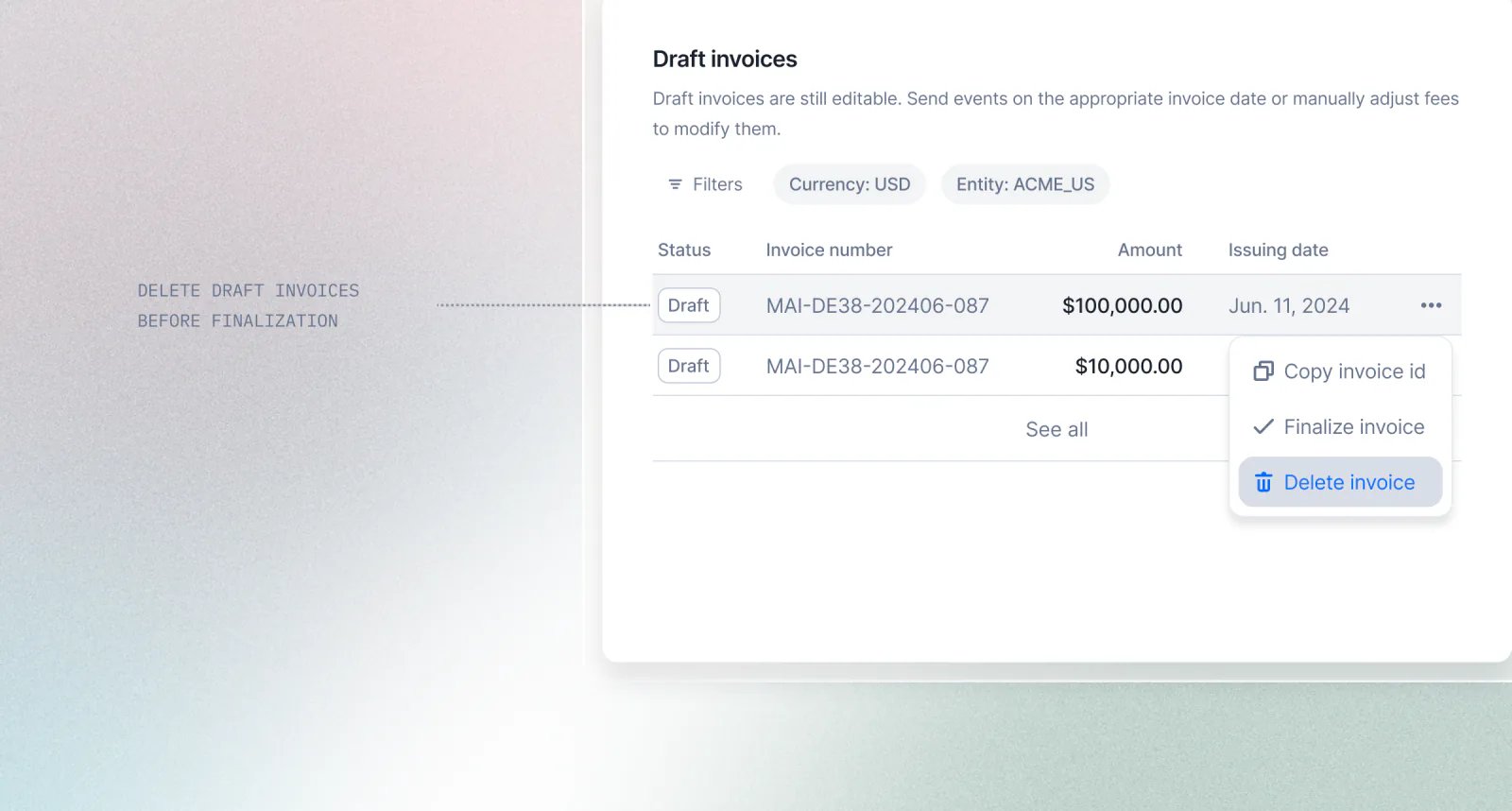
invoice.deleted webhook fires with the full payload before the invoice disappears.- Draft-only, by design: finalized invoices keep their paper trail and can only be voided.
- A dedicated permission:
invoices:delete, granted to Admins by default, so you decide who can use it. - Dashboard and API: one click in the app, or
DELETE /api/v1/invoices/:id.
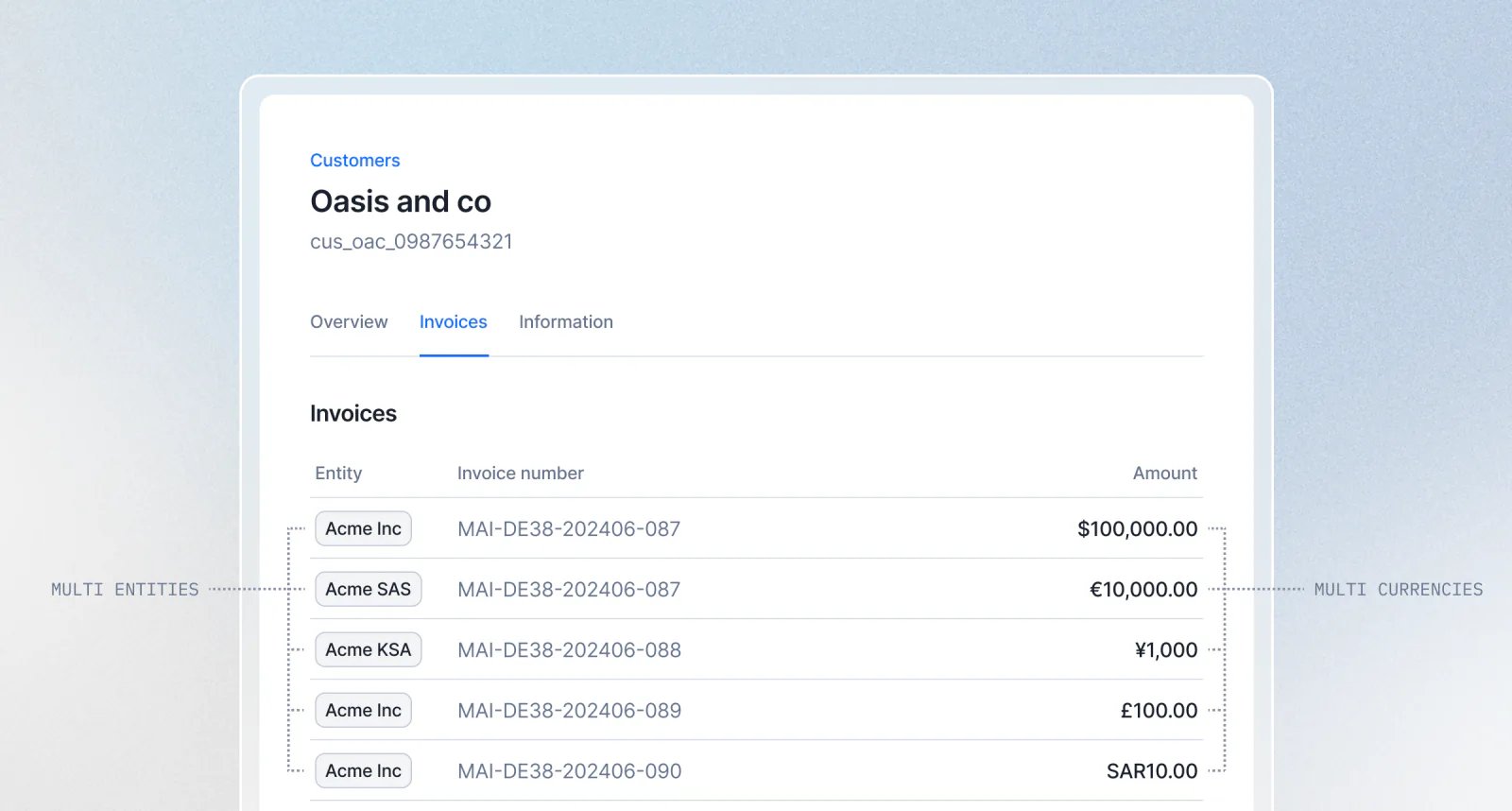
One customer, many currencies and billing entities
Purchase order numbers on one-off invoices
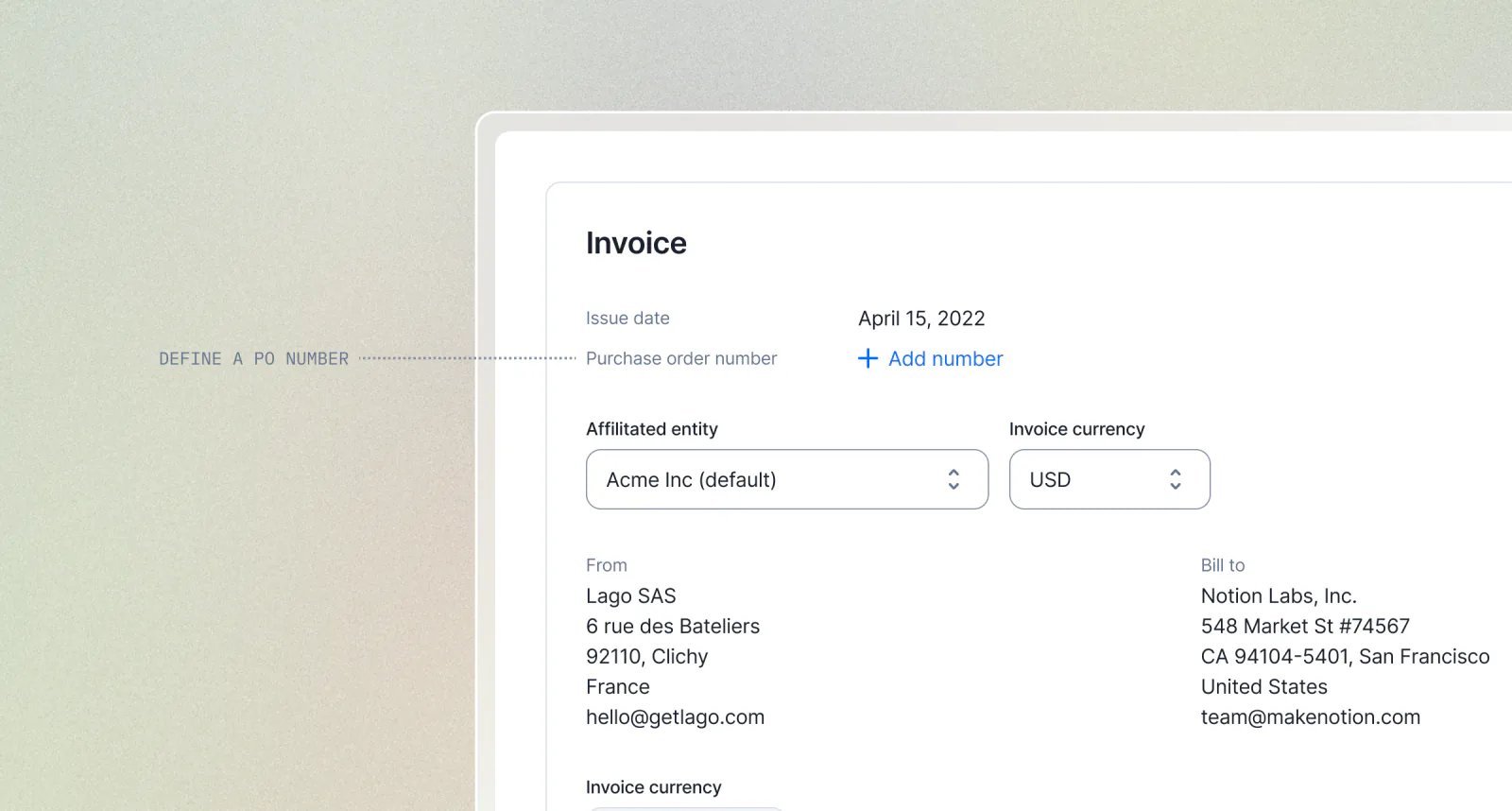
- In the dashboard: add the PO number directly in the invoice creation form.
- Via the API: pass
purchase_order_numberwhen creating the invoice.
PaymentsAI agentsInvoicingSubscriptions
Activation Rules: hold a subscription until it’s ready to bill
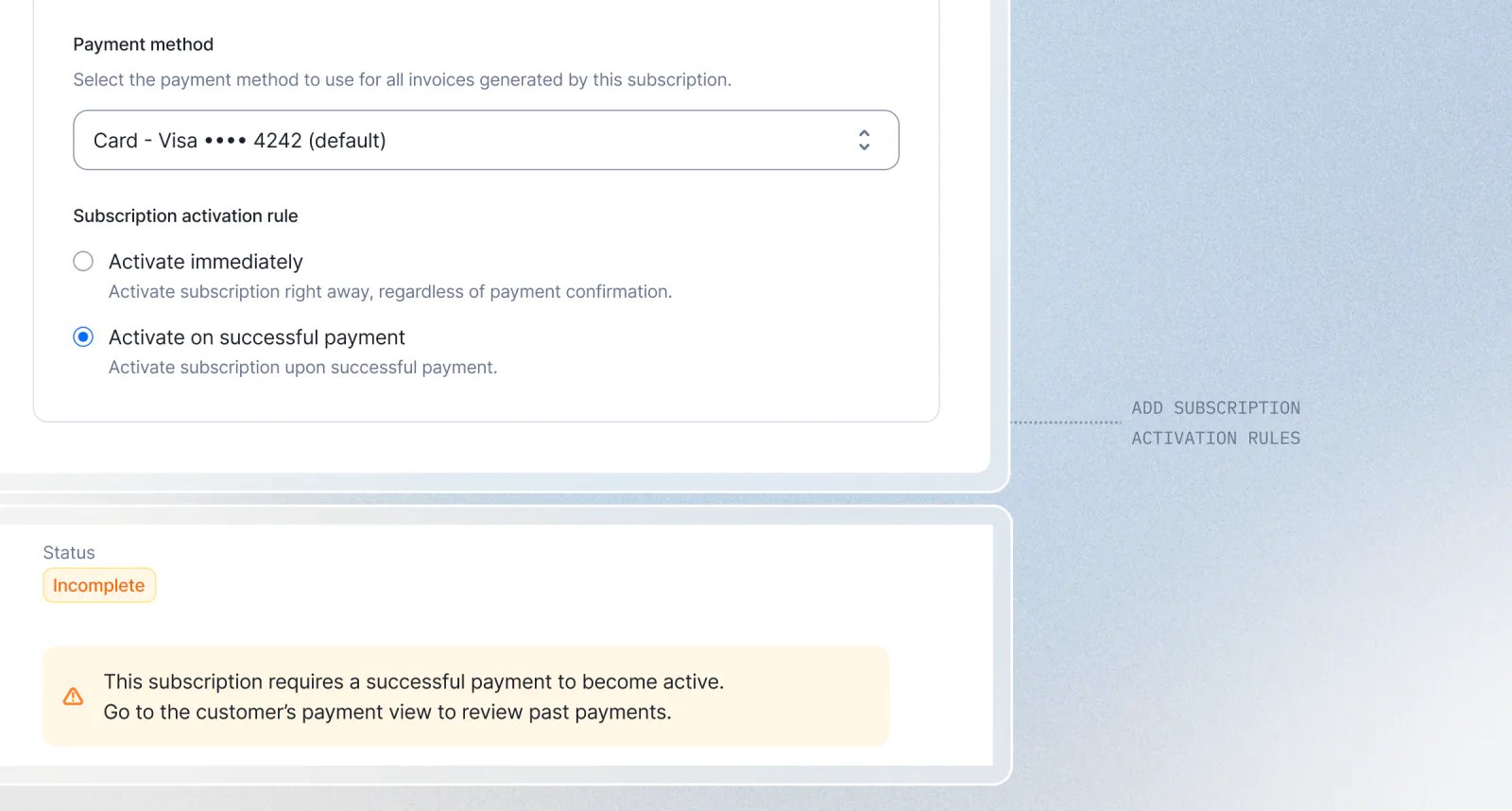
incomplete until the rule is satisfied. While it waits, no invoice is issued, no usage is billed, and nothing lands in your books. Once the rule passes, the subscription activates and bills exactly like any other. No rules means nothing changes: subscriptions activate on their start date as they always have.The first rule is payment activation. The subscription stays incomplete until its first payment succeeds, then it activates and the invoice is finalized. If the payment fails, or a timeout you set is reached, the subscription cancels on its own. No access granted, no revenue booked, nothing to clean up. Turn it on when you assign a plan: choose “Activate on successful payment”, set a timeout, confirm.This is the start of a framework, not a one-off. Activation Rules are designed to grow, and payment is the first of more conditions to come.Learn moreGerman e-invoicing: XRechnung and ZUGFeRD now supported
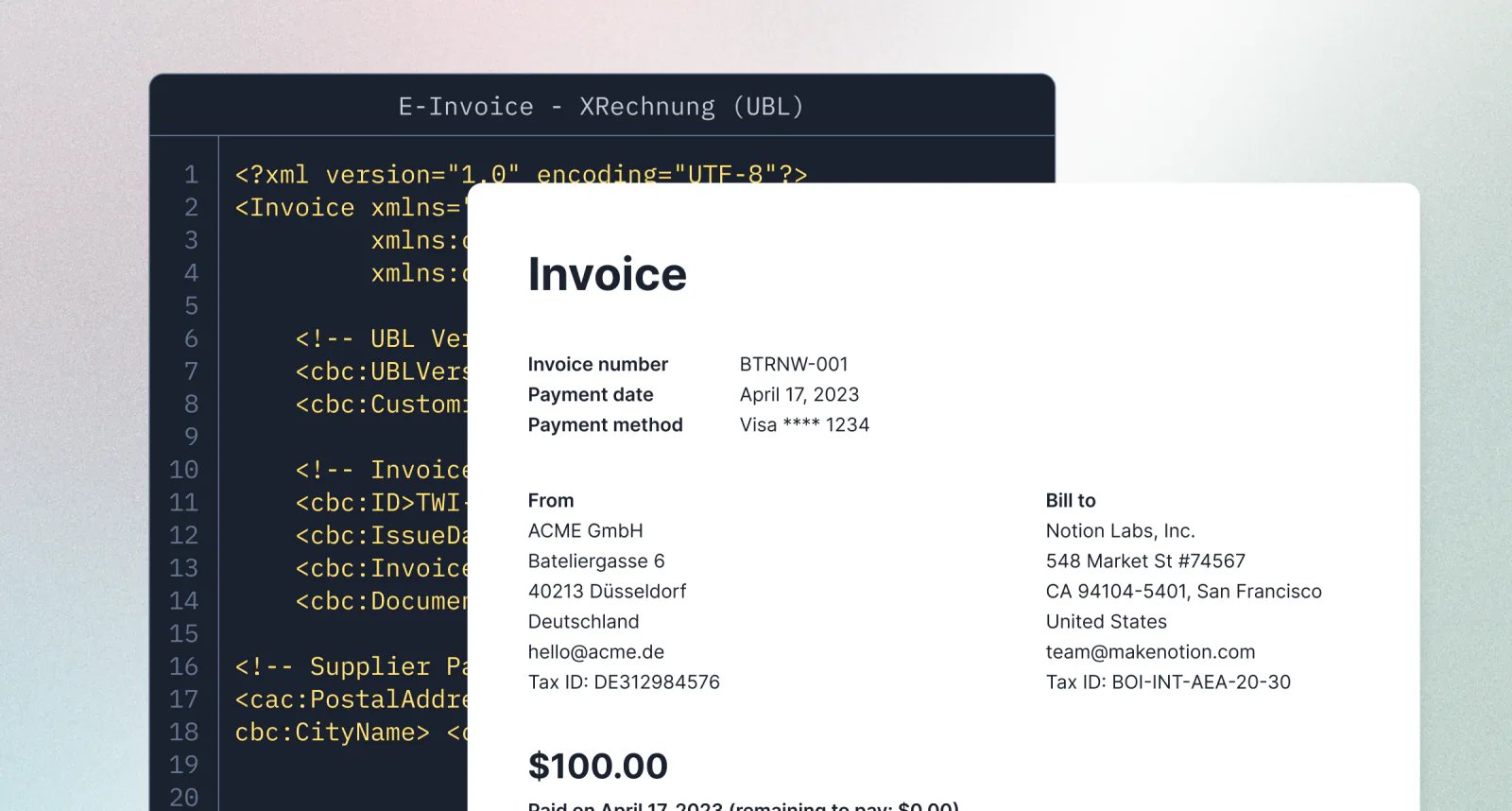
- XRechnung: a pure XML file using UBL (EN 16931), built for machine processing and public-sector portals.
- ZUGFeRD 2.x: a hybrid PDF/A-3 with embedded CII (UN/CEFACT), readable by a human and a machine from the same file.
Redesigned plan and subscription experience
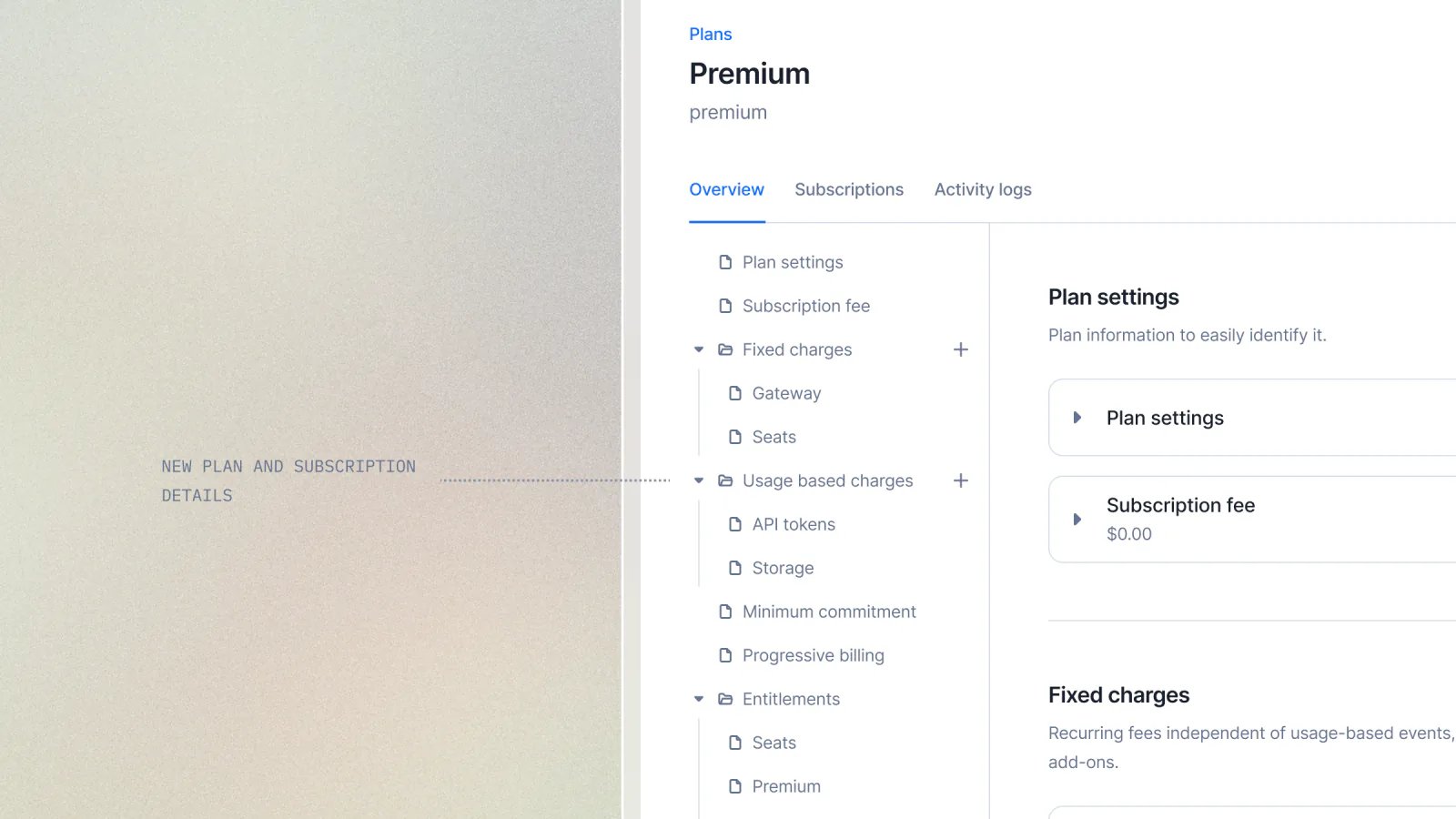
- Faster performance
- Improved accessibility
- Simpler editing workflows
Agent SDK: bill the dollar cost of LLM calls, with your margin built in
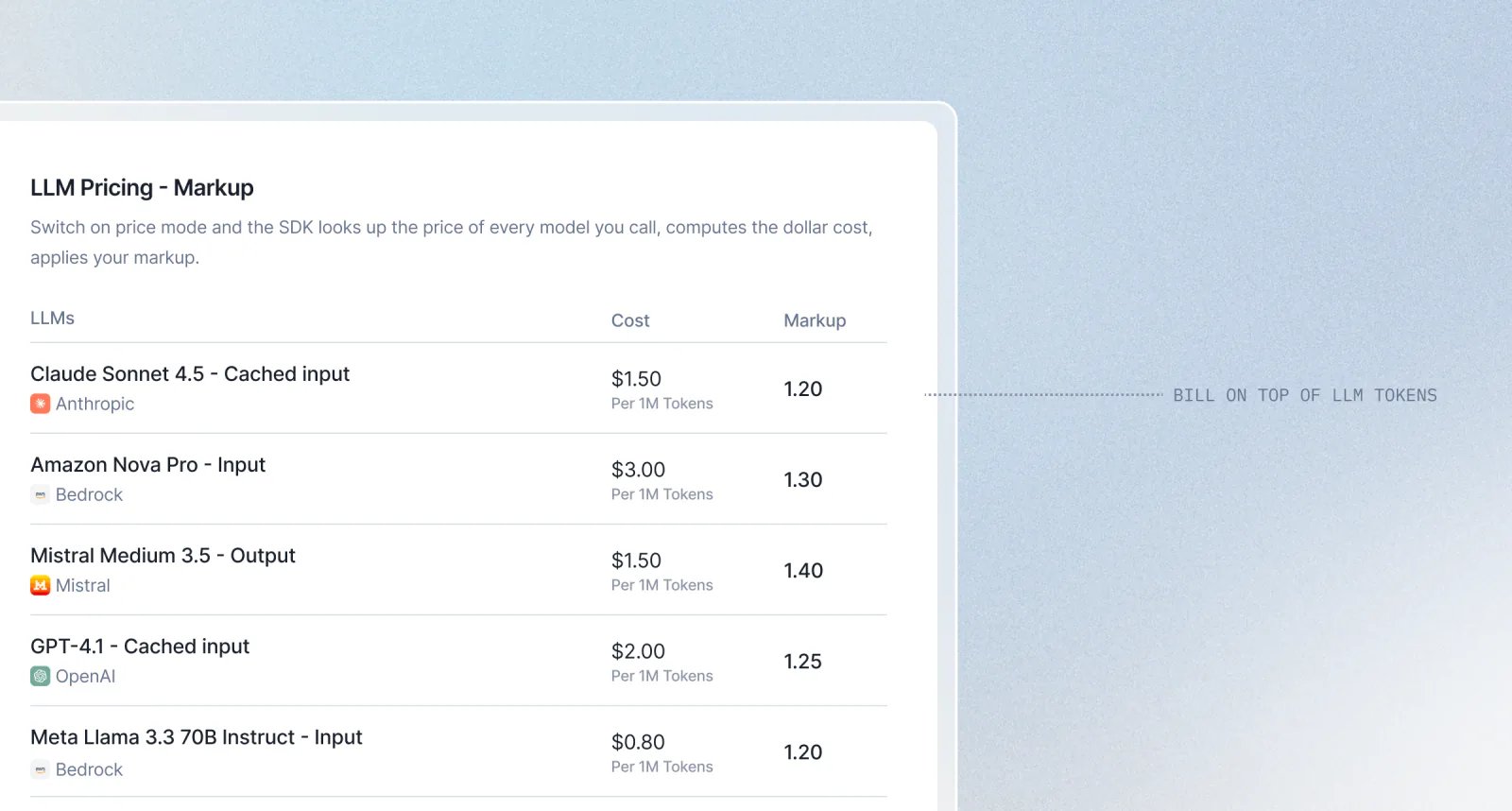
- Real cost per call: the SDK sends the dollar amount, after your markup, ready to bill on a dynamic charge.
- Prices fetched for you: live from OpenRouter and the AWS Bedrock public price lists. No API keys, no price file to maintain, refreshed automatically in the background.
- Your margin, your call: set a markup to resell LLM access at a profit.
1.2bills your cost plus 20%. - Never under-bill: if a price is not available, the SDK falls back to sending token counts and alerts you. It never silently drops usage.
- Opt-in: the default stays token mode, so nothing changes until you turn it on.
Stripe Shared Payment Token: Lago auto-charges invoices through agent payments
When an AI agent buys on a customer’s behalf, there is no card to type into a checkout page. Stripe issues a Shared Payment Token instead: a scoped credential the agent grants to you, with built-in usage limits, expiry, and deactivation. Lago now reads that token and charges your invoices against it automatically when they are generated. If the token is valid and within its limits, Stripe resolves it to a real payment method and the charge goes through. No extra step in your billing flow.- Automatic fallback: the token kicks in only when no other payment method is on file, so existing cards and mandates are never touched.
- Same receipts: Stripe still issues a real payment method behind the scenes, so
last4, payment status, and receipts look exactly like a card charge. - Public preview: available behind a flag while Stripe rolls the feature out.
Stripe Shared Payment Token: Lago auto-charges invoices through agent payments
When an AI agent buys on a customer’s behalf, there is no card to type into a checkout page. Stripe issues a Shared Payment Token instead: a scoped credential the agent grants to you, with built-in usage limits, expiry, and deactivation. Lago now reads that token and charges your invoices against it automatically when they are generated. If the token is valid and within its limits, Stripe resolves it to a real payment method and the charge goes through. No extra step in your billing flow.- Automatic fallback: the token kicks in only when no other payment method is on file, so existing cards and mandates are never touched.
- Same receipts: Stripe still issues a real payment method behind the scenes, so
last4, payment status, and receipts look exactly like a card charge. - Public preview: available behind a flag while Stripe rolls the feature out.
Presentation group keys: break down usages
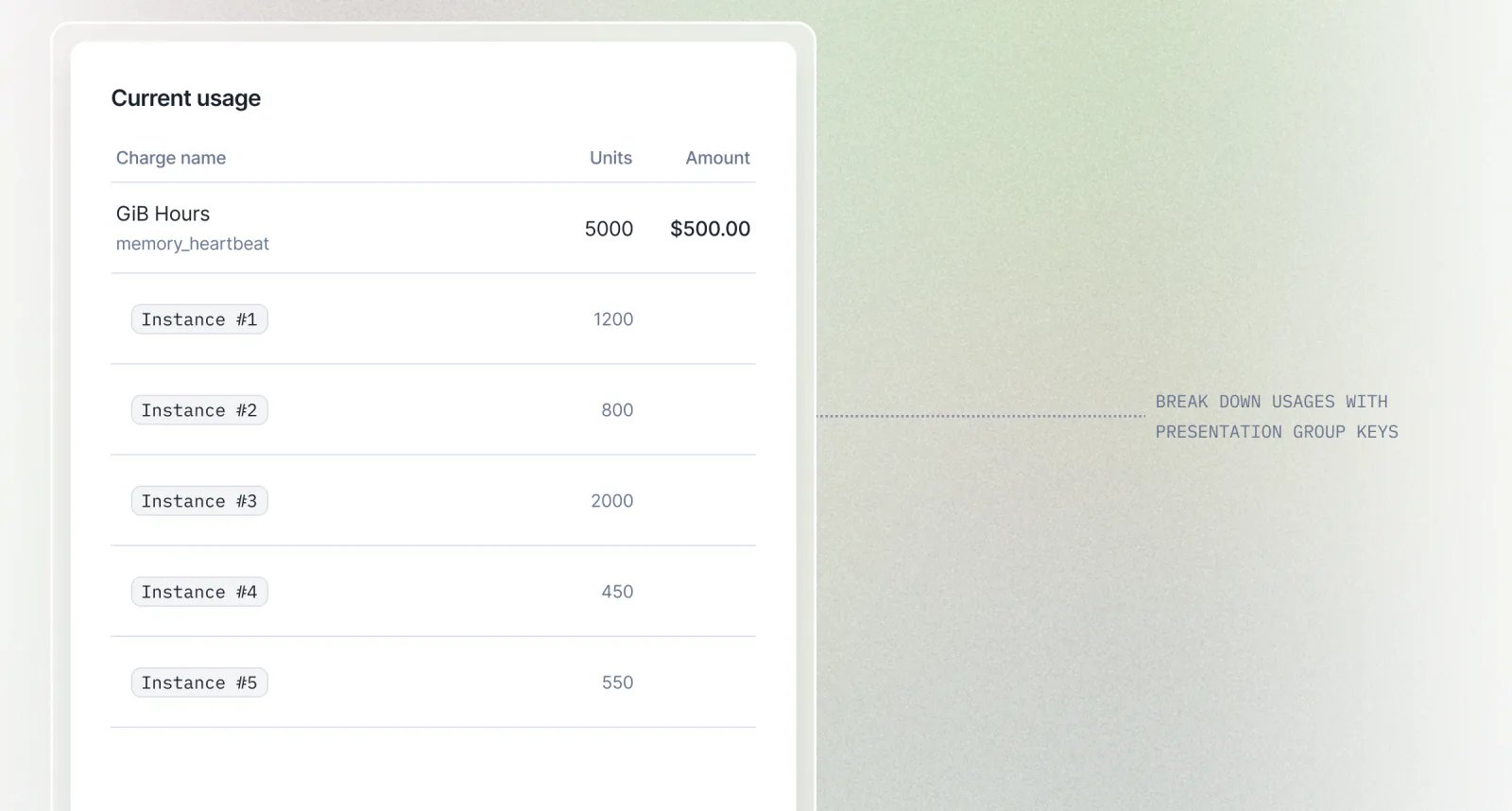
- No pricing impact: no extra line items, no changed amounts, works with every aggregation type.
- Your call per key: keep a breakdown on the invoice PDF, or make it API-only.
AI agentsWallets & creditsInvoicingAPI
Free credits for recurring target top-ups
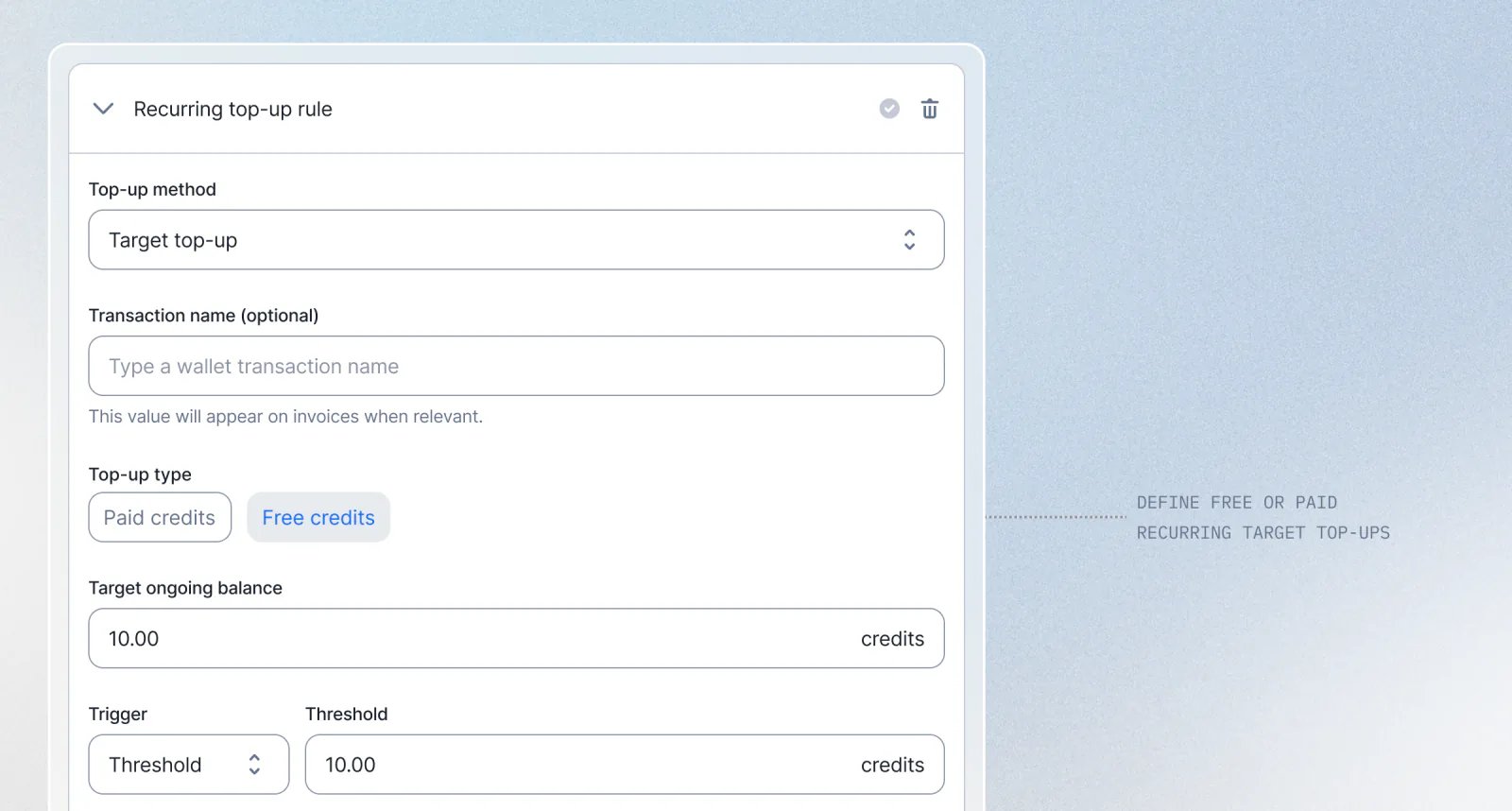
5 with free credits, and Lago tops the balance back up to that amount at the start of every month. No manual grants, no paid charge.- Free or paid, your choice: mark the recurring target top-up as free credits so refills never bill the customer.
- Self-correcting balance: whatever the customer has left, Lago only adds the difference needed to reach the target.
- Set it once: define the target and interval when creating or editing the wallet, in the dashboard or via the API.
Lago Agent SDK: Bill LLM tokens without middleware

- One-line drop-in:
sdk.wrap(client)returns a client that behaves identically. No call-site changes, no refactor. - 10 token dimensions captured by default: input, output, cached input, cache writes (5m and 1h TTL), reasoning, tool calls, image, audio. Each one maps to a billable metric you already control.
- Multi-tenant by design: route every call to the right
external_subscription_idvia per-call override, request-scoped context (contextvars in Python, AsyncLocalStorage in Node), or a default at init. - Production-grade reliability: in-memory buffering, exponential backoff, bounded queue. p99 wrap overhead under 5 ms. Your LLM call is never blocked on Lago.
- Never breaks your LLM call: instrumentation errors are caught, logged, and optionally forwarded to Sentry, Datadog, or any other observability stack.
Invoice consolidation: Choose what gets bundled into a single invoice
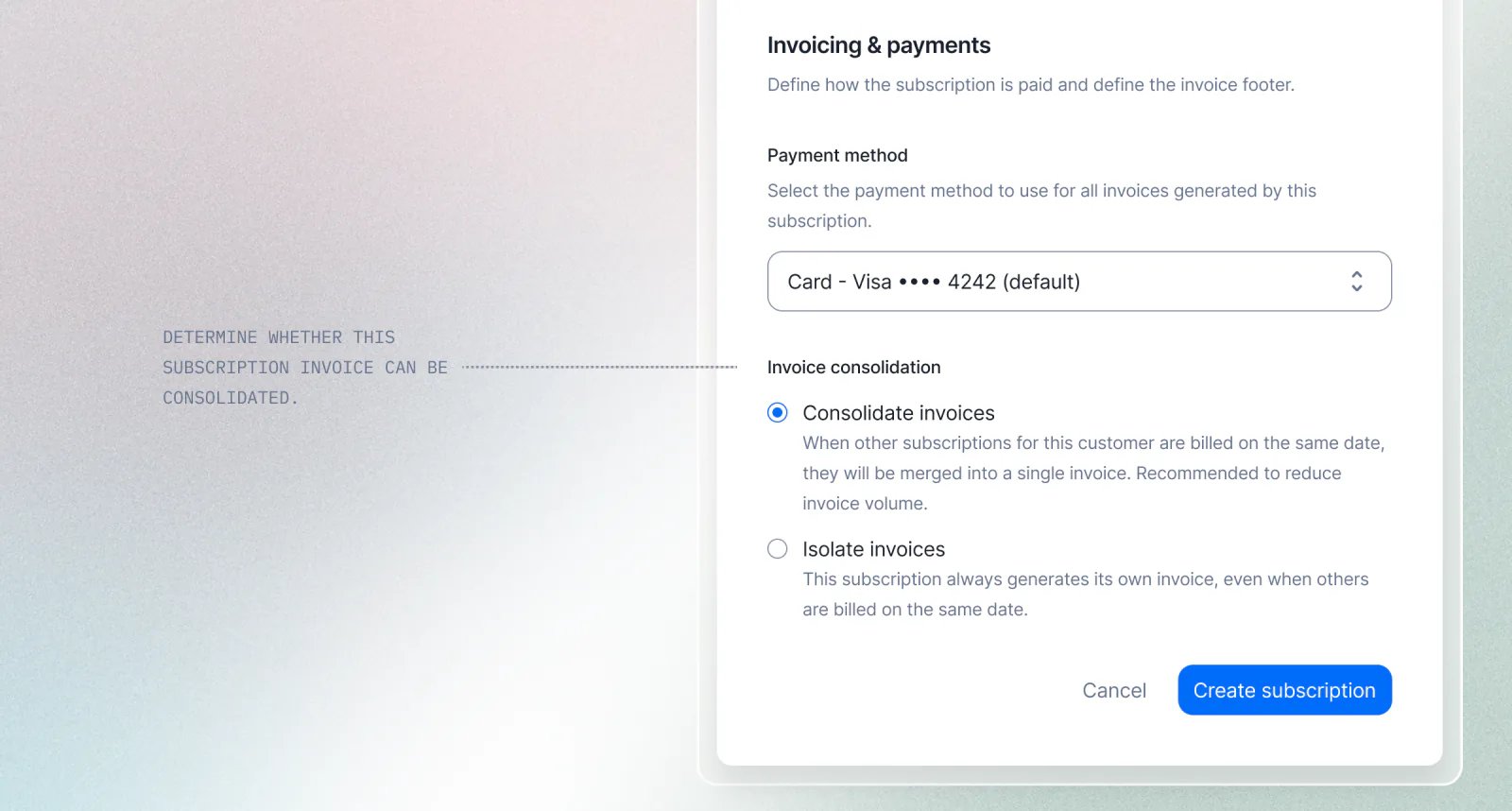
- Opt out per subscription: set
consolidate_invoicestofalseto keep a subscription on its own invoice, even when others bill on the same day - Mix and match: combine consolidated and standalone subscriptions for the same customer
- Editable anytime: change the setting from the dashboard or via the API whenever the contract or billing arrangement evolves
Wallets & credits
Wallet traceability — Follow every credit from top-up to deduction
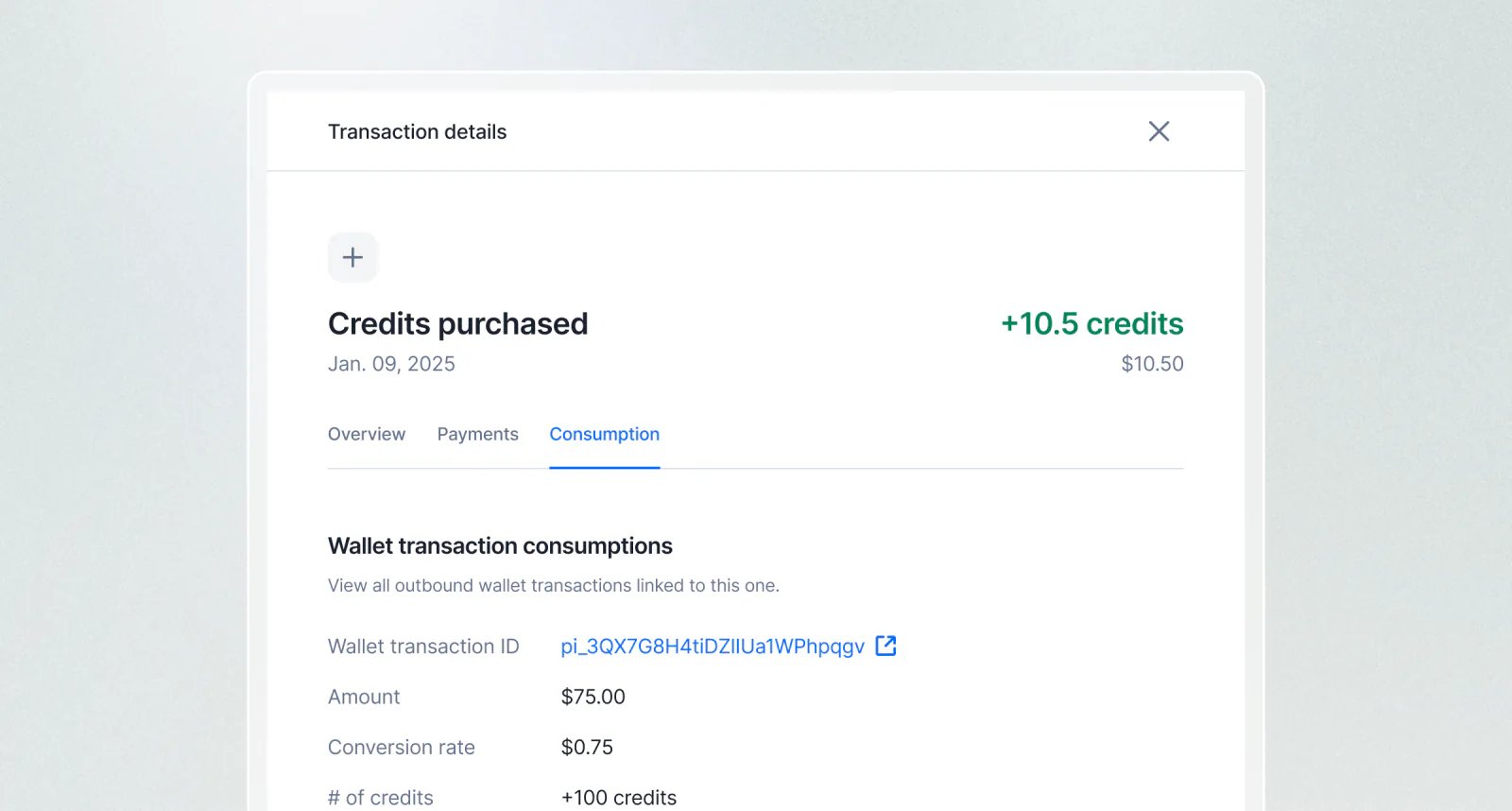
- Consumptions: for any inbound transaction, see which outbound transactions consumed its credits and how much
- Fundings: for any outbound transaction, see which inbound transactions funded it and their respective contributions
SubscriptionsWallets & creditsAPISecurity & access
Credit alerts — Never let a customer run out of credits by surprise
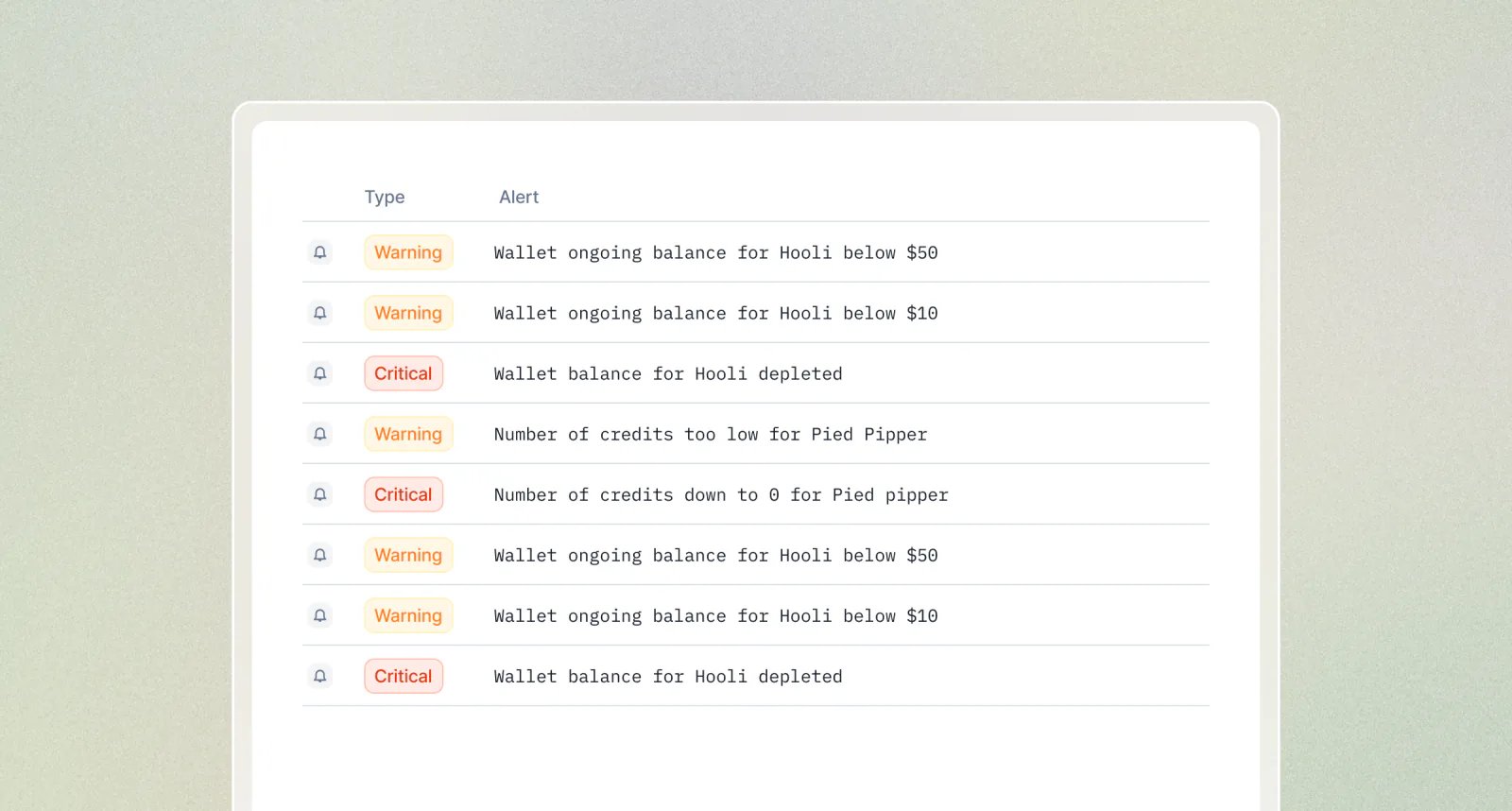
- 4 alert types — monitor wallet balance or ongoing balance, in currency or credits
- Up to 20 thresholds per alert — with optional names to distinguish soft warnings from hard limits
- Recurring thresholds — get notified continuously without creating an endless list of thresholds
- Webhook-driven — listen for
alert.triggeredevents and plug into your own notification or automation workflows
Security logs
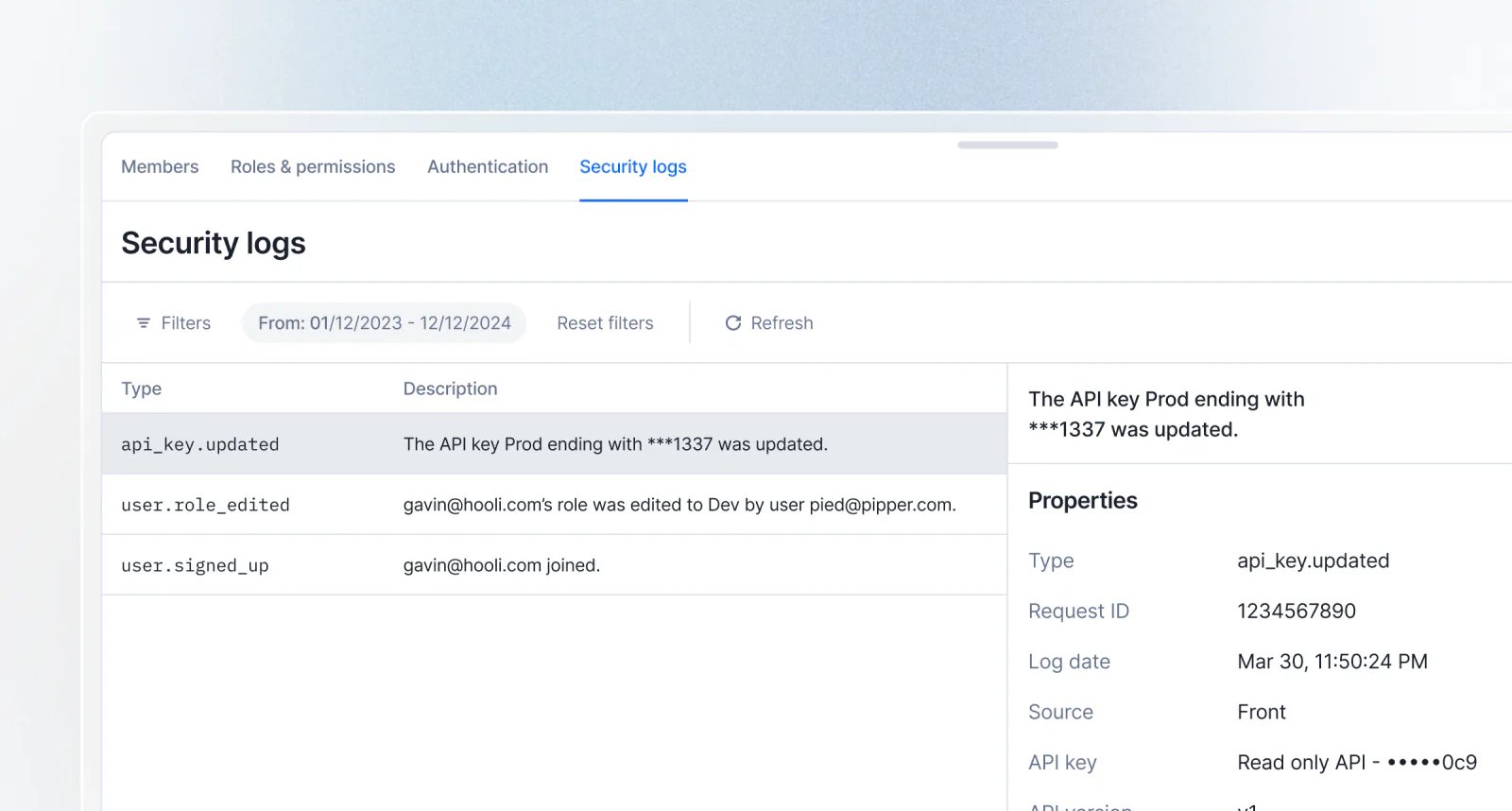
- Comprehensive coverage: Tracks events across users, roles, API keys, webhooks, integrations, exports, and billing entities
- Powerful filtering: Slice logs by date range, user, event type, or category to find exactly what you need
- API-first: Query security logs programmatically via the
GET /api/v1/security_logsendpoint - Role-based access: Visible to Admins by default, with granular permission support for custom roles
Granular API access to plan and subscription charges
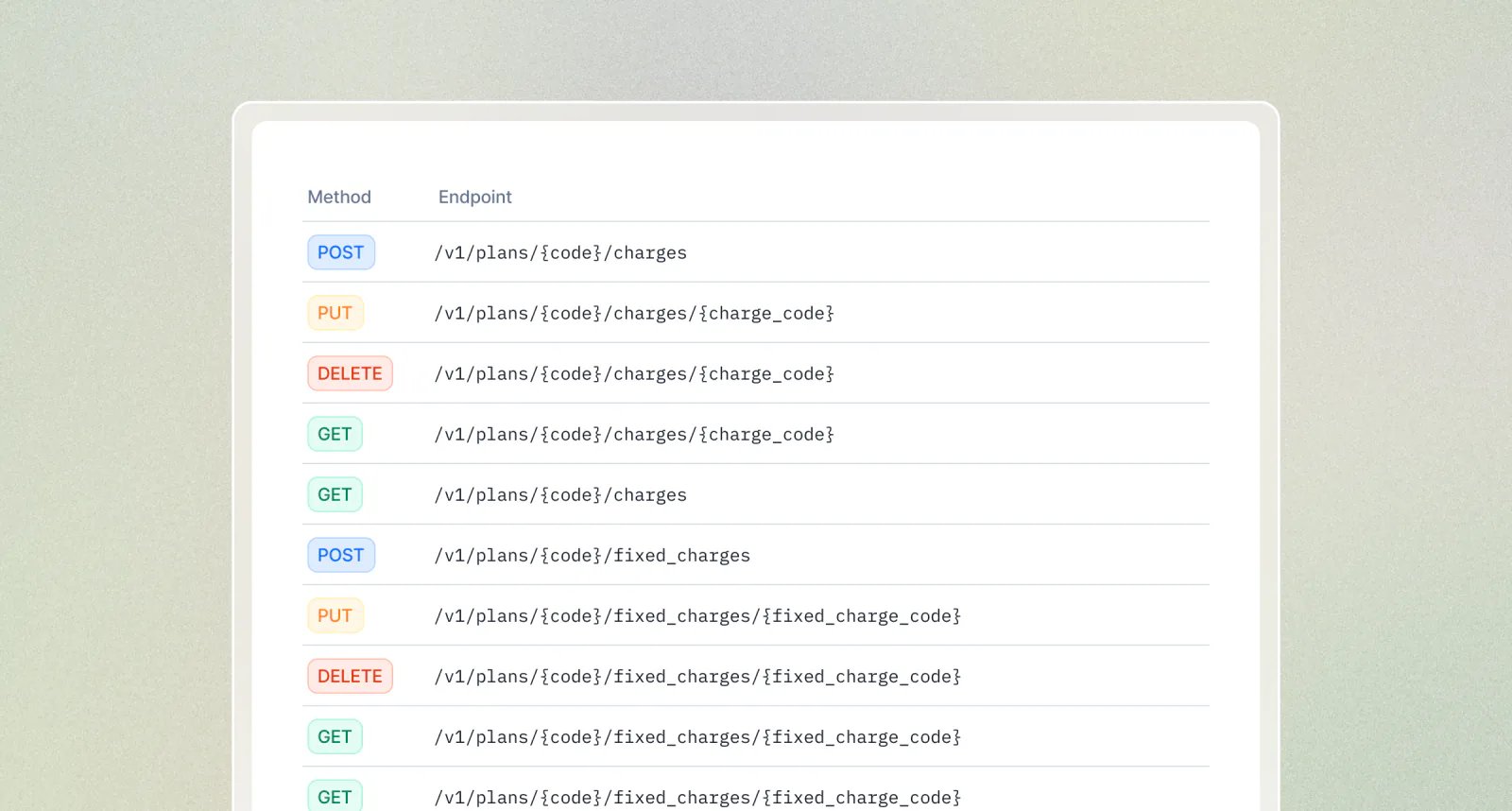
- Plan charges — See API reference
- Plan charge filters — See API reference
- Plan fixed charges — See API reference
- Subscription charges — See API reference
- Subscription charge filters — See API reference
- Subscription fixed charges — See API reference
AnalyticsPaymentsUsage & meteringAPI
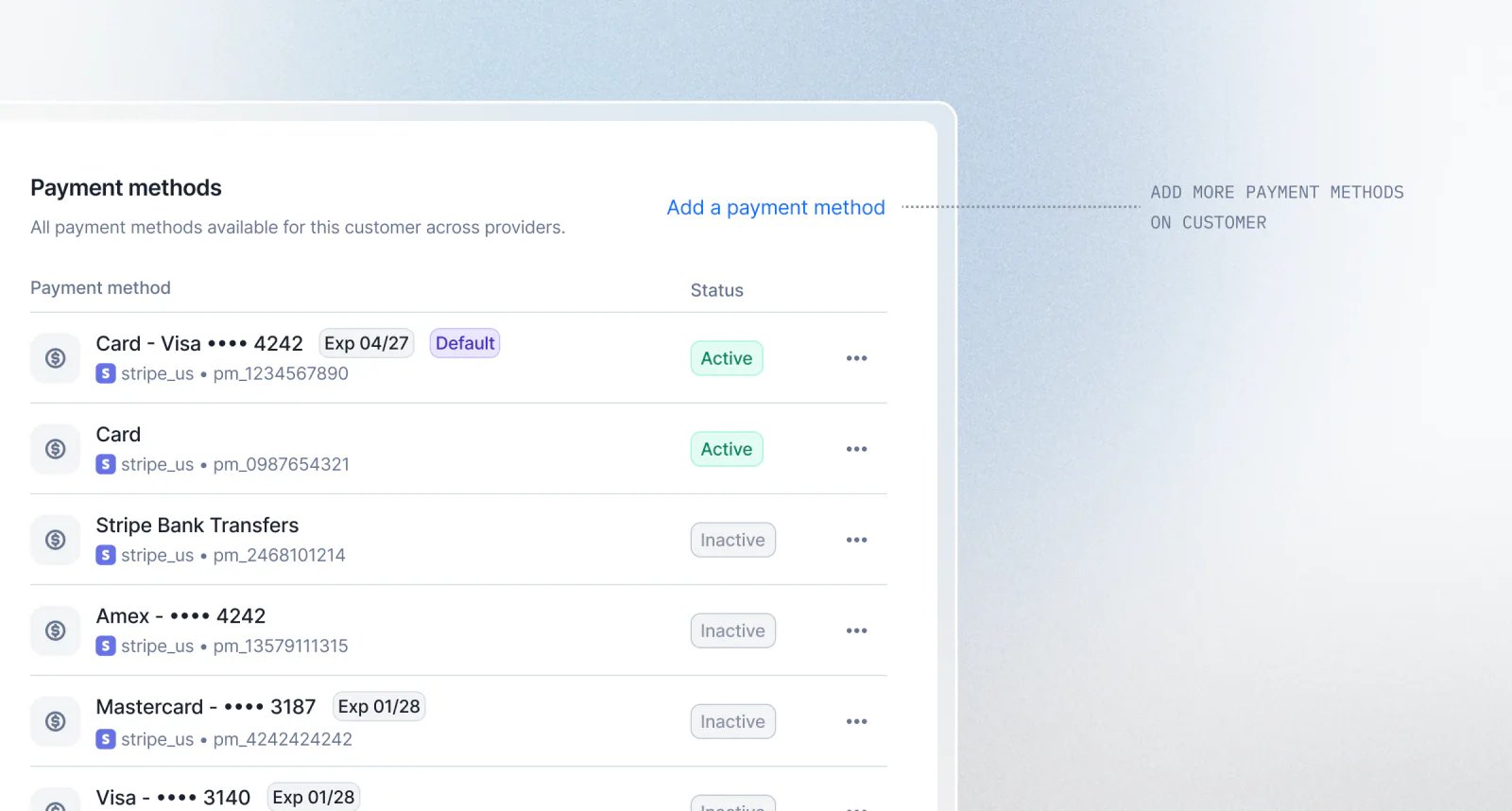
Multiple payment methods on customer (Beta)
Reinvented billing analytics
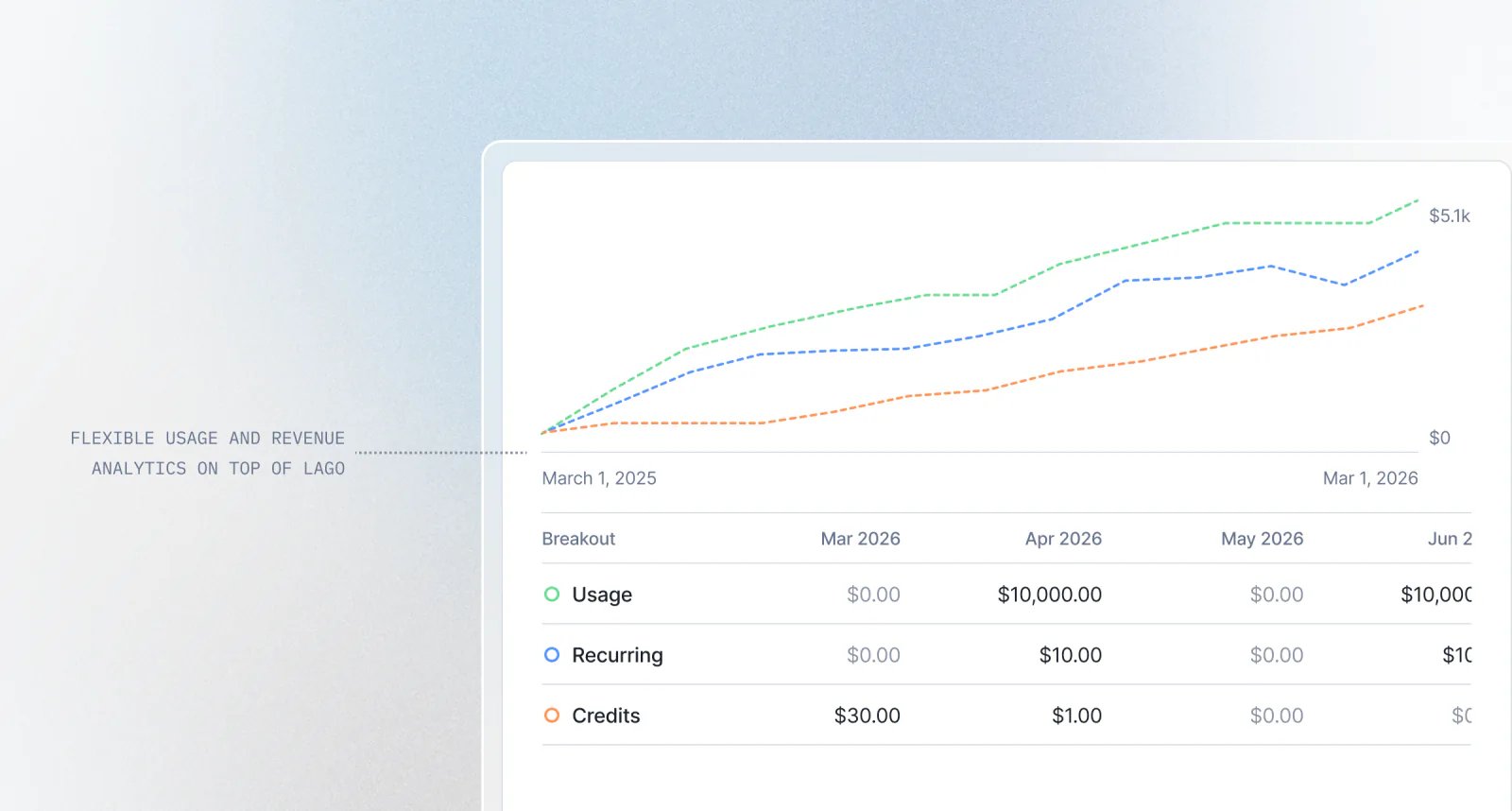
- Composable dashboards — mix and match visualizations to fit your reporting needs
- Multi-dimensional filtering — slice data by customer, plan, subscription, currency, country, and time
- Data export — download any chart or dataset as JSON, CSV, or Excel
- Extensible by design — create custom dashboards for board reporting, product analysis, or customer-level deep dives
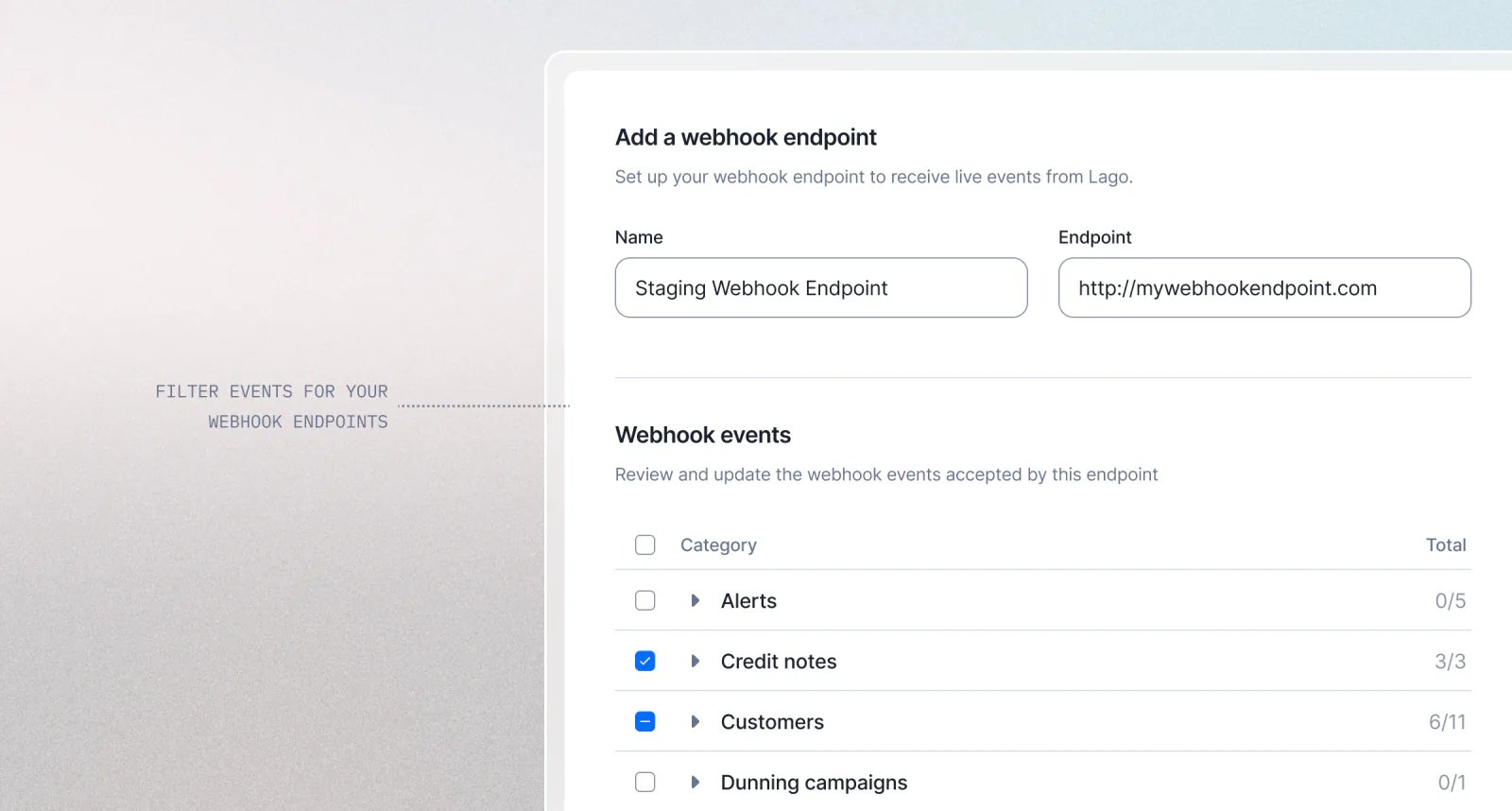
Filter webhook messages by event type
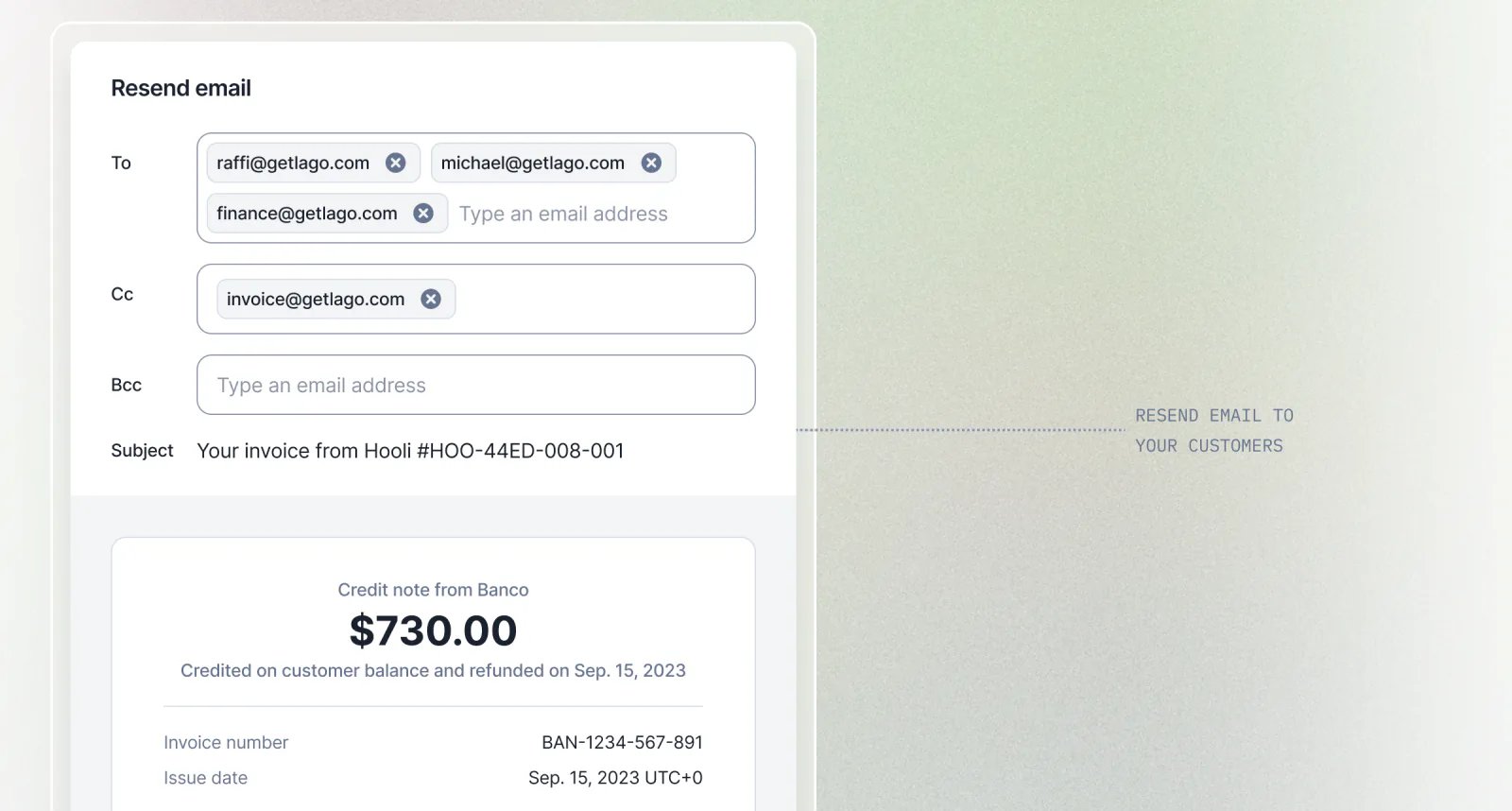
Resend emails to customers
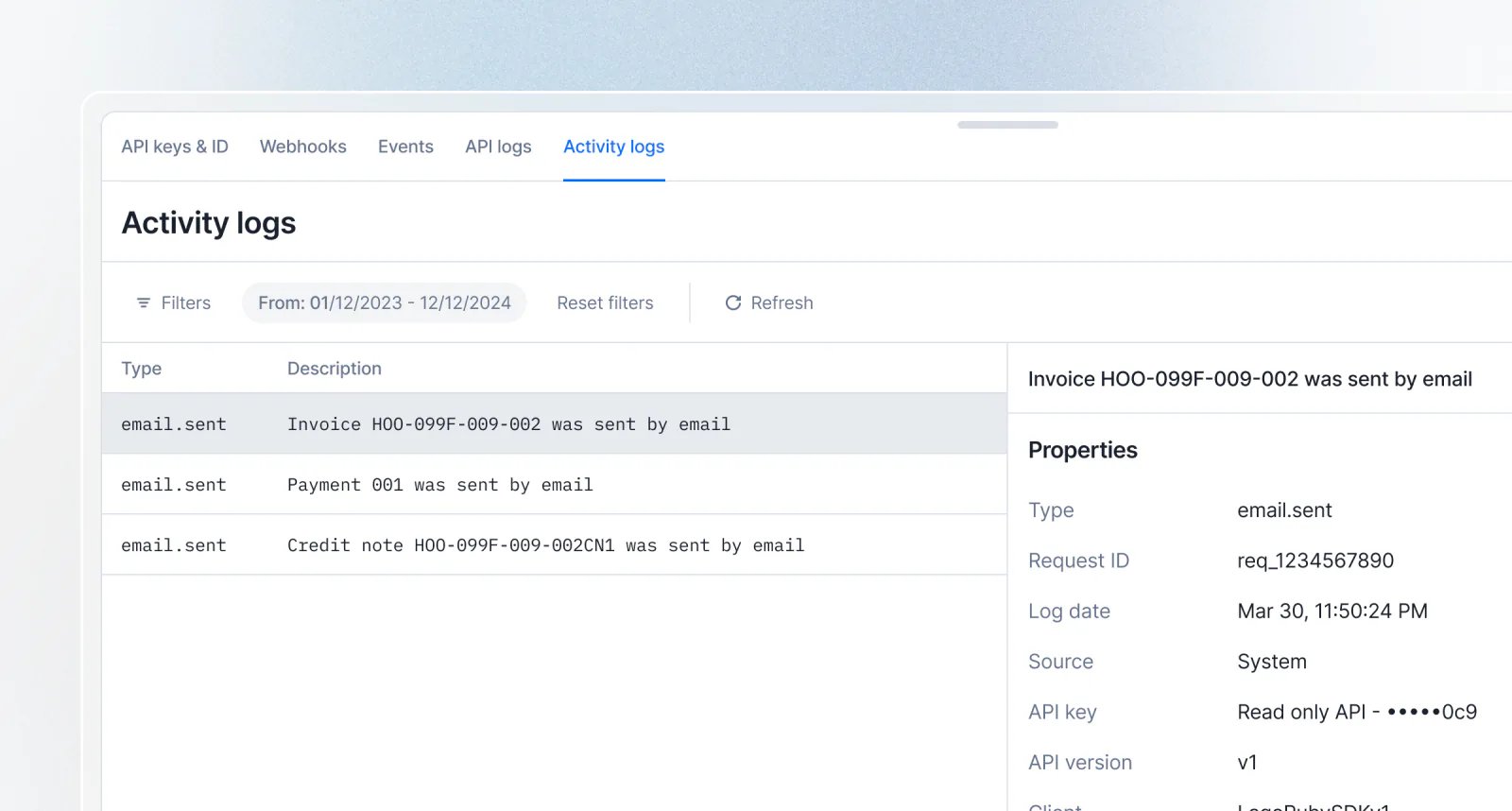
Track billing emails in audit logs
InvoicingSubscriptionsSecurity & access
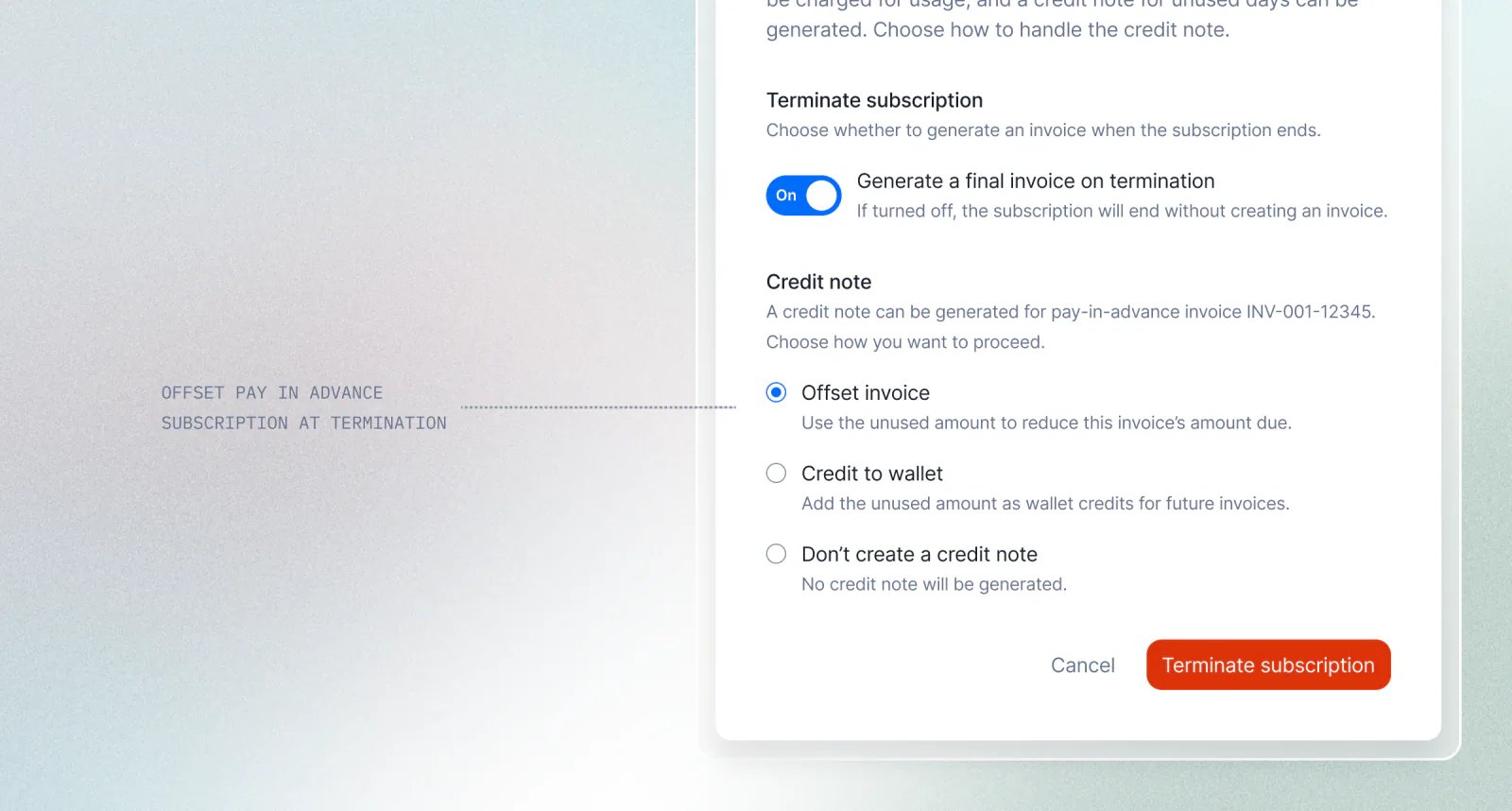
Offset unused amounts when terminating a subscription
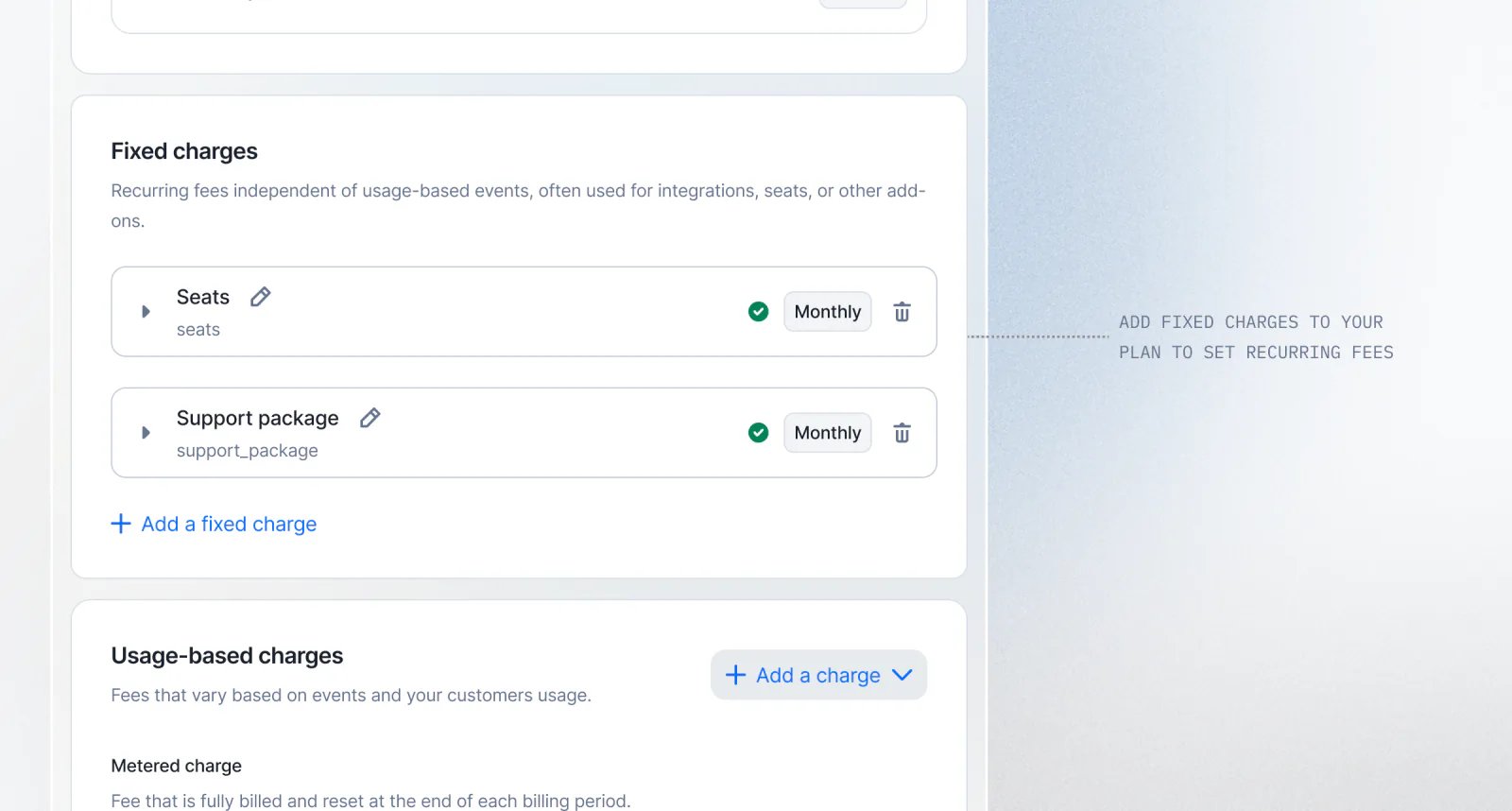
Fixed charges are now available in plans
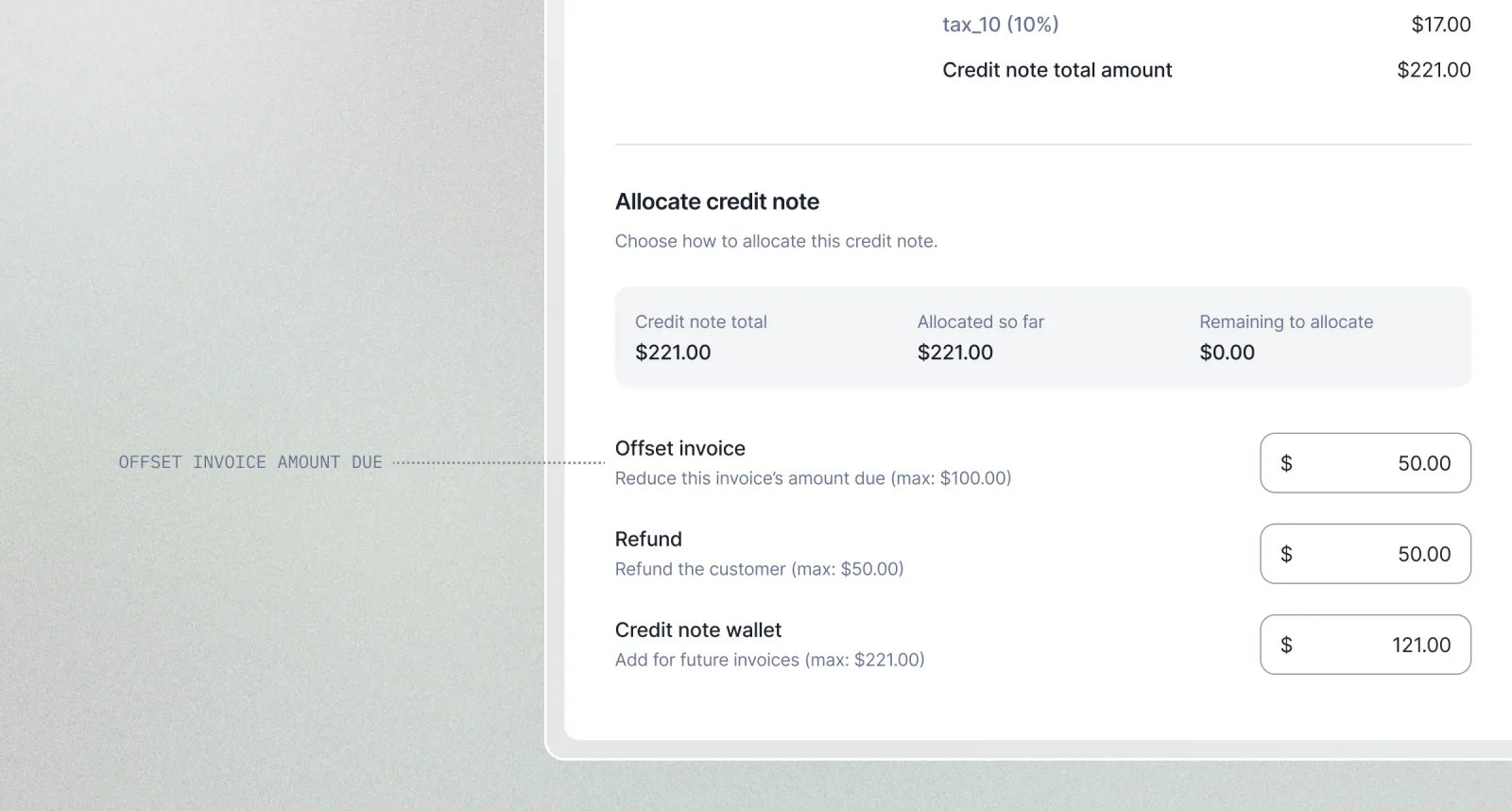
Offset invoice amount due with credit notes
Define custom roles and permissions
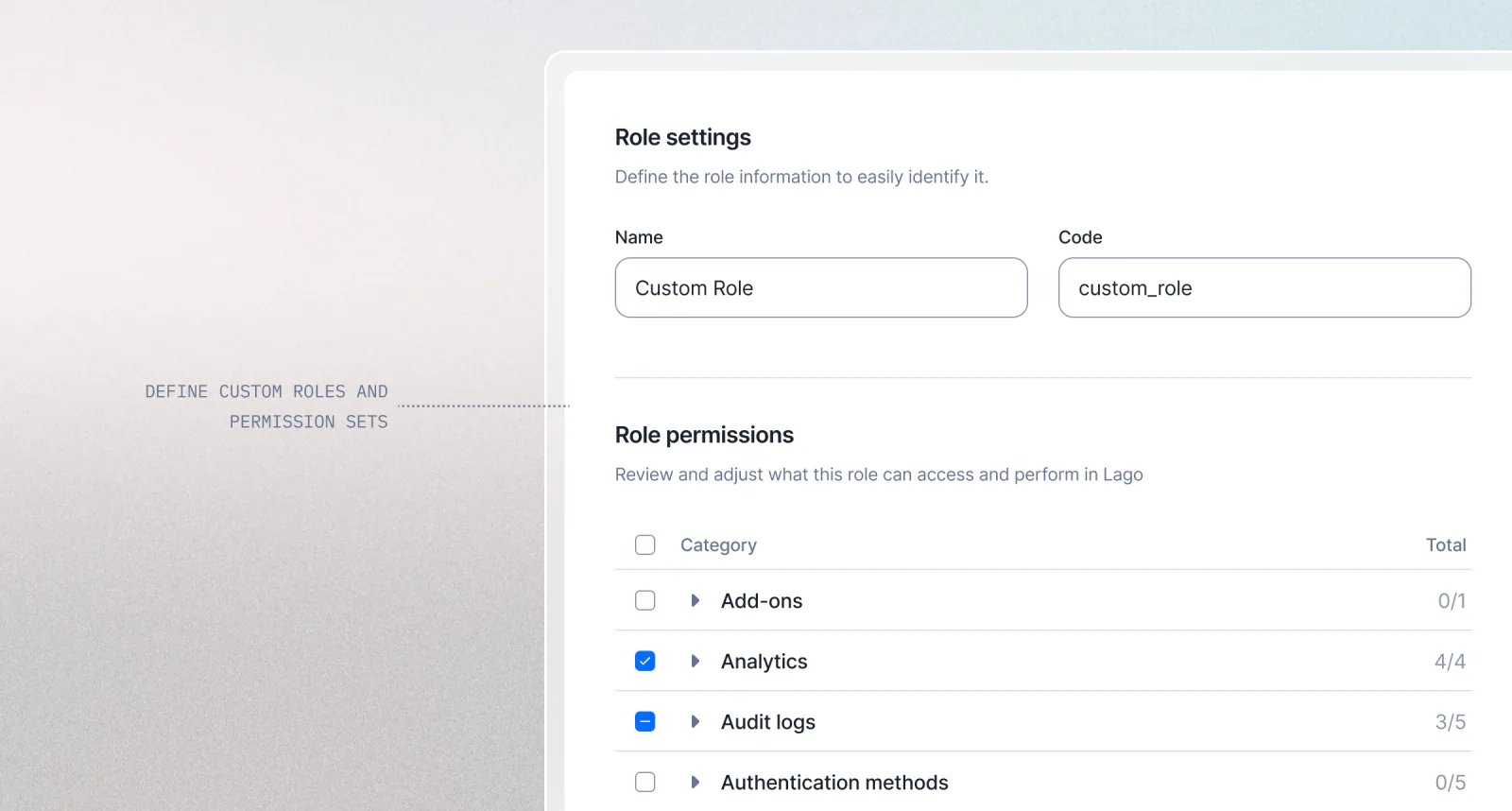
- Create and manage unlimited custom roles;
- Assign granular permissions to each role;
- Automatically propagate permission changes to all users assigned to a role; and
- Ensure continuous platform governance by maintaining at least one
adminrole at all times.