Browse: Latest · 2025 · 2024 · 2023 · 2022
AI agentsInvoicingWallets & credits

Connect AI Systems with Lago MCP Server
Lago MCP server connecting an AI assistant to billing data.
The Lago MCP Server is now available! Securely connect your AI ecosystem to enterprise billing data.It allows you to connect AI systems, such as language models or other intelligent agents, with Lago’s billing capabilities. This enables you to build AI-powered applications that can autonomously manage billing operations, such as creating subscriptions, processing payments, and handling invoices.Learn more

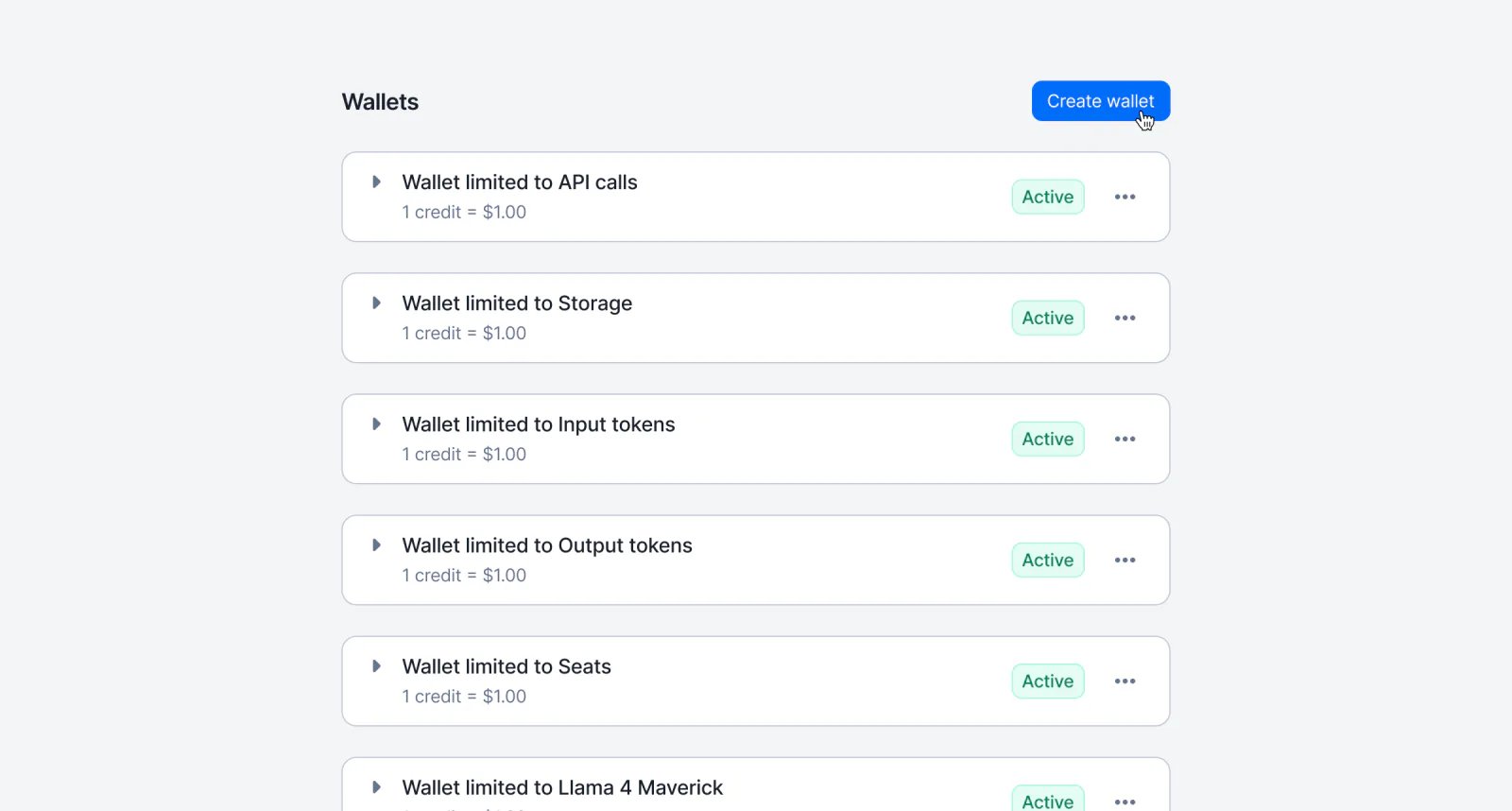
Multiple wallets are now available!

Lago customer with several wallets, each with its own priority and scope.
You can now create more than one wallet per customer. Each wallet has its own settings: define its priority, limit its scope to specific billable metrics, and configure dedicated recurring top-up rules to better control how credits are applied.Learn more

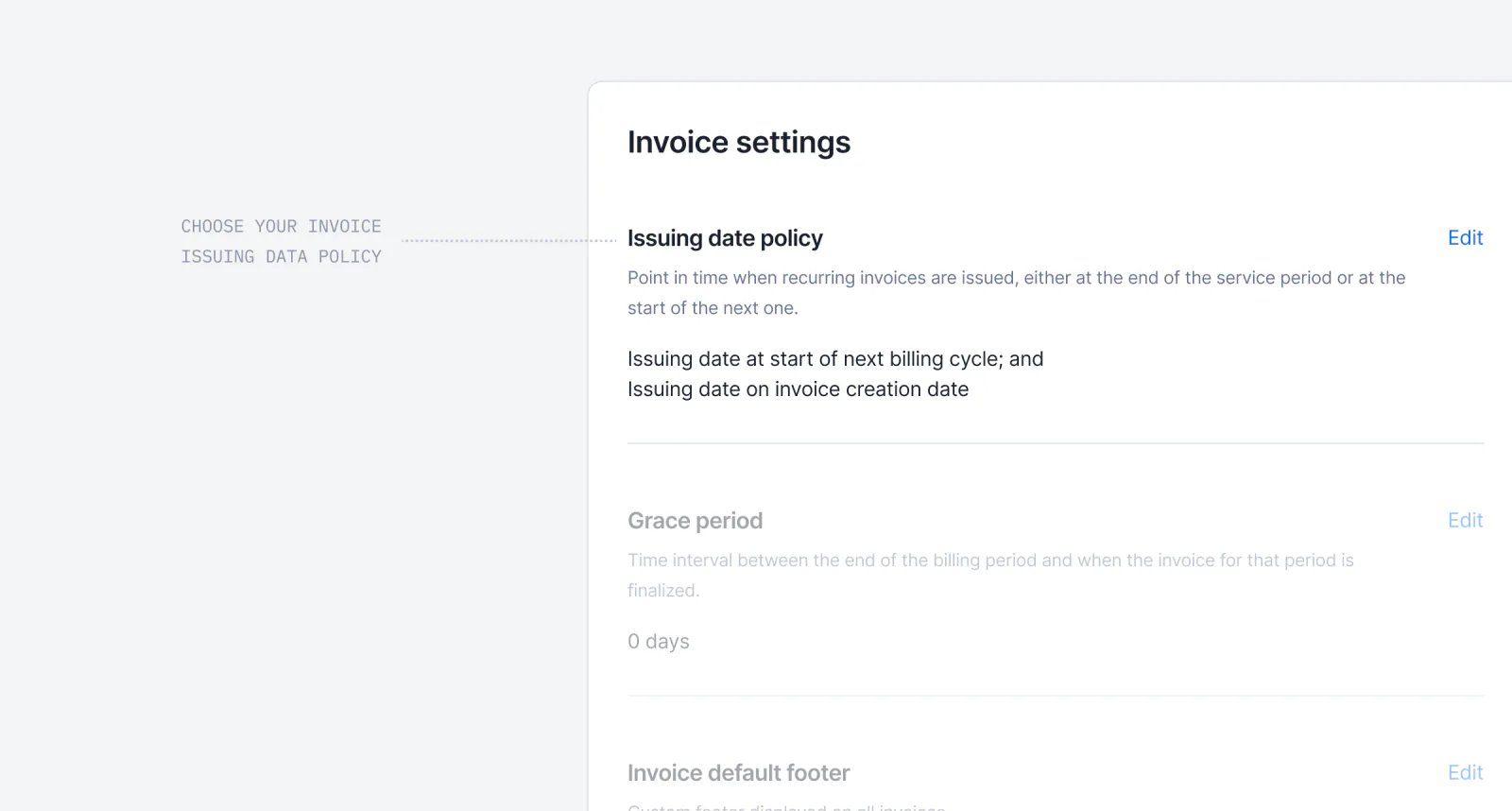
Invoice issuing date preferences

Lago invoice issuing date preference set to the last day of the billing period.
Take full control of when your subscription invoices are dated.Many businesses need invoices dated on the last day of the billing period, not the first day of the next. This is mainly useful for revenue recognition, compliance, or cleaner accounting. You can now configure this at the Billing Entity level (with per-customer overrides) using two new settings: Issuing Date Anchor and Issuing Date Adjustment.For example, an October subscription invoice can now show October 31st instead of November 1st.Learn more

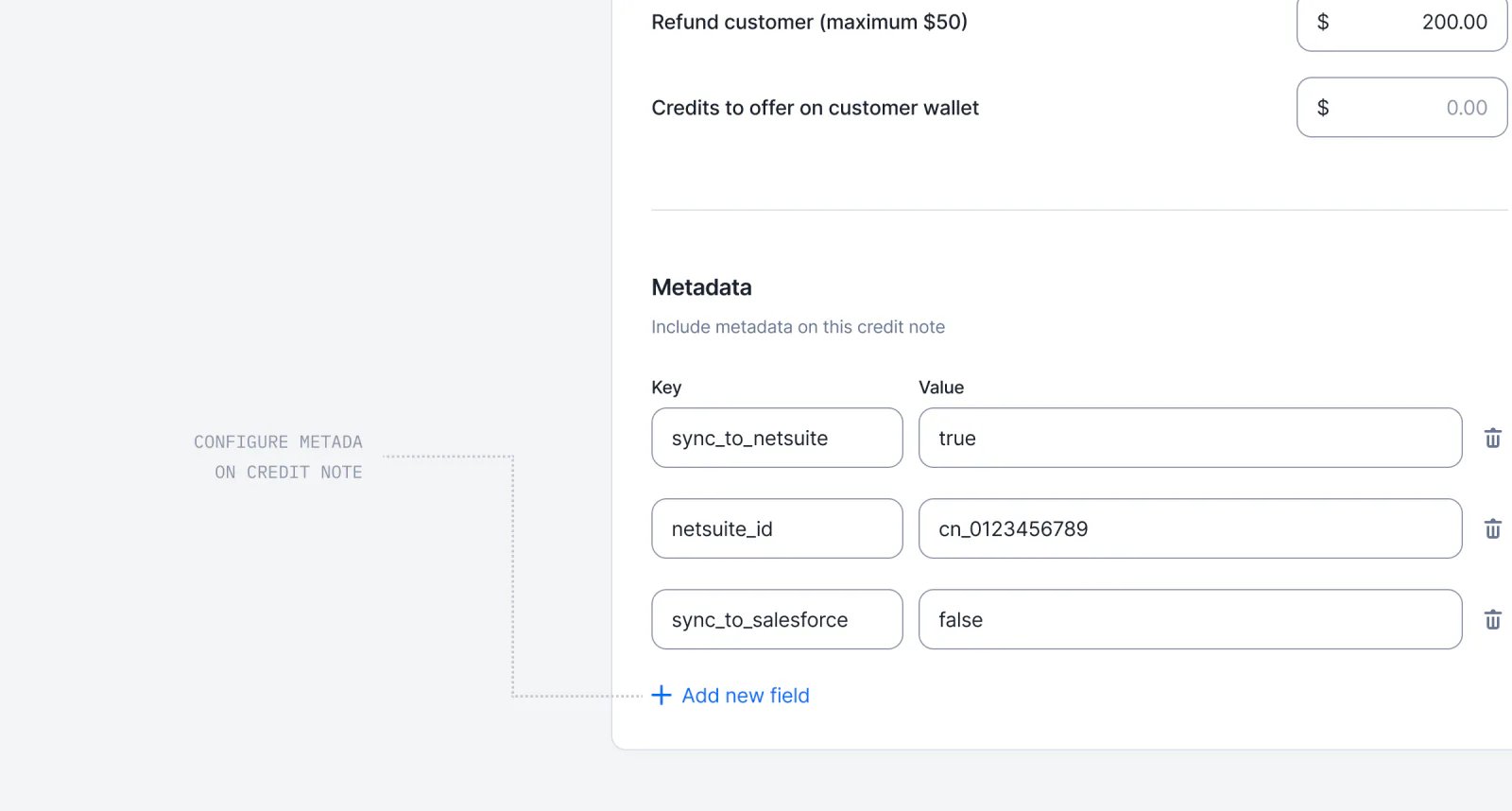
Metadata for credit notes

Lago credit note enriched with custom metadata fields.
You can now enrich your credit notes with custom metadata. This allows teams to store key operational details — such as the reason for issuing the credit note, internal notes, or synchronization references for external tools.Learn more

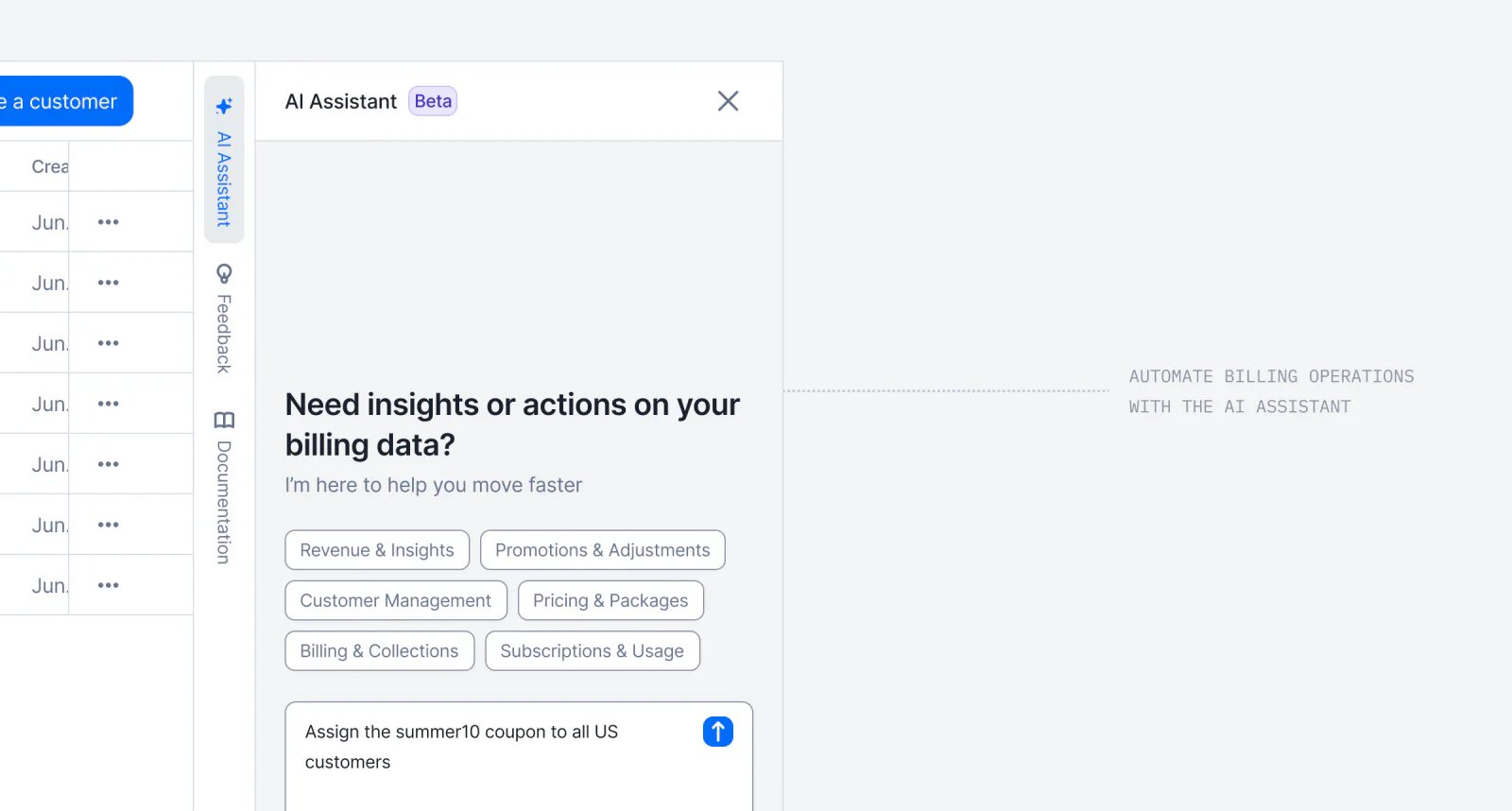
Agentic AI for Billing Operations

Lago Billing Assistant answering an operations question in natural language.
Introducing our 1st Lago AI Agent, called the Billing Assistant, a conversational assistant to help you manage billing operations using natural language.This conversational assistant helps you manage billing operations using natural language, reducing the time spent on manual and repetitive tasks.Ask questions, retrieve data, and perform actions across your billing entities, all through a simple chat interface. Conversations are saved for context-aware follow-ups, and built-in safeguards require confirmation before executing any destructive actions.Learn more
InvoicingIntegrationsBilling entities

E-invoicing and compliant documents
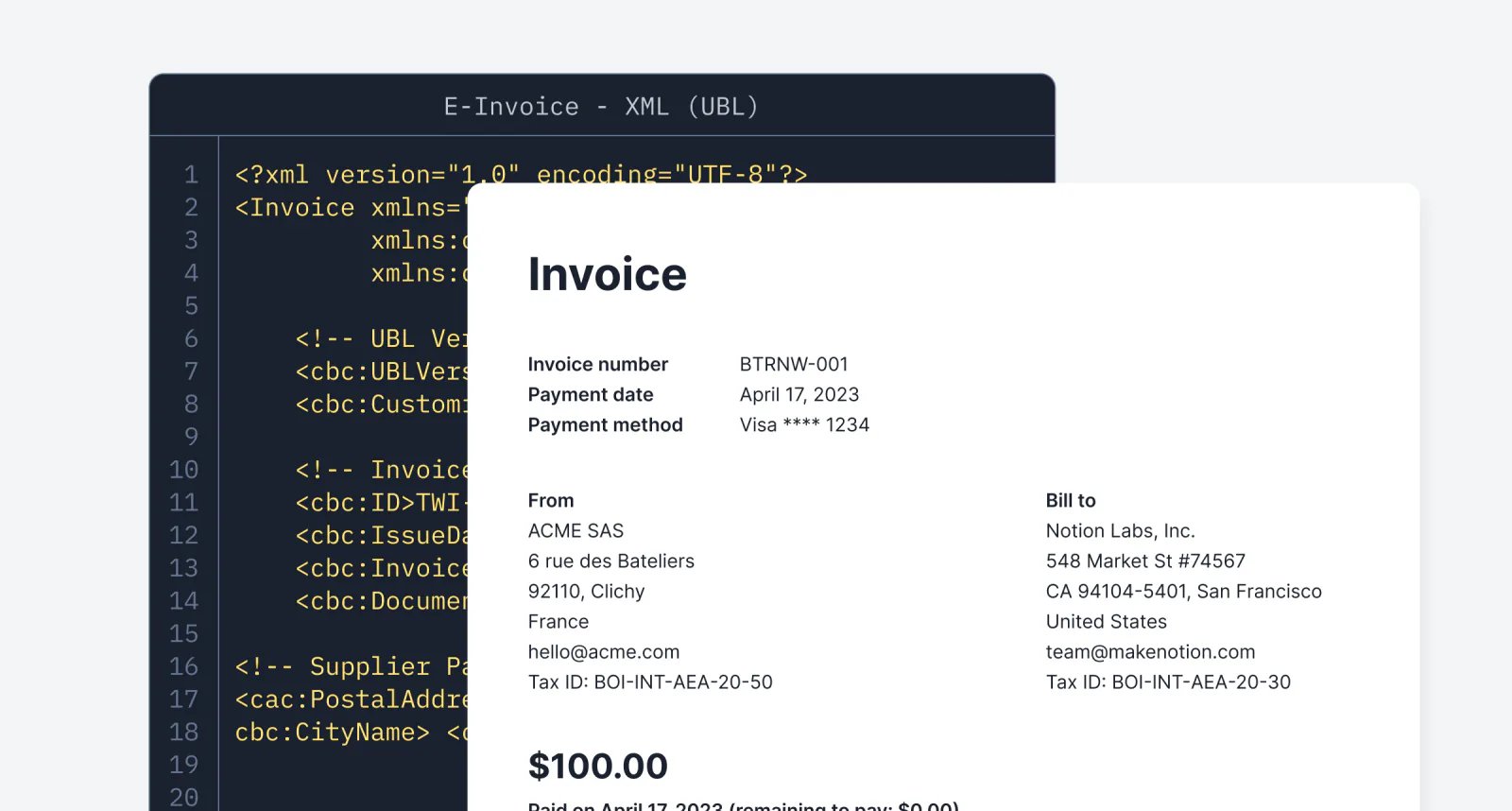
Lago e-invoicing configuration for France with compliant document formats.
Lago now generates invoices in the correct formats required for E-invoicing integrations. The first fully supported jurisdiction is France 🇫🇷, and adding new jurisdictions is straightforward through template updates or open source contributions.For invoices, credit notes, and payments, Lago now produces two documents:
  • A hybrid PDF/A 3 with embedded XML using UN/CEFACT Cross Industry Invoice, suitable for human reading; and
  • A pure XML file using UBL EN 16931, suitable for machine processing.
While Lago does not handle automatic transmission to local authorities, you can download all XML files and upload them to your jurisdiction portal.Feel free to contact the team or submit an open source contribution, especially for jurisdictions that share similar formats with minor adjustments.Learn more

New integration mapping per Lago Billing Entity
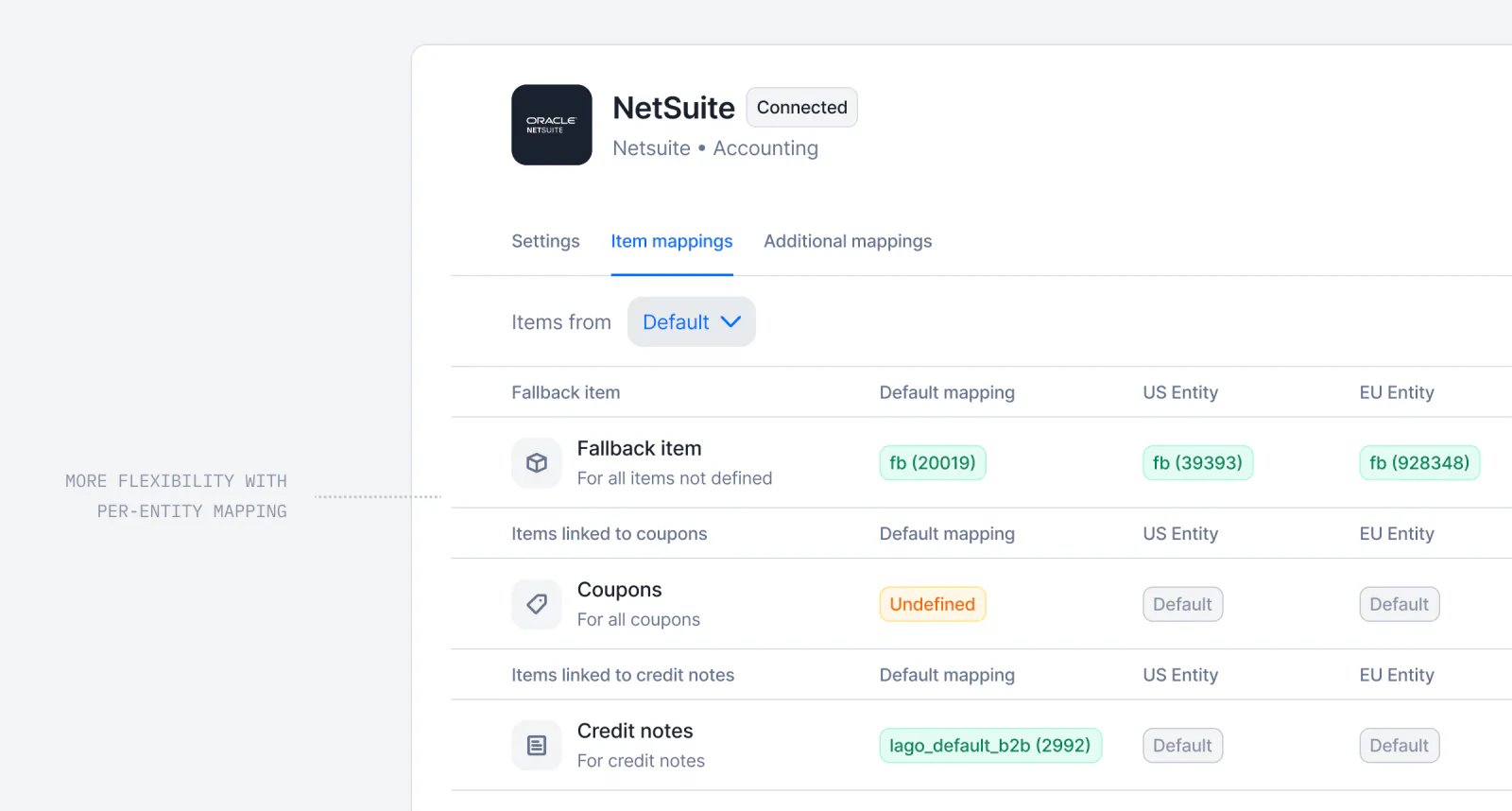
Lago integration mapping for product and tax items set at the billing entity level.
We enhanced how accounting and tax integrations are configured with Lago.You can now map product items and tax items at the Lago Entity level across all your integrations.This gives you precise control over how each Lago entity connects to external accounting or tax systems and ensures accurate data syncs for your team.
AnalyticsWallets & credits

Smarter Revenue Forecasts and Predictions with Lago
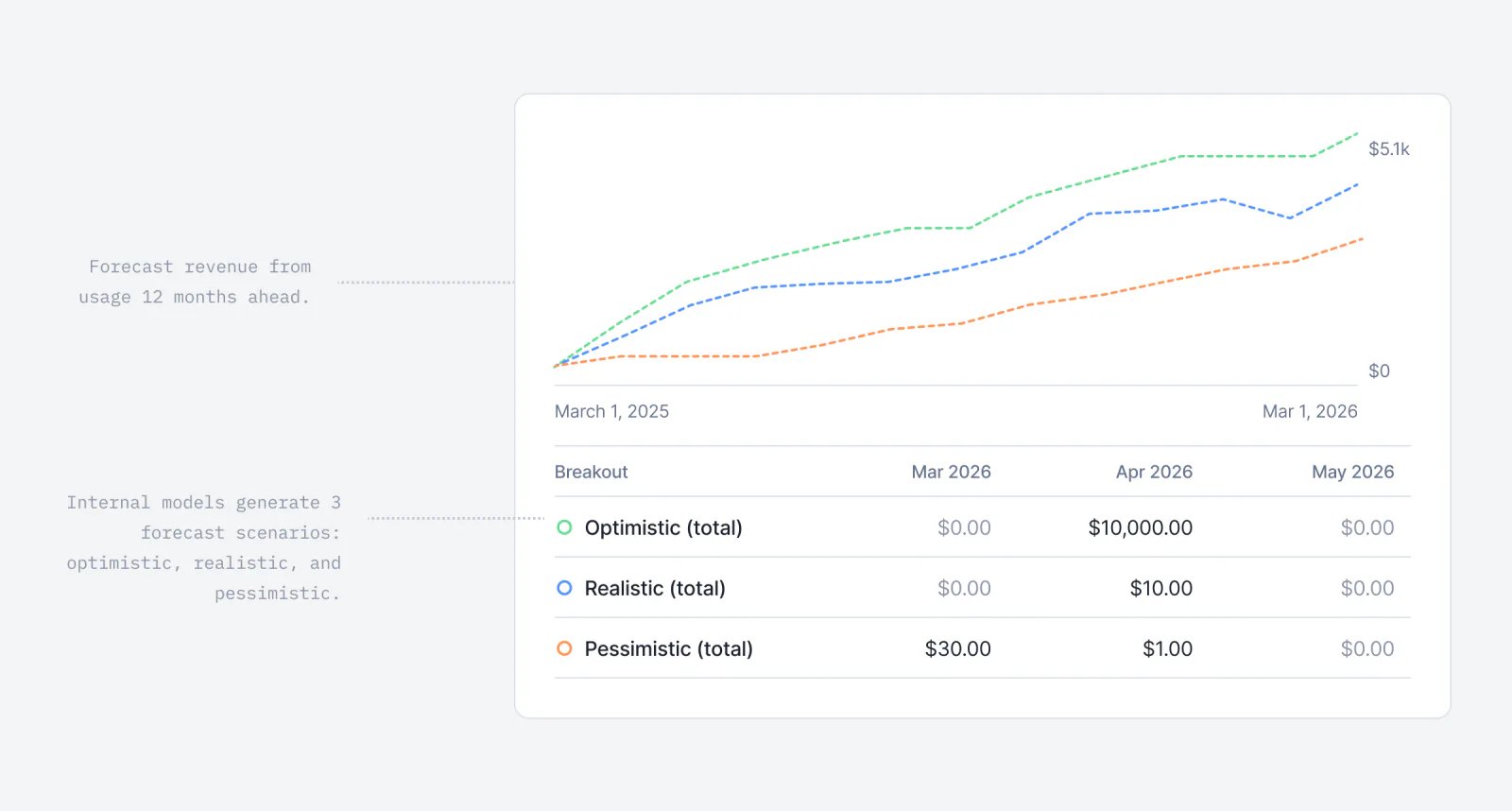
Lago revenue forecast chart projecting usage-based revenue.
Forecasting revenue is notoriously challenging, especially for usage-based companies. Usage fluctuates over time, definitions of revenue vary from a company to another, and reliable prediction models are often missing.At Lago, we set out to make this process easier!We have introduced our first ML model to forecast your usage-based revenue up to 12 months ahead. The model provides three scenarios: Realistic, Pessimistic, and Optimistic, and regularly refines its predictions based on your invoiced usage data.
This feature is currently available for companies with at least six months of usage data in Lago to ensure optimal accuracy.
Learn more

Find customers faster with new filters
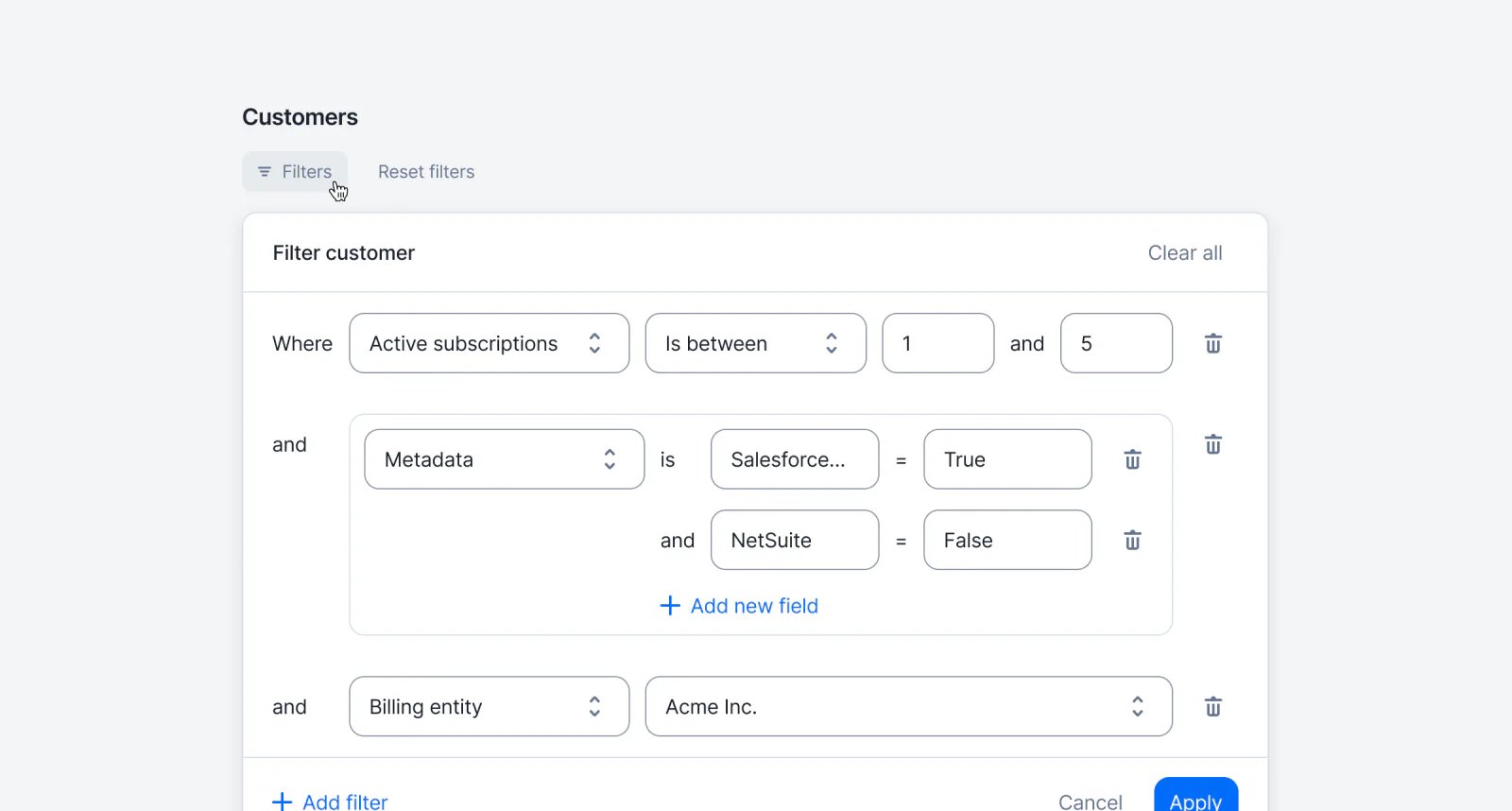
Lago customer list filtered by metadata, active subscriptions, and Tax ID.
Quickly find the right customers by filtering your list (via API or UI) using metadata, active subscriptions, Tax ID, and more — making large datasets easier to navigate and act on.Learn more

Wallet transaction limits

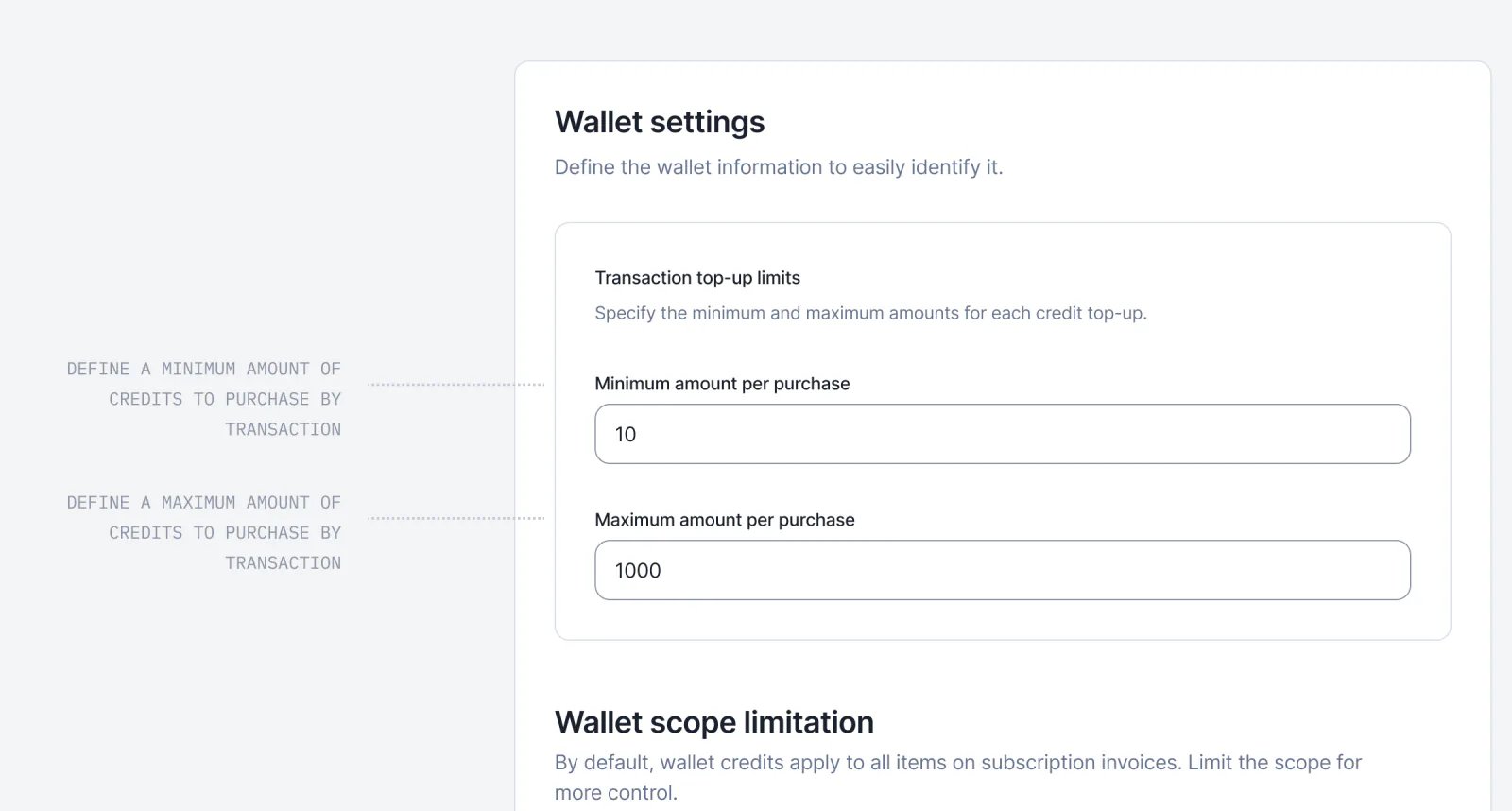
Lago wallet settings with minimum and maximum top-up amounts defined.
You can now define minimum and maximum amounts for each paid wallet transaction. Any top-up must stay within these boundaries; transactions below the minimum or above the maximum will be rejected. This ensures better control over wallet usage and prevents unexpected amounts being processed.For added flexibility, you can bypass wallet transaction limits when needed. Overrides can be applied either by adding the ignore_paid_top_up_limits flag in the API payload or by enabling the Skip top-up limits for this transaction option in the UI. This applies to both one-off and recurring (automatic) top-ups.Learn more
Wallets & credits

Wallet transaction name
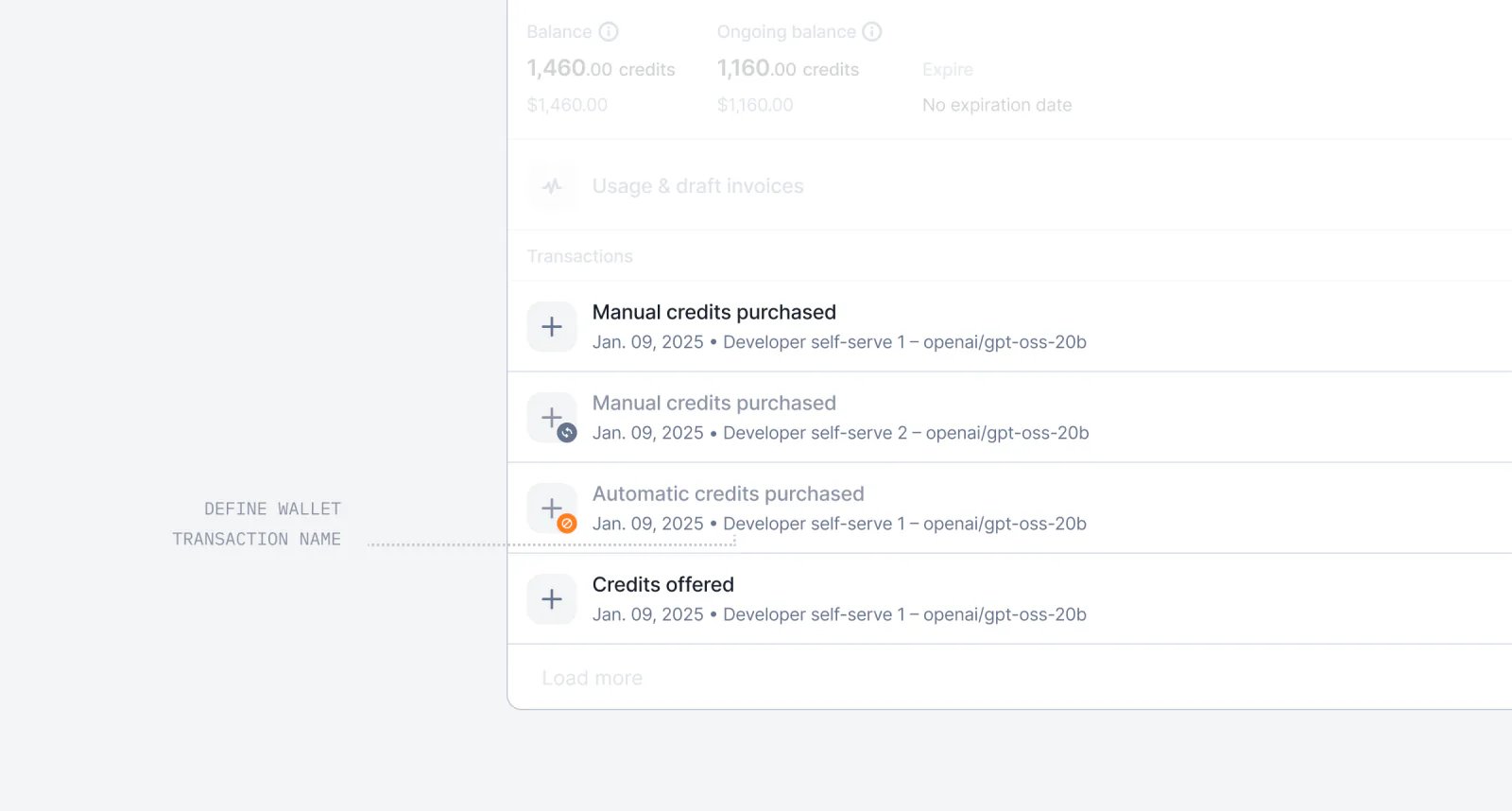
Lago prepaid credit invoice showing a named wallet transaction.
Add context to your invoices by naming wallet transactions — whether they come from a manual top-up or a recurring rule. The transaction name now appears on prepaid credit purchase invoices.Learn more
InvoicingSubscriptionsAnalytics

Semiannual billing interval
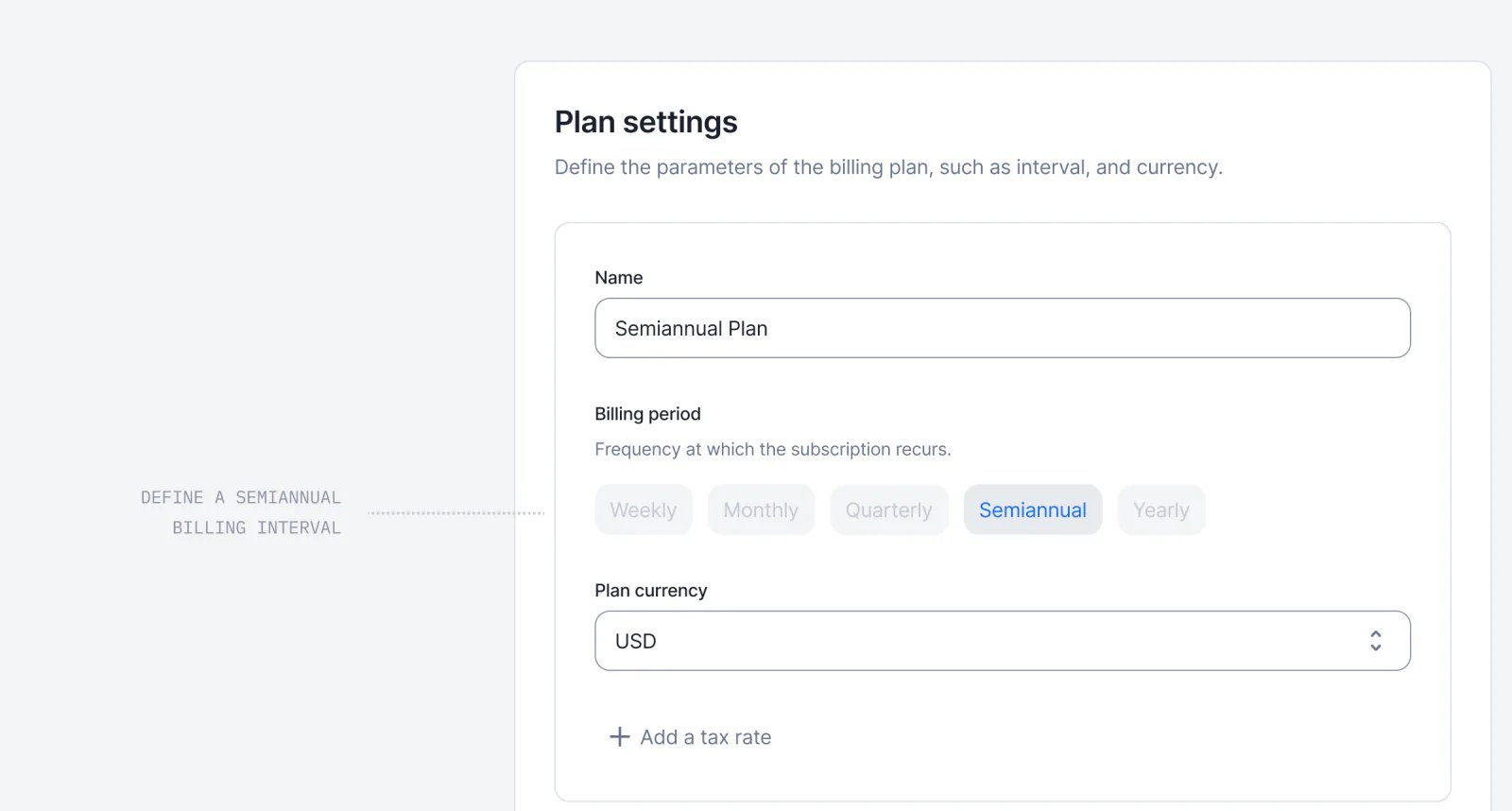
Lago subscription billing interval set to semiannual.
In addition to weekly, monthly, quarterly, and yearly billing intervals, subscriptions can now also be billed on a semiannual basis.This new option also applies to recurring wallet top-ups, which can now be scheduled every 6 months.Learn more

Entitlements are now supported in Lago 🎉
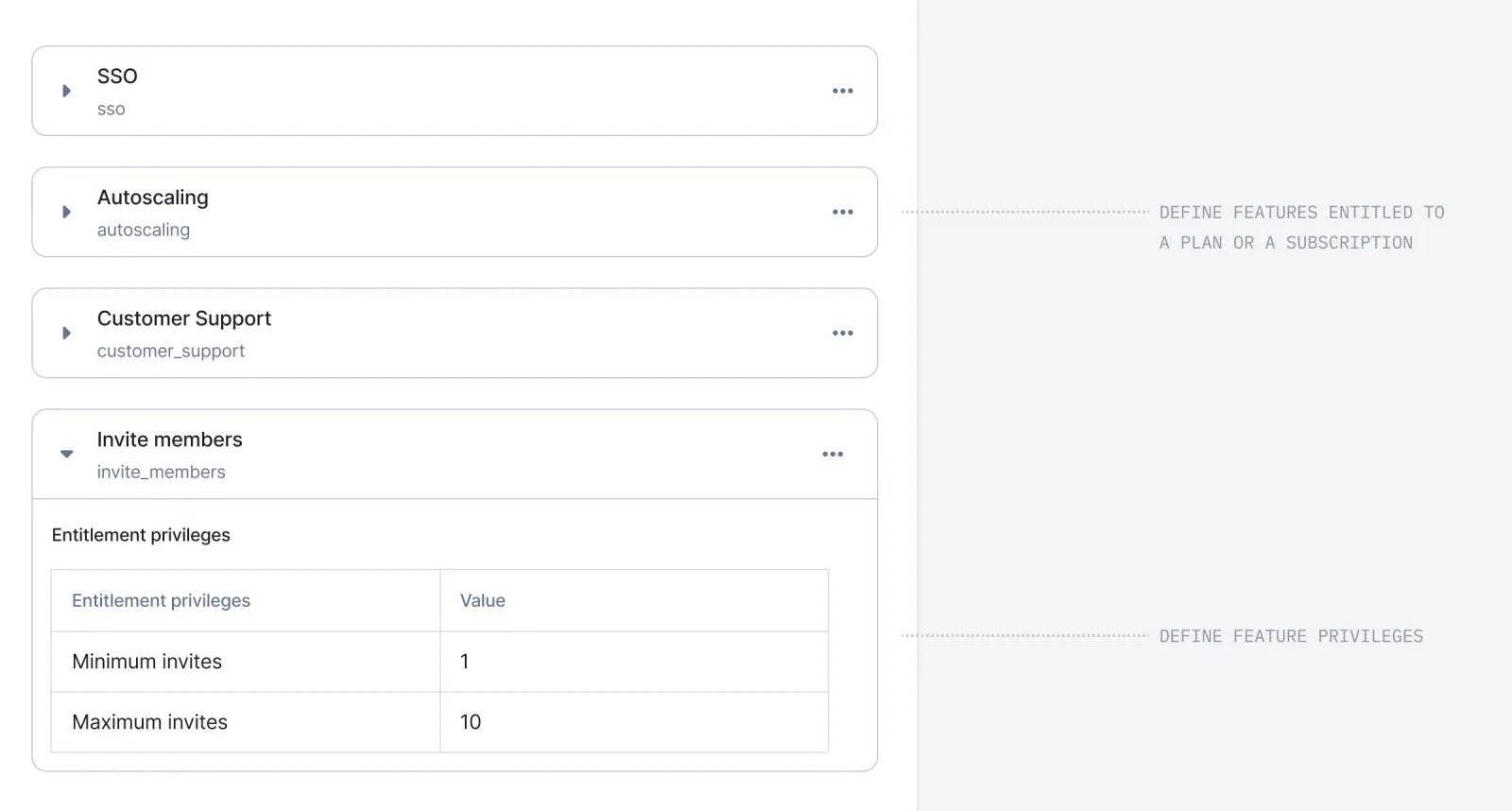
Lago entitlements defining feature access on a plan.
Until now, Lago supported subscriptions, discounts, prepaid credits, and usage-based charges. But one key piece was missing: Entitlements.Entitlements are the features included in a plan or subscription that aren’t usage-based, but still define what a customer can access. For example:
  • On Plan A, a customer gets Okta SSO and can invite up to 3 members.
  • On Plan B, another customer can invite up to 10 members and gets a 7-day log retention.
Traditionally, billing and entitlements were managed separately. But they shouldn’t be. They are two siblings. Two faces of the same coin. That’s why, starting today, you can:
  1. Define features directly in Lago.
  2. Attach (entitle) them to plans.
  3. Override them for individual subscriptions.
  4. Create feature-level privileges that vary across plans.
With this release, entitlements become first-class citizens in Lago, right alongside subscriptions, metering and usage-based billing.Learn more

Revenue streams dashboard improvements
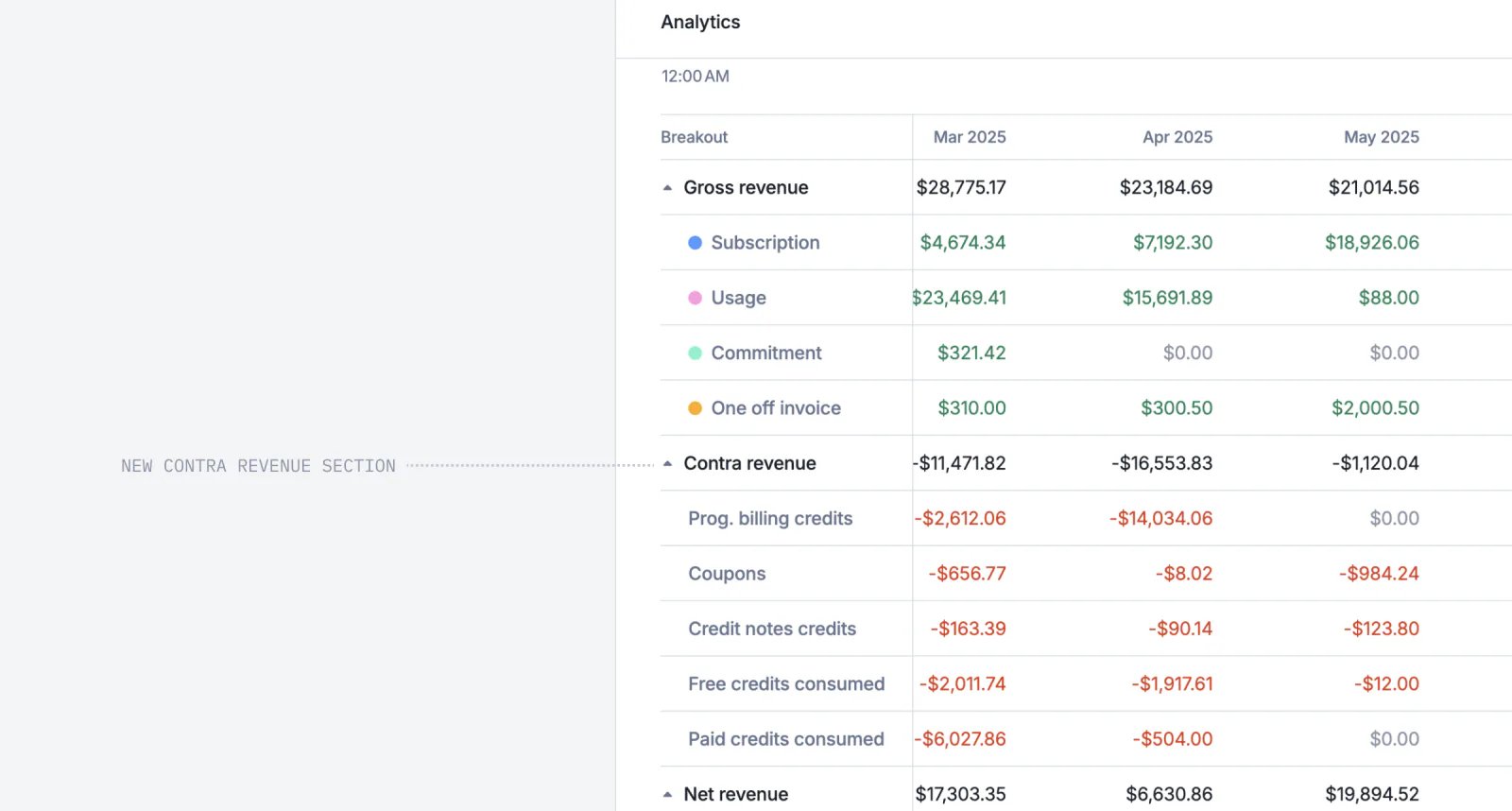
Lago revenue streams dashboard comparing gross and net revenue.
We’ve made some improvements to the Revenue Streams dashboard to make it more intuitive, espeicially for the gross vs net revenue calculation. We now display the contra revenue, including coupons, discounts, and credits.Learn more

Set service periods on one-off line items
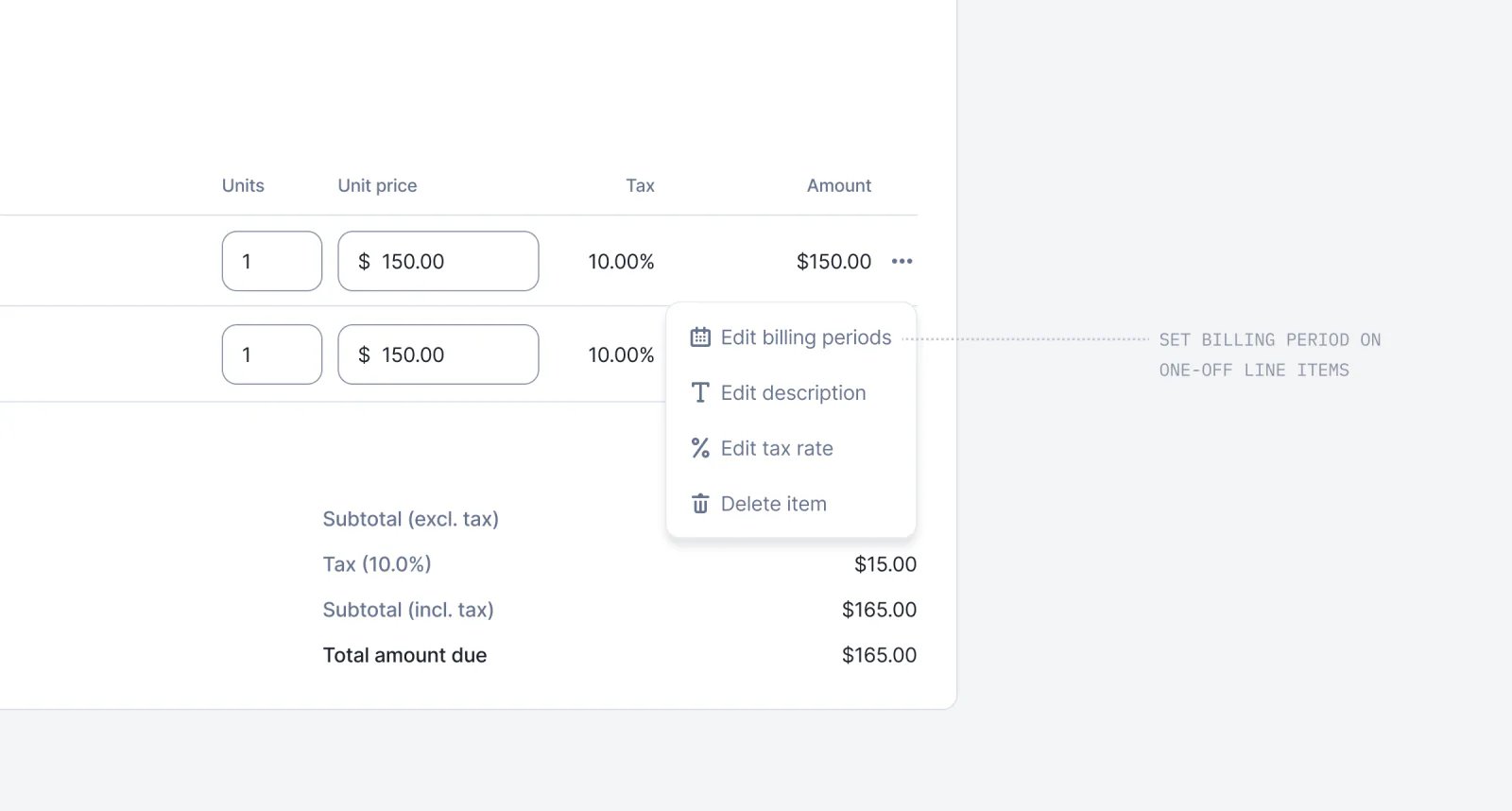
Lago one-off line item with a service period defined.
You can now define a service period for one-off line items. Instead of recognizing them on a single date, they can cover a period — in the past, starting today, or in the future. This gives you full flexibility to set the billing boundaries you need, for each line item individually.Learn more

Terminate subscriptions without unwanted credit notes
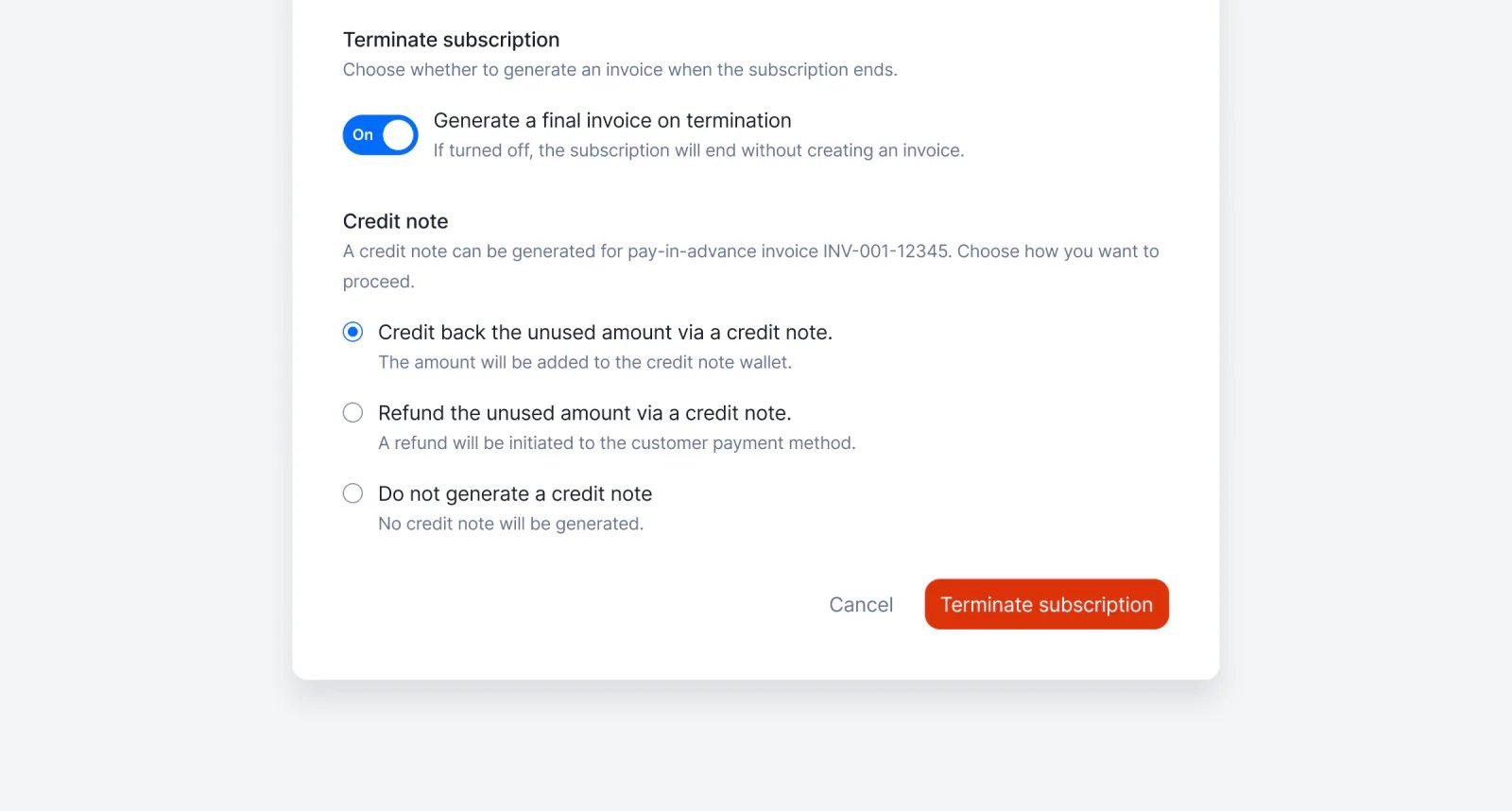
Lago subscription termination options for handling the unused prepaid amount.
By default, Lago issues a credit note when you terminate a pay-in-advance subscription. Now, you decide what happens: skip the credit note, credit the unused amount, or refund it. No more cleaning up credit notes that were never meant to be sent — just pick the right option in the termination dialog.Learn more

Do not generate invoice at subscription termination
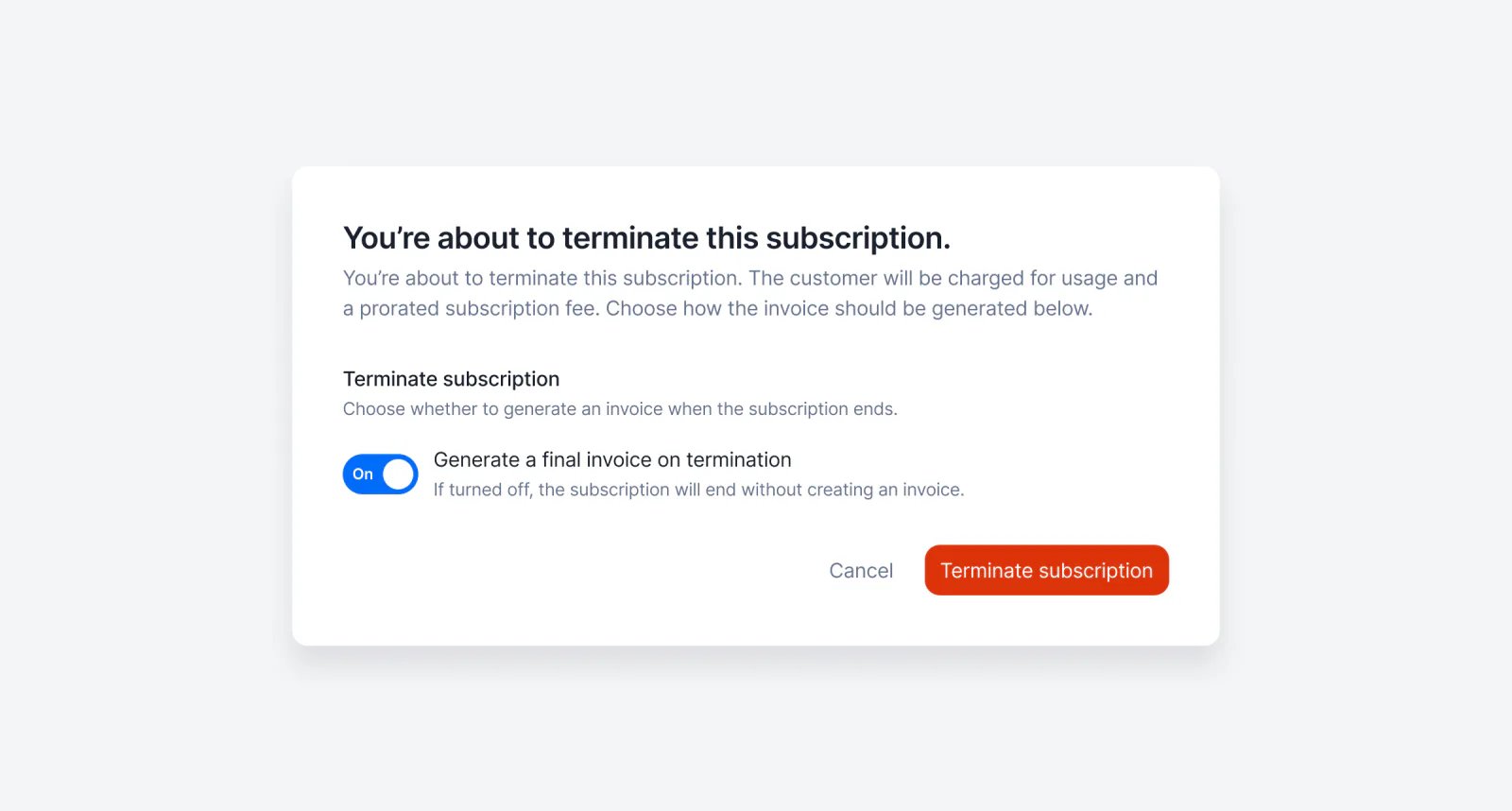
Lago subscription termination with closing invoice generation turned off.
Created a subscription by mistake? You can now terminate it without generating a closing invoice, so you don’t have to deal with invoices that were never meant to exist. Just pick the option in the termination dialog — and we’ll skip creating it.Learn more
InvoicingUsage & meteringWallets & creditsPayments

Display the projected usage of your customers
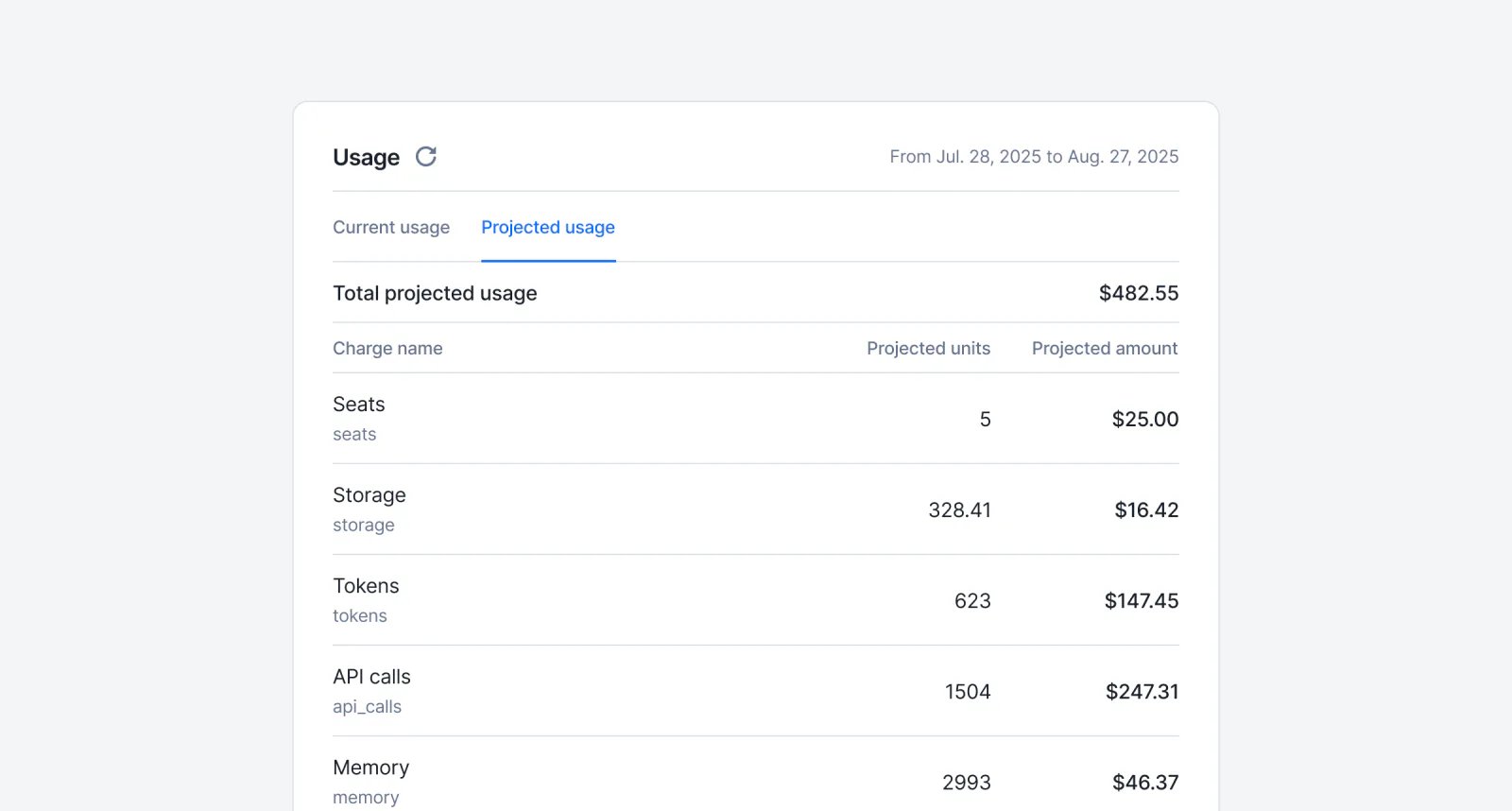
Lago projected usage showing a customer's estimated end-of-period charges.
Give your customers visibility into their upcoming bills, before the invoice drops. With the new Projected Usage endpoint, you can help users estimate their final usage and costs for the current billing period, based on real-time consumption trends.Perfect for:
  1. Displaying projected costs inside your app
  2. Give customers visibility into their upcoming bills
  3. Helping customers stay in control of their spend
Built on the same engine as the current usage endpoint, it ensures consistent and trustworthy projections.Learn more

Regenerate voided invoices

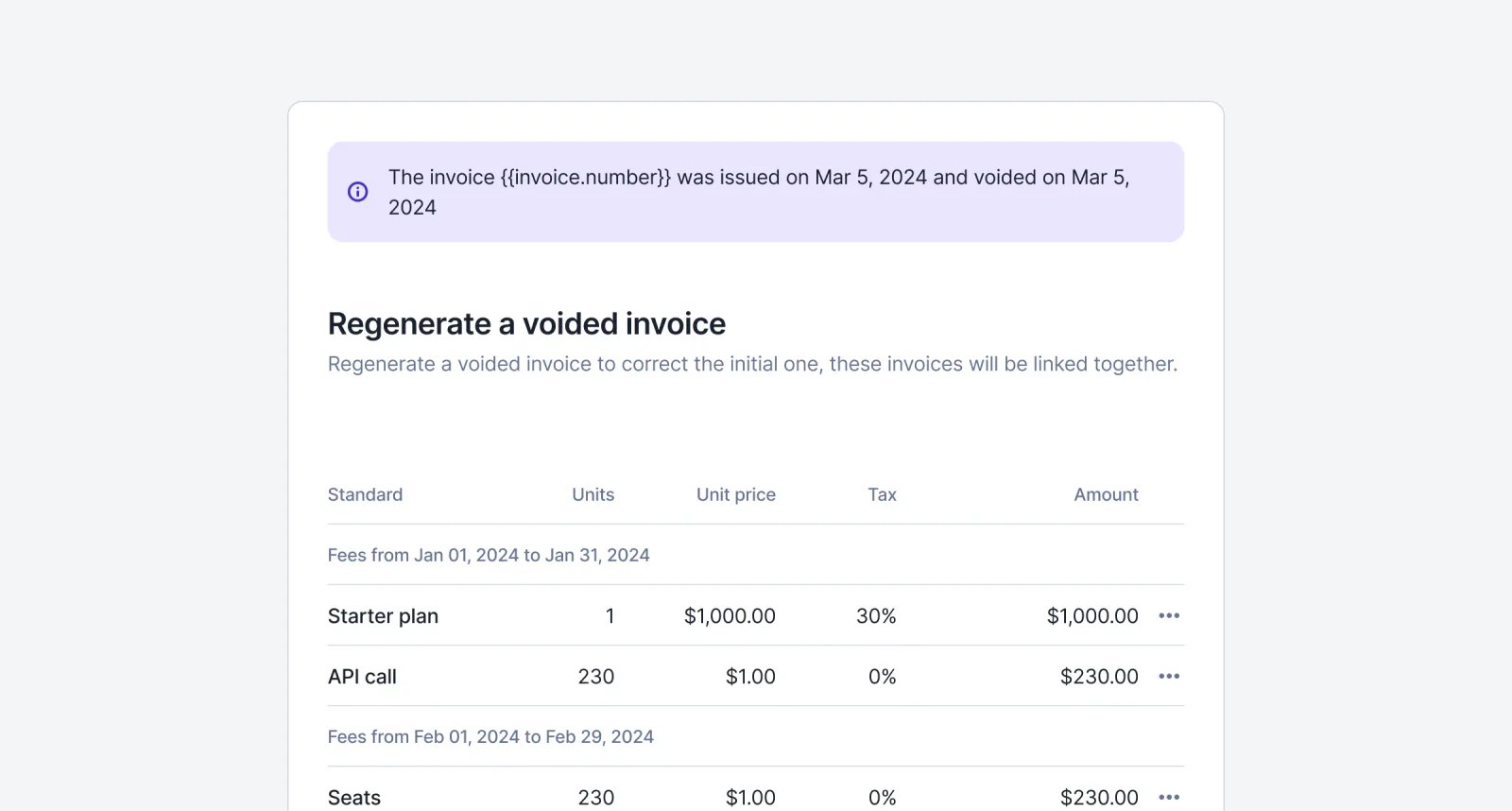
Lago voided invoice being regenerated into a new draft.
We’ve just made it easier to fix and reissue invoices — no more starting from scratch. With our new “Regenerate Voided Invoice” feature, you can now recreate a voided invoice directly from the UI in just a few clicks.The original line items and fees are pre-filled for convenience, and you can still make changes such as adjusting quantities or updating amounts before sending it out. The regenerated invoice remains linked to the original one, ensuring full traceability for your accounting records.And the cherry on top 🍒: you now have multiple refund options when voiding an invoice, giving you greater flexibility based on the payment method and accounting preferences.Learn more

Limit prepaid credits to specific billable metrics
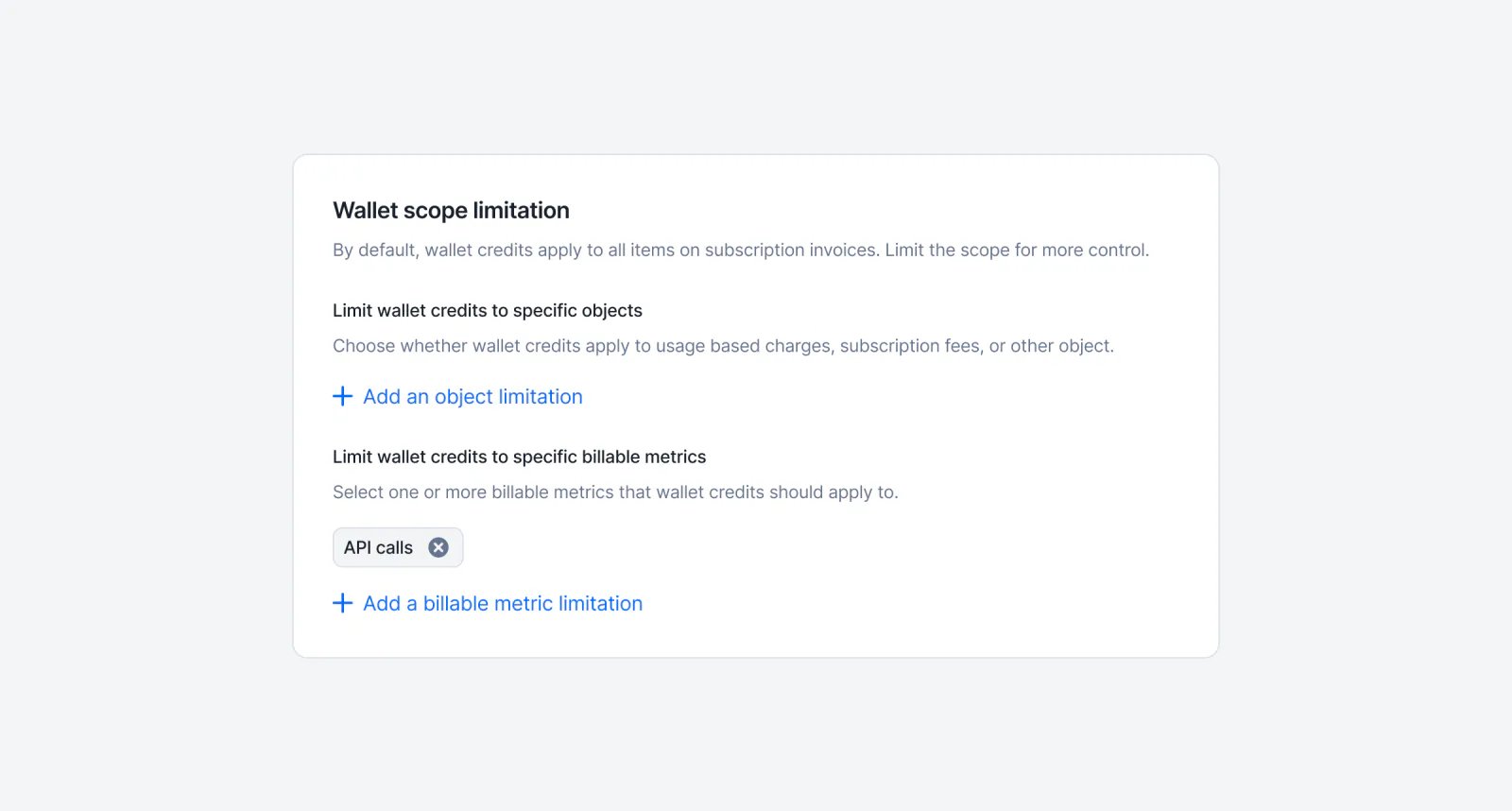
Lago wallet scoped so prepaid credits apply only to selected billable metrics.
If you’re offering prepaid credits, great, you’re riding the AI wave! But not all usage should be tied to credits. Some metrics are better off billed the old-fashioned way: with traditional payment methods.What’s new? You can now choose which metrics are deducted from prepaid credits, and which ones are billed separately using other payment methods.This gives you more control over your pricing strategy and helps align billing with your product’s value delivery.Learn more
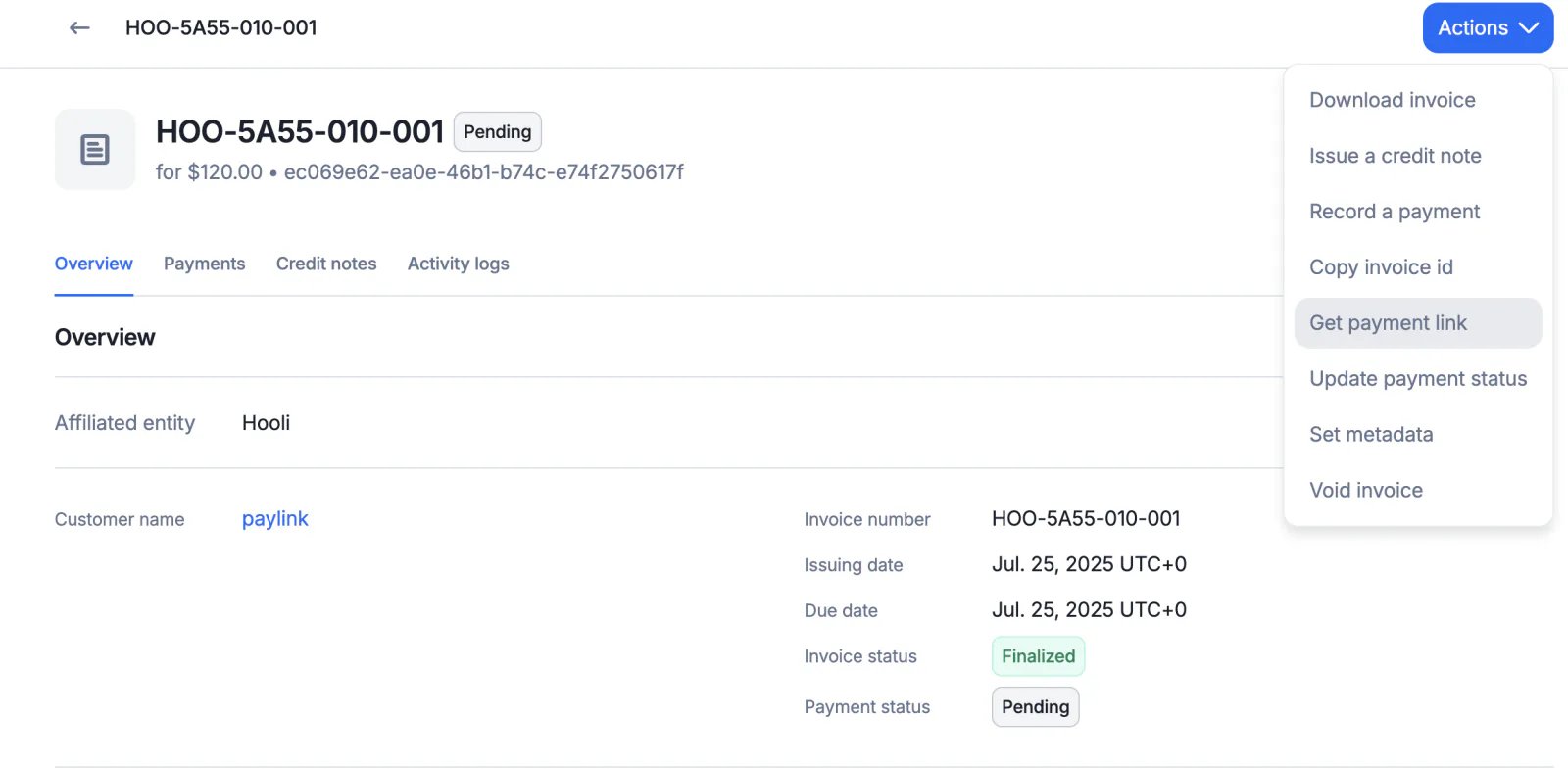
Lago invoice with the Get payment link action for a pending payment.
You’re not a technical user, but your customer is asking for a way to pay an invoice generated through Lago. No worries, it’s easy! Just click the “Get payment link” button to generate a secure checkout link you can share.

Custom pricing units for more flexible billing!
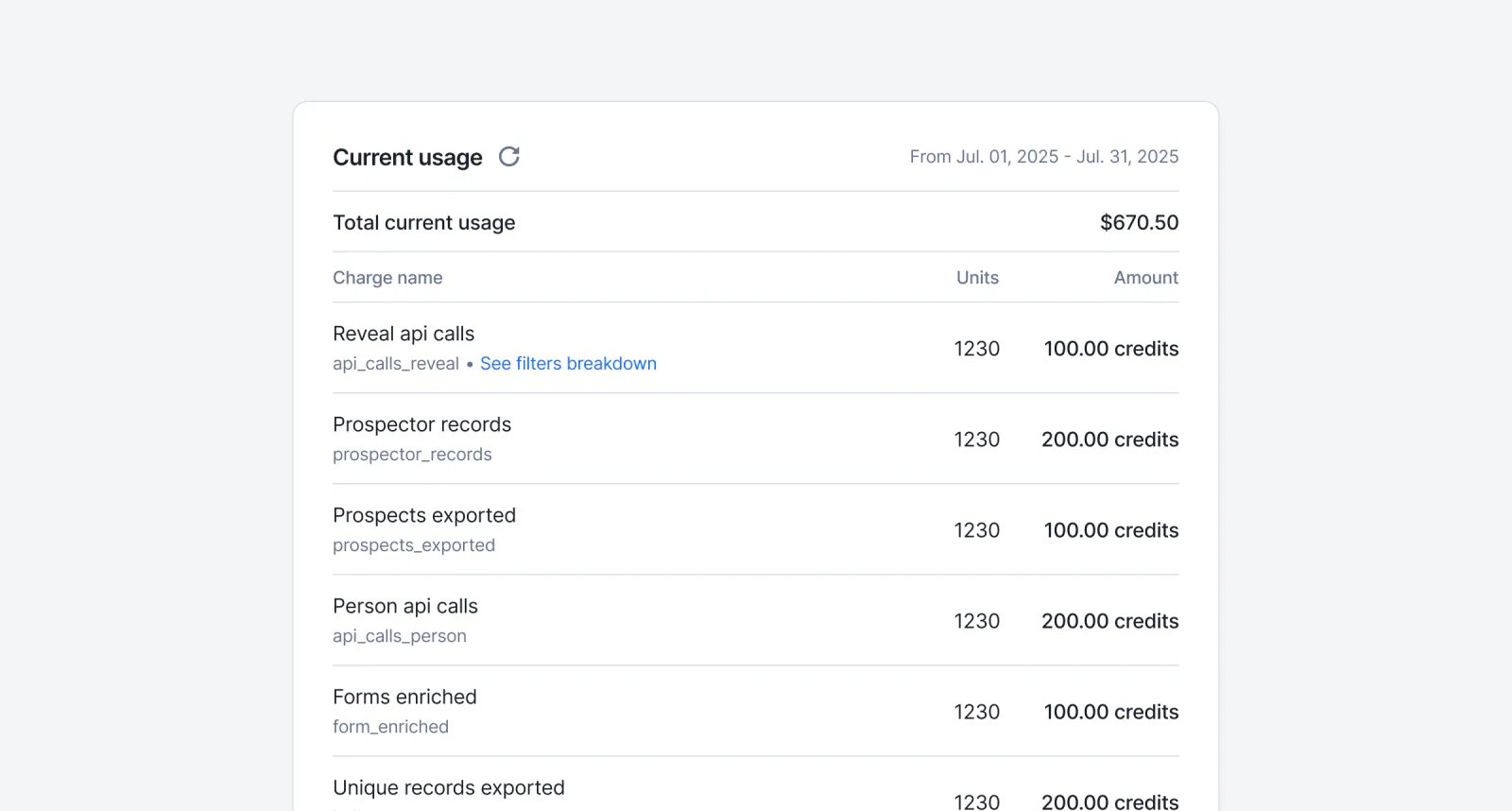
Lago charge priced in a custom pricing unit rather than fiat currency.
You can now express charges in pricing units like credits or tokens — not just fiat currency. This gives you more flexibility to align your pricing with how your product delivers value. You can now:
  • Create pricing units (e.g., tks, cdt) from your settings.
  • Define charges in pricing units within a plan, with a conversion rate back to fiat for accurate invoicing.
  • Track usage in both fiat and pricing units.
  • Generate invoices that show both values, while ensuring billing in fiat stays consistent.
  • Use pricing units independently or alongside wallets — they don’t interfere with each other.
Learn more

Enforce login methods per organization
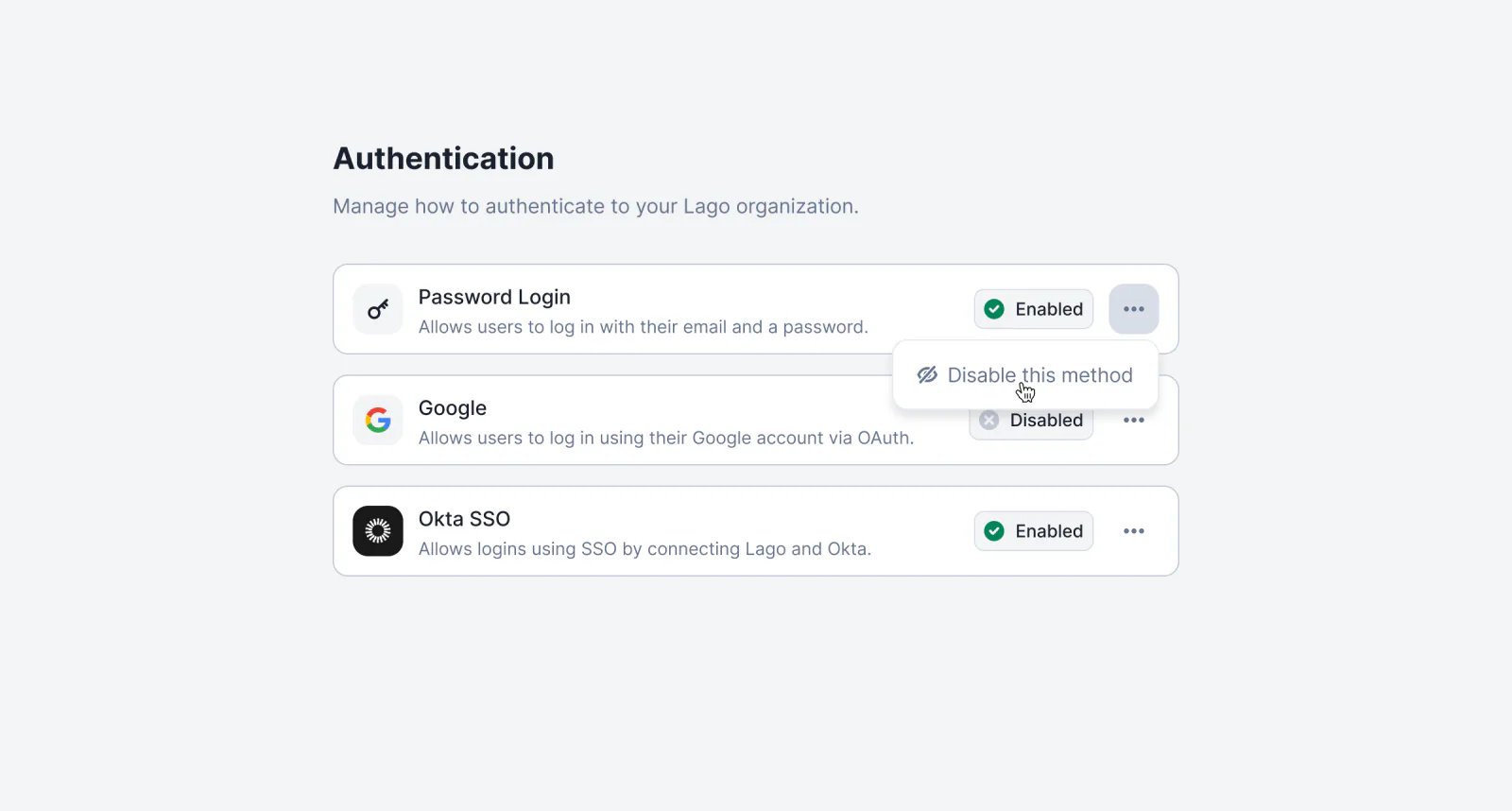
Lago organization authentication settings restricting which login methods are allowed.
You can now customize which login methods are allowed for each organization — including requiring SSO (e.g. Okta) while disabling others like email/password or Google.This ensures better security and compliance for teams with strict authentication requirements.➡️ Head to Settings → Authentication to configure allowed methods.Learn more

New navigation bar

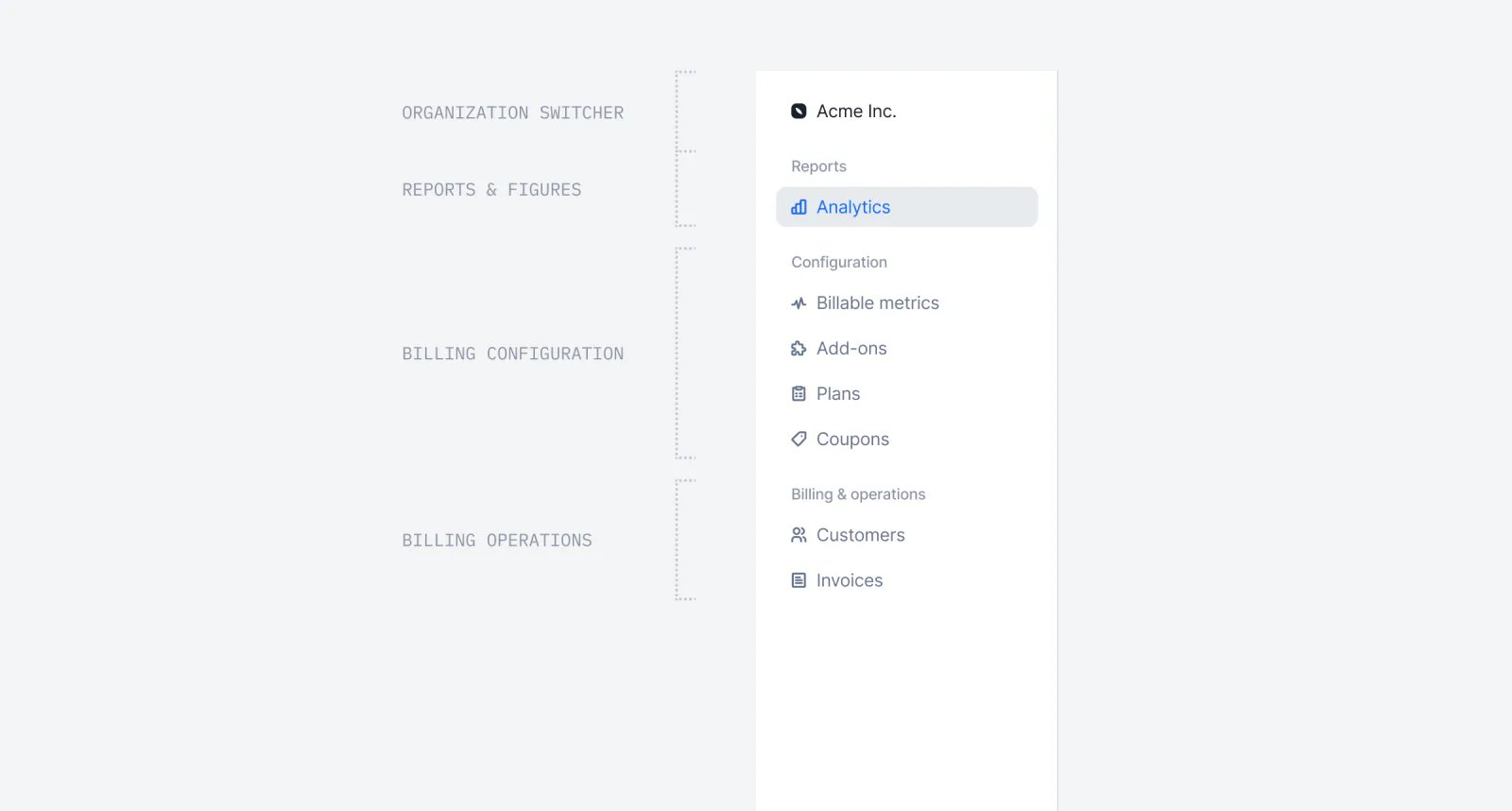
Redesigned Lago navigation bar.
July is here, and the sun is knocking on our door! We’ve redesigned the navigation bar to make it more intuitive and easier to use. This new navigation will give you access to even more features — but shhh… they’re not ready to launch just yet 🤫
TaxesUsage & meteringAPIWallets & credits

Track API requests with API Logs
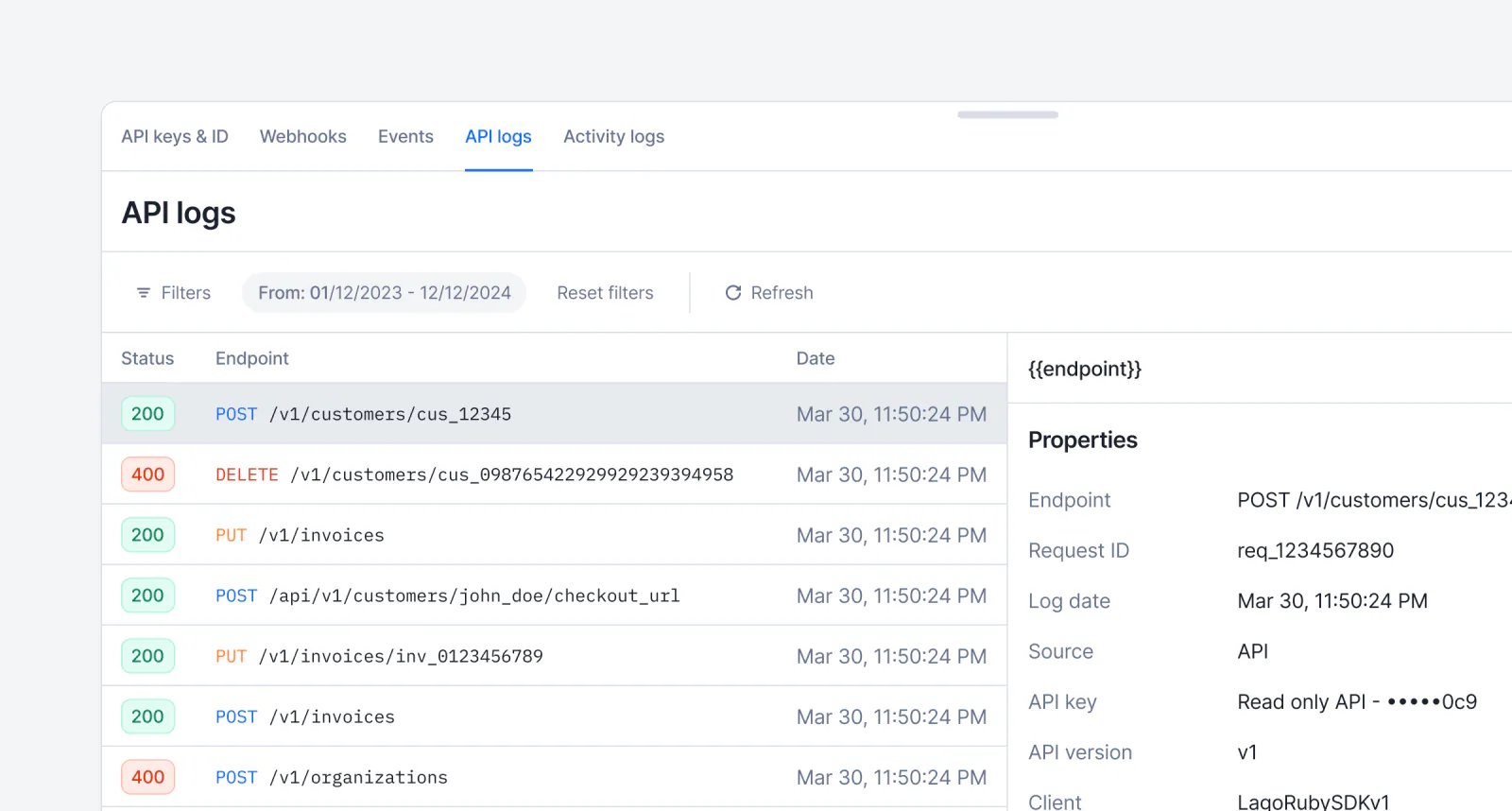
Lago API logs listing requests with endpoint, status, and client.
❓‘Which endpoints have been used?’❓❓‘Which requests are failing?’❓❓❓‘Which API client triggered this request?’API logs offer a comprehensive record of all API requests and calls made within your organization. They serve as an essential tool for monitoring activity, troubleshooting issues, and auditing system usage.Learn more

Pricing group keys

Lago charge using a pricing group key to price per dimension.
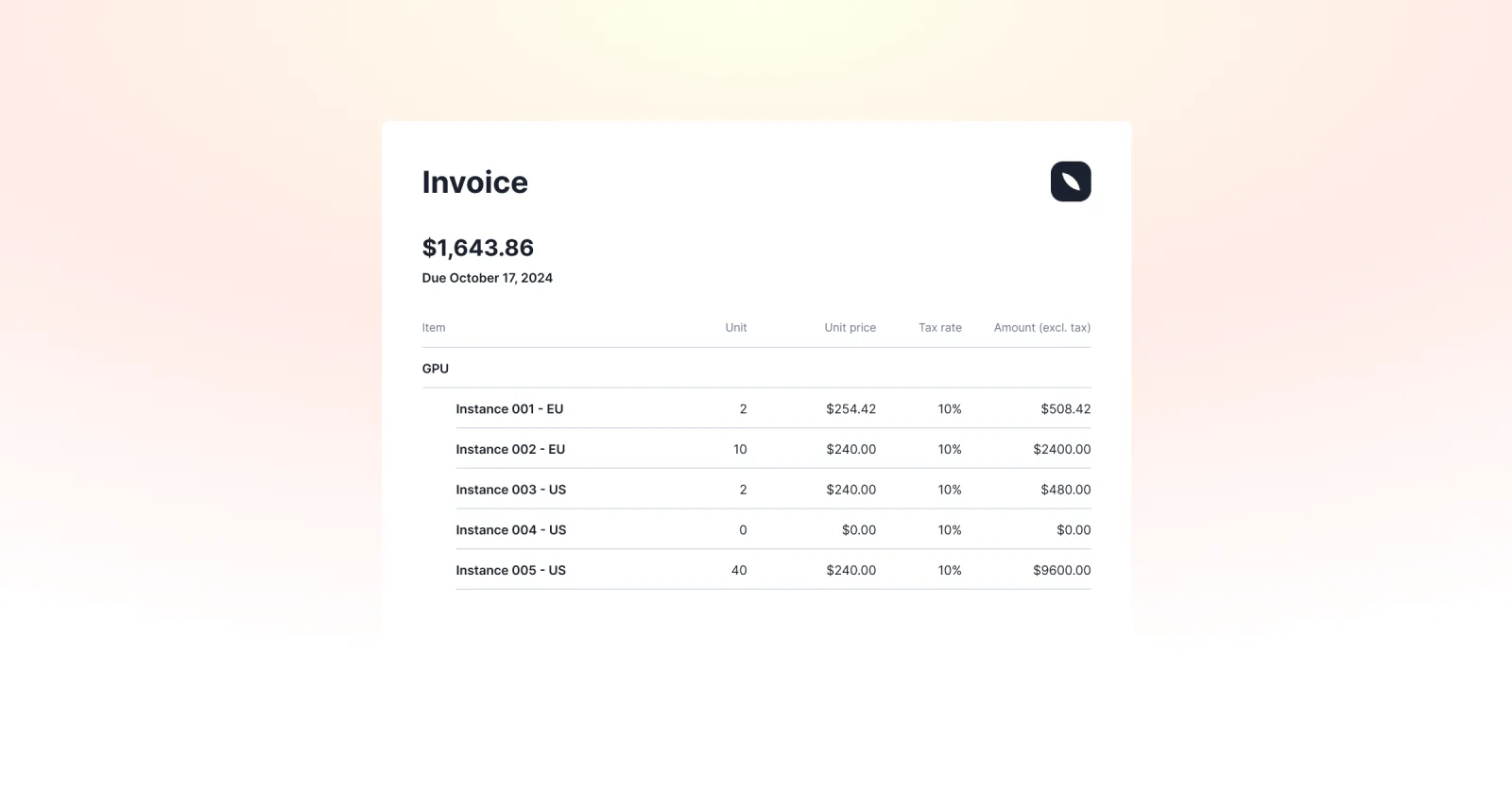
Launch Week IV, Day 5: Pricing Group KeysAI and infrastructure platforms often tailor pricing based on variables such as geography, hosting provider, or service tier. Lago’s Pricing Group Keys offer a streamlined way to support this kind of dynamic pricing without duplicating product definitions.With pricing group keys, you can group usage events to a single product based on configurable dimensions—like cloud provider, model type, deployment region, or instance class. This allows you to reflect real-world cost variations while keeping your product catalog clean and manageable.When setting up a charge, you define the relevant keys. You don’t need to predefine every possible value. Instead, Lago intelligently routes each usage event to the correct pricing group based on the attributes provided at runtime.
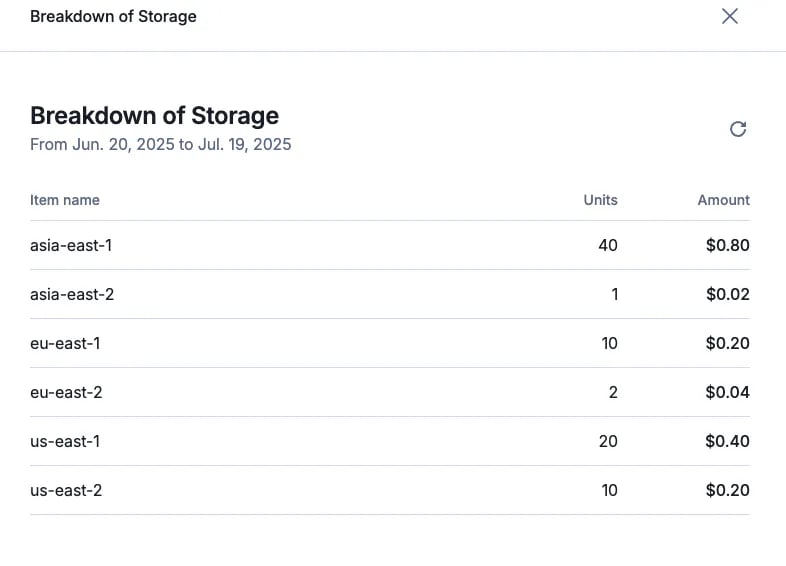
Lago pricing group key values billed as separate invoice line items.

Usage-based billing with group keys

Learn more

Prepaid credits limited to specific charges
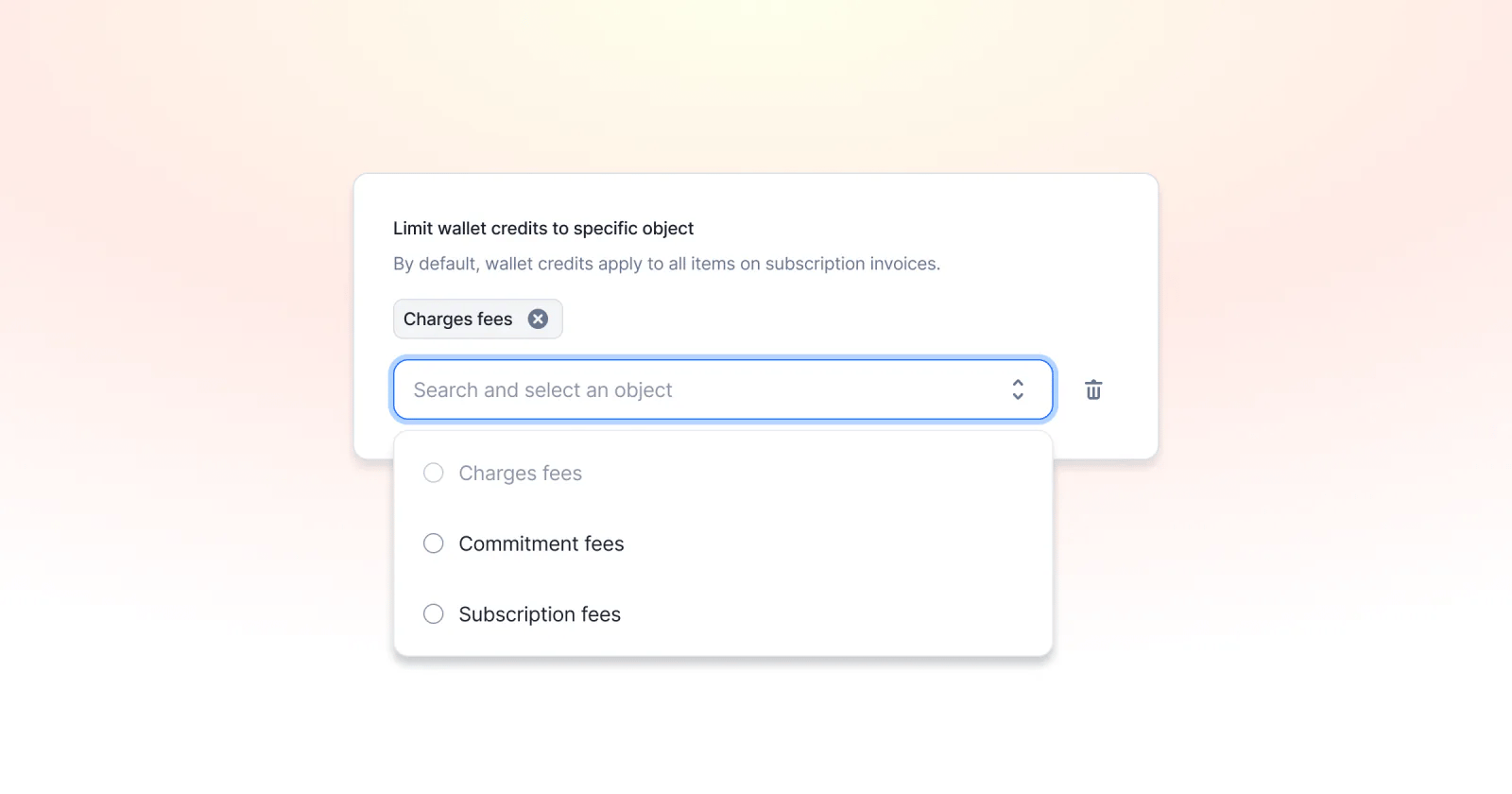
Lago prepaid credits restricted to specific charges on an invoice.
Launch Week IV, Day 4: Restrict Prepaid Credits to Specific ChargesYou can now configure prepaid credits to apply only to designated charges within an invoice. This allows greater control over credit usage—for instance, preventing customers from using their prepaid credits to cover the entire invoice and instead limiting them to specific eligible items or charge types.Learn more

Avalara Tax Integration

Lago connected to Avalara for automated tax calculation.
Launch Week IV, Day 3: End Tax Guesswork — Lago x Avalara IntegrationYou can now connect Lago to Avalara to make tax management easier. This native integration allows you to automatically update your invoices with tax amounts sourced directly from Avalara.1️⃣ Lago sends the customer’s address, tax identifier (if applicable), and the relevant tax code to calculate the appropriate tax for each line item.2️⃣ Avalara calculates the tax for the invoice and returns the data to Lago, which is used to update the invoice with accurate tax information.3️⃣ Lago synchronizes updates for voided and disputed invoices, as well as any credit notes created, ensuring that your records remain up to date.This integration is accessible with a premium add-on.Learn more

Activity Logs

Lago activity logs recording who changed a plan, price, or invoice.
Launch Week IV, Day 2: Billing Activity Logs❓‘Who changed that price point?’❓❓‘Who created that plan?’❓❓❓‘What happened to this invoice?’We got you! That’s why we are launching one of the most underrated but essential billing features: Activity Logs.Lago is used by engineering, finance, sales, and growth teams. Engineers build the billing engine, sales customize deals, finance reviews data—it can get messy. Activity logs bring clarity!Every change is now logged. You’ll know who did what, when, and how—whether it came from the UI or API. We track the user or API key, the action, timestamps, resource IDs, and more. It is like git, but for your billing stack.Learn more

Budget & Usage Alerts

Lago budget and usage alert configured with a spend threshold.
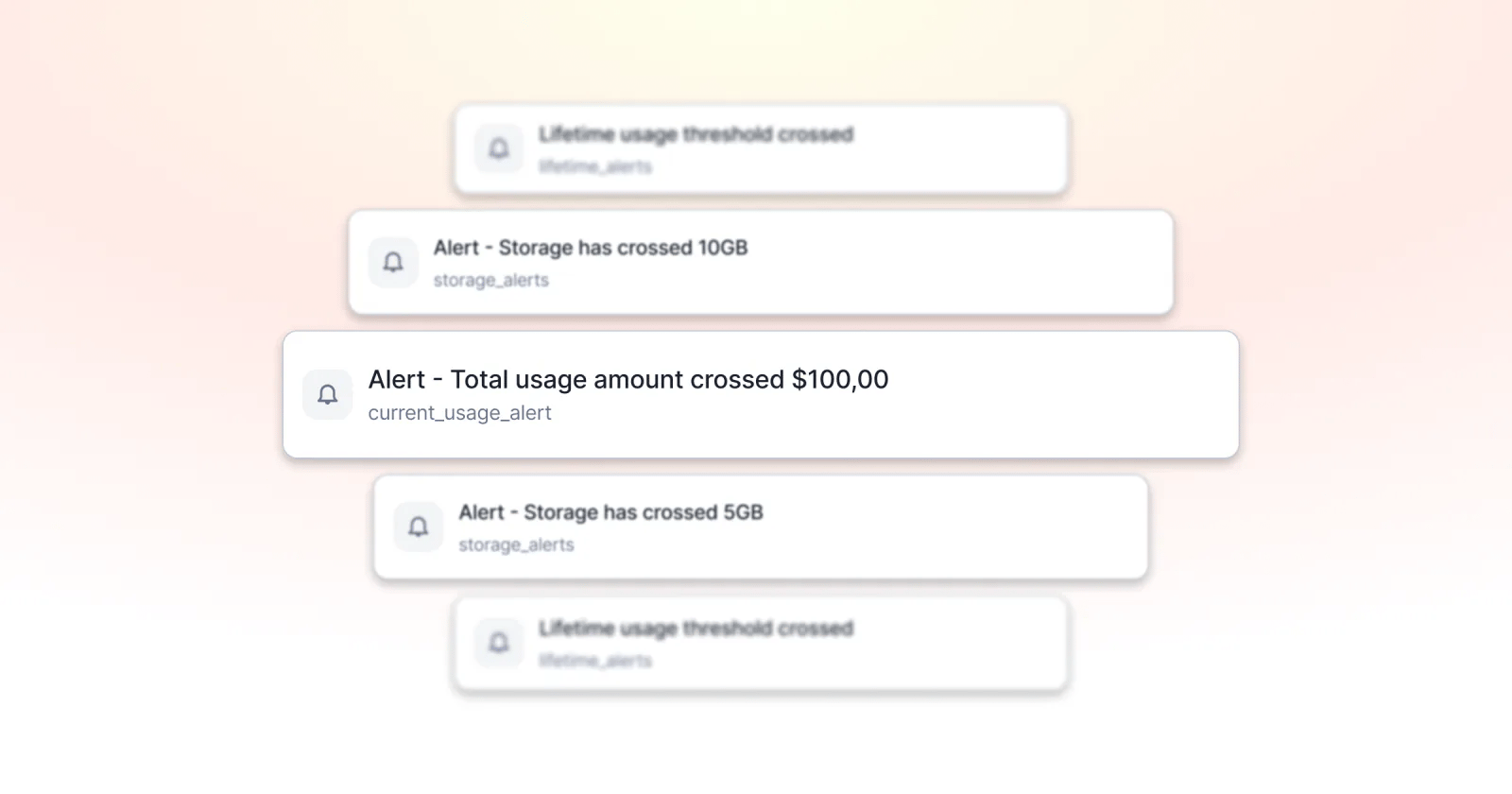
Launch Week IV, Day 1: Budget & Usage Alerts!We’ve all heard the horror stories of unsupervised AWS instances that lead to million-dollar invoices. Even when we’re not talking about millions, you probably know the feeling of usage-based bills far more expensive than you thought. Lago now helps you prevent those scenarios. With budget & usage alerts, you can put hard edges around consumption and billing.The feature is basically a multi-layered warning system. You can track:
  1. Lifetime spend for the entire subscription—ideal for free trials that should never exceed, say, a total of $100.
  2. Current-period spend so finance knows when a customer hits 80 percent of this month’s credits and engineering can act before overages accrue.
  3. Metric-based spend in amount or usage units, meaning you can send an alert when a user has used up 1 million API calls or $100 of API calls.
Learn more
Wallets & creditsBilling entities

Multiple billing entities within a Lago account!
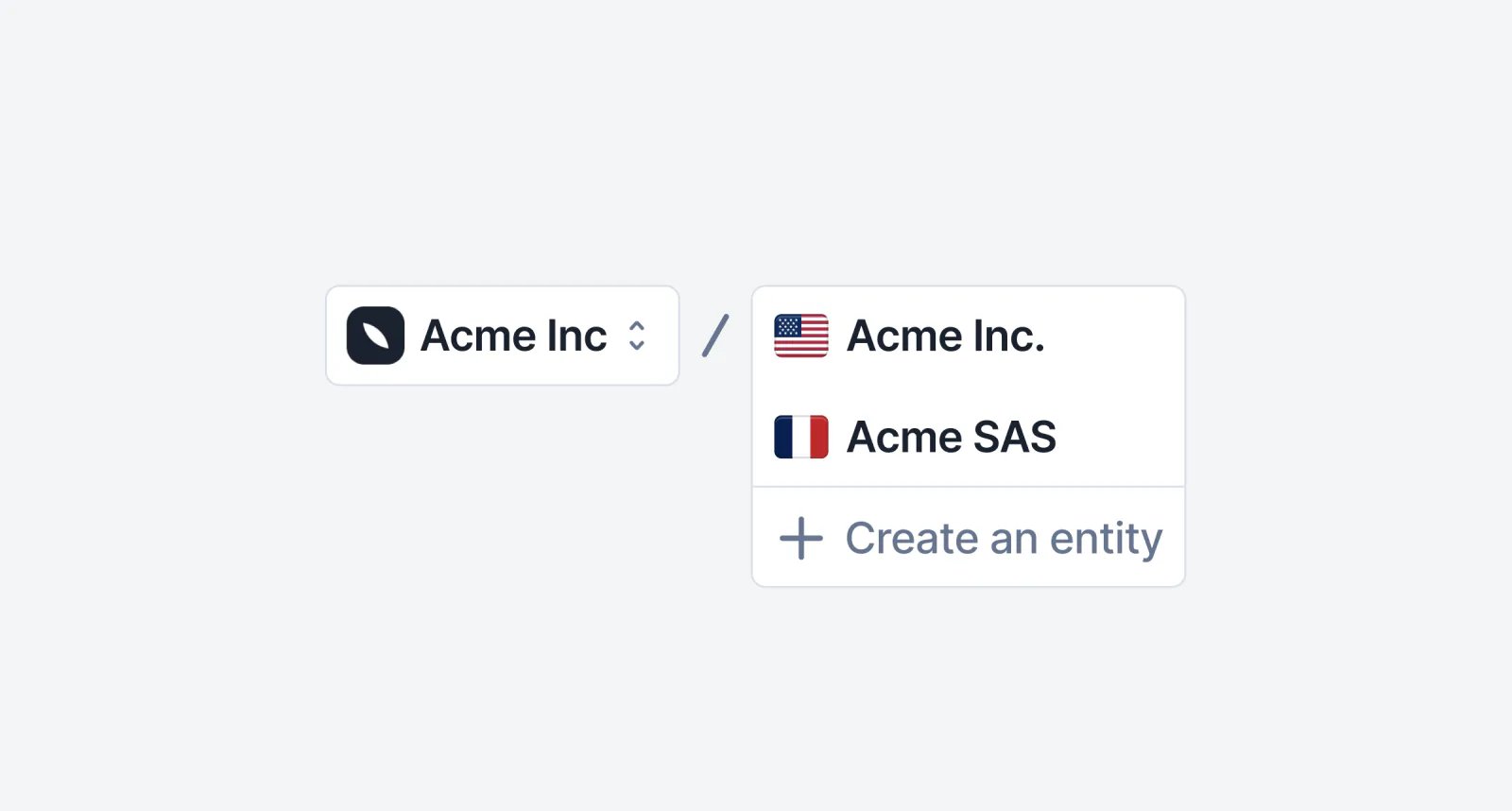
Lago account managing several billing entities.
You can now manage multiple billing entities within a single Lago account. Whether you operate with different subsidiaries or invoice on behalf of third parties, this feature lets you issue invoices from multiple senders, different subsidiaries—without duplicating your setup. Your existing configuration (billable metrics, plans, settings, etc.) stays intact, making it easy to scale across entities while invoice settings (timezone, locale, grace period, etc.) can be configured differently.Learn more

Know everything about prepaid credits consumption

Our new prepaid credits dashboard is now live in beta! You can now track the flow of your prepaid credits, including the amount of credits offered, paid, consumed, and voided.
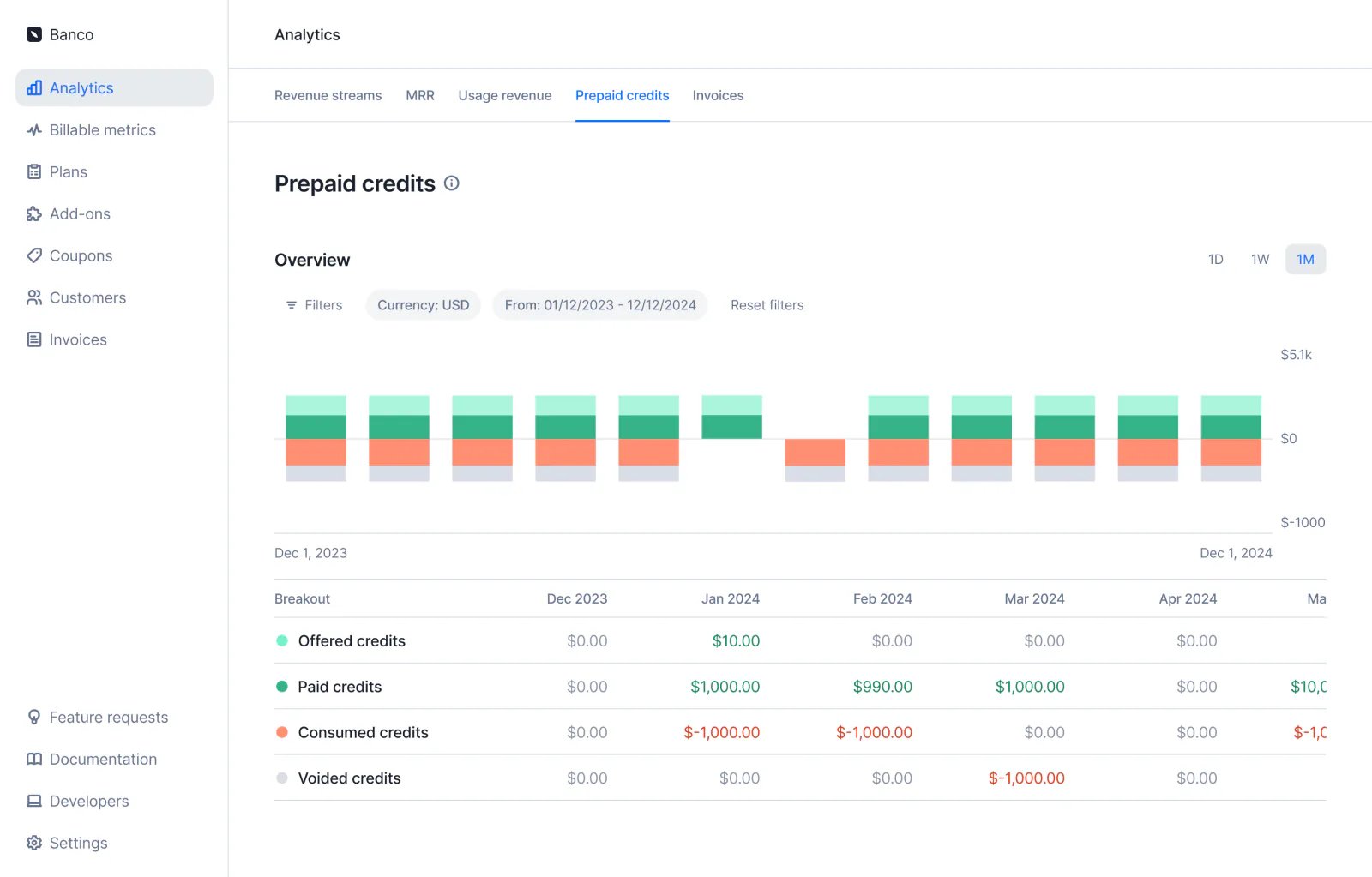
Lago prepaid credit consumption breakdown for a customer wallet.
Learn more
PaymentsAnalyticsInvoicingIntegrations

Idempotent payment URL generation
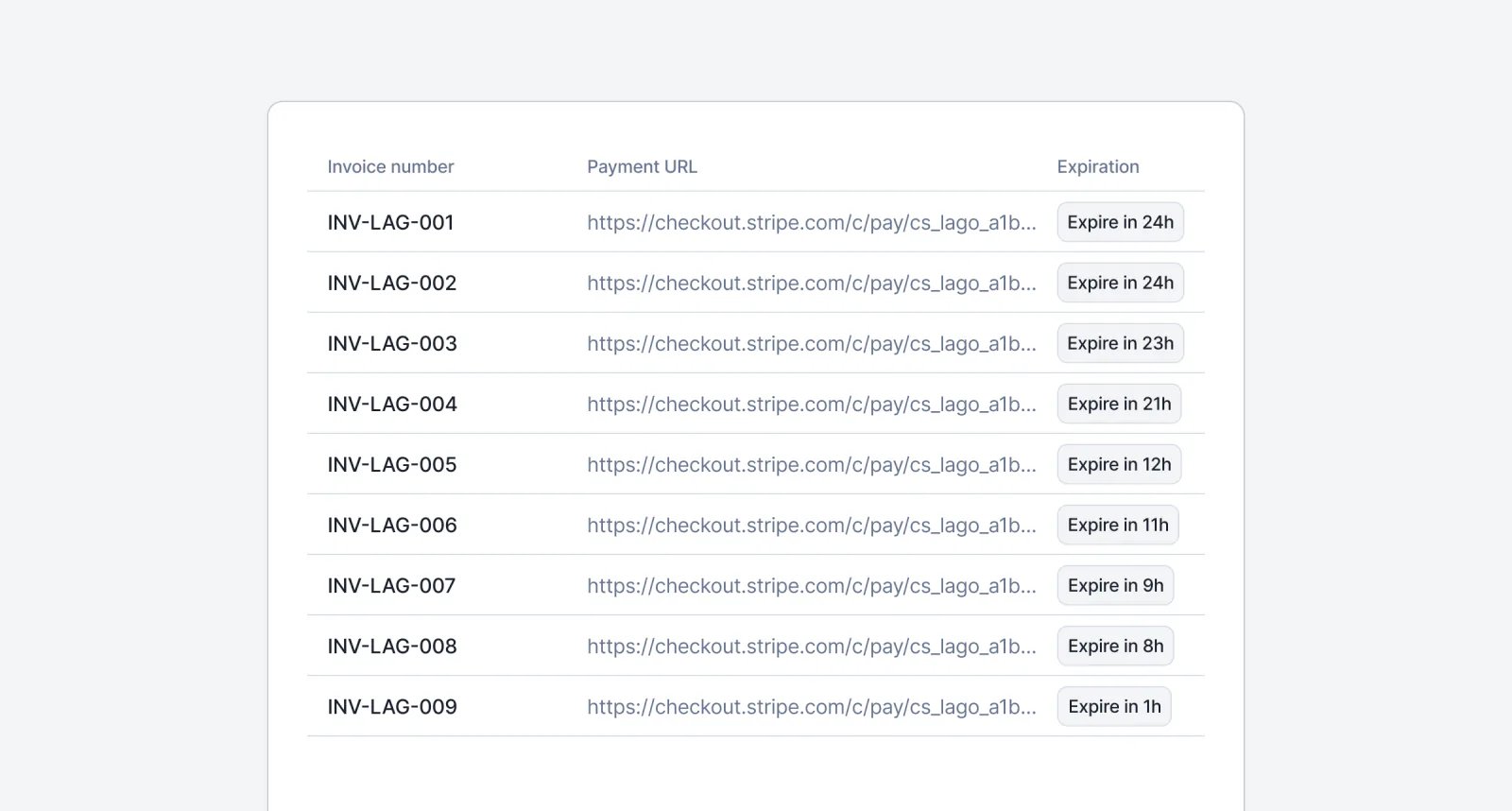
Lago payment URL generation returning a stable link valid for 24 hours.
We made the payment URL generation idempotent to safely share with your end customers. Each URL remains valid and unchanged for 24 hours, no matter how many times the endpoint is called — helping you prevent duplicate payments and simplify the checkout flow. After 24 hours, a new URL will be generated on the next call, valid for the next 24-hour period.Learn more

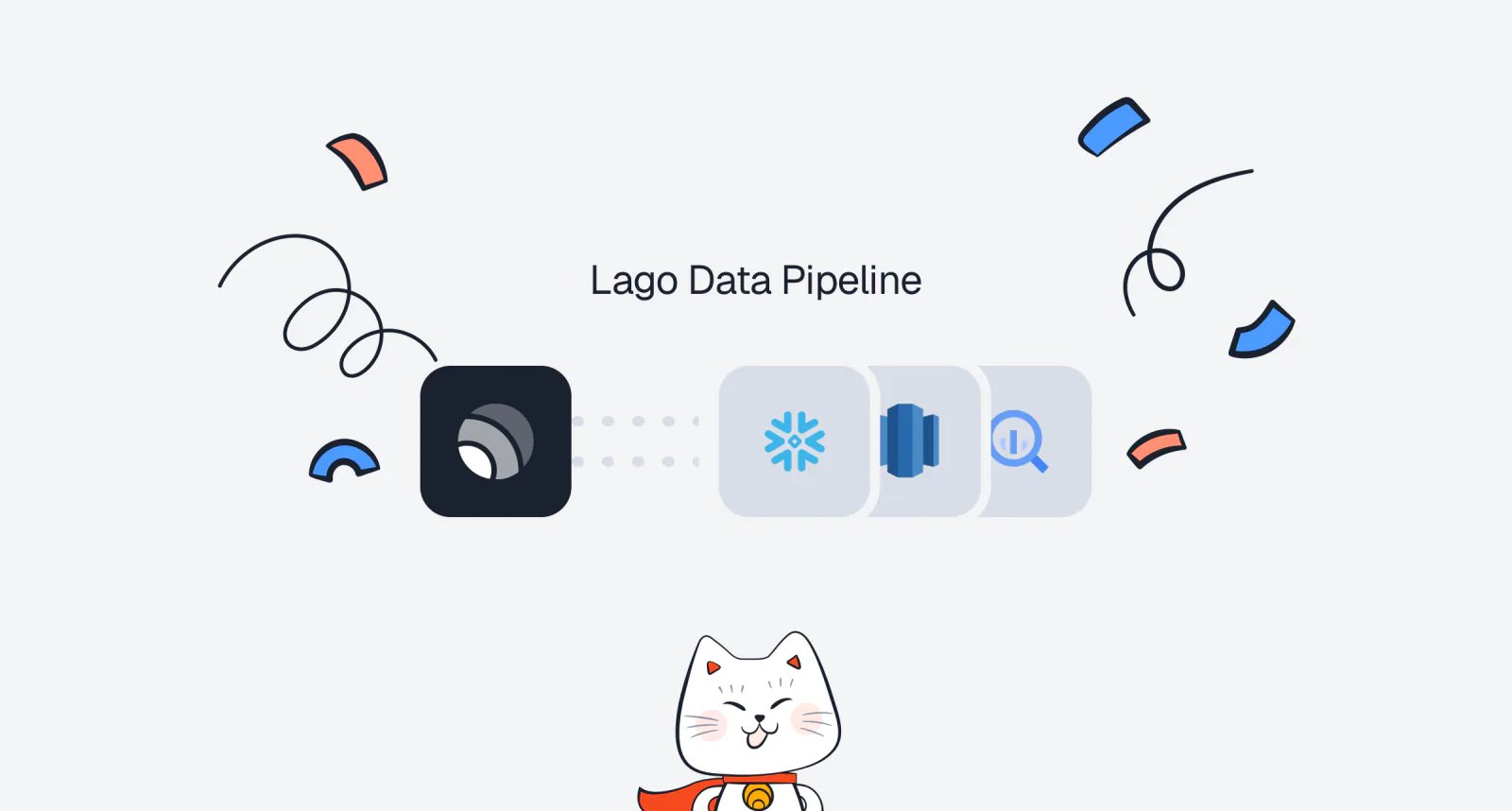
Lago Data Pipeline is now in beta

Lago Data Pipeline syncing billing data to a warehouse destination.
You need to sync your Lago data to your data warehouse or cloud storage? We’ve got you covered with a new native integration called Lago Data Pipeline!Lago Data Pipeline is now in beta and available for a selected group of customers. Reach out to your account manager to get access.More than 20 data destinations are supported, including Snowflake, BigQuery, Redshift, Databricks, Athena, ClickHouse, MotherDuck, Postgres, Aurora Postgres, MySQL, Aurora MySQL, SQL Server, SingleStore, S3, S3-Compatible, GCS, ABS, and Google Sheets.Learn more

Failed payment nightmares are over: Lago payment pre-authorization

Sick of launching a subscription, watching customers dive in all month, only to have payment fail at billing time—and then radio silence when you reach out? Failed charges not only leave revenue on the table but also create churn, frustrate customers, and bog your team down in manual follow-ups.With Lago’s Payment Pre-Authorization, you can now verify a card’s validity and available funds when starting a subscription. Catch bad payment methods upfront, automate notifications for declined pre-auths, and keep your service—and your revenue—flowing seamlessly. Enable it in your Lago dashboard today and turn payment nightmares into smooth, uninterrupted growth.Learn more

Pay your Lago invoices with Moneyhash

Lago invoice paid through the Moneyhash payment provider.
You can now pay your Lago invoices using Moneyhash!Moneyhash is the leading payment infrastructure software in Africa and the Middle East. They help businesses across Emerging Markets to optimize payment performance, scale operations, cut costs, and grow revenue through an all-in-one orchestration platform.If you issue invoices for customers in Africa or MENA, this integration is for you!Learn more
This integration has been built and maintained by our partner Moneyhash.

Enhanced Revenue Streams and MRR dashboard are now live in Beta
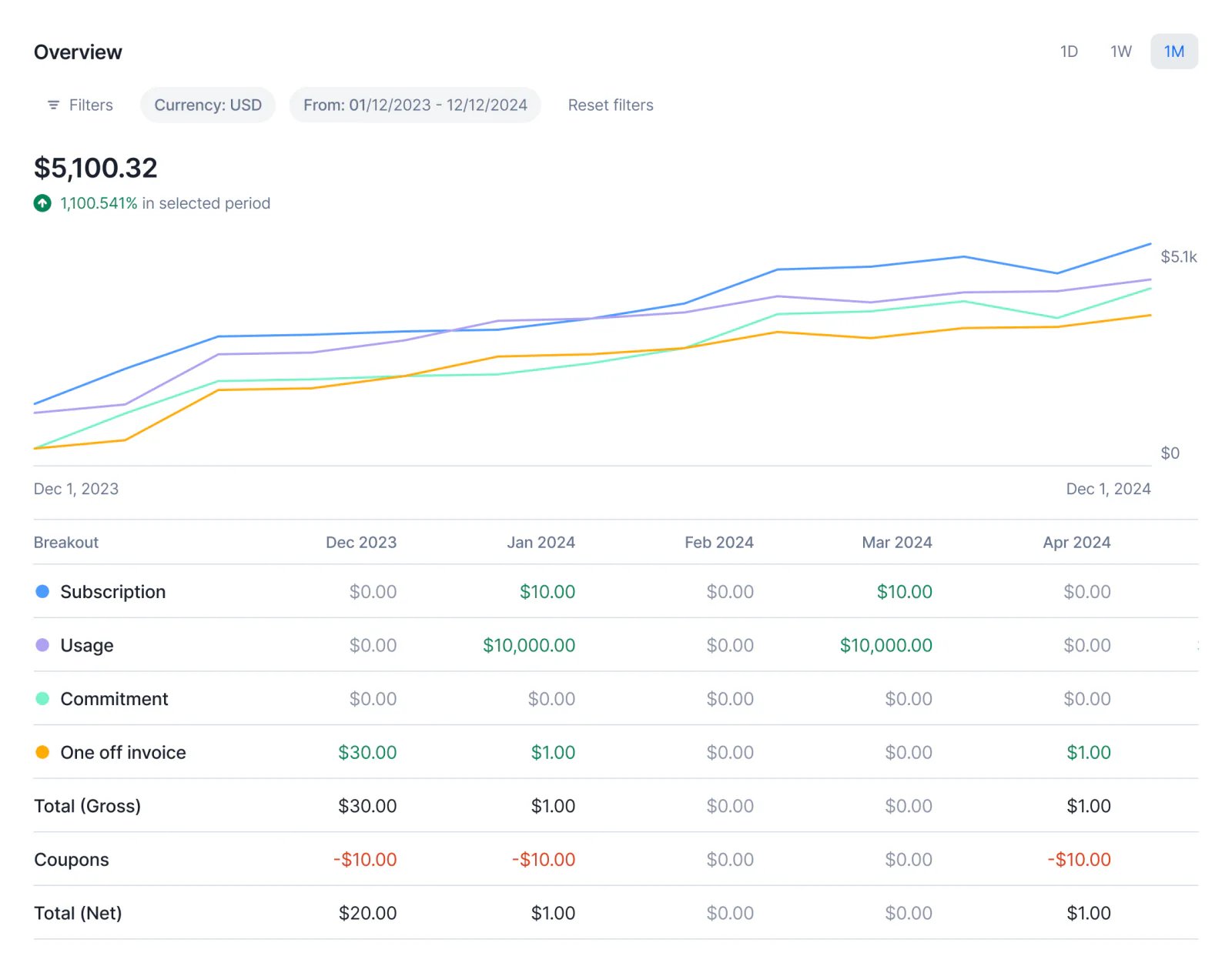
Lago Analytics v2 revenue streams and MRR dashboard.
We’ve just launched Analytics v2 in beta for some premium customers! This upgraded experience brings deeper insights and more powerful tools to understand your revenue performance:
  1. Revenue per Stream: Get a detailed breakdown of how each stream contributes to your bottom line.
  2. Enhanced MRR Dashboard: Track your Monthly Recurring Revenue breakout with detailed views
This marks a major step forward in Lago’s new Analytics view, designed to help you make smarter, data-driven decisions. If you’re part of the beta, we’d love to hear your feedback!Learn more
Wallets & creditsInvoicingSubscriptionsPayments

Rescue failed wallet transactions!
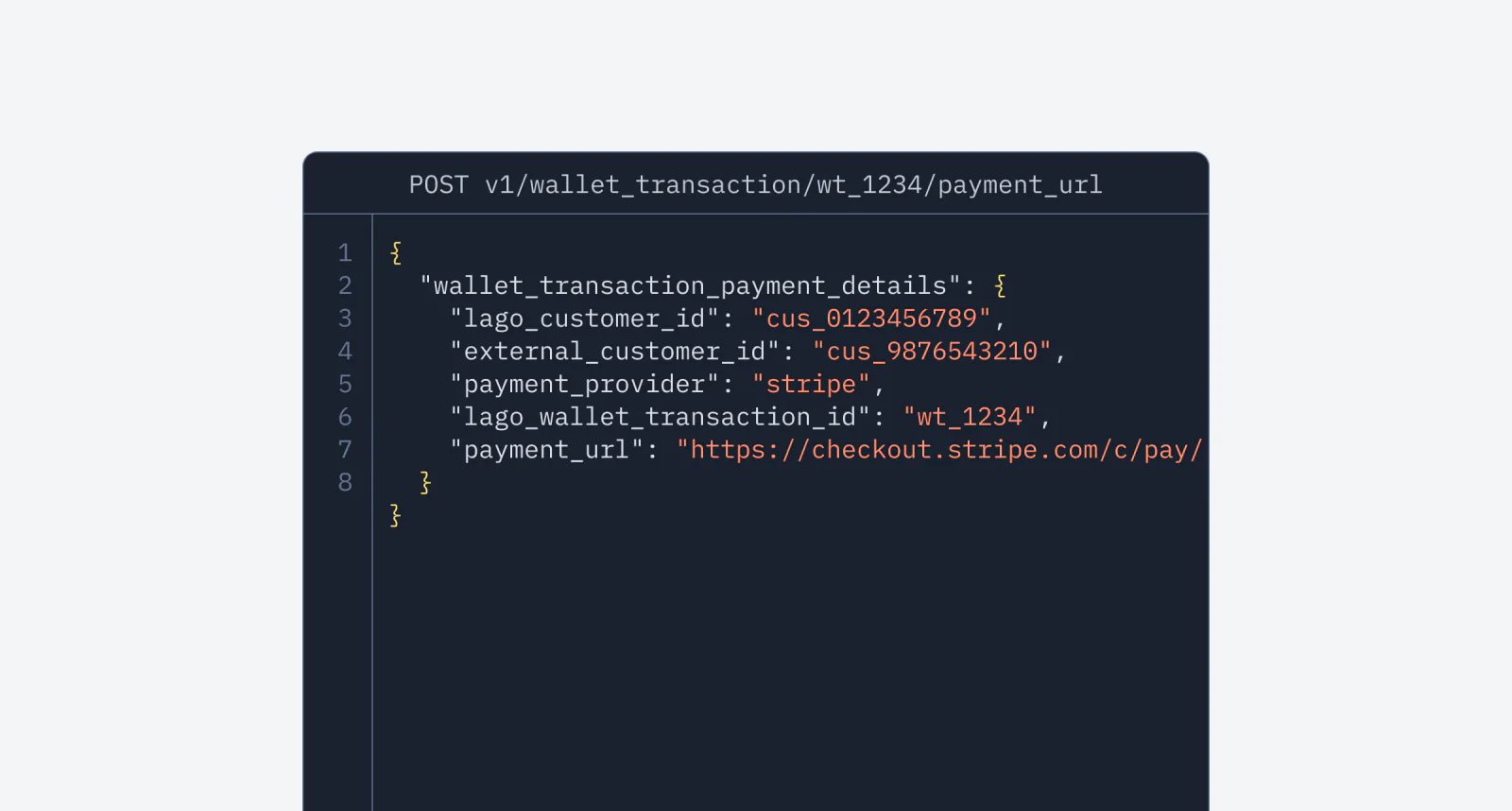
Lago payment URL generated for a failed wallet transaction.
Payment intent failed? No worries — we’ve added a new endpoint that generates a payment URL for pending and failed wallet transactions. This feature allows your customers to complete their wallet top-ups through a secure checkout page, similar to how invoice payments work. A smoother recovery, a better experience. Dive into the docs for all the details!Learn more

Track every cent: Payment Receipts are now available!
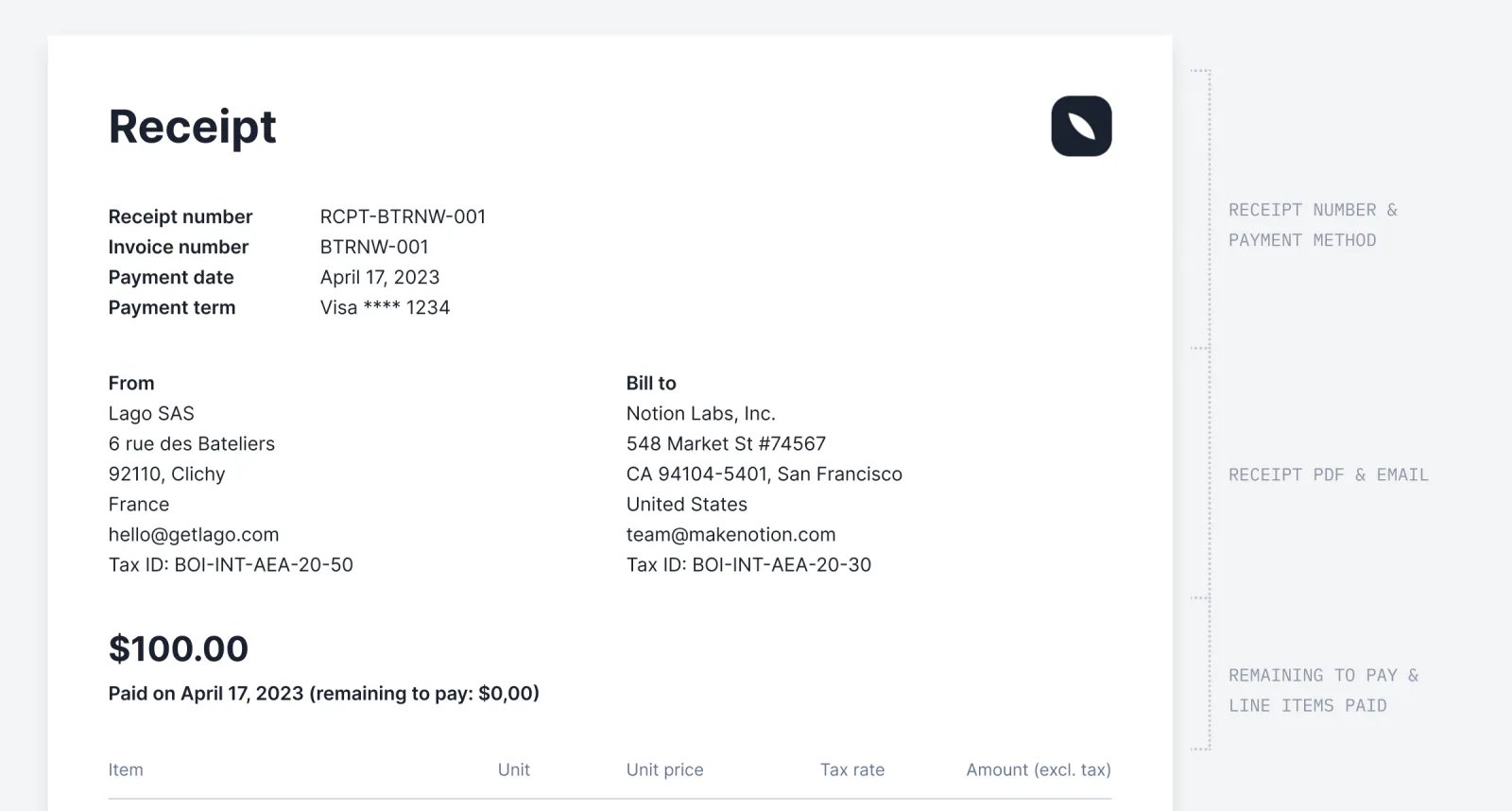
Lago payment receipt issued against a paid invoice.
✨ This feature is only available as an add-on. Please contact hello@getlago.com to get access to Payment Receipts.
To give your customers better visibility into their payments, we’ve introduced Payment Receipts — a new PDF document and API payload generated by Lago. Unlike invoices, these receipts provide a clearer breakdown of payments received, including the payment method used and any remaining balance. This helps your customers track their transactions more easily and improves transparency around outstanding amounts.Learn more

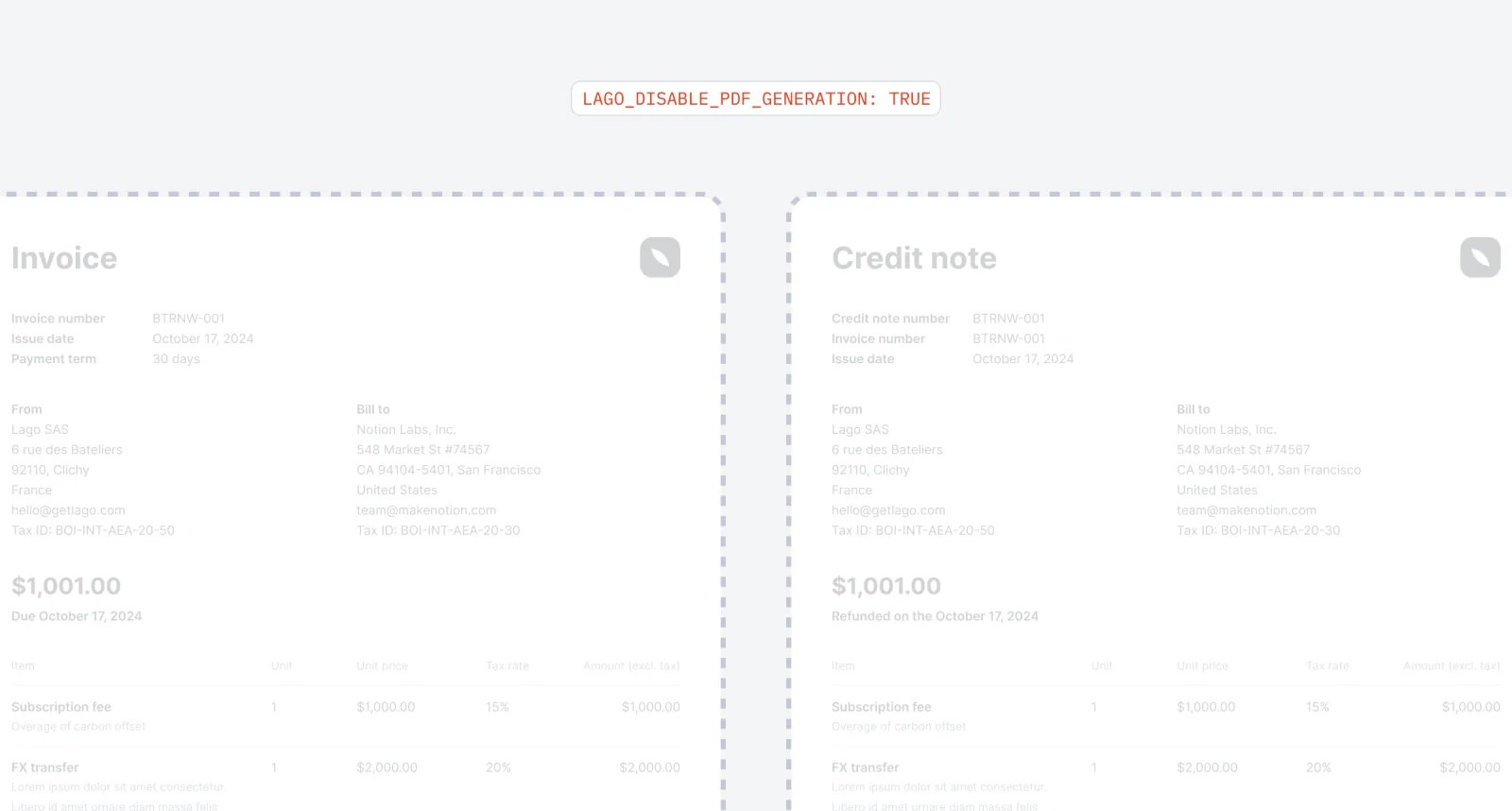
Disable pdf generation

Lago configured to skip PDF generation for invoices and credit notes.
If you don’t rely on our PDFs, you can now configure Lago—via an environment variable—to skip PDF generation for invoices, credit notes, and receipts. Lago won’t process any jobs related to these documents, keeping your queues less crowded.Learn more

Invoice previews for upgrades and downgrades

You can now preview invoices not just for new customers or dry runs on existing subscriptions, but also for upgrades, downgrades, and even plan terminations. This means you have all the tools you need to estimate and preview invoices for every billing scenario. Get ready to take control of your billing like a pro!Learn more

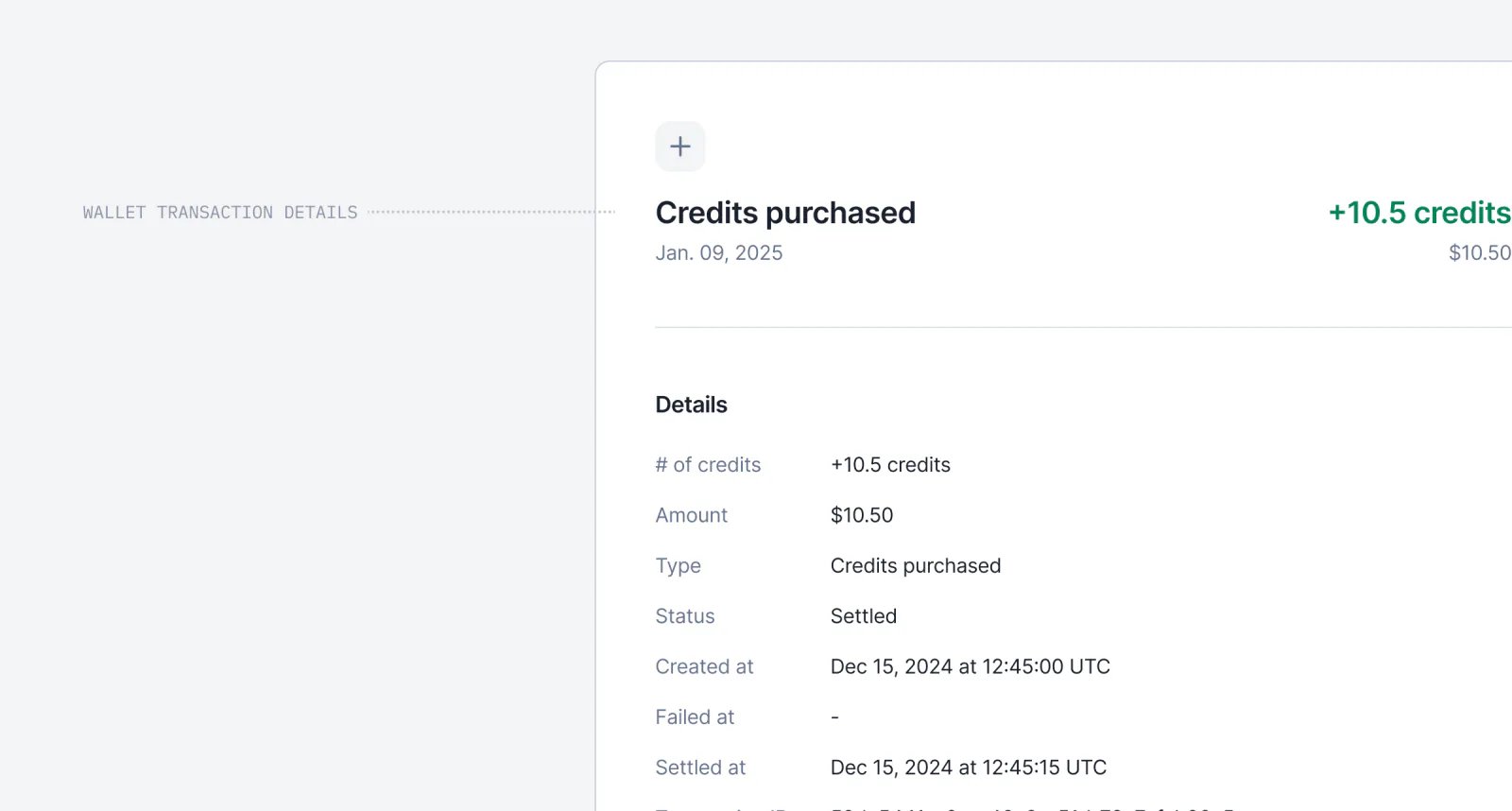
Enhanced wallet transaction details

Lago wallet transaction detail view with full attribution.
You can now view detailed information about a wallet transaction by simply clicking on it. We’ve added comprehensive data to improve your understanding, including all relevant transaction details, linked payments, and associated invoices. This update makes it easier to track and analyze your wallet transactions at a glance.

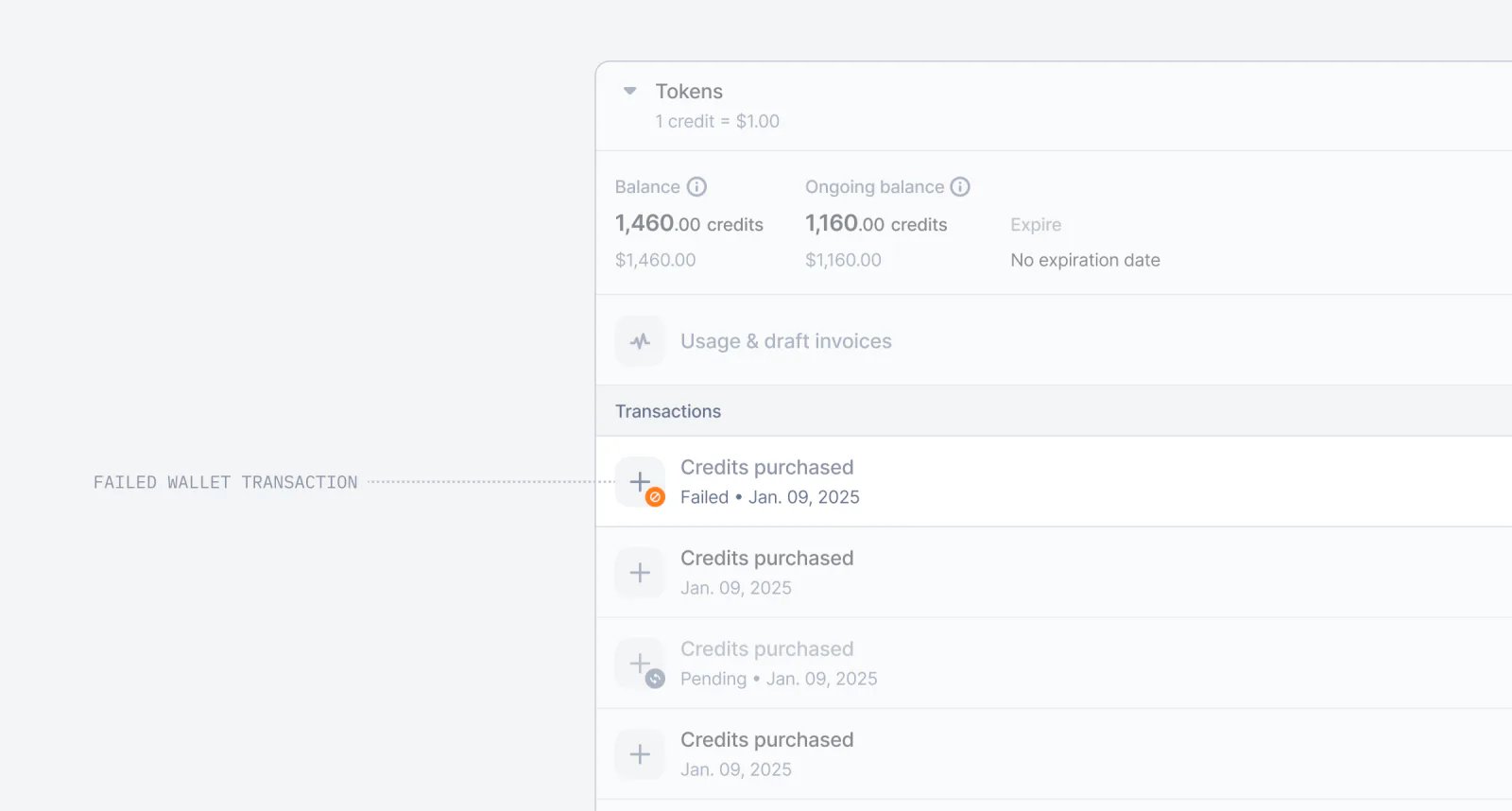
Failed wallet transaction

Lago wallet transaction marked as failed after an unsuccessful payment.
We’ve introduced the failed wallet transaction! Now, when a wallet transaction is linked to a failed payment, its status will automatically update from pending to failed. This enhancement provides a clearer view of the transaction lifecycle and simplifies debugging when needed.

Expiration date for wallet recurring transaction rule
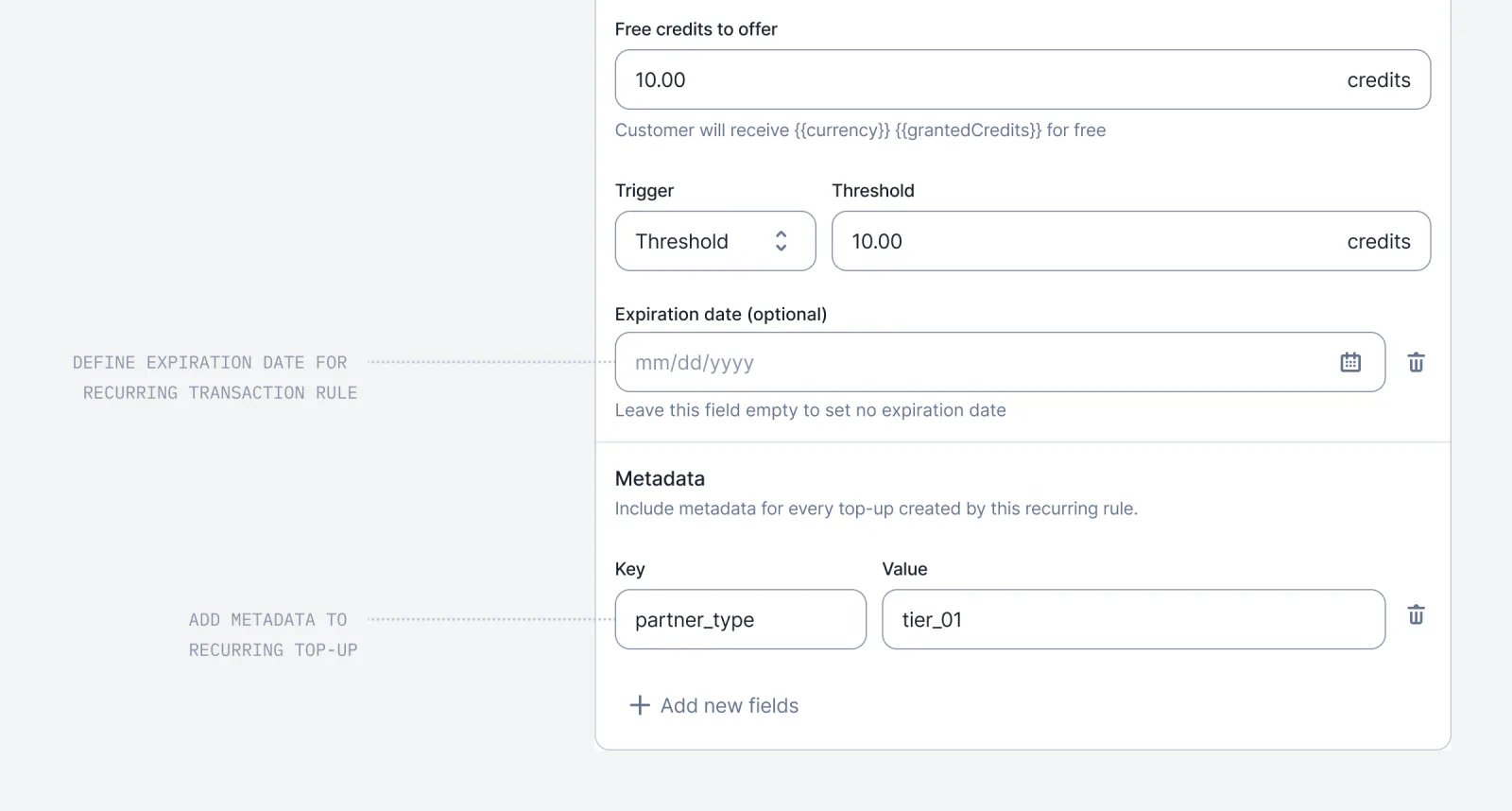
Lago wallet recurring transaction rule with an expiration date set.
As part of our initiative to enhance the wallet experience, we’ve introduced two new settings for wallet recurring transaction rules.
  • You can now set an expiration date for a rule, and Lago will automatically terminate it once reached, preventing any further top-ups.
  • Additionally, you can define metadata for recurring top-ups directly through the Dashboard.
Learn more
PaymentsInvoicingBilling entitiesWallets & credits

New webhook message on wallets
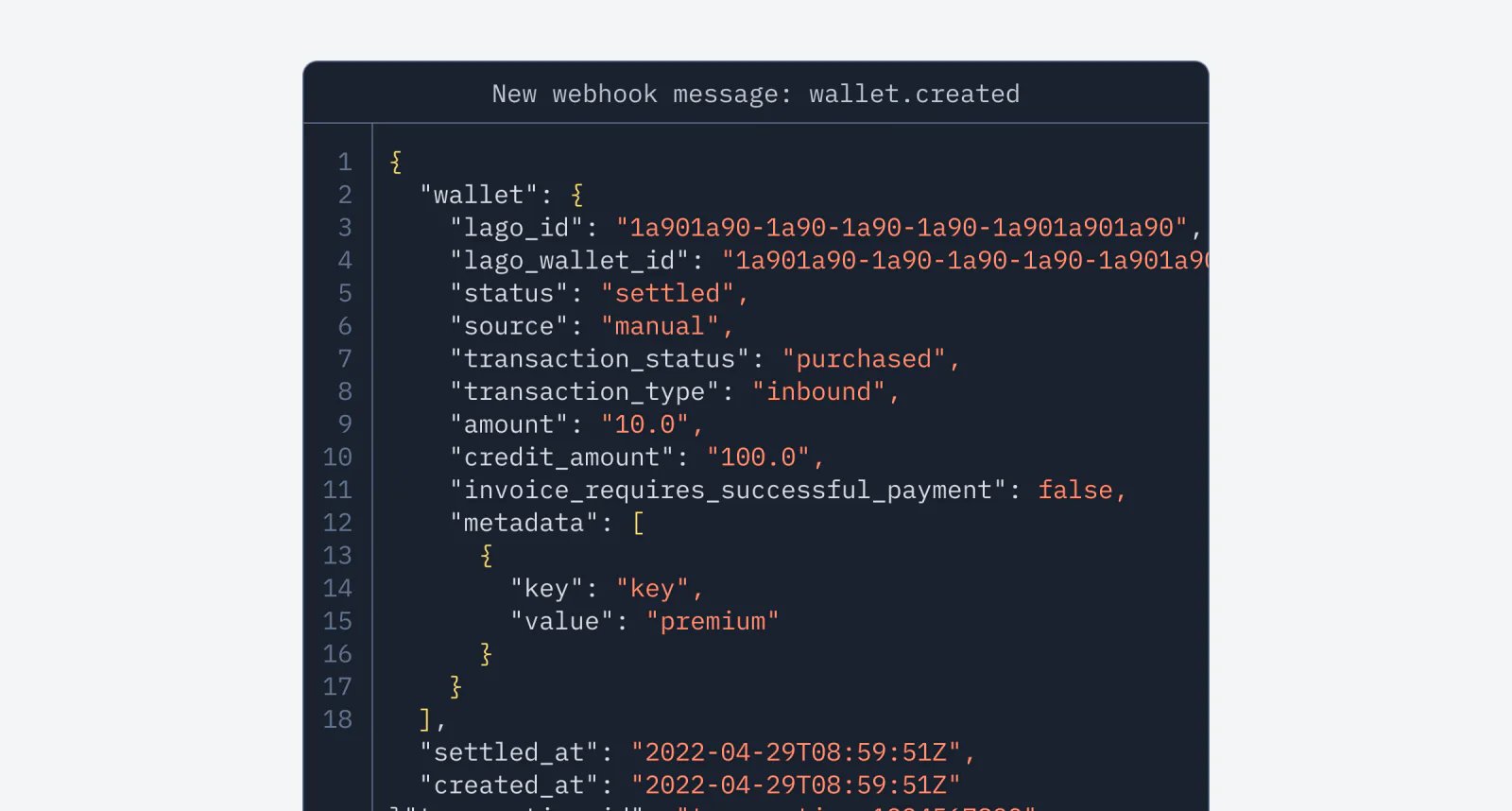
Lago webhook messages for wallet created, updated, and terminated events.
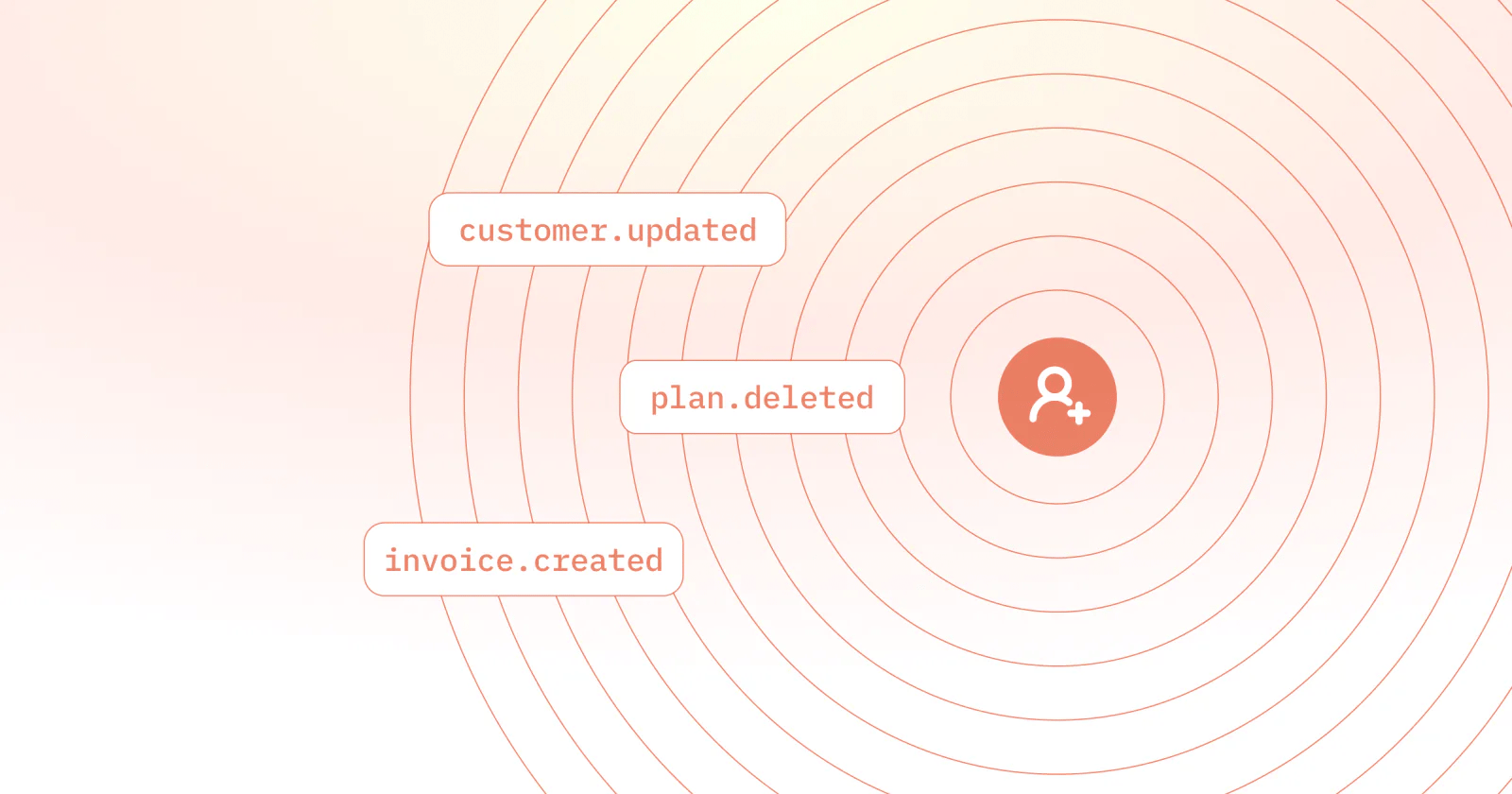
We’ve introduced new webhook messages to help you better understand activity on your wallets. You can now listen to wallet.created, wallet.updated, and wallet.terminated events.Learn more

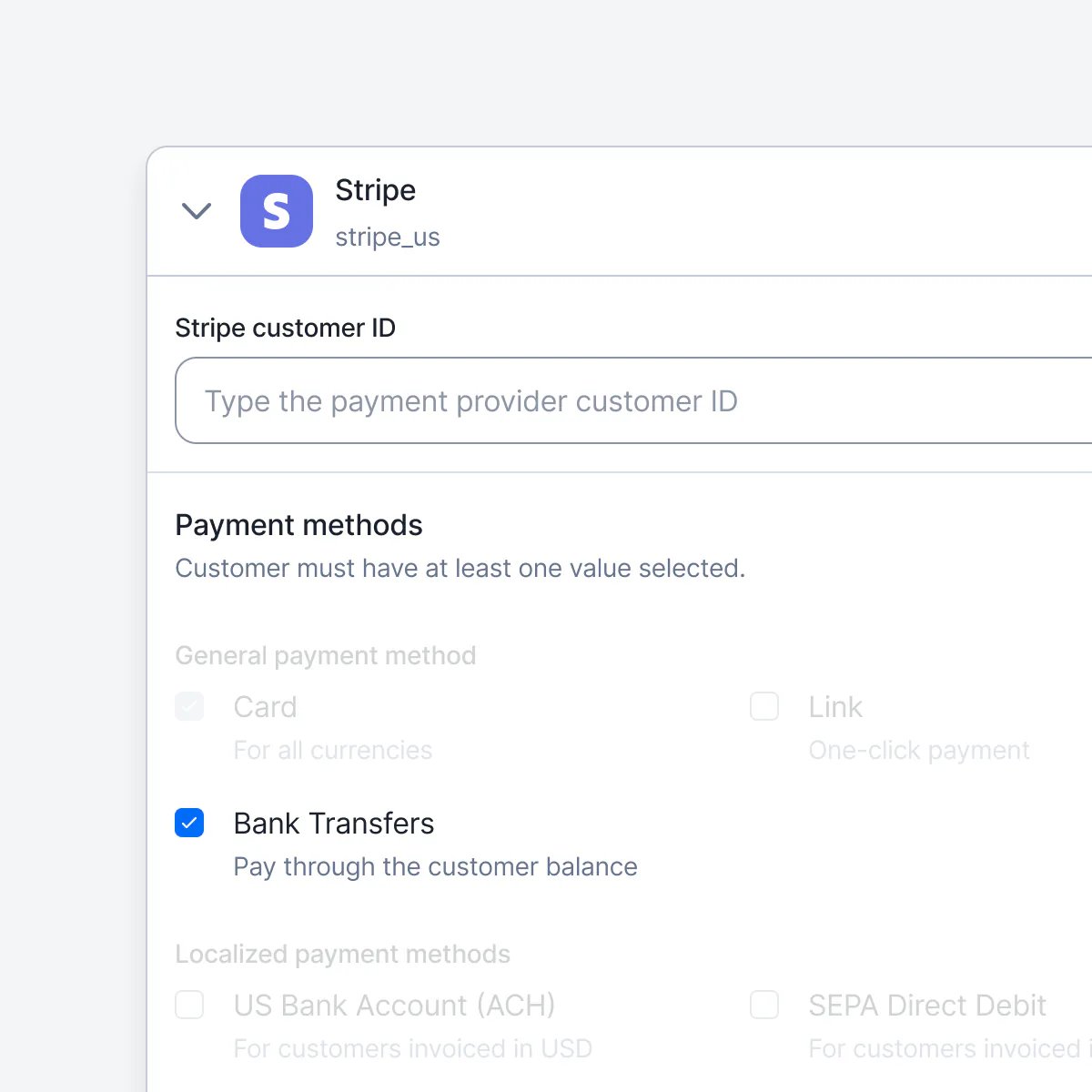
Pay Lago invoices via Bank Transfers

Lago invoice paid by Stripe bank transfer.
Lago now supports Stripe’s bank transfers (customer_balance) for invoice payments. Supported methods:
  • JPY: Japan
  • GBP: United Kingdom
  • EUR: Specific SEPA countries (see Stripe documentation)
  • MXN: Mexico
  • USD: United States, United Kingdom, and select SEPA countries
Learn more

Custom SMTP Management

By default, Lago automatically handles your SMTP configuration—no extra setup required.However, if you prefer to use your own SMTP server, Enterprise customers can now send emails through a custom SMTP configuration.

Effortless Docker deployment in a single command

We heard you—the old Docker commands were a bit of a hassle, so we’ve made things easier. Now, you can get the app up and running with just one simple command in your shell. Enjoy!Learn more

To the moon: Crypto payments are now available
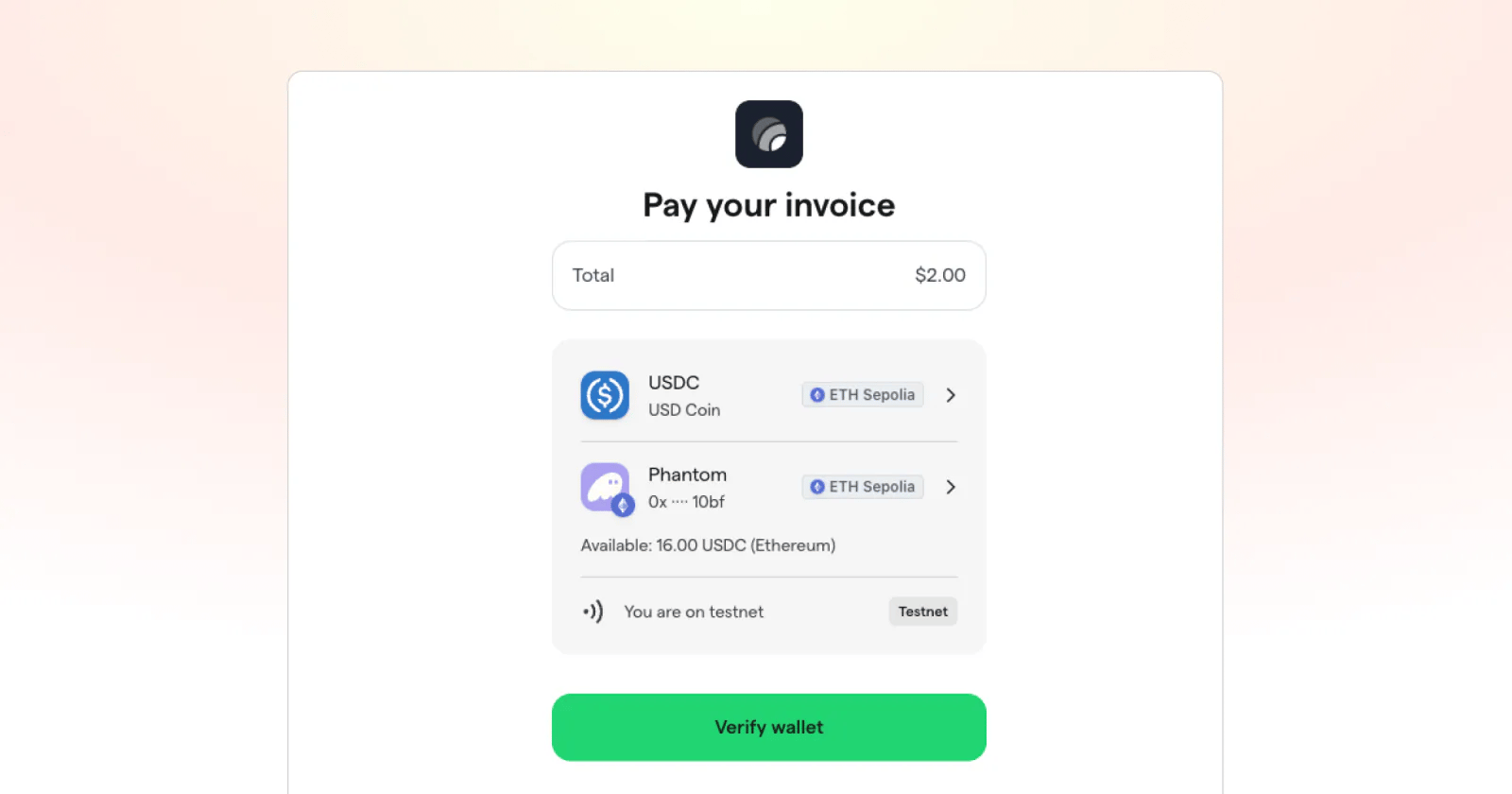
Lago invoice paid in USDC crypto.
Lago now supports crypto payments! Don’t worry though, your customers won’t be paying you in a dog meme coin anytime soon. For now, we support USDC/USDP payments if you’re using Lago with Stripe payments.If you don’t know, USDC is a stablecoin that’s pegged to the US Dollar and always worth exactly $1, so it’s not some speculative memecoin you’re getting into.Of course, you can turn this on and off as you like.Learn more

Record payments and partial payments
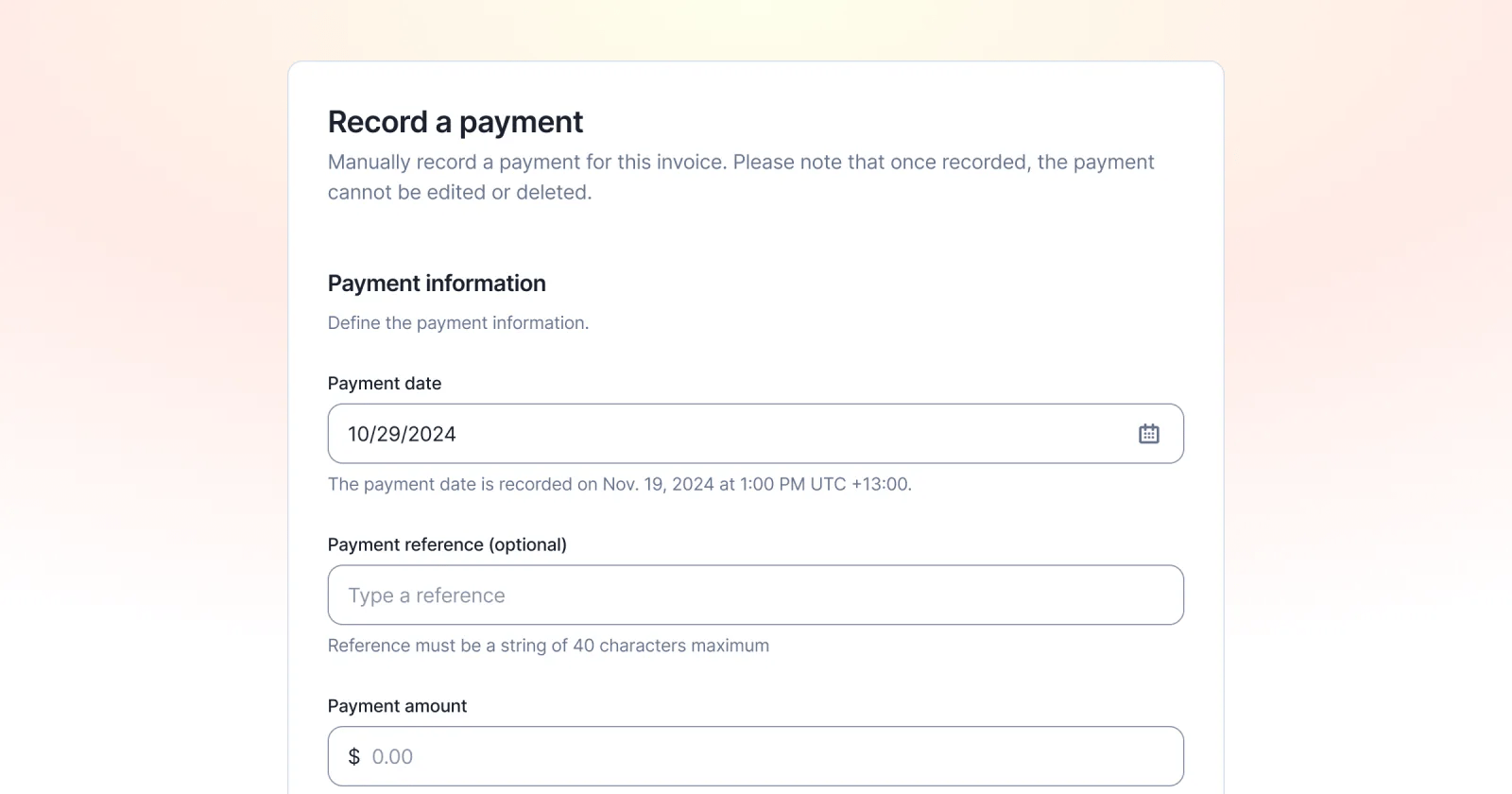
Lago invoice with a partial payment recorded manually.
✨ This feature is only available via a premium license. Please contact hello@getlago.com to get access to Lago Cloud and Lago Self-Hosted Premium.
Some invoices aren’t paid in full right away, or some of them are paid through bank transfers. This is true especially in bigger enterprise deals with unique payment terms. But this means that the invoice is neither unpaid nor paid — it’s partially paid.You can now record these payments in Lago and easily find partially paid invoices at a glance by filtering. That way, you don’t have to remember payments in your head, but always have an accurate overview directly in Lago.Learn more

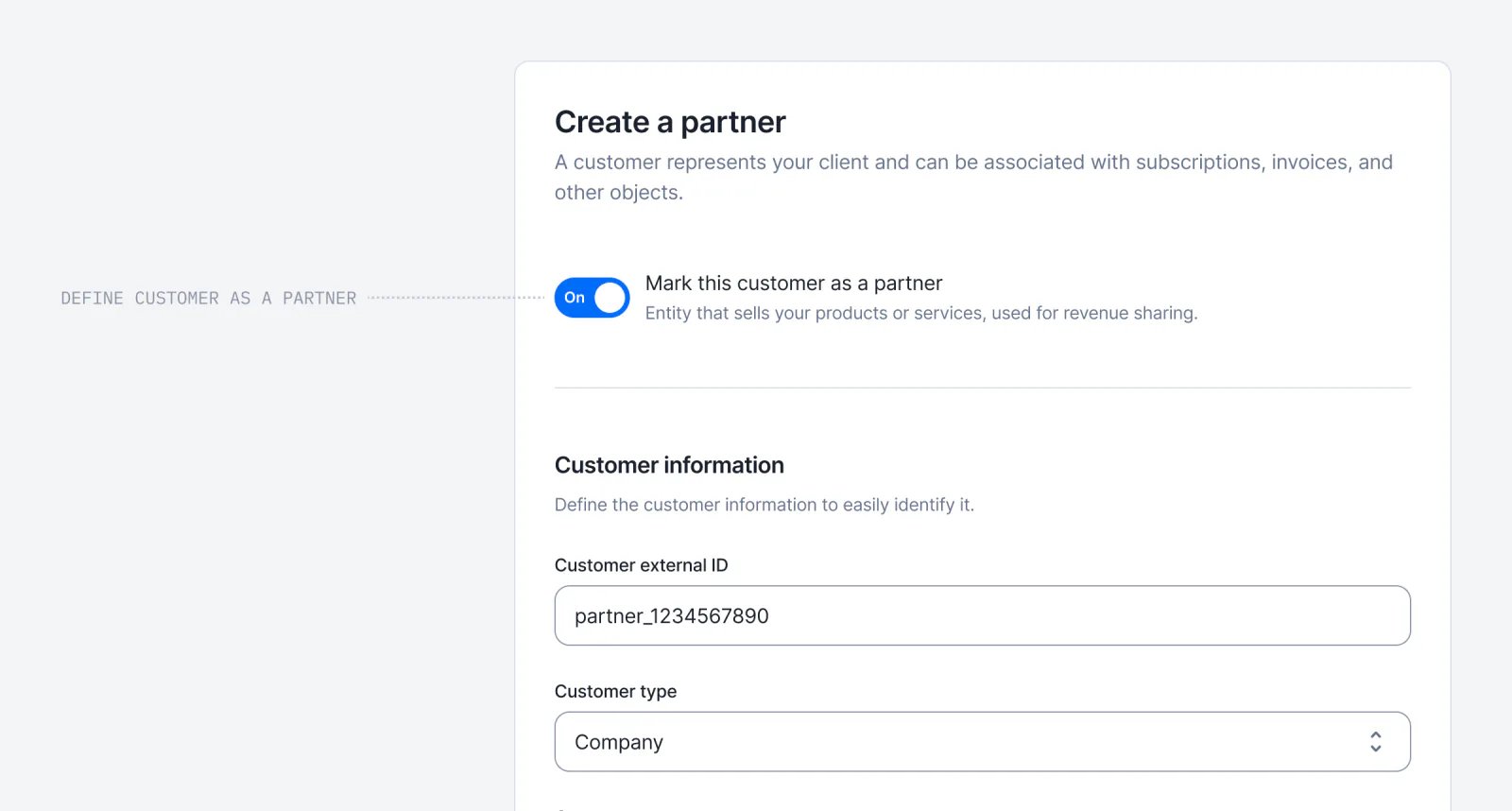
Partner billing & self-invoicing

Lago partner billing generating a self-invoice.
✨ This feature is only available via a premium license. Please contact hello@getlago.com to get access to Lago Cloud and Lago Self-Hosted Premium.
Many of our customers share some revenue with partners. If a partner gets them a new customer, the partner gets a cut of that revenue.This is easy enough for subscriptions and tons of vendors enable this. But if you charged based on usage, you had to do it all manually because most billing systems couldn’t handle this.We’re solving this now. Previously, you could only use Lago to invoice your customers. Now you can create partners. A partner invoice is addressed to you and comes from your partner, a concept we call self-billing.This means you can now manage partnerships directly within Lago instead of needing multiple tools. Lago will also calculate both the revenue this partner brings you and their overall cost.Learn more

Back to the future with invoice previews
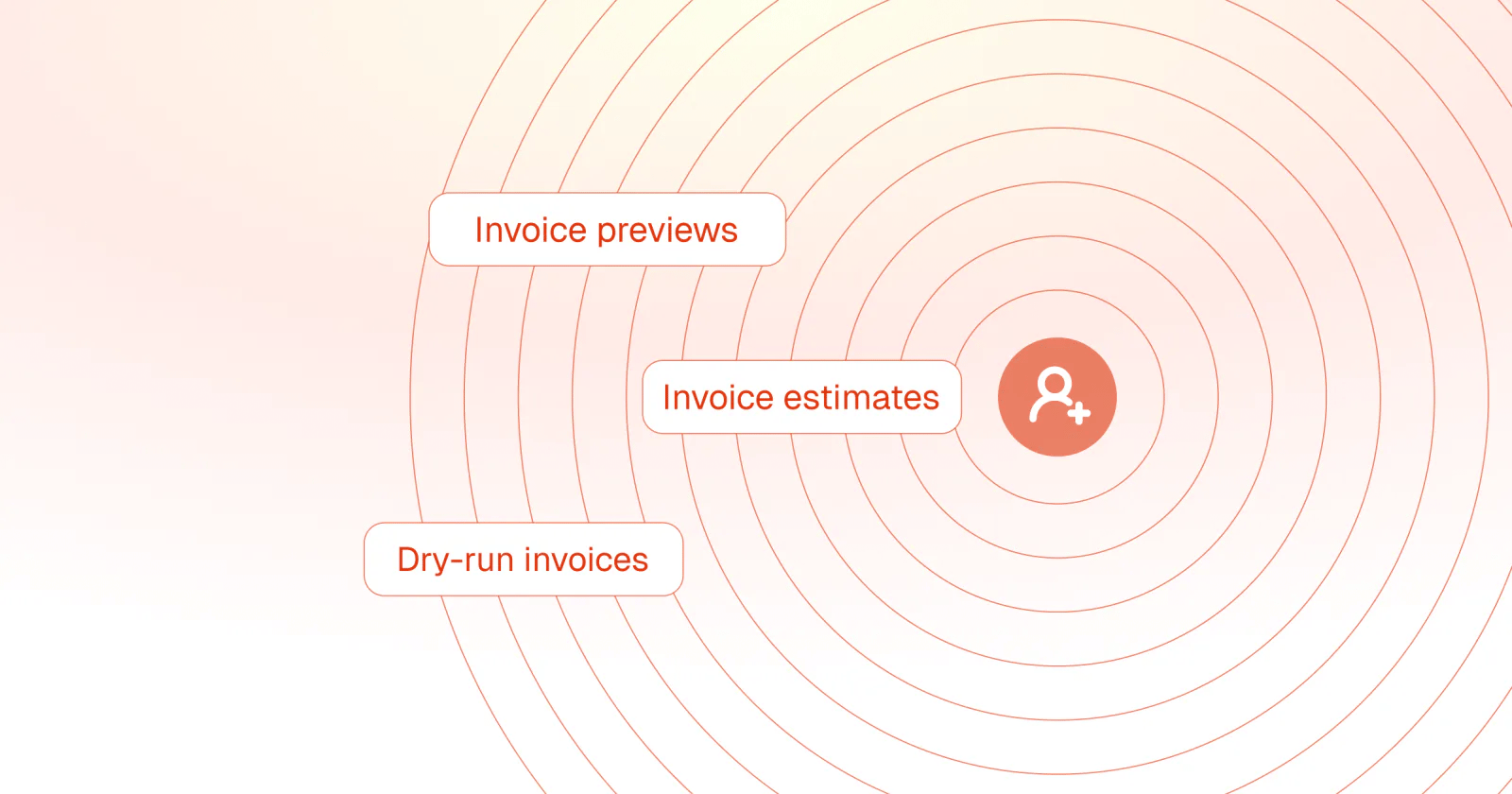
Lago invoice preview generated before the invoice is finalized.
✨ This feature is only available via a premium license. Please contact hello@getlago.com to get access to Lago Cloud and Lago Self-Hosted Premium.
By using the /invoices/preview endpoint, you can generate a preview of an invoice for a potential purchase or to estimate the dry-run invoice of an active subscription. This preview calculates the total invoice amount, itemizes each charge, and applies any relevant taxes or discounts. By creating a preview, you can share the projected payment details without generating or finalizing an invoice.
  1. Prospective customers can now see exactly what they’ll have to pay if they buy the product. This gives them more clarity and makes them more likely to buy.
  2. As a company, you can now see what a customer’s invoice would look like if it was issued right now. This lets you a) support your customers better when they have.
  3. Your customers can preview what they’ll have to pay if they downgrade, upgrade, etc. in fine detail—including all taxes, credits, etc.
Learn more
APIIntegrationsInvoicingWallets & credits

Add up to 10 webhook endpoints
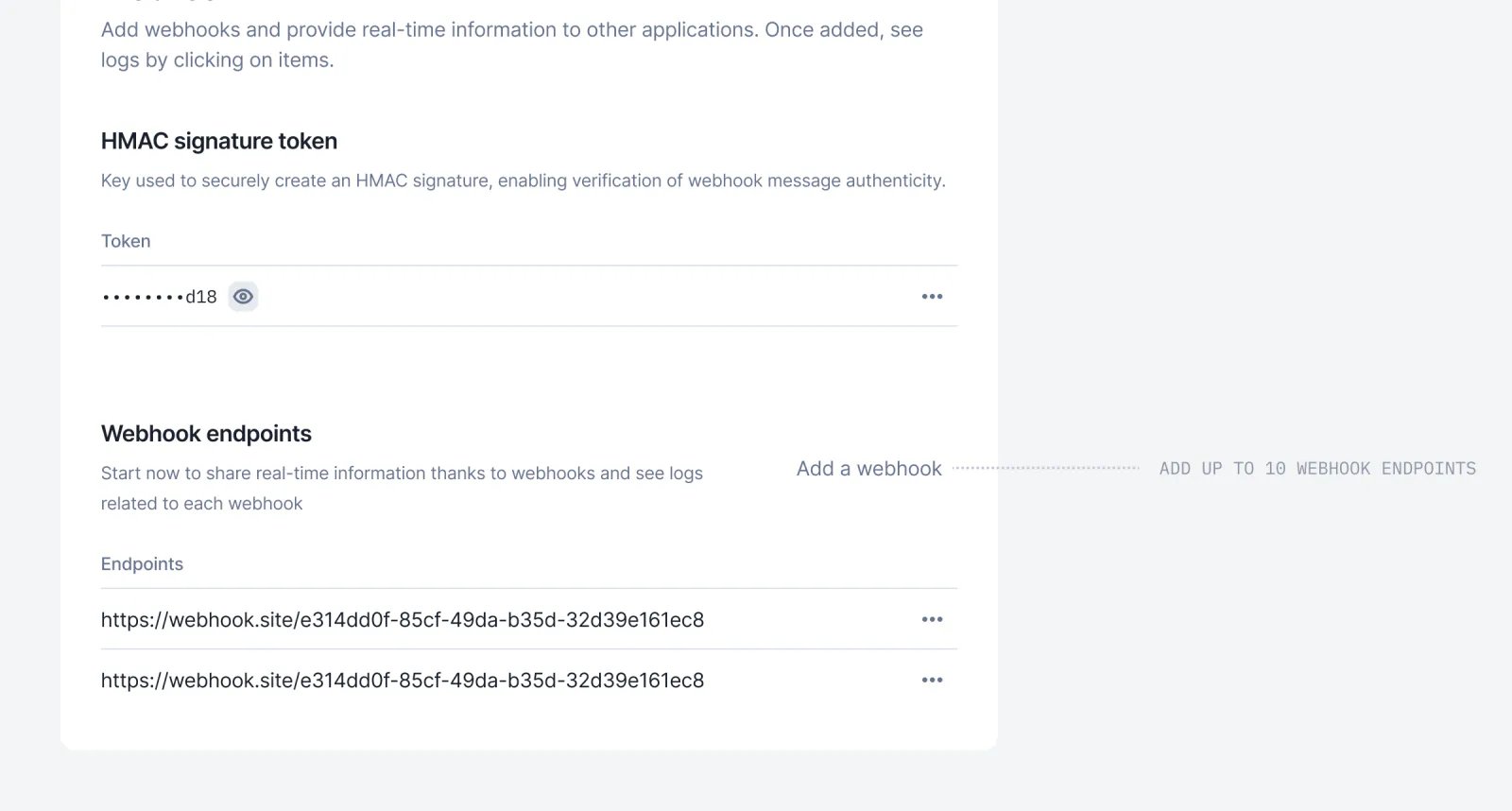
Lago developer settings listing multiple webhook endpoints.
We’ve increased the limit on the number of webhook endpoints available in your Lago app! You can now add up to 10 webhook endpoints in the developer section.Learn more

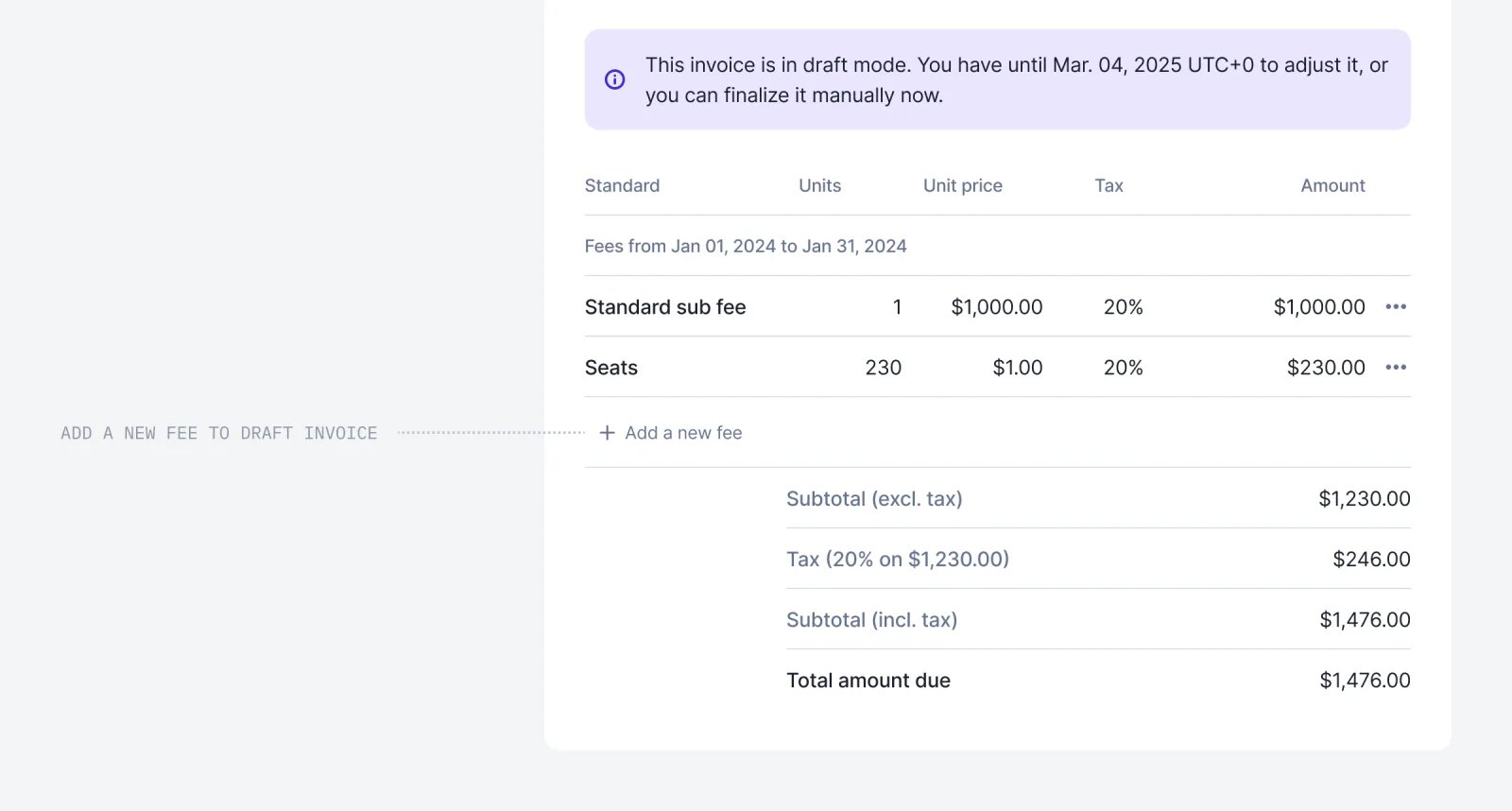
Add fees to your draft invoices

Lago draft invoice with a fee added manually.
As communicated, we no longer generate fees at 0 units, but you can still add them to Draft invoices if no event has been received. Don’t hesitate to navigate into a Draft invoice and add fees linked to charges with no Event.Learn more

Retrieve a wallet transaction endpoint
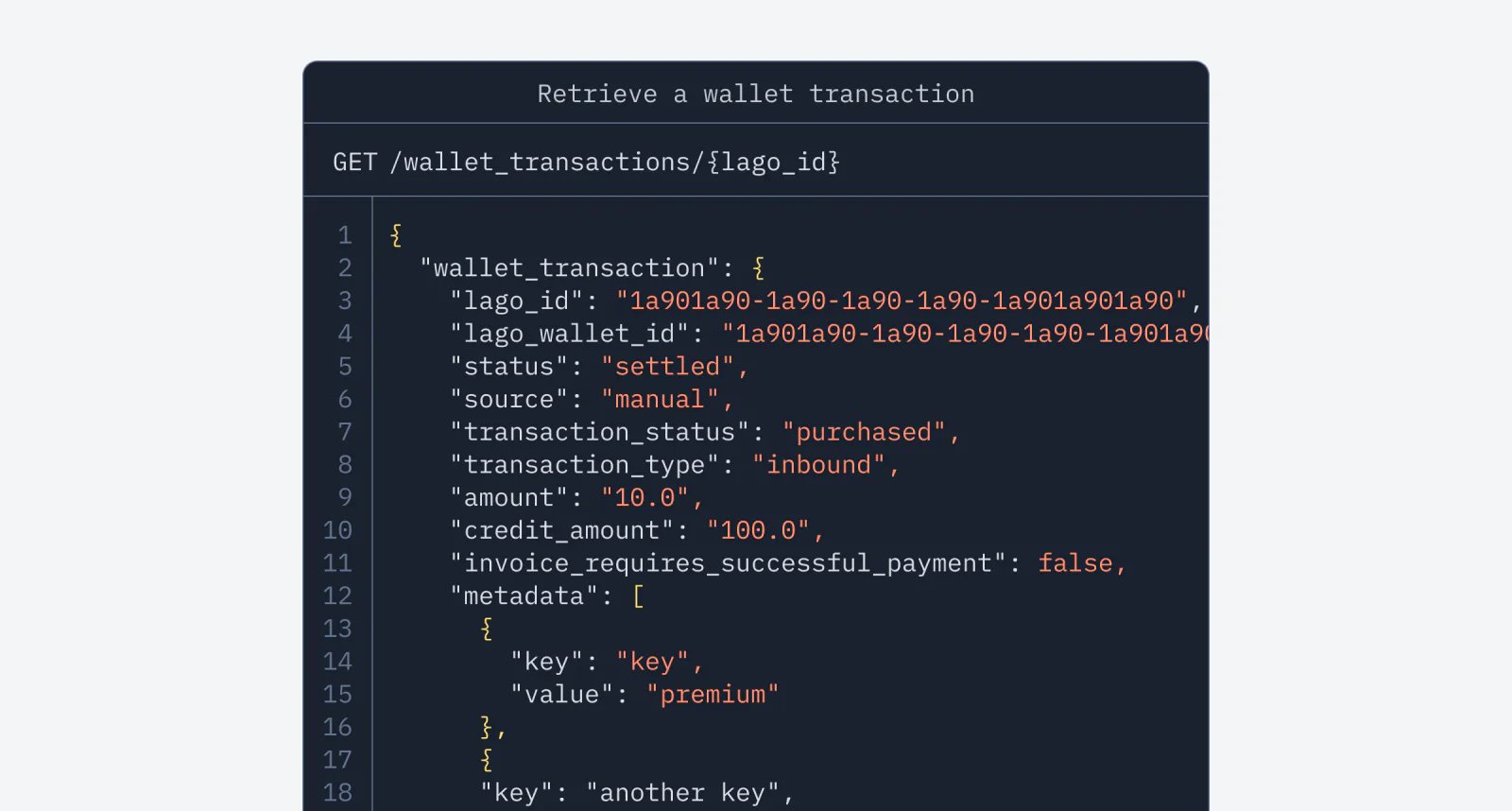
Lago API response retrieving a single wallet transaction.
We’ve added a new endpoint to the wallet experience! No need to query the full wallet transaction list to view the details of a specific transaction—you can now retrieve a single wallet transaction directly with the new GET /wallet_transactions/{lago_id} endpoint.View endpoint

Let Lago sync your customers directly with Salesforce!
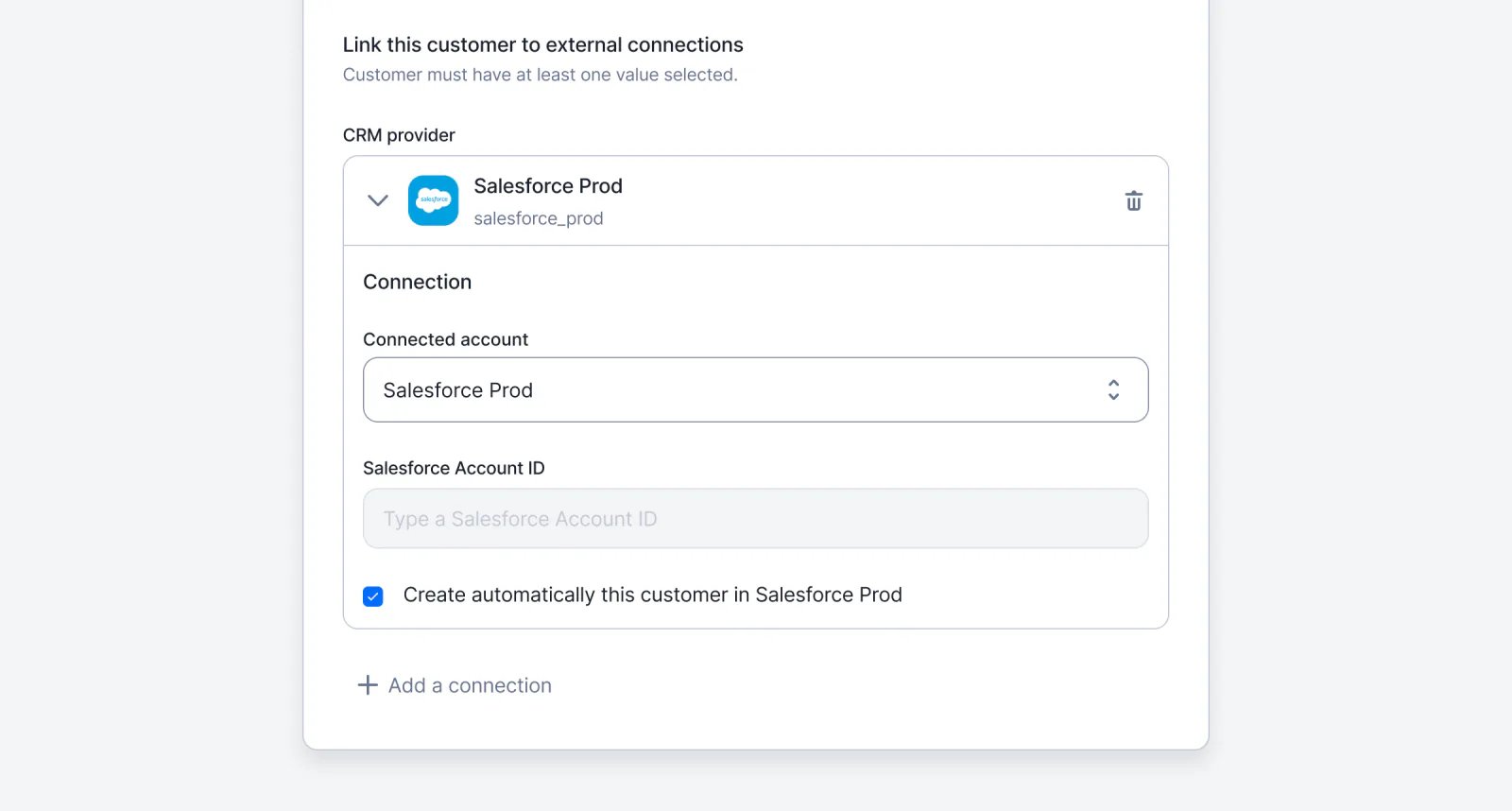
Lago customer synced to a Salesforce record.
We’ve streamlined the Salesforce integration experience. Like all our other integrations, you can now set up the creation of a customer in Lago to sync with Salesforce. If you need to test the Salesforce package, feel free to reach out!Learn more

No need to leave Salesforce to apply coupons to accounts!

We understand that sales teams prefer to stay within Salesforce as much as possible, so we’ve enhanced the Salesforce integration. You can now select specific coupons and apply or remove them directly to or from your accounts in Salesforce—no need to switch to Lago.Learn more

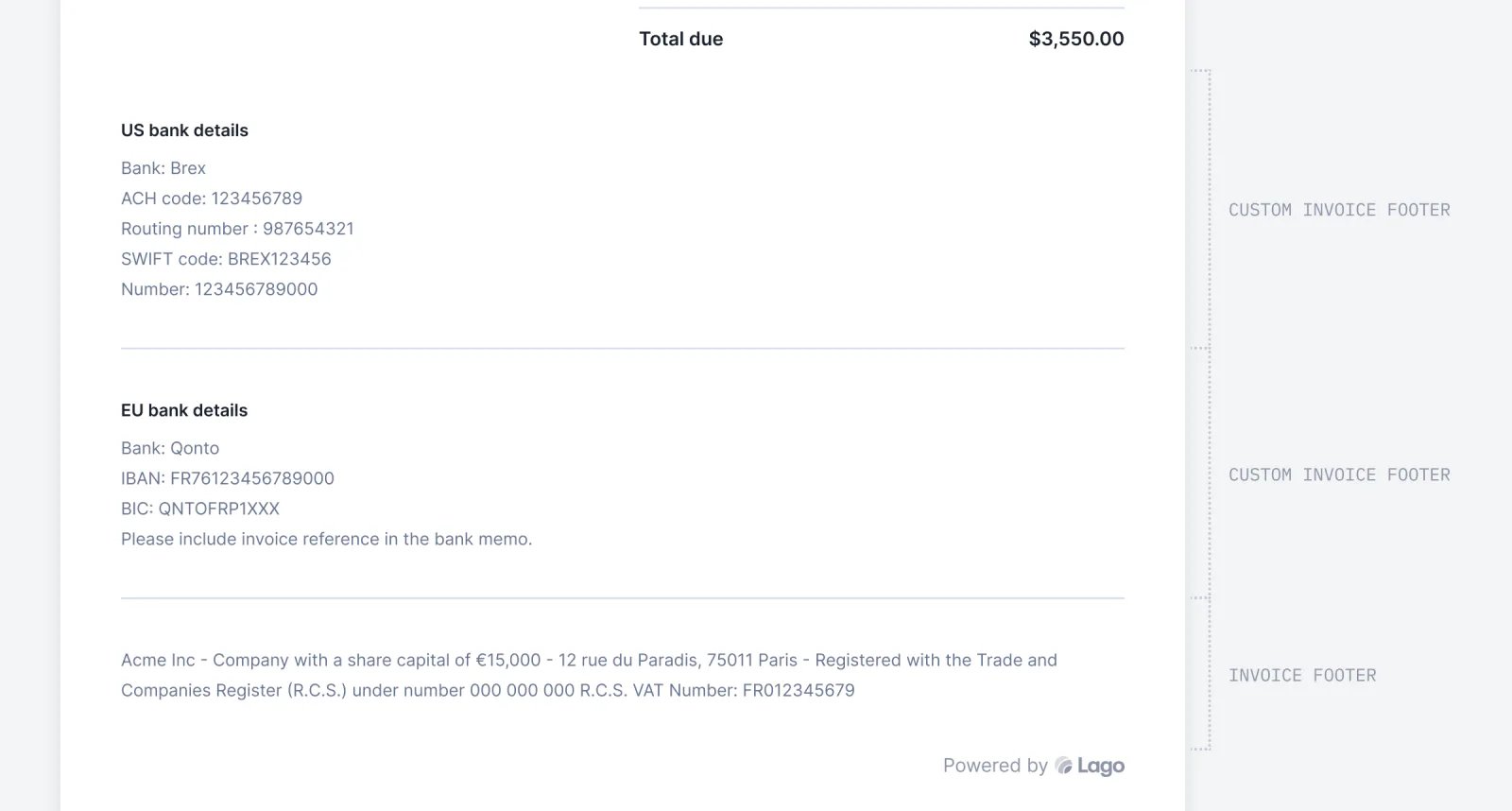
Display custom invoice sections

Lago invoice with a custom section showing bank details.
Tailor invoices to each customer by adding personalized bank details! With the custom invoice section, you can easily personalize templates and include essential details like legal information, all conveniently displayed in the footer.Head to Settings > Invoices > Invoice Custom Section to try out this new feature.Learn more